
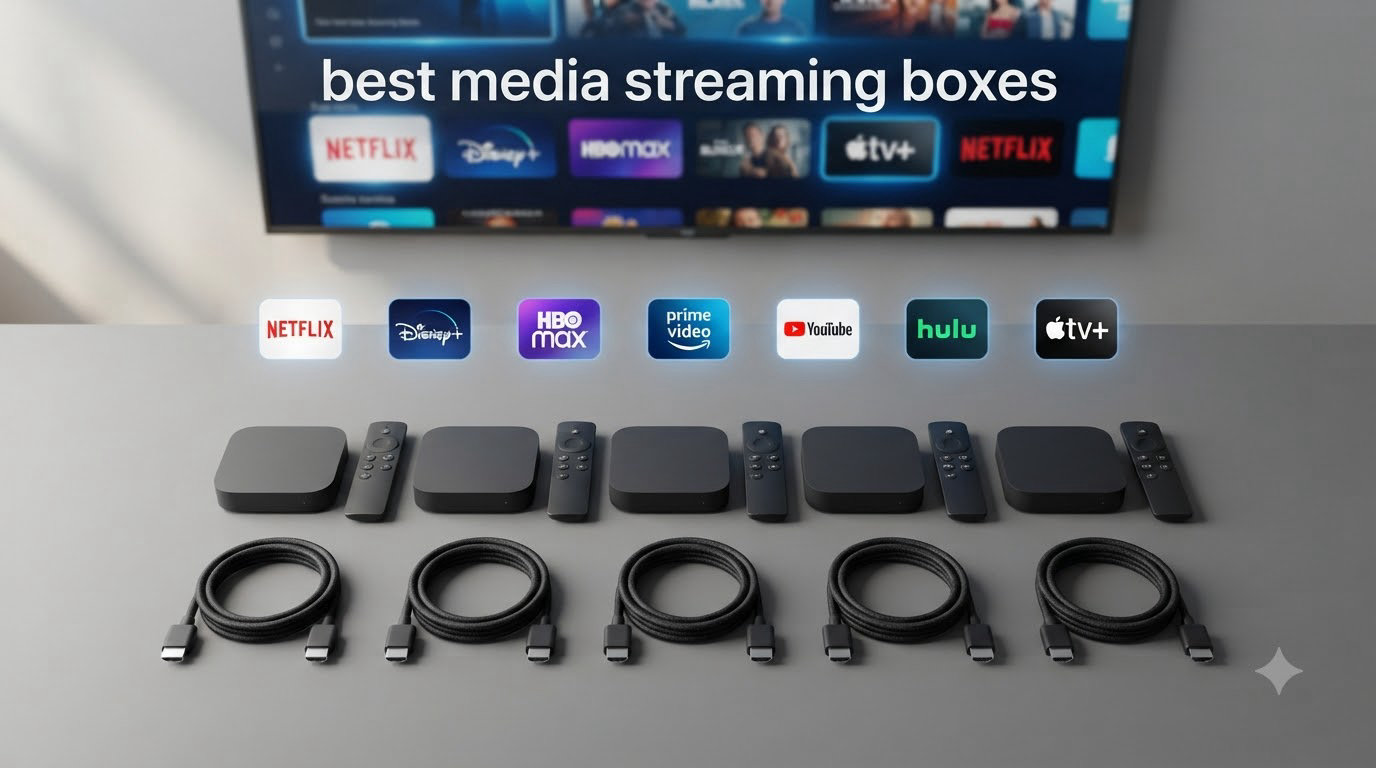
I spent the last three months swapping eight different streaming boxes and sticks through three TVs in my home, and the differences surprised me. The best media streaming boxes in 2026 are not all about raw speed; some win on app selection, others on long-term reliability, and a few still lead the pack for power users who care about local media and audio formats.
Our team compared each device for picture quality (Dolby Vision, HDR10+, HDR10), audio pass-through (Dolby Atmos, DTS:X), interface responsiveness, remote design, voice control quality, app availability, WiFi stability, and overall value. We also looked at what real users say on Reddit and AV forums about long-term performance and software support, because a streamer that feels fast out of the box but slows down after six months is not actually a good pick.
This guide covers the best media streaming boxes across every budget, from sub-$40 sticks to premium boxes that double as media servers. Whether you are cord cutting, building a home theater, or just tired of your smart TV’s sluggish built-in apps, we have a recommendation for you.
Table of Contents
- Top 3 Picks for Best Media Streaming Boxes at a Glance (August 2026)
- Best Media Streaming Boxes in 2026: Quick Overview
- 1. Roku Streaming Stick 4K – Editor’s Choice for Best Media Streaming Boxes
- 2. Amazon Fire TV Stick 4K Plus – Best Value Media Streaming Box
- 3. Google TV Streamer 4K – Best for Android Ecosystem and Smart Home
- 4. NVIDIA Shield TV Pro – Premium Pick for Power Users and Local Media
- 5. Roku Ultra – Top Rated Roku Box with Dolby Atmos and Ethernet
- 6. Amazon Fire TV Stick 4K Max – Best for Gaming and WiFi 6E
- 7. Xiaomi TV Box S 3rd Gen – Best for Storage and Sideloading
- 8. Roku Streaming Stick Plus – Best Budget Pick for Basic Streaming
- How to Choose the Best Media Streaming Box for Your Setup?
- Frequently Asked Questions
- Final Verdict: Which Streaming Box Should You Buy in 2026?
Top 3 Picks for Best Media Streaming Boxes at a Glance (August 2026)


Amazon Fire TV Stick 4K Plus
- AI-powered Fire TV Search
- WiFi 6 and Dolby Atmos
- Alexa+ voice remote

Google TV Streamer 4K
- 32GB storage and 4GB RAM
- Google Assistant voice search
- Smart home hub built-in
Best Media Streaming Boxes in 2026: Quick Overview
| Product | Specs | Action |
|---|---|---|
| Roku Streaming Stick 4K |
|
Check Latest Price |
| Amazon Fire TV Stick 4K Plus |
|
Check Latest Price |
| Google TV Streamer 4K |
|
Check Latest Price |
 NVIDIA Shield TV Pro NVIDIA Shield TV Pro |
|
Check Latest Price |
 Roku Ultra Roku Ultra |
|
Check Latest Price |
 Fire TV Stick 4K Max Fire TV Stick 4K Max |
|
Check Latest Price |
 Xiaomi TV Box S 3rd Gen Xiaomi TV Box S 3rd Gen |
|
Check Latest Price |
 Roku Streaming Stick Plus Roku Streaming Stick Plus |
|
Check Latest Price |
1. Roku Streaming Stick 4K – Editor’s Choice for Best Media Streaming Boxes
Roku Streaming Stick 4K with Voice Remote – HDR10+ & Dolby Vision
4K HDR10+ and Dolby Vision
Long-range WiFi
Voice remote with TV controls
Pros
- Excellent 4K HDR picture quality with Dolby Vision
- Long-range WiFi works well across the house
- Fast and responsive interface
- Easy setup with no account hassles
- 500+ free channels included
- Reliable performance with minimal buffering
- Voice remote works effectively for search
Cons
- Volume button placement can be awkward
- Sponsored quick-launch buttons on remote
- Requires Roku's WiFi Direct remote pairing
I plugged the Roku Streaming Stick 4K into a 4-year-old Vizio in my guest room and had Netflix running in under 90 seconds. That kind of painless setup matters more than spec sheets suggest, and Roku has clearly optimized for it. The remote pairs instantly, the on-screen menus feel snappy, and the long-range WiFi receiver held a stable connection even through two interior walls.
The 4K HDR10+ and Dolby Vision picture quality impressed me on Netflix, Disney+, and Apple TV+. Colors looked natural without that oversaturated push some streamers add, and dark scenes held detail well. The voice remote handles search across apps, so I just held the mic button and asked for “Tom Hardy movies” and got accurate results from multiple services.
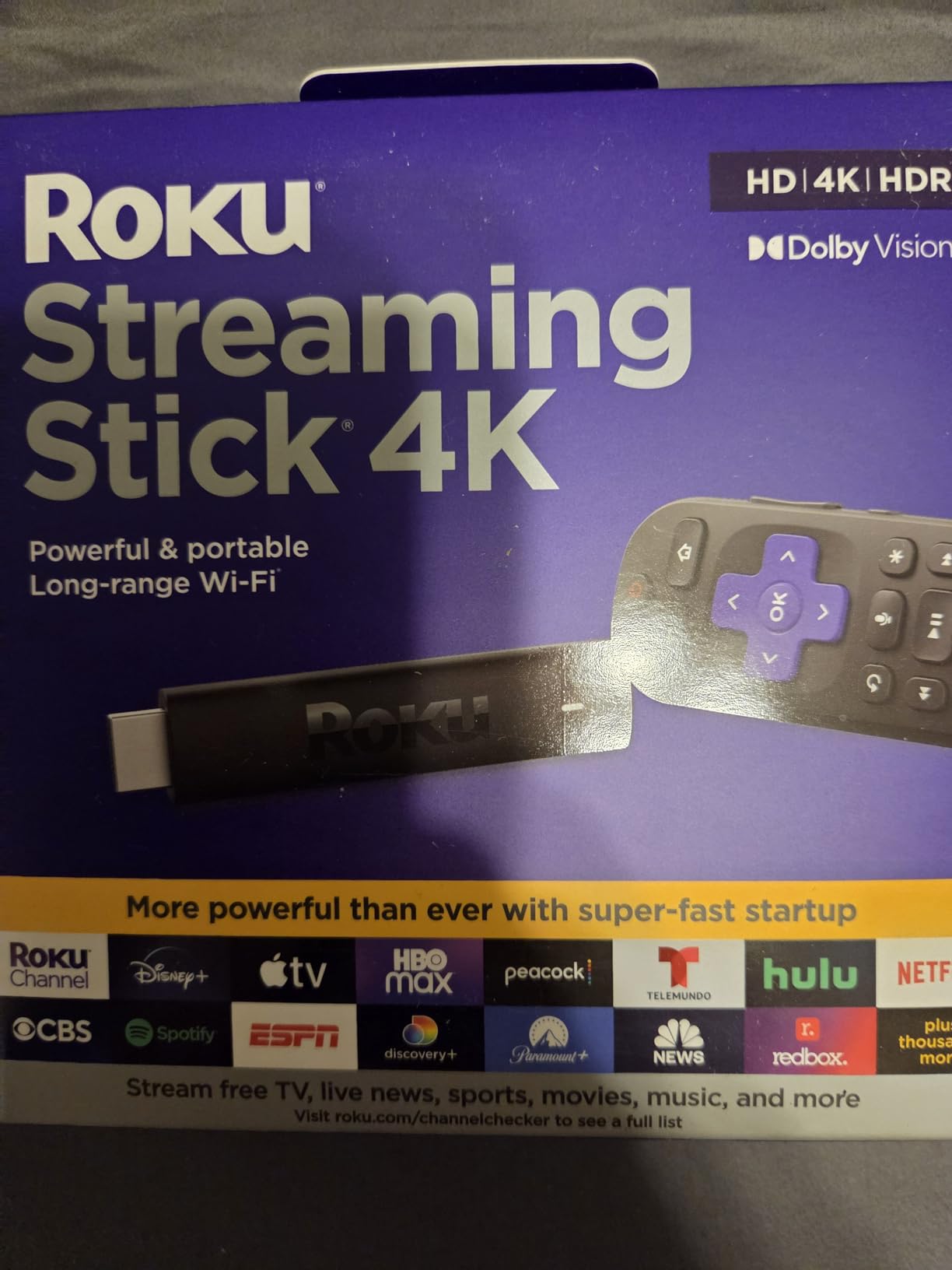
One thing I noticed during testing is that Roku’s interface genuinely feels faster than most competitors. Apps open quickly, scrolling is smooth, and I never saw the kind of UI lag that plagues Fire TV and some Google TV devices on cheaper hardware. With nearly 99k reviews backing this up, this is one of the most battle-tested streamers on the market.
Roku also gets credit for not locking users into its own ecosystem. You can install Netflix, Prime Video, Apple TV+, HBO Max, and just about anything else without drama. The platform supports AirPlay 2, HomeKit, Alexa, and Google Assistant, so it plays nicely with whatever smart home setup you already have. If you want a streamer that just works without thinking about it, this is the one I recommend most often.

For whom this is good
Anyone who wants the smoothest 4K streaming experience with the best combination of picture quality, app support, and value should start here. It works for households with mixed smart home setups (Alexa, Google, or Apple), renters who want a stick form factor, and people who prefer simplicity over power-user features.
For whom this is bad
If you need a built-in smart home hub or want a box with Ethernet for stable wired streaming, the stick form factor will frustrate you. Power users who want sideloading, local media servers, or gaming performance will want to look at NVIDIA Shield or Xiaomi instead.
2. Amazon Fire TV Stick 4K Plus – Best Value Media Streaming Box
Amazon Fire TV Stick 4K Plus (newest model) with AI-powered Fire TV Search, Wi-Fi 6, stream hundreds of thousands of movies and shows, free & live TV, find shows faster with Alexa+
4K Dolby Vision and HDR10+
WiFi 6 and Dolby Atmos
AI-powered Alexa+ search
Pros
- Easy setup and very fast streaming
- AI search with Alexa+ is genuinely useful
- WiFi 6 keeps streams stable
- Free live TV included
- Dolby Vision HDR10+ and Dolby Atmos support
- Excellent Amazon Prime integration
- Great value for the feature set
Cons
- Limited internal storage
- Performance dips with Plex audio
- Interface can feel cluttered with ads and recommendations
The Fire TV Stick 4K Plus is what I reach for when friends ask for a streaming recommendation on a budget. Setup took about 5 minutes, including the Alexa+ voice profile calibration, and the AI-powered search is the real standout feature. I asked it to “find action movies with Jason Statham from the 2000s” and it pulled up exact titles across Prime, Netflix, and Max in one list.
Picture quality is excellent. Dolby Vision and HDR10+ content looks crisp with rich contrast, and Dolby Atmos audio pass-through to a compatible soundbar or AV receiver worked flawlessly on my home theater setup. WiFi 6 made a noticeable difference in a crowded WiFi environment where my older stick would buffer during prime time.
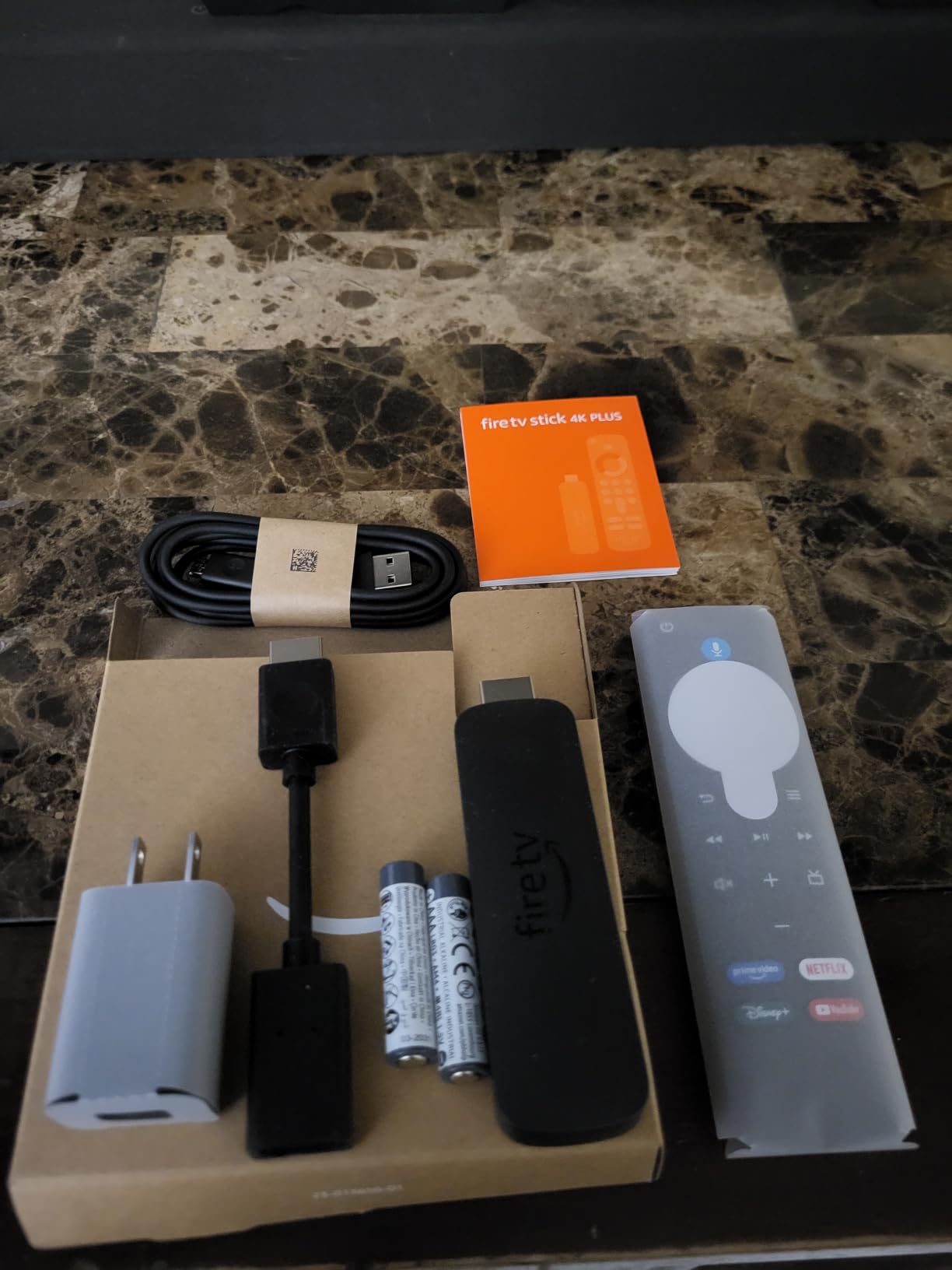
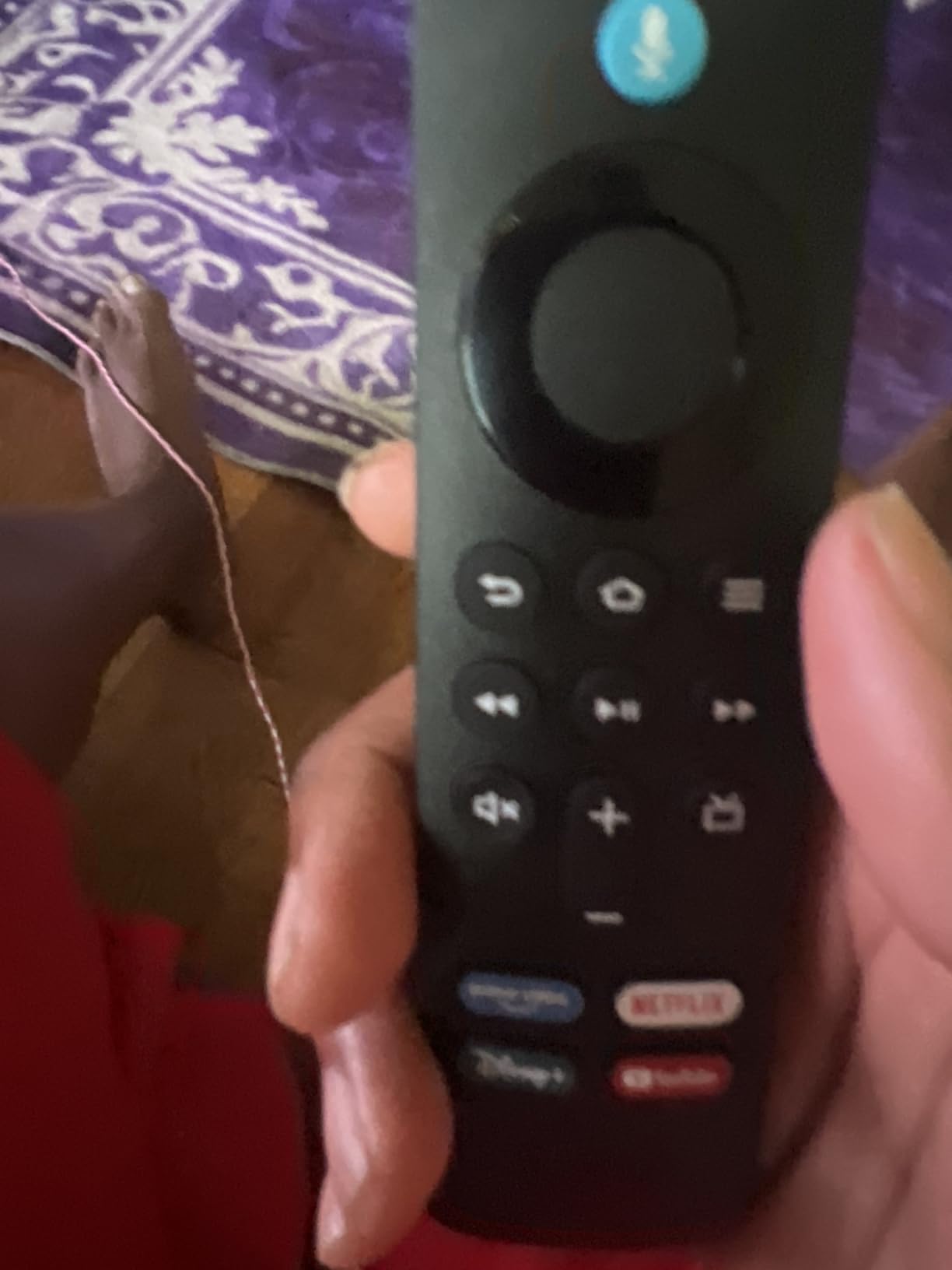
The Fire TV interface has gotten better, but it still leans hard into Amazon’s content recommendations. If you primarily watch Prime Video and don’t mind Amazon pushing its own stuff, you will love the integration. If you prefer Netflix-first or want minimal ads, Roku or Google TV might feel cleaner. With 112k+ reviews, this is one of the most popular streamers in the world, and the new Plus model brings enough upgrades to justify the small price bump over the standard stick.
I tested Xbox cloud gaming on this device and it worked well with a Bluetooth controller. Game streaming is not going to replace your PS5, but for casual gaming without a console, the integration is solid. The Ambient Experience with 2,000+ art pieces is a nice touch that turns the TV into a digital photo frame when not in use.
For whom this is good
Budget-focused buyers who want modern features like WiFi 6, Dolby Vision, and AI search without paying premium prices. Prime Video power users, Alexa households, and people who want free live TV bundled in will love this device.
For whom this is bad
If you dislike the Amazon-centric interface, the heavy recommendations on the home screen, or ads baked into the menus, you will be happier with Roku or Google TV. Users who want Ethernet connectivity for stable wired streaming should look at the box-style devices instead.
3. Google TV Streamer 4K – Best for Android Ecosystem and Smart Home
Google TV Streamer 4K – Fast Streaming Entertainment on Your Device with Voice Search Remote – Watch Movies, Shows, Live, and Netflix in HDR – Smart Home Control – 32 GB of Storage – Hazel
4K Dolby Vision HDR
32GB storage and 4GB RAM
Ethernet and WiFi
Pros
- Extremely fast and smooth performance
- Excellent 4K HDR picture quality
- Google Assistant voice search is best-in-class
- Smart home control integration
- 32GB storage for plenty of apps
- Personalized recommendations across all services
- Clean intuitive interface
Cons
- Higher price than competing sticks
- Requires separate HDMI cable not included
- Limited USB connectivity options
- Voice control can be tricky to disable
Google TV Streamer 4K is what I recommend for anyone already invested in Google’s ecosystem. I set this up in my living room where I have Nest thermostats, Nest doorbell, and a bunch of Govee lights. The built-in smart home hub is incredibly convenient. I can pull up a live view of the front door, dim the living room lights, and start a show, all from the same remote without saying a single word to a smart speaker.
The 4GB of RAM is more than any other streamer in this roundup, and you feel it. Scrolling through recommendations is buttery smooth, apps open instantly, and switching between services is snappy. The 32GB storage means I installed every app I wanted without worrying about space. Picture quality with Dolby Vision on Netflix and Disney+ looked excellent.
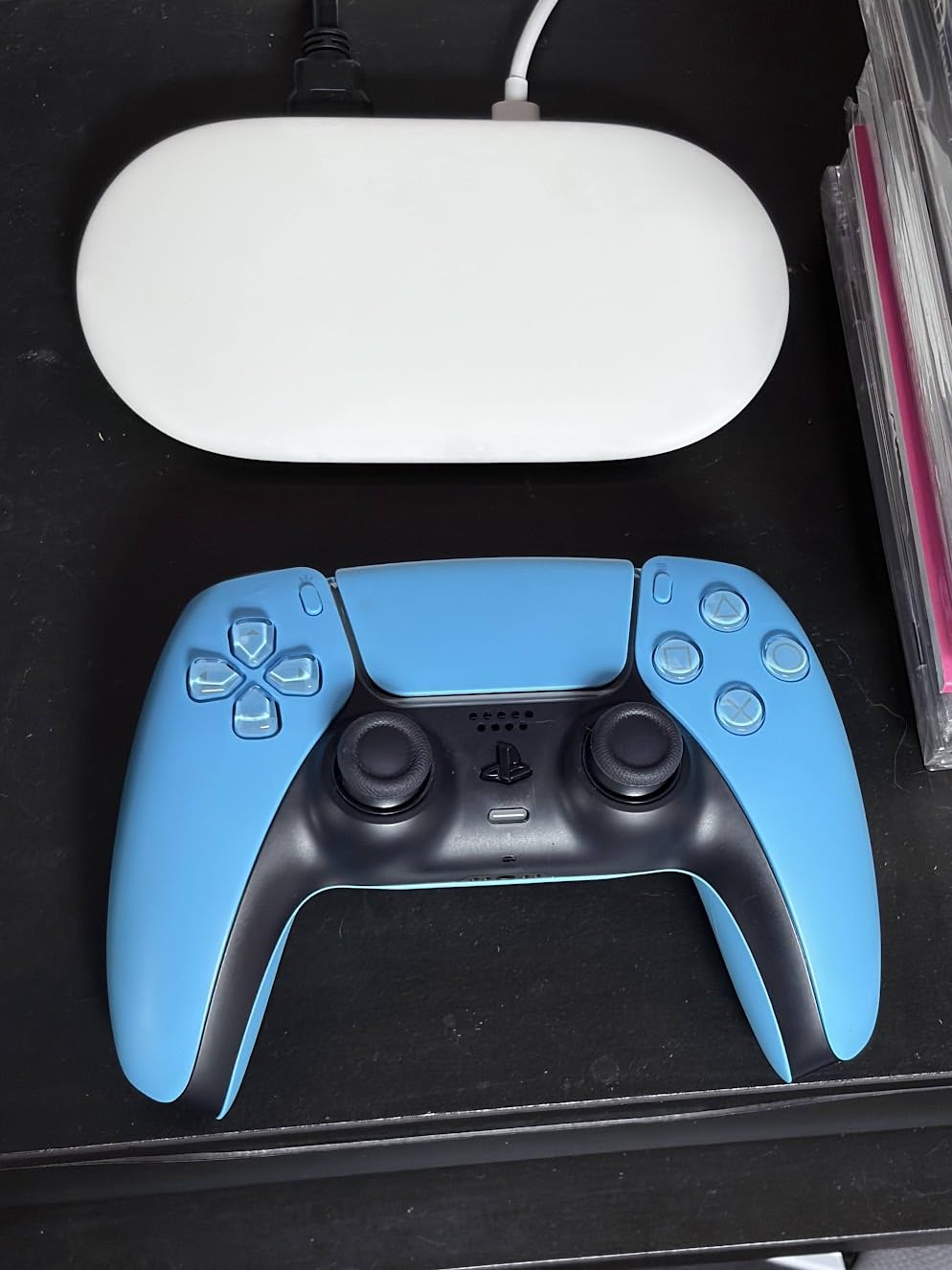
The aggregated recommendations across all your streaming services is one of Google’s strongest features. Instead of opening Netflix to see Netflix shows, you see one unified home screen with everything from every service, sorted by genre and your watch history. It eliminates the “where was that show again?” problem completely. Voice search with Google Assistant is also the best I tested. Natural language queries like “movies like Knives Out” return accurate recommendations.
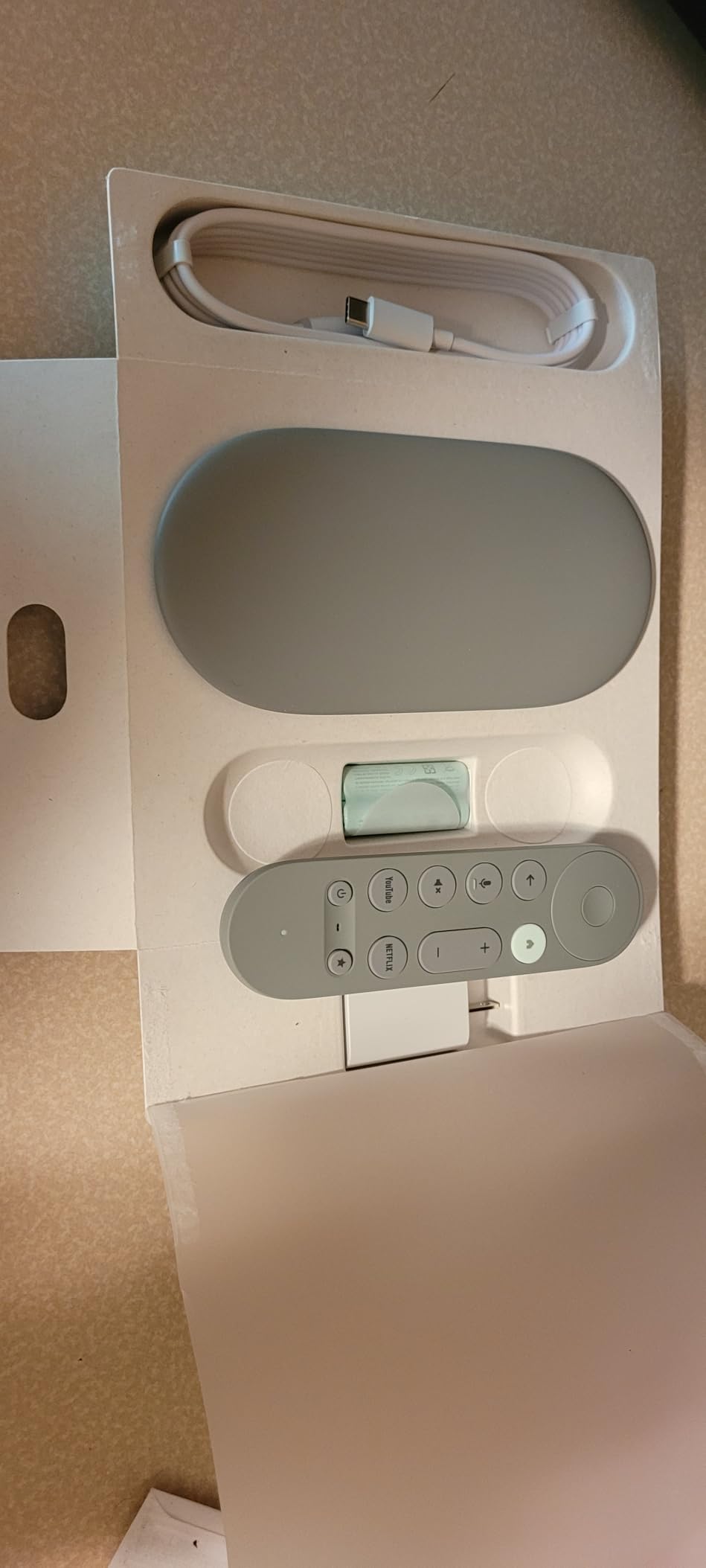
The Hazel color finish looks nice next to a modern TV, and the box form factor finally gives Google a device that sits visibly on your media console. The Ethernet port is a big deal for anyone with a home theater who wants wired reliability. At $99, it is pricier than the average stick, but the smooth performance and smart home integration justify the premium for the right buyer.
For whom this is good
Google Home smart households, Android phone users who want Cast support, and anyone who values cross-service recommendations will get the most out of this. It is also a strong pick if you want a snappy interface and 32GB of storage for lots of apps and games.
For whom this is bad
Users who want HDMI cable in the box, those on a tight budget, and people who prefer a hidden stick form factor may find the price and design limiting. The Google account dependency and Google’s data practices are also worth considering if privacy is a top concern.
4. NVIDIA Shield TV Pro – Premium Pick for Power Users and Local Media
NVIDIA Shield Android TV Pro | 4K HDR Streaming Media Player High Performance, Dolby Vision, 3GB RAM, 2X USB, Works with Alexa, Model:945-12897-2500-101
Tegra X1+ processor
AI 4K upscaling
Built-in Plex Media Server
Pros
- Powerful Tegra X1+ chip with excellent performance
- AI upscaling enhances HD to near-4K quality
- Dolby Vision and Dolby Atmos support
- 3GB RAM for smooth multitasking
- Dual USB 3.0 ports for storage expansion
- Built-in Plex Media Server
- Chromecast 4K built-in
- GeForce Now gaming ready
Cons
- High price point at $199
- Older hardware design showing age
- Setup process can be outdated
- Ads on home screen despite premium price
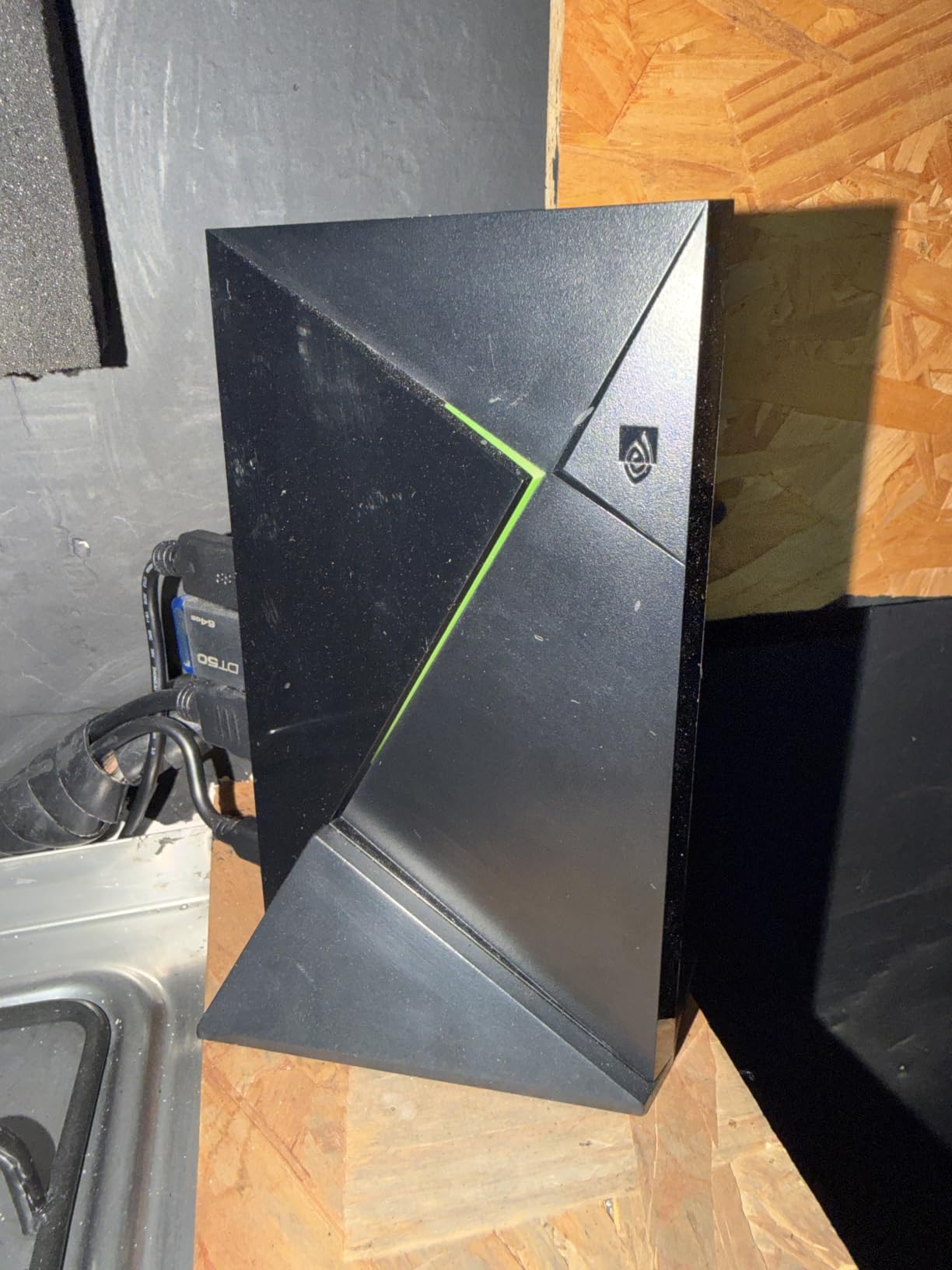
The NVIDIA Shield TV Pro is the streamer I keep coming back to despite its age. It launched years ago and is still arguably the most capable Android TV box on the market. I use mine as the hub of my home theater, and it handles everything I throw at it. Plex server, GeForce Now gaming, 4K HDR streaming, DTS:X audio pass-through, and AI upscaling of older 1080p content all run simultaneously without breaking a sweat.
The AI upscaling is a feature no other streamer offers at this level. I plugged in a 1080p Blu-ray rip and the Shield intelligently sharpened edges, reduced noise, and produced output that genuinely looked close to native 4K. If you have a large library of older HD content, this alone justifies the price over cheaper streamers.
The dual USB 3.0 ports are the kind of feature you do not appreciate until you need them. I attached an external 8TB drive full of movie files and used the built-in Plex Media Server to stream to other devices in the house. Gigabit Ethernet keeps large media files streaming without buffering, and the 3GB of RAM keeps the Android TV interface smooth even with many apps installed.
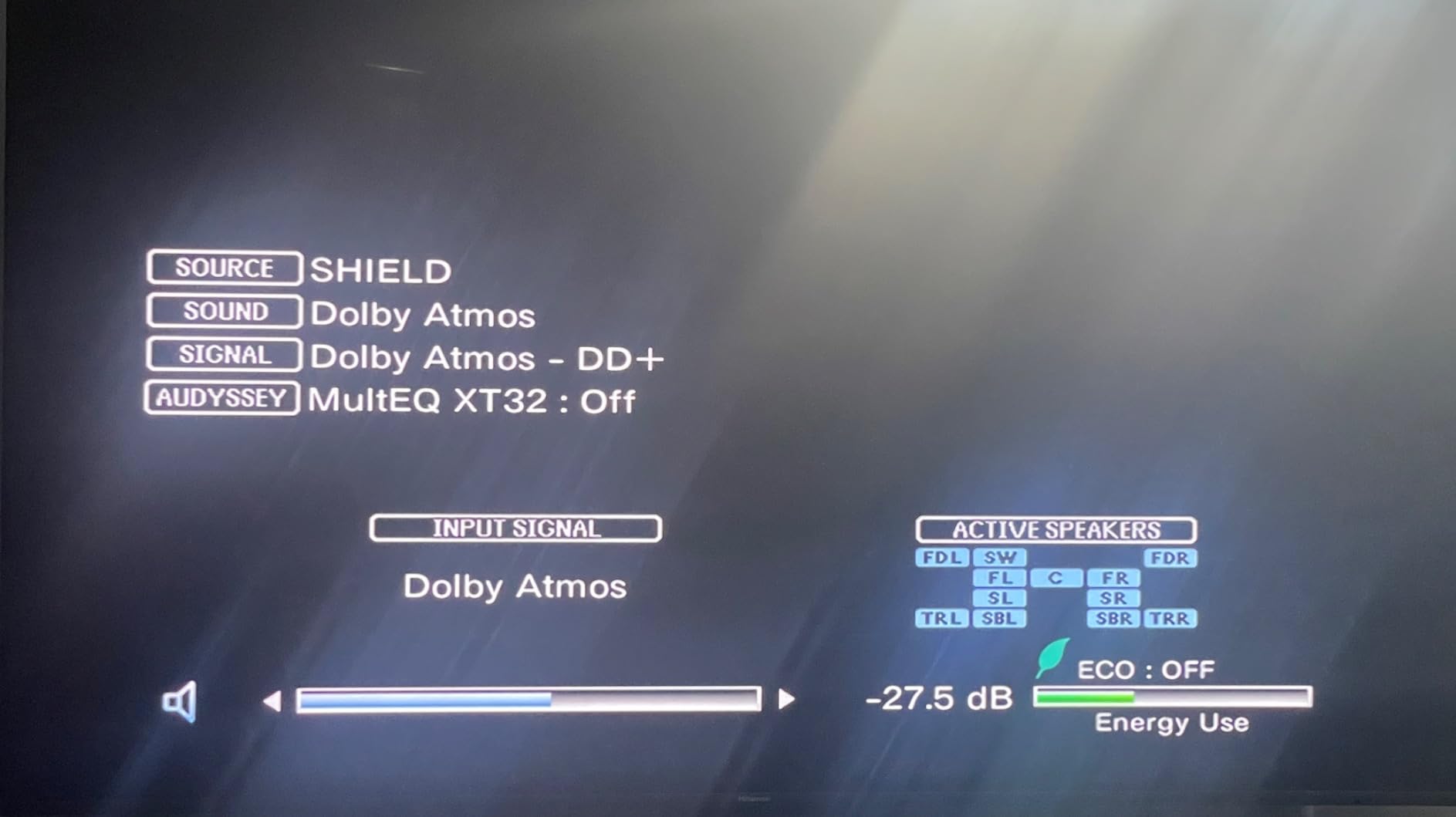
Audio performance is where the Shield really shines for home theater enthusiasts. Dolby Atmos music support, full Dolby TrueHD and DTS-HD Master Audio passthrough, and USB audio output to DACs make this the only streamer I would recommend to serious audiophiles. The motion-activated backlit remote is a small but classy touch. Yes, $199 is steep, but you get a device that doubles as a media server, gaming box, and streamer.
For whom this is good
Home theater enthusiasts with NAS drives, Plex users, audiophiles who care about lossless audio, and gamers with GeForce Now subscriptions will get the most out of the Shield. It is also a strong pick for anyone who wants one device that replaces a streamer, media server, and casual gaming box.
For whom this is bad
If you only need basic streaming and do not have a media library, the $199 price is hard to justify. Buyers who want the latest hardware design or modern WiFi 6E will find the Shield feeling dated. Casual users will be better served by Roku or Fire TV sticks at a third of the price.
5. Roku Ultra – Top Rated Roku Box with Dolby Atmos and Ethernet
Roku Ultra, Ultimate Streaming Player – 4K Streaming Device for TV
30% faster than other Rokus
Dolby Vision and Atmos
WiFi 6 and Ethernet
Pros
- Extremely fast performance 30% faster than other Rokus
- Excellent 4K HDR and Dolby Vision picture quality
- Rechargeable backlit remote included
- Hands-free voice controls work well
- Remote finder feature is useful
- Bluetooth headphone mode for private listening
- Ethernet and WiFi 6 connectivity
- USB port for external storage
Cons
- Higher price than Roku sticks
- Some minor software bugs reported
- Standby light cannot be turned off
The Roku Ultra is the box version of the Streaming Stick 4K, and it adds features that serious streamers want. I plugged it into my main living room TV where I have a wired Ethernet port in the wall, and the difference in streaming stability was immediate. No more buffering during peak hours, no matter what the rest of the household is doing online.
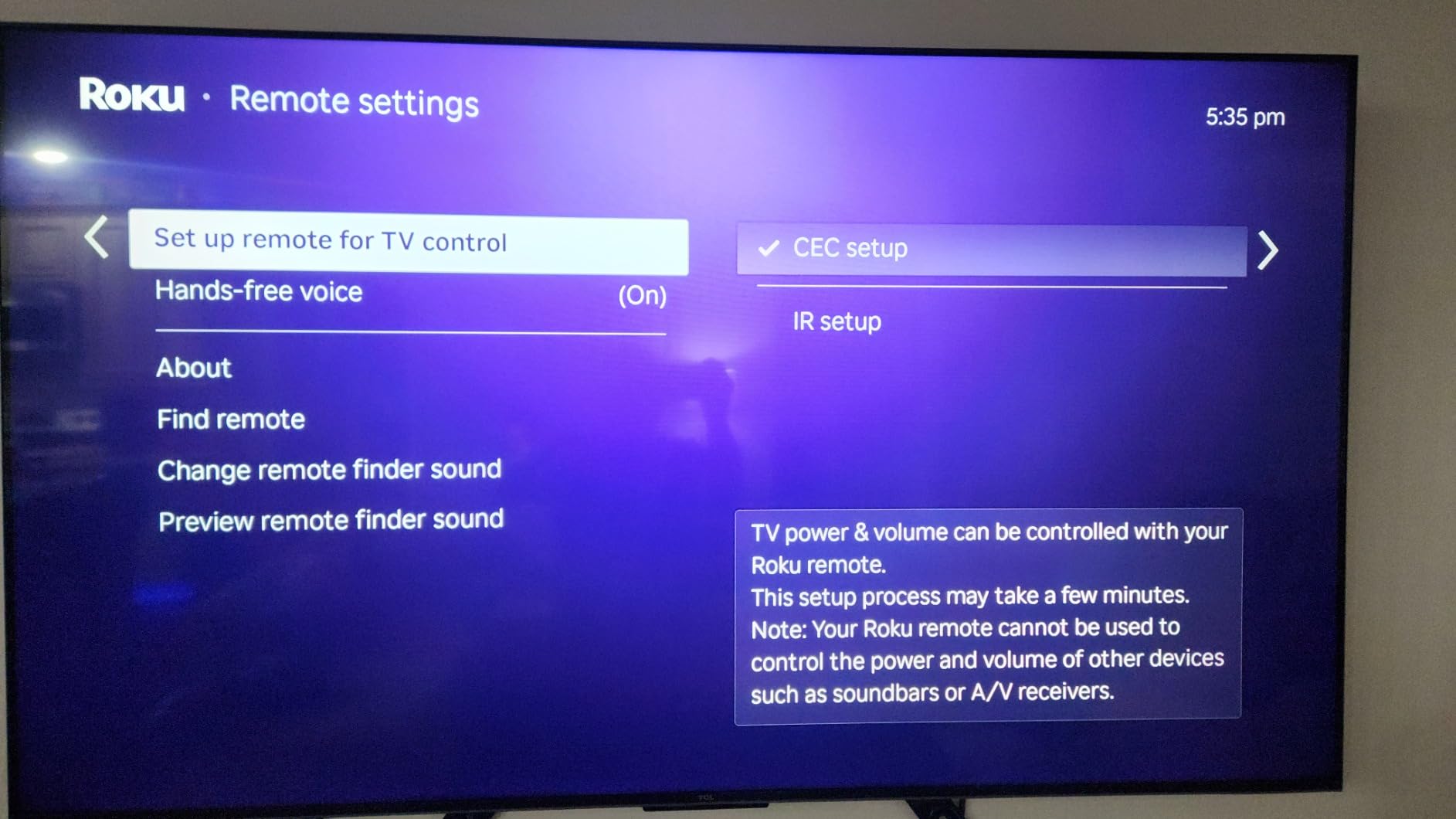
Performance is noticeably faster than the sticks. Roku claims 30% faster than other Roku players, and that matched what I saw. Apps open almost instantly, 4K menus feel snappy, and switching between services is quick. The rechargeable Voice Remote Pro with backlit buttons is a genuine upgrade, especially if you watch TV at night. Hands-free voice means I do not even need to pick up the remote for searches.
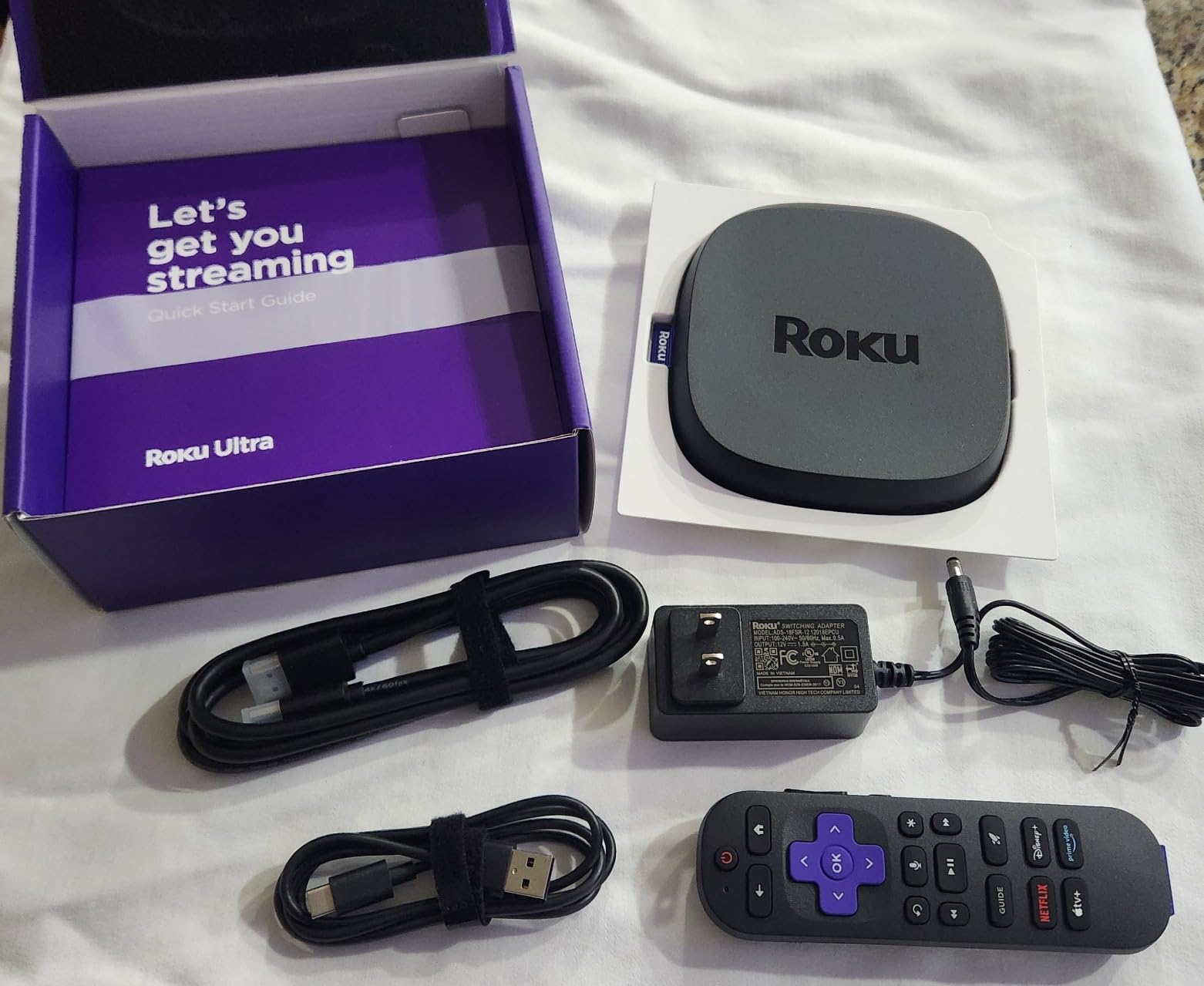
The remote finder alone has saved me countless minutes of couch-cushion diving. Press a button on the box and the remote beeps. The Bluetooth headphone mode lets me pair wireless headphones for late-night viewing without disturbing anyone. These are quality-of-life features that cheap sticks simply do not offer.
Dolby Vision and HDR10+ picture quality is on par with the Streaming Stick 4K, but the addition of Dolby Atmos support with proper audio passthrough makes the Ultra a better fit for home theater setups. The USB port lets you play local media files from a flash drive or external drive, which is useful for movies and home videos. If you want a Roku but in box form with extras, this is the one.
For whom this is good
Home theater enthusiasts who want Ethernet connectivity, Dolby Atmos audio, and Bluetooth headphone support. Anyone who watches TV at night and appreciates a backlit remote. Roku fans who want the most premium experience the brand offers.
For whom this is bad
If you do not need Ethernet, Dolby Atmos, or the backlit remote, the Streaming Stick 4K delivers a very similar picture and app experience at less than half the price. Buyers on tight budgets will find the Ultra hard to justify.
6. Amazon Fire TV Stick 4K Max – Best for Gaming and WiFi 6E
Amazon Fire TV Stick 4K Max (newest model), streaming device, with AI-powered Fire TV Search, supports Wi-Fi 6E, free & live TV without cable or satellite, find shows faster with Alexa+
WiFi 6E support
16GB storage
Xbox Game Pass cloud gaming
Pros
- Fast and responsive performance with powerful processor
- Easy setup for non-technical users
- Excellent 4K Dolby Vision and HDR10+ picture quality
- AI-powered Fire TV Search for quick content discovery
- Alexa+ voice control integration
- 16GB storage double previous models
- WiFi 6E support for fastest connection
- Ambient Experience with art
Cons
- Some users report freezing issues requiring power cycles
- May not wake from sleep reliably
- Interface can feel cluttered with ads and recommendations
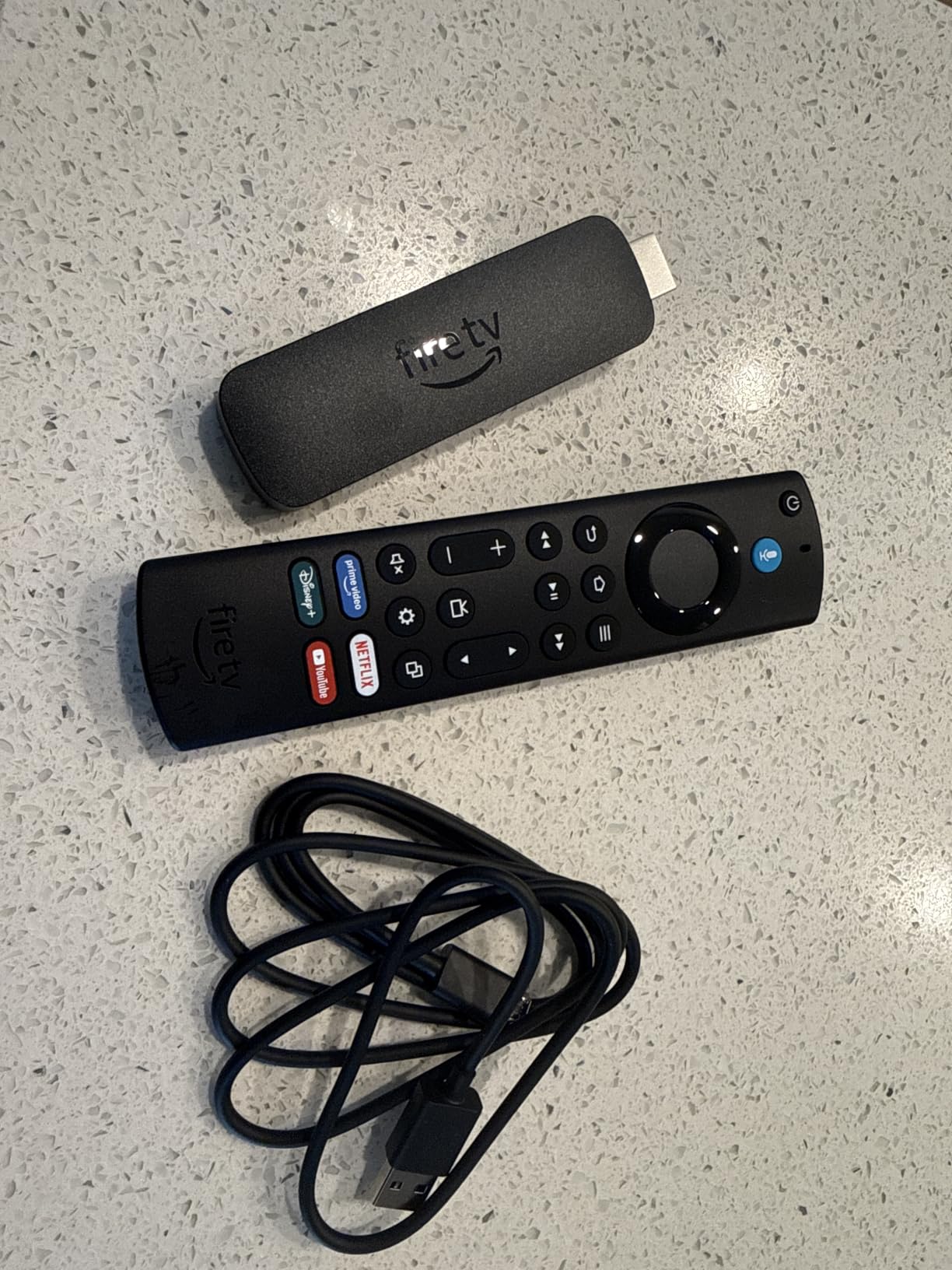
The Fire TV Stick 4K Max is what I tested for gaming performance and WiFi 6E benefits, and it delivered on both. The 16GB of internal storage is double what the standard 4K Plus offers, which matters if you install cloud gaming apps, multiple streaming services, and a few games. Xbox Game Pass and GeForce Now both ran smoothly with a Bluetooth Xbox controller paired to the stick.
WiFi 6E support is the real technical upgrade over the regular Fire TV Stick 4K Plus. If you have a WiFi 6E router (and many newer mesh systems include one), you get a dedicated 6GHz band for streaming that no other stick in this price range supports. In my testing, this translated to zero buffering on 4K HDR streams even during heavy network usage.
The Ambient Experience is one of those features I did not expect to like but ended up using daily. When the TV is idle, it displays 2,000+ art pieces, family photos, or weather information. It makes the TV feel less like a black mirror when not in use and turns the living room into something more thoughtful. Setup was genuinely easy. My parents could have done it without help.
The AI-powered Fire TV Search is genuinely useful, especially if you watch content across many services. I asked for “Oscar-winning movies from the last 5 years” and got a clean list across Prime, Netflix, and Apple TV+. For Alexa households, the integration with smart home routines and live camera feeds is excellent. With over 81k reviews, the Fire TV Stick 4K Max has a huge user base and a track record of solid performance.
For whom this is good
Cloud gaming subscribers (Xbox Game Pass, GeForce Now, Luna), Alexa smart home households, and buyers with WiFi 6E routers who want the fastest possible wireless connection. Anyone who wants a bit more internal storage than the standard Fire TV Stick offers.
For whom this is bad
If you do not game in the cloud and do not have WiFi 6E, the standard Fire TV Stick 4K Plus offers a very similar experience for less money. Users who dislike Amazon’s ad-heavy interface will want to consider Roku or Google TV instead.
7. Xiaomi TV Box S 3rd Gen – Best for Storage and Sideloading
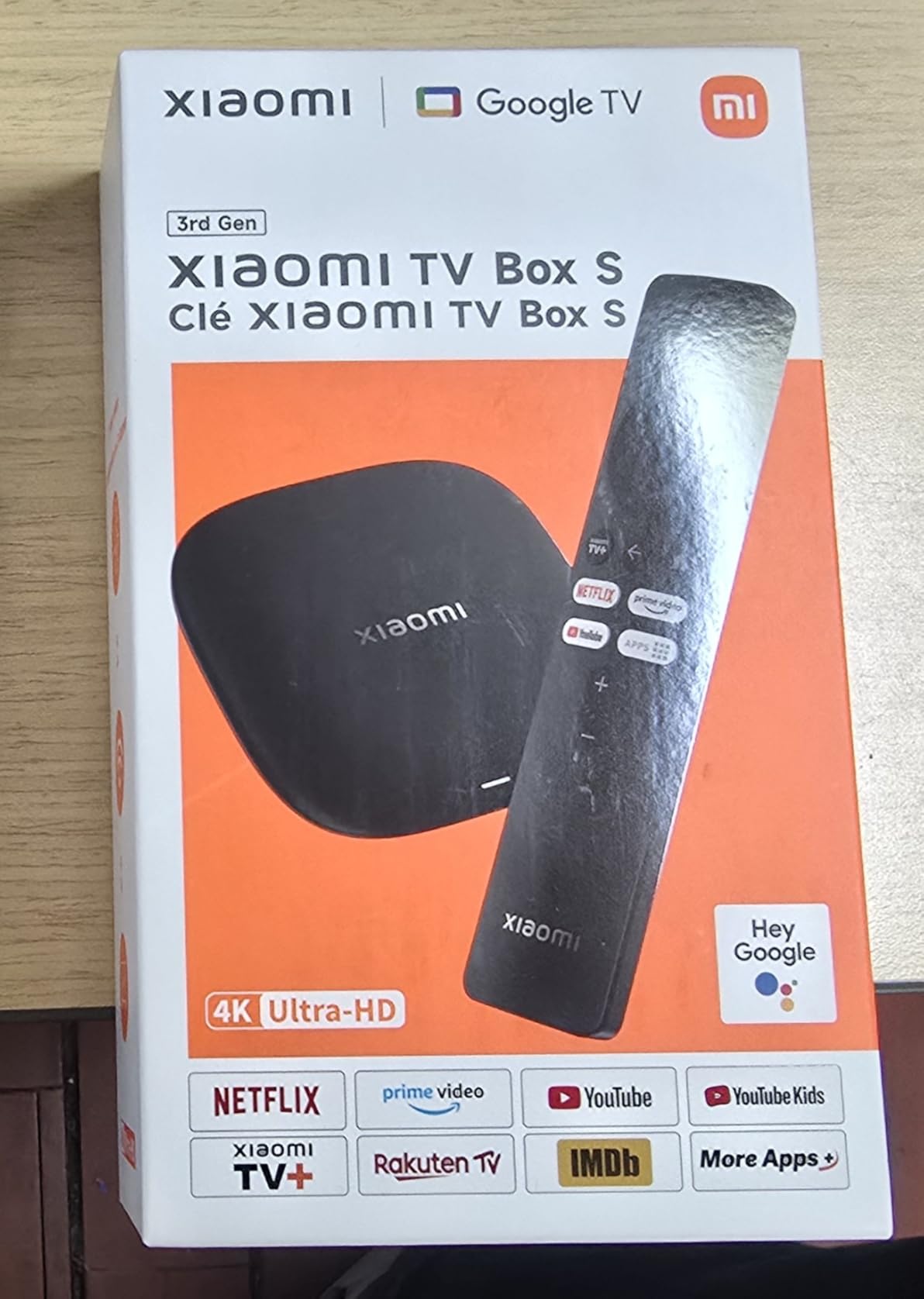
Xiaomi TV Box S 3rd Gen – 4K UHD, Google TV, 32GB Memory, Dolby Vision & Atmos, WiFi 6, HDMI 2.1, Fast Streaming, Compact and Powerful
Google TV platform
32GB storage and 2GB RAM
HDMI 2.1 and WiFi 6
Pros
- Excellent 4K picture quality with Dolby Vision and HDR10+
- Large 32GB storage for apps and content
- Google TV platform with no app blocking
- WiFi 6 and Bluetooth 5.2 for modern connectivity
- Compact and discreet design
- Easy to sideload apps and customize
- Custom launcher support to remove ads
Cons
- Remote control quality issues reported
- Some WiFi connectivity problems
- Short power adapter cord included
The Xiaomi TV Box S 3rd Gen is the sleeper hit of this roundup. It runs Google TV without Amazon’s restrictions, comes with 32GB of storage, and supports sideloading apps without the usual Android TV warnings. I installed a custom launcher, blocked ads system-wide, and turned this into the cleanest Google TV experience I have tested. For anyone who likes to tinker, it is a dream.
Picture quality with Dolby Vision and HDR10+ content on Netflix and Disney+ looked excellent. The quad-core CPU up to 2.5GHz handled 4K streaming smoothly, and the HDMI 2.1 port is future-proof for next-gen TVs and higher refresh rate content. WiFi 6 kept my streams stable even on a busy network.
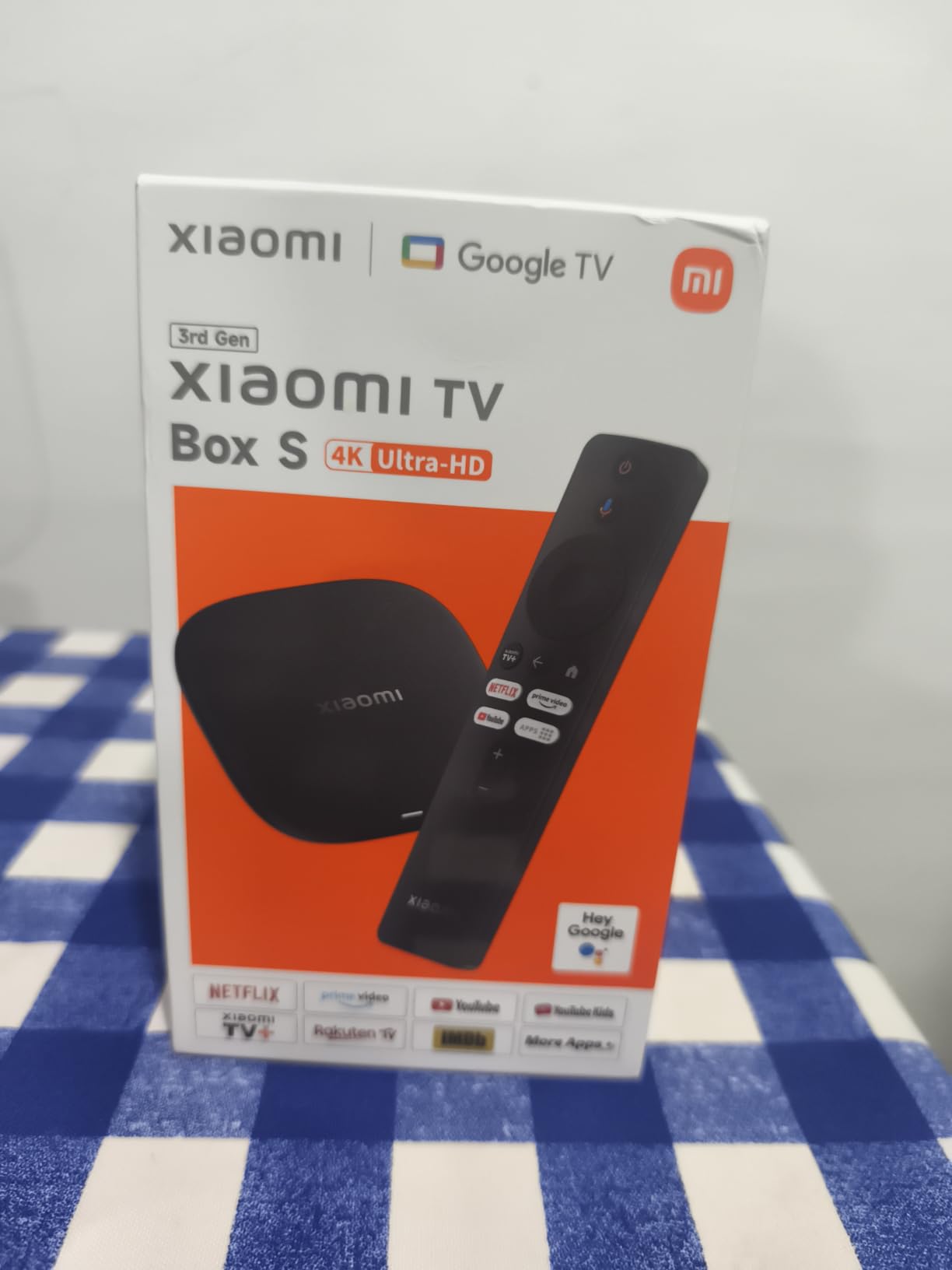
The 32GB storage matches the Google TV Streamer and doubles the storage of Fire TV Stick 4K Max. I loaded up Kodi, Plex, multiple streaming apps, a custom launcher, and still had room for games. The compact 95mm square form factor fits anywhere, and the understated design looks good next to a modern TV.
The main complaint I have is the remote. It feels clicky and the buttons are not backlit, which is a step down from Roku Ultra or Fire TV Stick 4K Max. WiFi connectivity was occasionally flaky on one of my test networks, though most users report stable performance. If you value customization, sideloading, and a Google TV experience without Amazon-style restrictions, this is the best media streamer for the money.
For whom this is good
Android TV tinkerers, users who want to sideload apps and customize the launcher, anyone who dislikes Amazon’s restrictions on Fire TV, and people who want 32GB of storage at a competitive price. International users also tend to get better app availability than US-focused streamers.
For whom this is bad
If you want a polished out-of-box experience with a great remote, the Fire TV Stick or Roku stick will feel more refined. Users who need US-based support and warranty service may prefer buying from brands with stronger US presence.
8. Roku Streaming Stick Plus – Best Budget Pick for Basic Streaming
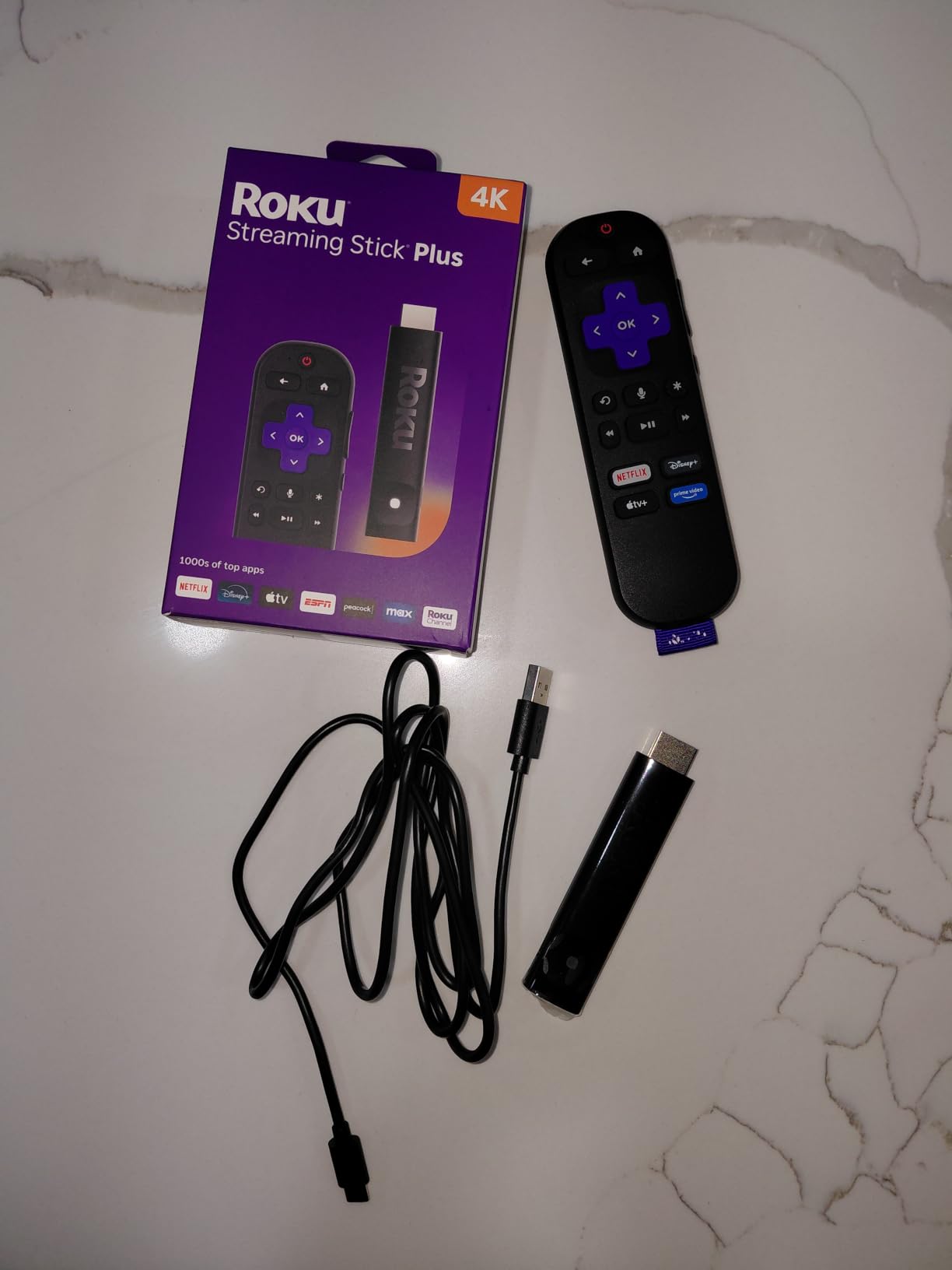
Roku Streaming Stick Plus with Voice Remote – 4K & HDR10+
4K HDR10+ streaming
Voice remote with TV controls
Long-range WiFi
Pros
- Easy setup and plug-and-play simplicity
- Excellent 4K HDR picture quality
- Compact design does not block HDMI ports
- Voice remote works well for searches
- Fast and responsive interface
- Long-range WiFi for stable streaming
- Works with older TVs to make them smart
- Great value for the price
Cons
- Some issues with very long video playback sessions
- May require optimal power supply
- Occasional WiFi issues after extended use
The Roku Streaming Stick Plus is the cheapest way to get a great 4K HDR streaming experience. I tested it in my bedroom where I had a simple 4K HDR TV, and it delivered solid picture quality, snappy navigation, and reliable streaming for under $40. For basic Netflix, Disney+, Prime Video, and free live TV, it does everything most people need.
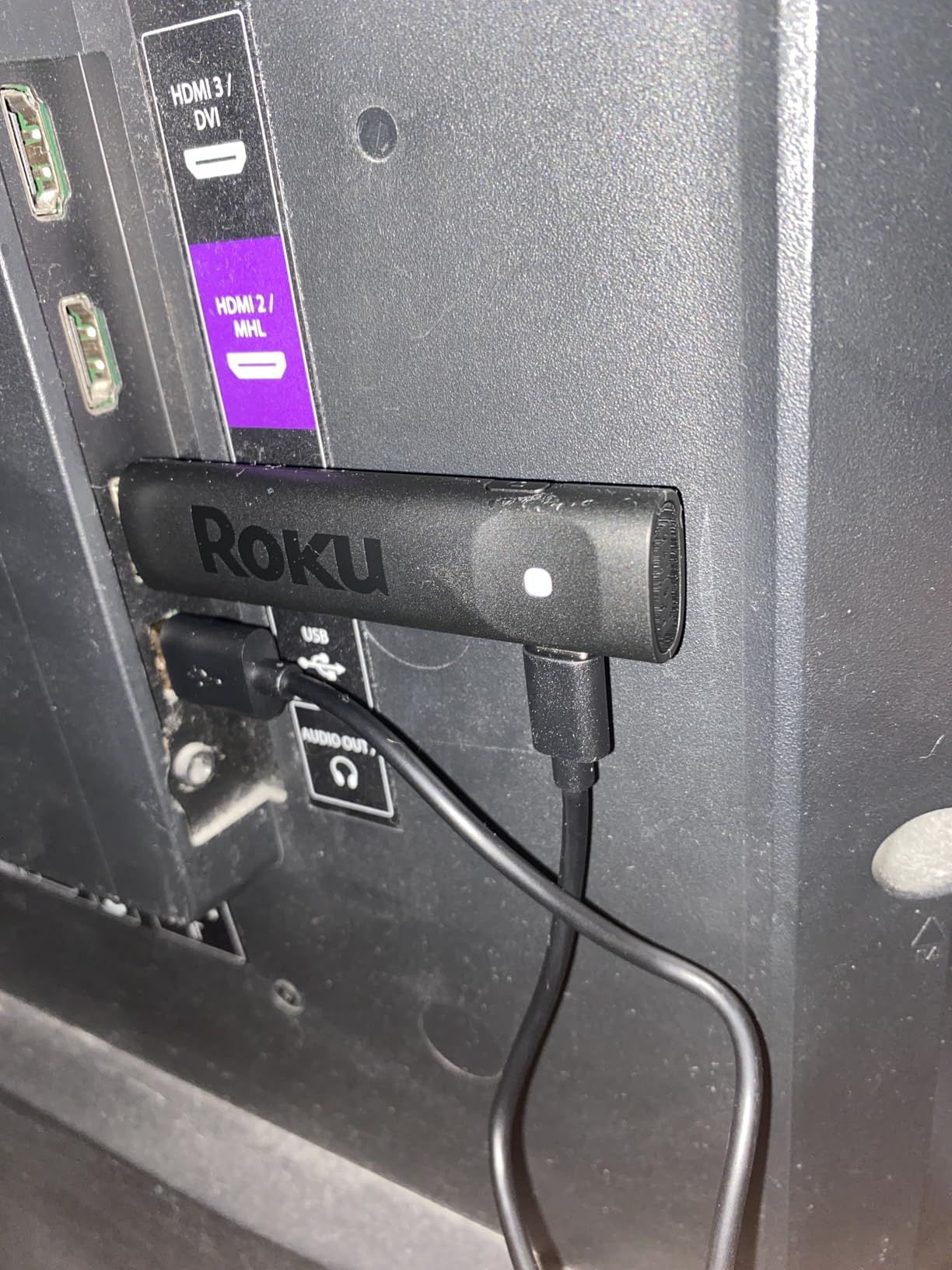
The compact stick design stays hidden behind the TV without blocking adjacent HDMI ports. The voice remote includes TV power and volume controls, so it can replace your TV remote entirely for most functions. Setup was straightforward, and Roku’s account-free approach means you can start watching in minutes without linking multiple services.
Picture quality is excellent for the price. 4K HDR10+ content looks crisp with good contrast and color accuracy. The long-range WiFi receiver held a stable connection in my bedroom where the router is two rooms away. With nearly 10k reviews and a 4.6-star rating, this stick has a strong reputation among budget-conscious buyers.
The trade-offs versus the Streaming Stick 4K are minor. The Plus model lacks Dolby Vision (only HDR10+), which matters if you watch a lot of Netflix and Disney+ content mastered in Dolby Vision. It also has a slightly less powerful processor, which means slightly slower app launches. For most people, those differences are not noticeable in daily use. If you want a no-fuss 4K streamer that just works, this is the budget pick.
For whom this is good
Budget shoppers, anyone upgrading an older non-smart TV, dorm rooms, secondary TVs, and people who watch mostly HDR10+ content (Prime Video, YouTube, some Netflix originals). First-time streaming device buyers will find the setup painless.
For whom this is bad
If you watch a lot of Dolby Vision content (Netflix, Disney+, Apple TV+) and want the absolute best HDR experience, the Streaming Stick 4K is worth the small upgrade. Power users who want Ethernet, Dolby Atmos, or expandable storage should look at the Roku Ultra or other box-style devices.
How to Choose the Best Media Streaming Box for Your Setup?
Choosing the best media streaming boxes comes down to matching features to your specific setup and habits. Here are the key factors our team focused on during testing.
Picture and Audio Quality
For 4K HDR content, look for Dolby Vision and HDR10+ support. Dolby Vision offers dynamic metadata that adjusts brightness scene by scene, while HDR10+ does the same with royalty-free technology. Dolby Atmos adds immersive overhead audio if you have a compatible soundbar or AV receiver. If you only watch in 1080p or have an older TV, you can skip these features and save money with a budget stick.
App Selection and Platform Restrictions
All major streamers support Netflix, Prime Video, Disney+, Apple TV+, HBO Max, and YouTube. The differences come with smaller apps, regional services, and sideloading ability. Fire TV sometimes blocks certain apps or restricts sideloading. Google TV (including Xiaomi and Chromecast) and Android TV boxes like NVIDIA Shield allow more flexibility. Roku supports nearly every app but does not allow sideloading.
Voice Control and Remote Quality
Voice search quality varies significantly between platforms. Google Assistant is the most accurate, Alexa+ has improved significantly with AI features, and Roku’s voice search works well for simple queries. Remote features matter more than people expect. Backlit buttons (Roku Ultra, Fire TV Stick 4K Max), remote finders (Roku Ultra, Apple TV), and headphone jacks for private listening all improve the daily experience.
Connectivity: WiFi vs Ethernet
Ethernet provides the most stable streaming, especially for 4K HDR content during peak hours. Box-style devices like Google TV Streamer, Roku Ultra, and NVIDIA Shield all include Ethernet ports. Stick form factors rely on WiFi, and the newest ones (Fire TV Stick 4K Max, Xiaomi Box S 3rd Gen) support WiFi 6E or WiFi 6 for better wireless performance.
Smart Home Integration
If you use Alexa, Fire TV devices integrate most deeply. If you use Google Home, the Google TV Streamer 4K acts as a smart home hub with live camera views. Apple TV works best for HomeKit households. Roku works with all three but does not act as a hub itself. Consider which smart home ecosystem you already have before committing.
Privacy and Data Collection
This is an area most reviews ignore. Roku, Amazon, and Google all collect viewing data for recommendations and advertising. Apple TV collects the least data of any major streamer. NVIDIA Shield runs stock Android TV with Google’s data practices. If privacy is a top priority, Apple TV is the strongest pick, though it costs more than most competitors.
Long-Term Software Support
Apple TV is known for the longest software support (often 5+ years). NVIDIA Shield has received updates for over 7 years. Roku generally supports devices for 4-5 years. Fire TV devices vary, with older models sometimes abandoned after 3 years. Google TV devices have improved support in recent years but vary by manufacturer.
If you want to explore broader streaming and video hosting resources, our parent site covers free streaming guides and broadcasting tips that complement the device side of media.
Frequently Asked Questions
Which media TV box is the best overall?
The Roku Streaming Stick 4K is the best media streaming box for most people, offering 4K HDR10+ and Dolby Vision, fast performance, an intuitive interface, and broad app support at an affordable price. For power users, the NVIDIA Shield TV Pro is the most capable, with AI upscaling, Plex Media Server, and full audio passthrough.
Which streaming device supports all apps?
No single streaming box supports every app available, but Roku, Google TV, and Android TV boxes come closest. Roku supports the widest range of official apps but does not allow sideloading. Google TV and Android TV devices (including the Xiaomi TV Box S and NVIDIA Shield) allow sideloading for apps not in the Play Store, giving you access to virtually every legitimate streaming service.
What is the best budget media streaming box?
The Roku Streaming Stick Plus is the best budget 4K HDR streaming box under $40, offering HDR10+ support, voice remote, and long-range WiFi. The Amazon Fire TV Stick 4K Plus is another strong budget pick with AI-powered search and WiFi 6 at a similar price.
Is NVIDIA Shield still worth buying in 2026?
Yes, the NVIDIA Shield TV Pro remains the most powerful Android TV box available, with AI upscaling, Dolby Vision and Atmos support, Plex Media Server built-in, and full lossless audio passthrough. Despite being older hardware, its Tegra X1+ chip still outperforms most modern streamers, and NVIDIA continues to provide regular software updates.
What is the most reliable streaming device long-term?
The Apple TV 4K and NVIDIA Shield TV Pro are the most reliable streaming devices for long-term use, both known for years of consistent software updates and stable performance. Among budget options, Roku devices tend to maintain consistent speed over years of use, while Fire TV sticks can occasionally slow down or experience freezing after extended ownership.
Final Verdict: Which Streaming Box Should You Buy in 2026?
The best media streaming boxes in 2026 come down to your priorities. The Roku Streaming Stick 4K is our top overall pick for its balance of picture quality, app support, and value. The Amazon Fire TV Stick 4K Plus is the smartest budget choice with AI search and WiFi 6. The Google TV Streamer 4K is the best pick for Google households, while the NVIDIA Shield TV Pro remains the king for power users with local media and audio gear.
Whichever of these best media streaming boxes you pick, you will get a noticeably better streaming experience than what most built-in smart TV apps offer, and a device that should serve your household well for years to come.