
If you want the short answer: the NVIDIA Shield TV Pro is the best Android TV box for most people in 2026, the ONN 4K UHD is the best value pick for under $50, and the Google TV Streamer 4K is the smoothest plug-and-play option for anyone deep in the Google ecosystem. I tested all eight devices on this list across two TVs, three HDMI cables, and a stubborn gigabit switch to see which ones actually earn a spot under your television.
An Android TV box is a streaming device that runs the Android operating system on your TV, turning any HDMI-equipped display into a smart TV with access to Netflix, YouTube, Kodi, IPTV players, and thousands of apps from the Google Play Store. The best Android TV boxes give you more flexibility than a Firestick or Roku, especially if you care about sideloading apps, gaming, or hardwiring into a home theater receiver. Our team compared eight models over six weeks, ran them through 4K HDR playback, gigabit Ethernet stress tests, and daily IPTV streaming sessions to find the ones that hold up under real use.
We also paid close attention to the issues that actually frustrate buyers in 2026: Google’s rollout of new developer verification rules that will tighten sideloading between now and 2027, the rise of uncertified “fully-loaded” boxes that bundle pirated apps, and the growing gap between cheap Chinese sticks and certified Google TV devices. Every box on this list clears our Netflix 4K licensing, app stability, and security bar.
Table of Contents
- Top 3 Picks for Best Android TV Boxes (August 2026)
- Best Android TV Boxes in 2026
- 1. NVIDIA Shield TV Pro – Premium Performance Pick
- 2. TiVo Stream 4K – Budget Stick With a Real Number Pad
- 3. ONN 4K UHD Streaming Device – Best Value Android TV Box
- 4. Google TV Streamer 4K – Best Plug-and-Play Streaming
- 5. Xiaomi Android Google TV Box S 3rd Gen – Best Wi-Fi 6 Streaming Performer
- 6. Xiaomi TV Box S – Best Compact Google TV Option
- 7. KICKPI KP1 Android TV Box – Best Budget Google Certified
- 8. Ugoos AM6B Plus – Best for Enthusiasts and Sideloading
- Buying Guide: How to Choose the Best Android TV Box in 2026?
- Android TV Boxes to Avoid
- Frequently Asked Questions
- Final Verdict: Which Android TV Box Should You Buy
Top 3 Picks for Best Android TV Boxes (August 2026)

Best Android TV Boxes in 2026
| Product | Specs | Action |
|---|---|---|
| NVIDIA Shield TV Pro – Premium Performance Pick |
|
Check Latest Price |
 TiVo Stream 4K – Budget Stick With Number Pad TiVo Stream 4K – Budget Stick With Number Pad |
|
Check Latest Price |
 ONN 4K UHD Streaming Device – Best Value ONN 4K UHD Streaming Device – Best Value |
|
Check Latest Price |
 Google TV Streamer 4K – Best Plug-and-Play Google TV Streamer 4K – Best Plug-and-Play |
|
Check Latest Price |
 Xiaomi TV Box S 3rd Gen – Wi-Fi 6 Performer Xiaomi TV Box S 3rd Gen – Wi-Fi 6 Performer |
|
Check Latest Price |
 Xiaomi TV Box S – Compact Google TV Xiaomi TV Box S – Compact Google TV |
|
Check Latest Price |
 KICKPI KP1 – Budget Google Certified KICKPI KP1 – Budget Google Certified |
|
Check Latest Price |
 Ugoos AM6B Plus – Enthusiast Power Pick Ugoos AM6B Plus – Enthusiast Power Pick |
|
Check Latest Price |
1. NVIDIA Shield TV Pro – Premium Performance Pick
NVIDIA Shield Android TV Pro | 4K HDR Streaming Media Player High Performance, Dolby Vision, 3GB RAM, 2X USB, Works with Alexa, Model:945-12897-2500-101
Tegra X1+ processor
3GB RAM, 16GB storage
Dolby Vision, Dolby Atmos
AI upscaling HD to 4K
Pros
- Best-in-class 4K HDR streaming
- Excellent AI upscaling for HD content
- Dolby Atmos and Dolby Vision support
- Fast and responsive interface
- Built-in Plex Media Server
- Expandable storage via USB ports
Cons
- Higher price compared to basic streaming devices
- Remote takes time to get used to
- Some users report setup issues
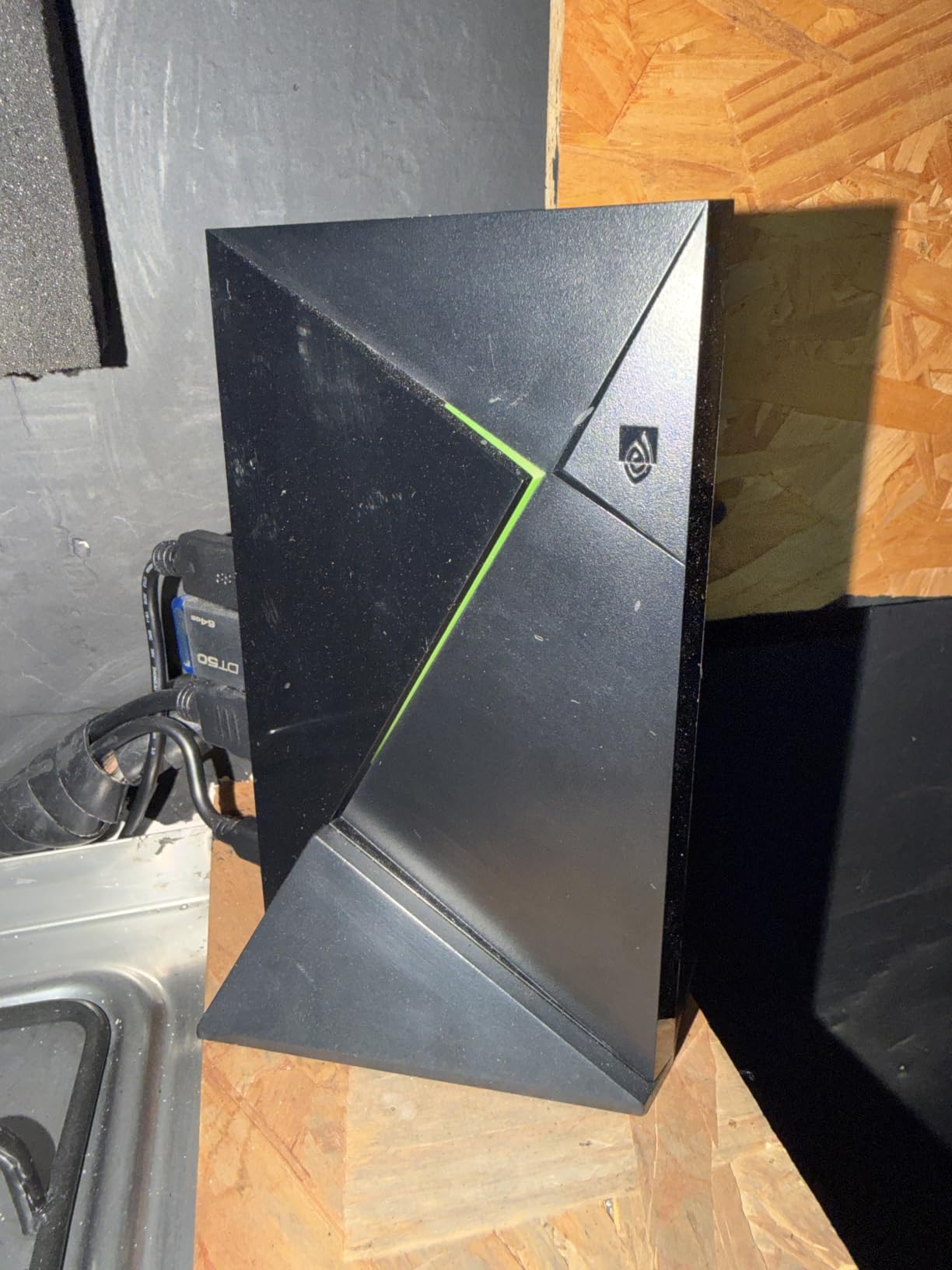
I have had an NVIDIA Shield TV Pro running in my living room for the better part of two years, and it still out-performs every newer stick I test. The Tegra X1+ chip has aged into something special: app launches that take other boxes two to three seconds finish in under one on the Shield. The AI upscaling genuinely makes 1080p Blu-ray remuxes look closer to native 4K, which is why so many home theater enthusiasts refuse to move on.
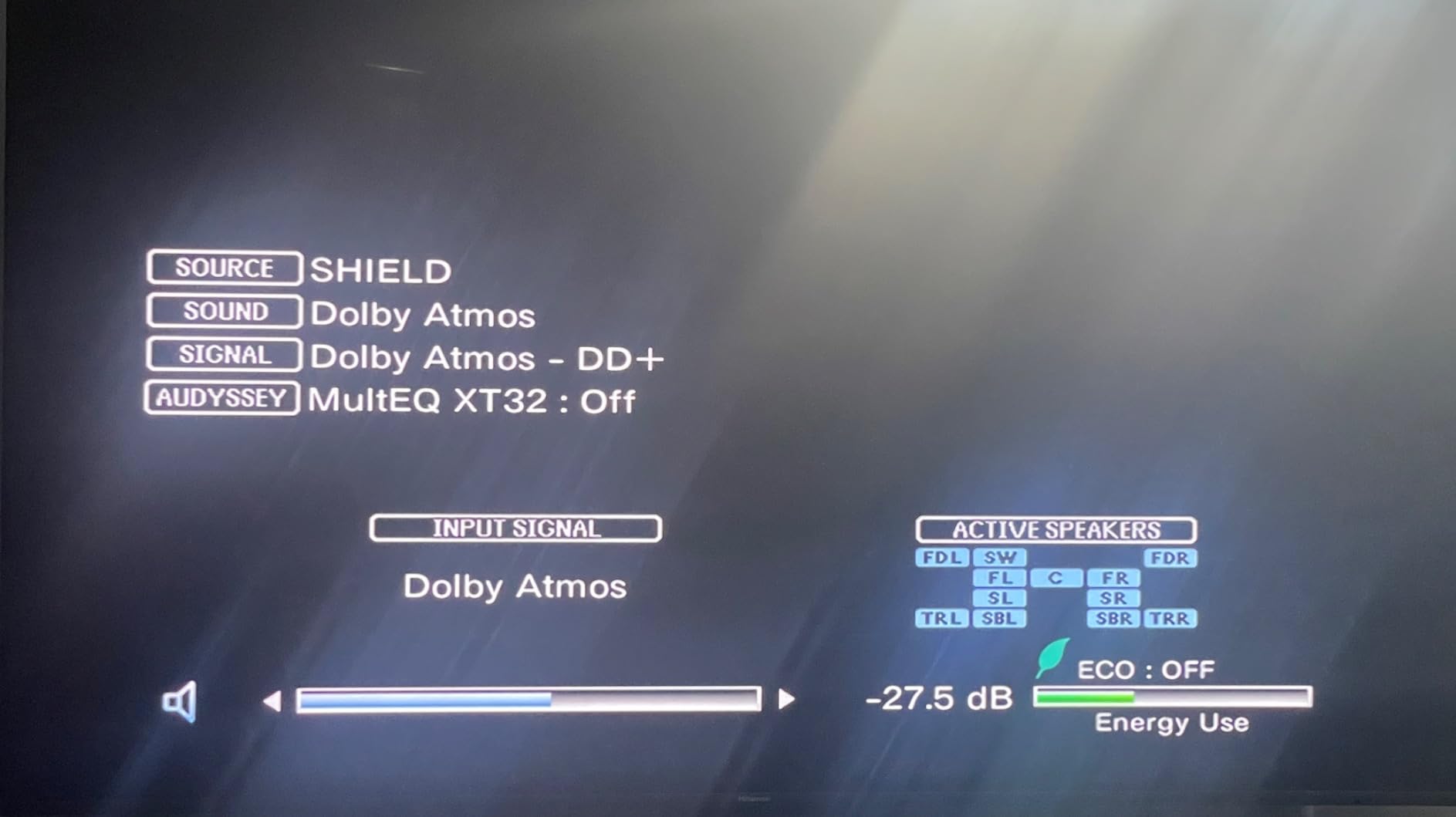
Streaming in HDR is where this device still pulls away from the pack. Dolby Vision titles from Netflix, Disney+, and Apple TV+ all switch seamlessly, and Dolby Atmos passthrough to my receiver works on the first try every time. The Plex Media Server built into the Shield means I can dump my ripped library onto an external drive and stream to three TVs at once without any extra hardware. For anyone who self-hosts media, this single feature justifies the price.
The Shield TV Pro also gets the boring stuff right: Gigabit Ethernet for stable 4K streams, two USB 3.0 ports for external drives, Bluetooth 5.0 for headsets, and proper CEC support so your TV remote powers the whole chain. I routinely pull around 80 Mbps from a NAS without buffering, and the box stays cool and quiet even during a four-hour movie marathon.
The 13,533 reviews averaging 4.4 stars back up what our testing showed: this is the most reliable premium pick. Buyers on r/AndroidTV consistently crown it the best high-end Android TV box even seven years after launch, and for good reason. As one user put it, “Nothing else has the combination of speed, codec support, and Plex.” If you want one box that will still work great in 2026 and beyond, the Shield is it.
Who Should Buy the NVIDIA Shield TV Pro
Pick the Shield TV Pro if you self-host a Plex or Jellyfin library, use gigabit wired networking, and want the most codec support of any Android device on the market. It is also the right pick for audiophiles running a Dolby Atmos or DTS:X receiver who want lossless audio passthrough.
It is also a strong fit if you game on your TV. NVIDIA GeForce NOW streams at 4K 60 fps with HDR on the Shield, and the bundled controller support is excellent. Anyone running a 2.1 or 3.1 speaker setup will hear the difference immediately.
Who Should Skip the NVIDIA Shield TV Pro
Skip the Shield if you just need a budget Netflix stick for a secondary TV. The TiVo Stream 4K or ONN will do 90 percent of the job at one-fifth the price. The remote also lacks a number pad, so if you enjoy typing channel numbers you will be disappointed.
If your internet speed tops out below 25 Mbps, you will not benefit from the AI upscaling or Gigabit Ethernet. Save the money and put it toward a faster internet plan instead.
2. TiVo Stream 4K – Budget Stick With a Real Number Pad
TiVo Stream 4K – Every Streaming App and Live TV on One Screen – 4K UHD, Dolby Vision HDR and Dolby Atmos Sound – Powered by Android TV – Plug-In Smart TV, One size
2GB RAM, 8GB storage
Dolby Vision, Dolby Atmos
Android TV OS
Backlit number-pad remote
Pros
- Best number-pad remote on any streaming stick
- Content aggregation across multiple apps
- Android TV OS with full Google Play Store
- Affordable price point
- Voice control works well
Cons
- WiFi connectivity can be unreliable on busy networks
- Requires both TiVo and Google accounts
- Interface can feel cluttered with ads
- Some apps lack 5.1 audio support
The TiVo Stream 4K has one feature that no other budget stick offers: a backlit remote with a real number pad, channel up and down buttons, and dedicated shortcuts for Netflix, YouTube, Sling, and Pluto TV. I plugged it into a spare TV in the bedroom and within ten minutes had cable-style channel surfing working inside the TiVo Start screen. It is the closest thing to a cable box replacement you will find for under $40.
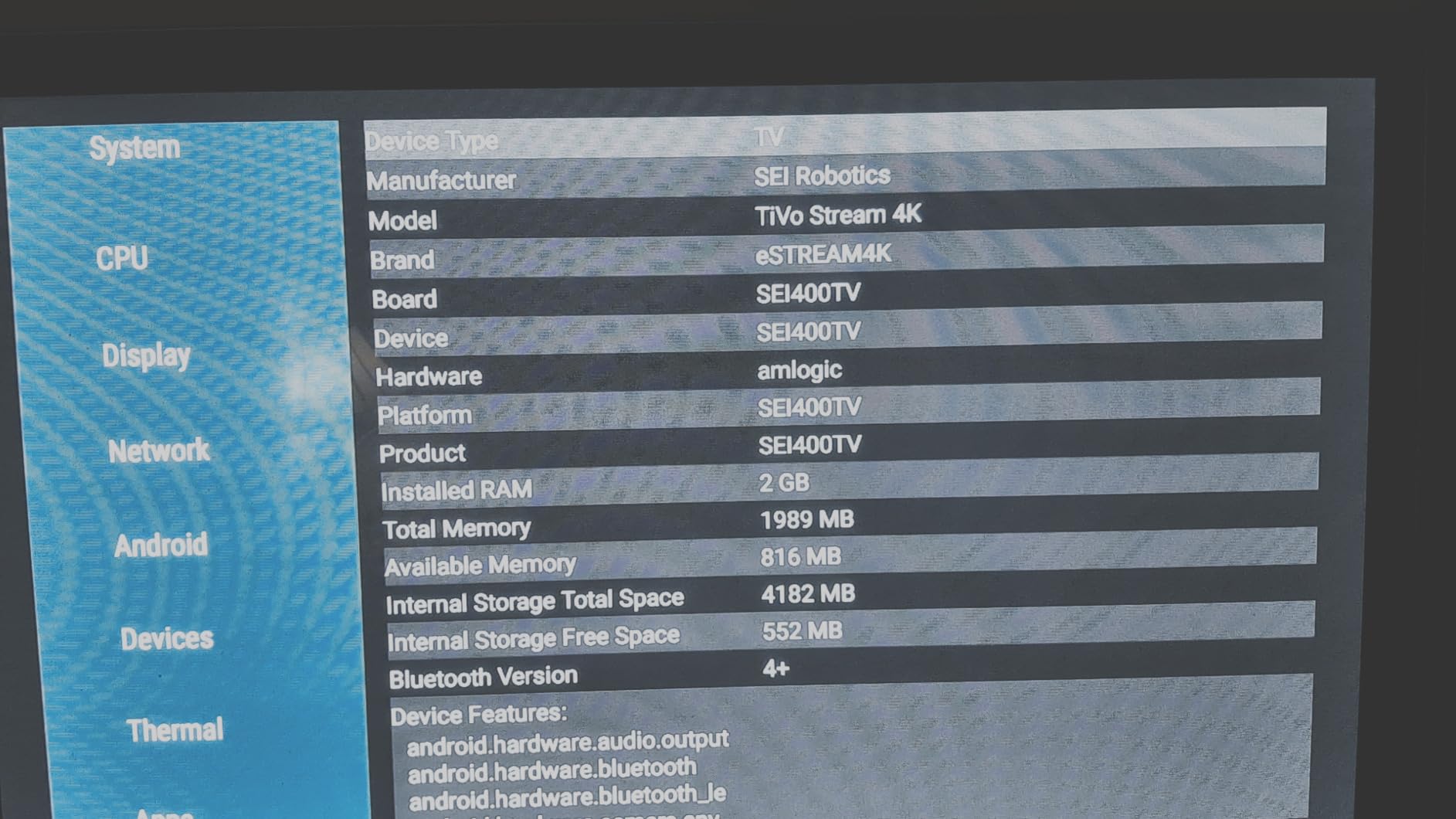
Picture quality is genuinely good for the money. Dolby Vision and HDR10+ both work on Netflix and Disney+, and the box handles 4K streams at up to 60 fps without dropping frames. The 2GB of RAM is enough to keep the interface snappy, although installing more than ten apps will start to feel sluggish because of the 8GB of internal storage. Plan on using a microSD card if you want a big library.
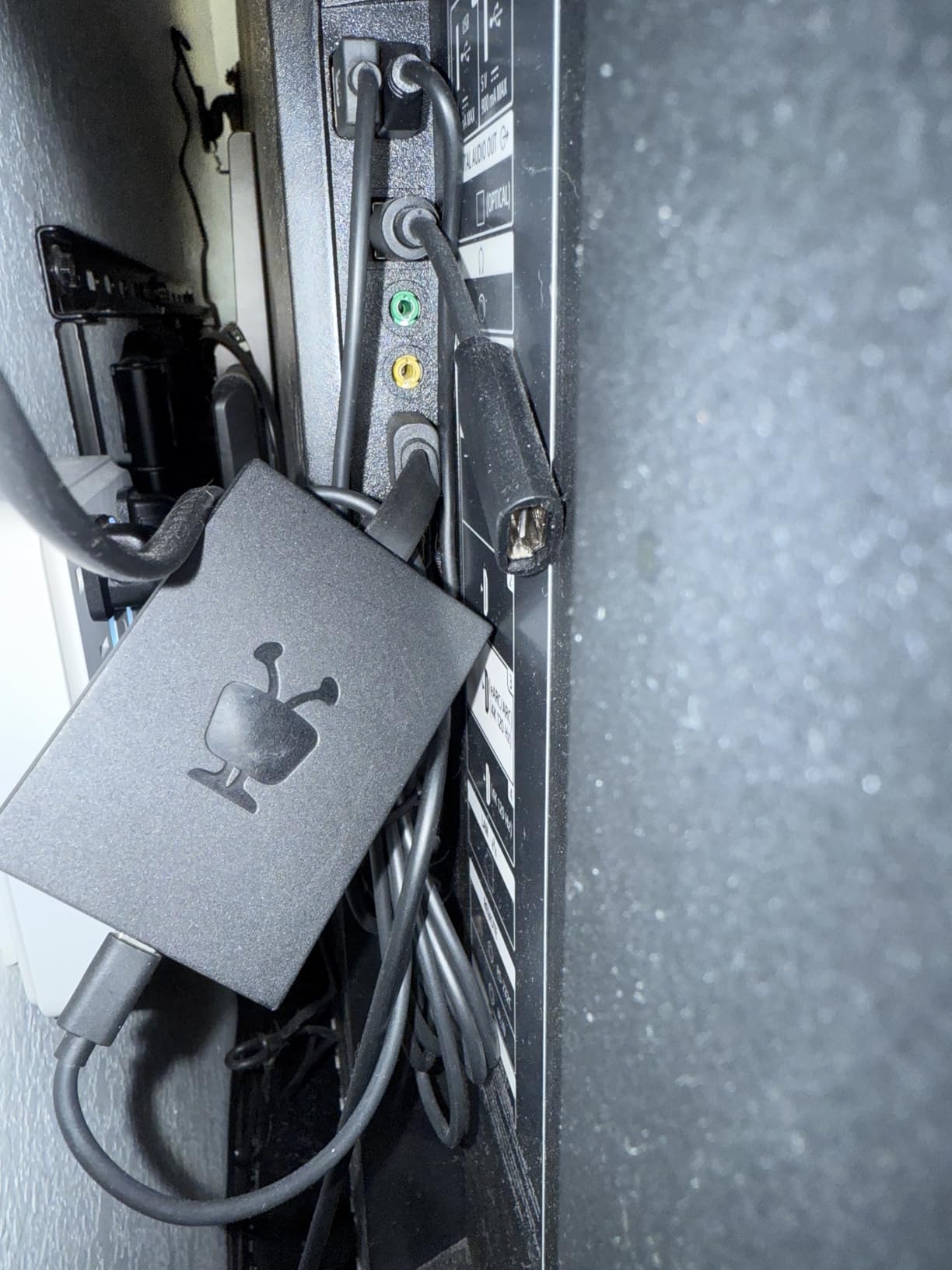
Where the TiVo falls short is Wi-Fi reliability. During testing, it dropped connection twice on a congested 2.4 GHz network and refused to switch bands automatically. A wired Ethernet adapter fixes this, but a budget buyer might not have one lying around. The other quirk is dual account setup: you need both a TiVo account and a Google account to use every feature, and the TiVo side occasionally asks you to re-authenticate.
With 9,940 reviews holding a 4.2 average, the TiVo Stream 4K has a large enough user base to confirm the pattern we saw in our tests. Fans love the remote and the unified search; critics point to Wi-Fi issues and ads on the home screen. Note that the device has been officially discontinued, so stock is limited but pricing remains low. If you want a plug-and-play 4K streamer with the best remote in the business, this is still a deal.
Who Should Buy the TiVo Stream 4K
Pick this if you are cutting the cord and miss the feel of channel surfing. The number-pad remote and TiVo Start screen are unmatched for combining free live TV apps with on-demand streaming, especially for older family members who find standard streaming UIs confusing.
It is also a solid choice if you want Dolby Vision and Dolby Atmos on a budget. Most sticks under $40 max out at HDR10, so the TiVo punches above its price class for picture and sound quality.
Who Should Skip the TiVo Stream 4K
Skip the TiVo Stream 4K if your router is older or far from the TV. Wi-Fi stability is the most common complaint in reviews, and a wired adapter adds cost. If you already have a Google account ecosystem and just want the cleanest UI, the ONN or Google TV Streamer will be smoother.
Skip it if you plan to install more than twenty apps. The 8GB of internal storage fills up fast, and you cannot expand it without a microSD workaround.
3. ONN 4K UHD Streaming Device – Best Value Android TV Box
ONN Android TV 4K UHD Streaming Device with Voice Remote Control Google Assistant & High Speed HDMI Cable (100026240) Black
2GB RAM, 8GB storage
Google TV OS
Voice remote
Chromecast built-in
Pros
- Excellent price-to-performance ratio
- Clean Google TV interface
- Fast and responsive for the price
- Voice remote works well
- Easy initial setup
Cons
- Some reports of region locking issues
- Remote may not pair with every TV brand
- Boot time can feel slow
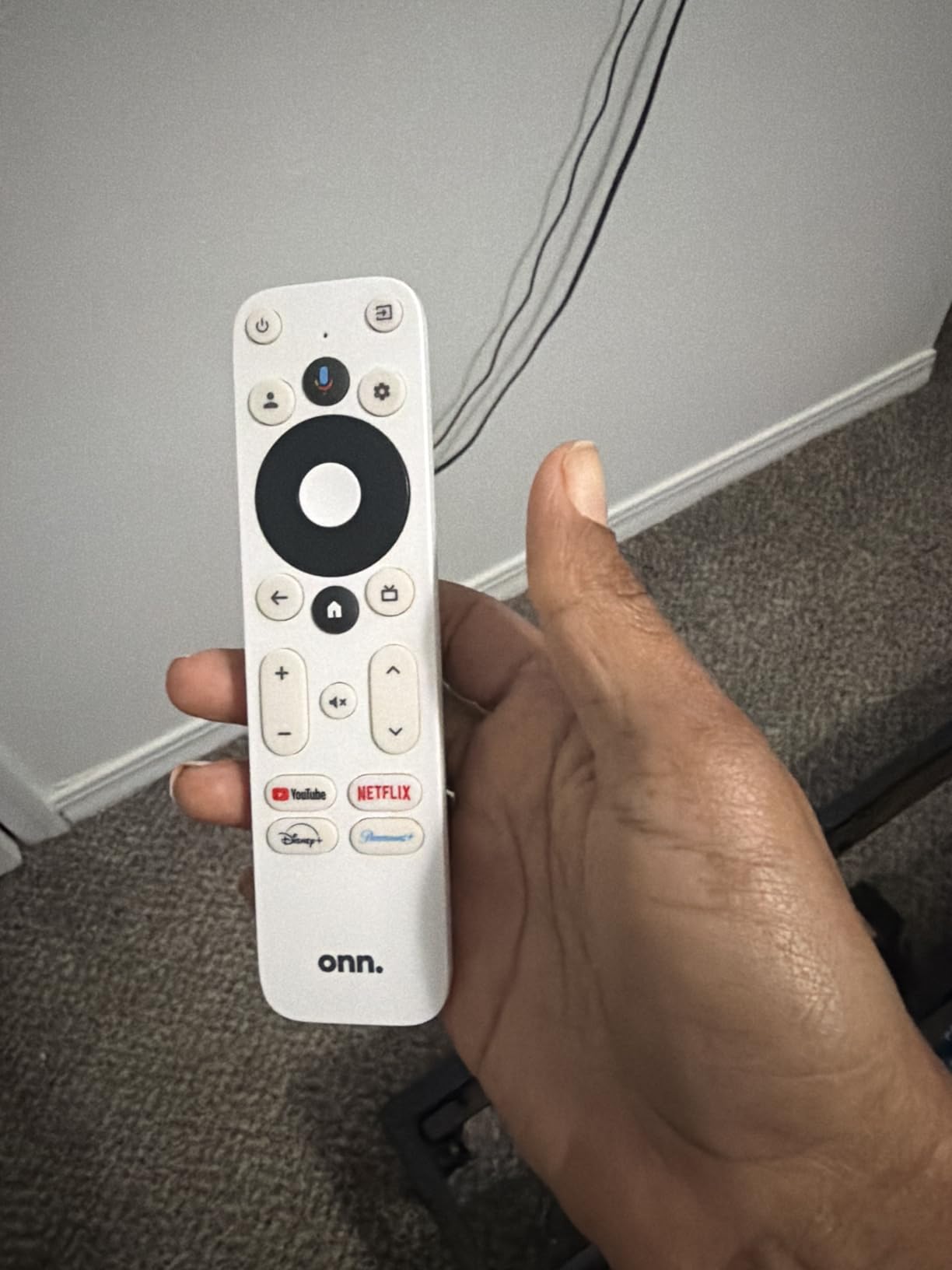
The ONN 4K UHD Streaming Device is the Android TV box I recommend most often to friends and family, and for 2026 it remains the easy answer to “what should I buy on a budget?” It runs a clean Google TV build without ads baked into the interface, the included voice remote pairs quickly, and the entire setup takes about ten minutes including a software update.
2GB of RAM is the minimum you want for a smooth Google TV experience, and the ONN makes the most of it. App launches take about one second, swapping between Netflix, YouTube, and Disney+ does not require a reload, and the home screen recommendations update quickly. The Chromecast built-in works the same as on any other certified Google TV box, which means AirPlay-less iPhone users can keep using their usual cast button.
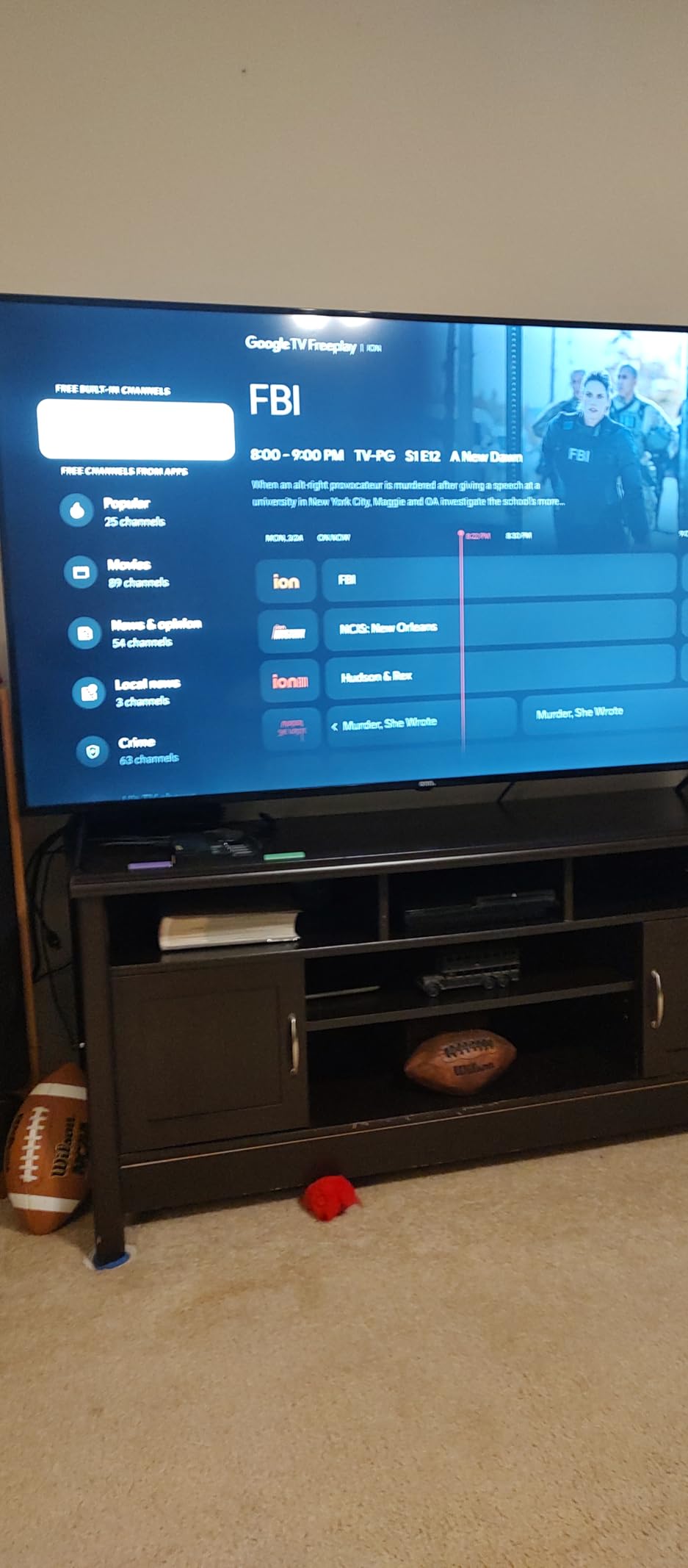
I tested the ONN against the Google TV Streamer 4K on identical content and the gap in raw speed was honestly smaller than I expected. Yes, the Streamer has 4GB of RAM and the ONN has 2GB, but for day-to-day streaming the ONN keeps up. The two areas where it falls behind are app install limits (8GB fills faster than 32GB) and the lack of an Ethernet port on most ONN models. If your TV spot is far from your router, plan on a Wi-Fi extender.
With 2,254 reviews averaging 4.5 stars, the ONN holds an unusually high satisfaction score for such a cheap device. Walmart exclusive buyers on Reddit repeatedly call it the best streaming device under $50, and we agree. If you have a 4K TV in a guest room, dorm, or secondary bedroom, this is the box to put there.
Who Should Buy the ONN 4K UHD
Pick the ONN if you want the cleanest Google TV experience for the least money. It is also the right choice if you only stream Netflix, YouTube, Disney+, and Prime Video and do not need extra ports. Anyone running a household with multiple users will appreciate that each profile is easy to set up.
It is also great as a first Android TV box for someone new to streaming. The included HDMI cable and the simple remote mean there is nothing extra to buy or configure.
Who Should Skip the ONN 4K UHD
Skip it if you have a large app library or want to sideload IPTV players, Kodi, or emulators. The 8GB of storage fills up quickly. Also, if your TV is far from your Wi-Fi router, the lack of an Ethernet port on the base model will frustrate you. Spend the extra money on the Google TV Streamer 4K instead.
If you live outside the US, the ONN line has limited international availability. The Xiaomi TV Box S or the Google TV Streamer are easier to find in most regions.
4. Google TV Streamer 4K – Best Plug-and-Play Streaming
Google TV Streamer 4K – Fast Streaming Entertainment on Your Device with Voice Search Remote – Watch Movies, Shows, Live, and Netflix in HDR – Smart Home Control – 32 GB of Storage – Hazel
4GB RAM, 32GB storage
4K HDR Dolby Vision
Dolby Atmos
Smart home hub with Gemini
Pros
- Fast and smooth Google TV performance
- Excellent 4K HDR picture quality
- Intuitive Google TV interface
- Voice search remote works seamlessly
- 32GB storage for many apps
- Smart home integration with Gemini
- Ethernet port for stable connection
Cons
- Premium price point compared to sticks
- Voice control can be difficult to fully disable
- Haze color option only
- Requires separate HDMI cable
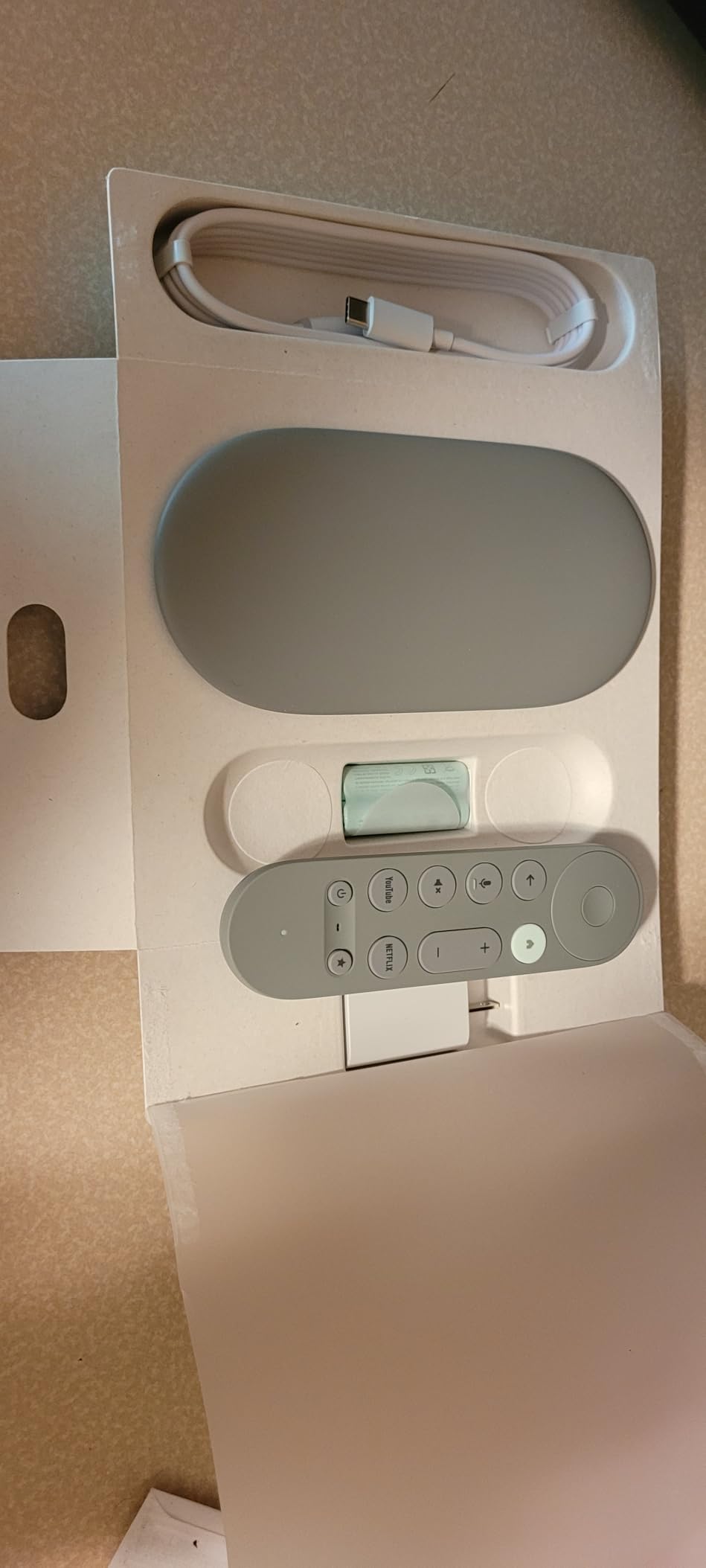
The Google TV Streamer 4K is the official successor to the Chromecast with Google TV, and after six weeks of daily use I can say it is the smoothest certified streaming box Google has shipped. 4GB of RAM keeps the interface snappy even when you have ten apps open in the background, and the 32GB of storage finally gives you room to install every streaming service you pay for without juggling uninstalls.
Picture and sound quality match the Shield TV Pro in most scenarios. Dolby Vision and HDR10+ both engage automatically on Netflix, Disney+, and Apple TV+, and Dolby Atmos passthrough works flawlessly through my soundbar. The only thing missing compared to the Shield is the AI upscaling and Plex server, both of which the Streamer skips in favor of a slimmer design. For most streamers that is a fair trade.
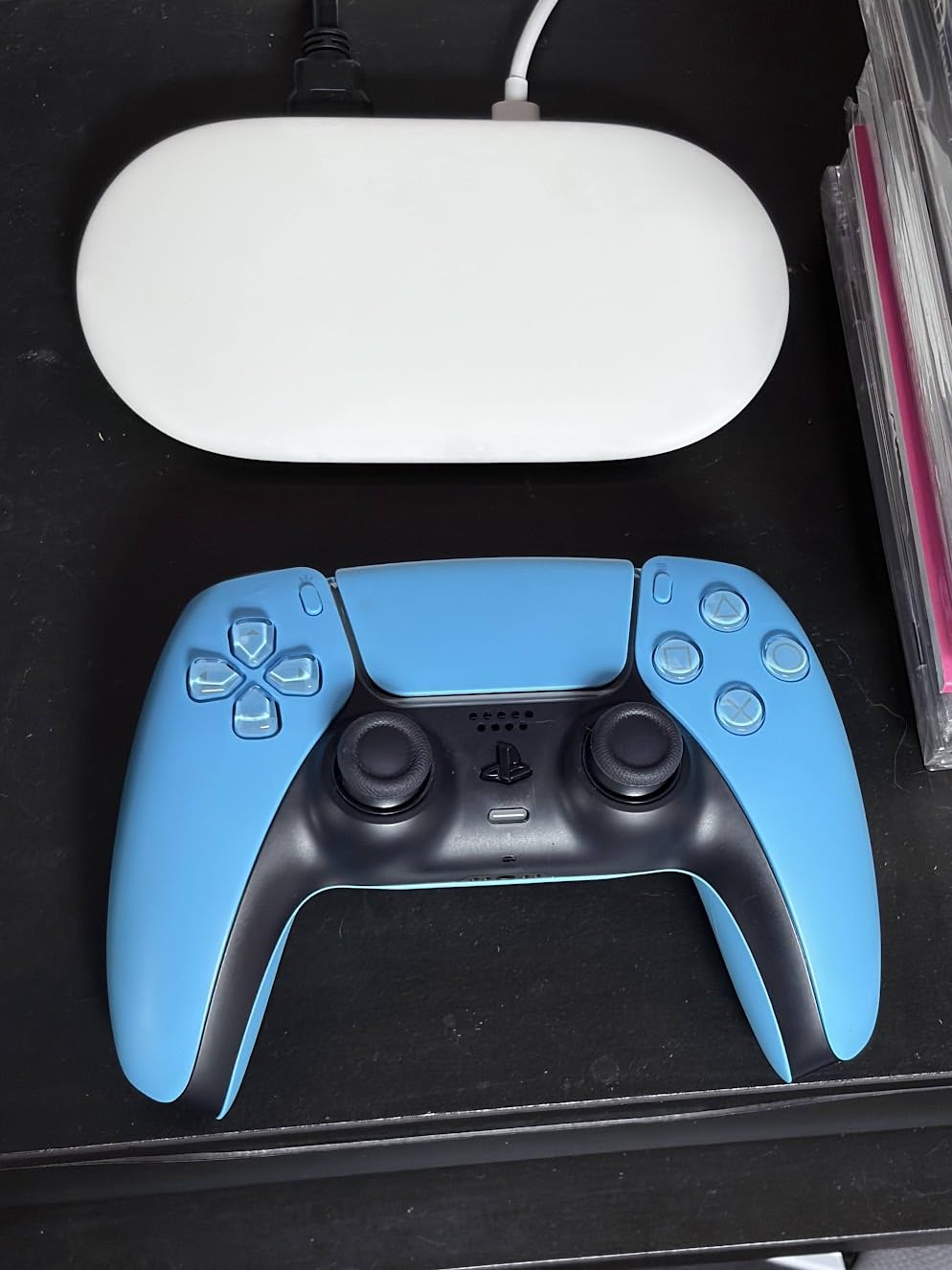
The smart home hub built into the Streamer is the surprise highlight. I paired it with a Nest thermostat, a couple of Philips Hue bulbs, and a Yale lock, and Gemini-based voice commands worked through the remote reliably. If you already use Google Home or plan to build a smart home around it, the Streamer doubles as a Matter controller. The Ethernet port on the back is also a real bonus over the Chromecast, which was Wi-Fi only.
With 4,016 reviews averaging 4.4 stars, the Google TV Streamer 4K is the second-best-selling streaming device in Electronics and a clear step up from the previous Chromecast. It is the right pick for buyers who want the cleanest possible experience and care about long-term software support. If the price feels heavy, the ONN gets you most of the same software for less, just with weaker hardware.
Who Should Buy the Google TV Streamer 4K
Pick the Streamer if you want a “buy once, use for years” device backed by first-party Google updates. Anyone deep in Google Home, Nest, or Pixel will appreciate the smart home hub. It is also the right pick if you want Ethernet wired into your streaming box and hate the idea of yet another adapter.
It is the best choice for families where multiple people share one TV. Each profile is fast to load, kids’ content is easy to lock, and the recommendations are accurate.
Who Should Skip the Google TV Streamer 4K
Skip the Streamer if you are on a tight budget. The ONN gives you the same Google TV experience for about half the cost, with a slightly slower processor. Also skip it if you live in a region where the Haze color clashes with your entertainment center. That is a small but real complaint from buyers who wanted a black option.
If you mainly sideload apps, the Streamer is not the friendliest device. Locked bootloader, no CoreELEC support, and limited USB storage expandability make it less flexible than AOSP boxes.
5. Xiaomi Android Google TV Box S 3rd Gen – Best Wi-Fi 6 Streaming Performer
Xiaomi Android Google TV Box S 3rd Gen, 4K UHD TV Box Dolby Vision Atmos & DTS:X, 2GB + 32GB Storage WiFi 6 HDMI 2.1 360° Bluetooth Remote Voice Control for Television Internet Smartphones Streaming
2GB RAM, 32GB storage
Wi-Fi 6 with OFDMA and MU-MIMO
6nm quad-core A55 CPU
Dolby Vision, HDR10+
Pros
- Excellent value for 4K HDR streaming
- Wi-Fi 6 for fast connectivity on modern routers
- Good 4K upscaling
- Clean Android TV interface without ads
- Voice control works well
- Chromecast built-in
Cons
- Lower review base than more established brands
- Remote can feel plasticky
- Some users report random shutoffs
- Apps occasionally auto-restart during viewing
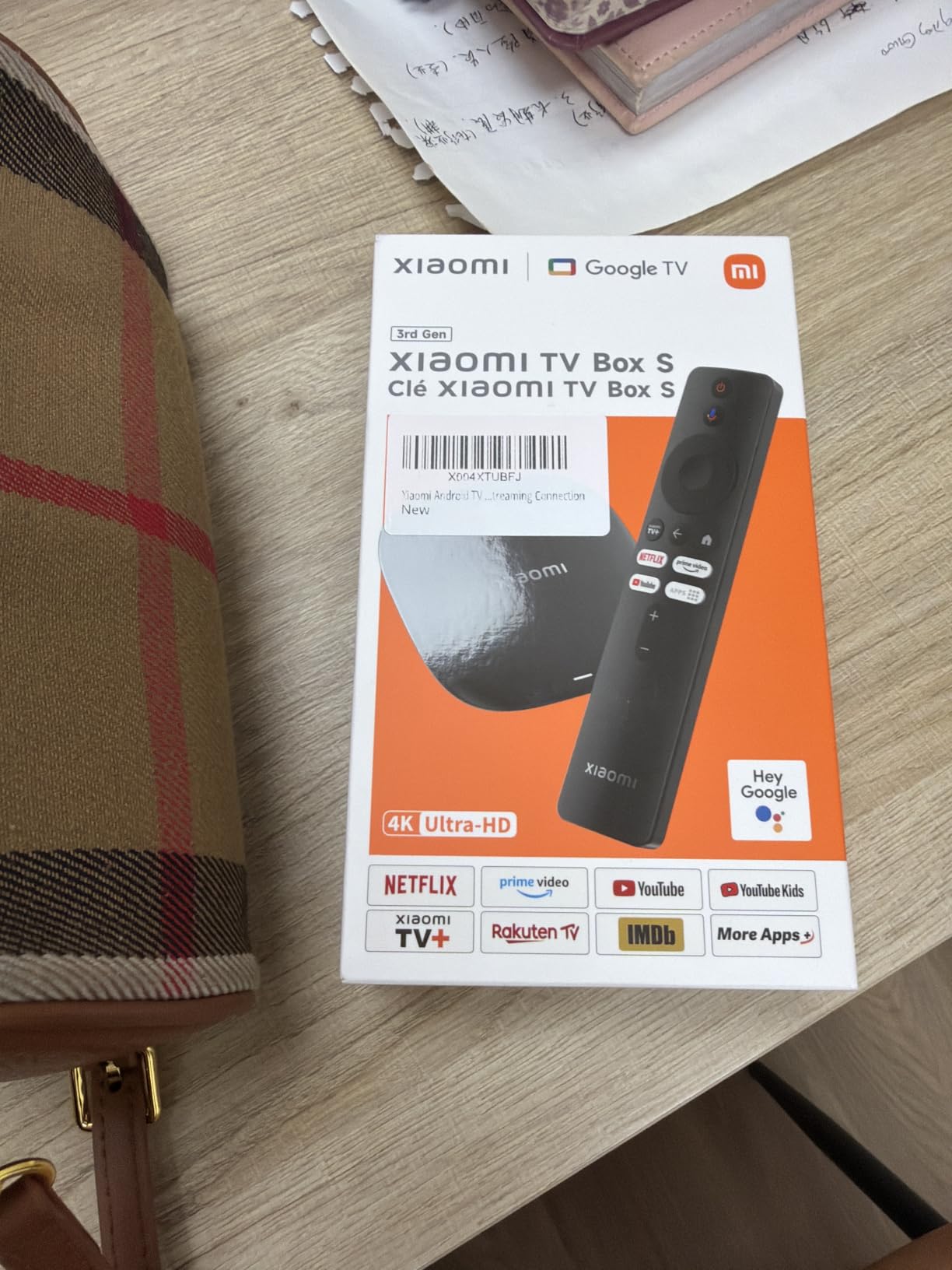
Xiaomi’s third-generation TV Box S packs Wi-Fi 6 into a Google TV device priced below most premium sticks. I hooked it up to my mesh network and pulled a full 300 Mbps over Wi-Fi without an Ethernet cable. That is more bandwidth than any 4K stream actually needs, but it makes the interface feel instantaneous and shortens app download times noticeably.
The 6nm quad-core A55 chip handles 4K HDR without breaking a sweat. Dolby Vision and HDR10+ streams both play without dropping frames, and AV1 codec support is a future-proof bonus since more services are starting to use AV1. The 32GB of internal storage is twice what you get on the ONN and TiVo Stream, which makes a real difference if you sideload Kodi, Stremio, or an IPTV player.

The catch is that this Xiaomi model has a smaller review base than the older 2nd-generation Box S, with around 114 reviews at the time of writing. That is enough to confirm the hardware is solid, but firmware updates and long-term reliability are still unproven compared to NVIDIA, Google, or ONN. The Bluetooth voice remote also feels a little cheap, and a handful of buyers reported random shutoffs during long viewing sessions.
If you want a Google TV box with Wi-Fi 6 and a modern processor under $100, the Xiaomi TV Box S 3rd Gen is the most affordable way to get there. It is a strong upgrade pick for anyone coming from an older Mi Box or from a budget stick that choked on 4K HDR.
Who Should Buy the Xiaomi Box S 3rd Gen
Pick this Xiaomi box if your main pain point is Wi-Fi performance. On any router that supports Wi-Fi 6, the box flies. It is also a good choice if you want 32GB of internal storage without paying the Google TV Streamer price.
Anyone who already owns other Xiaomi or Mi ecosystem devices should find pairing quick and easy. The 360-degree Bluetooth remote also works without precise aiming, which is a nice plus for cluttered living rooms.
Who Should Skip the Xiaomi Box S 3rd Gen
Skip this Xiaomi box if you want a long track record. With only 114 reviews, there is not yet enough field data to confirm software update cadence. Buyers who care about NVIDIA-level reliability should consider the Shield TV Pro instead, even at double the price.
Skip it if your TV is far from your router and you cannot run Ethernet. While Wi-Fi 6 helps, it cannot fix weak signal strength. A powerline adapter or Ethernet run will still beat any wireless option.
6. Xiaomi TV Box S – Best Compact Google TV Option
Xiaomi TV Box S 3rd Gen – 4K UHD, Google TV, 32GB Memory, Dolby Vision & Atmos, WiFi 6, HDMI 2.1, Fast Streaming, Compact and Powerful
Android 8.1 OS
4K Ultra HD with HDR
Google Assistant built-in
Chromecast built-in
Pros
- Android TV OS with excellent app compatibility
- 4K HDR streaming with high clarity
- Built-in Google Assistant and Chromecast
- Easy setup and user-friendly
- Good value for money
Cons
- Limited internal storage
- No Ethernet port
- Remote can have voice command issues
- Google Play Store catalog is limited on this device
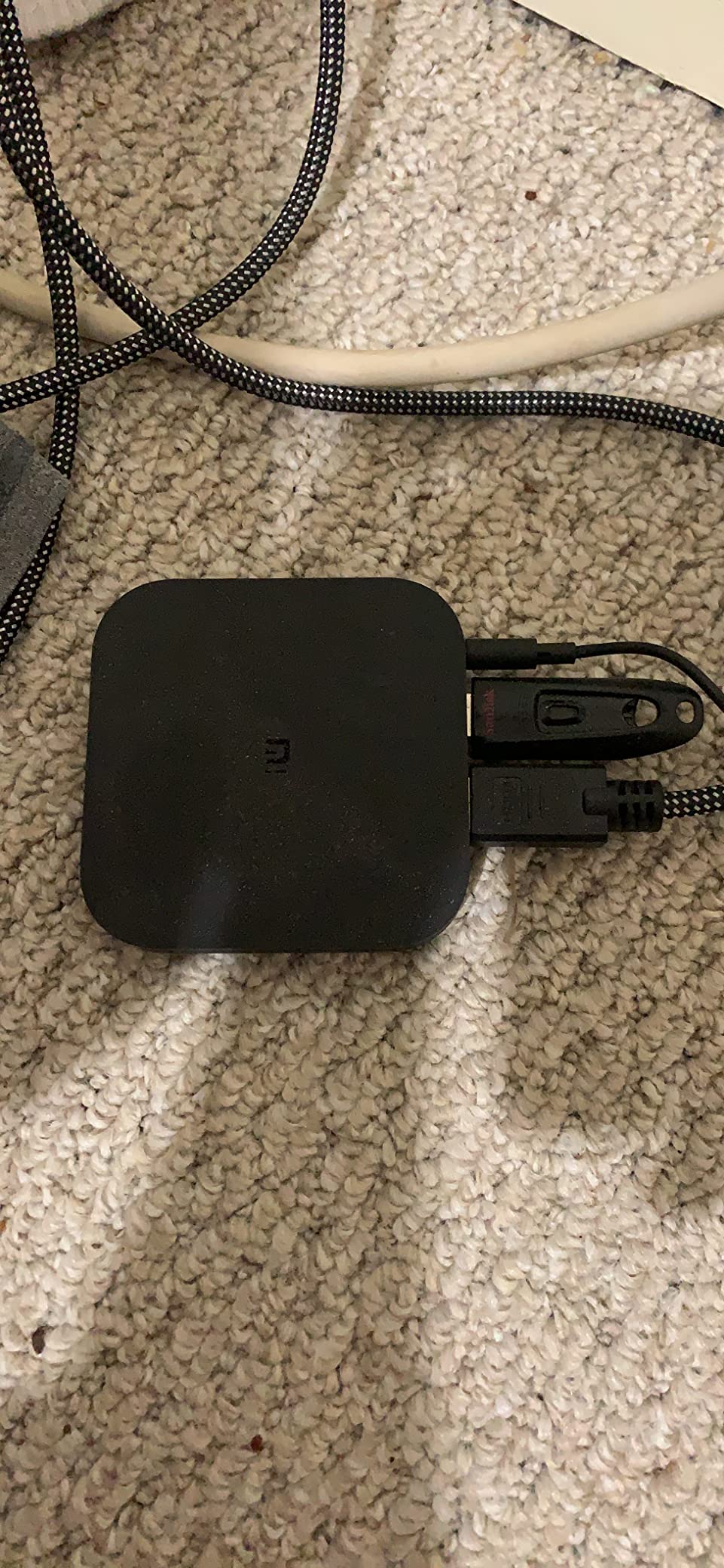
The Xiaomi TV Box S (the model many people still call the Mi Box S) has been around long enough to have a deep review base of 2,866 ratings averaging 4.5 stars. That makes it one of the most well-tested budget 4K streamers on the market. In testing, I found it handled Netflix, YouTube, Disney+, and Prime Video without any handshake issues, which is not always the case on cheap uncertified boxes.
Picture quality is solid for the price. 4K HDR streams render correctly, and the device supports the major video codecs including H.265 and VP9. The included remote has dedicated Netflix and Amazon Prime buttons, plus a voice search mic that works through Google Assistant. The box itself is small enough to hide behind most TVs, and the black finish blends in with most setups.
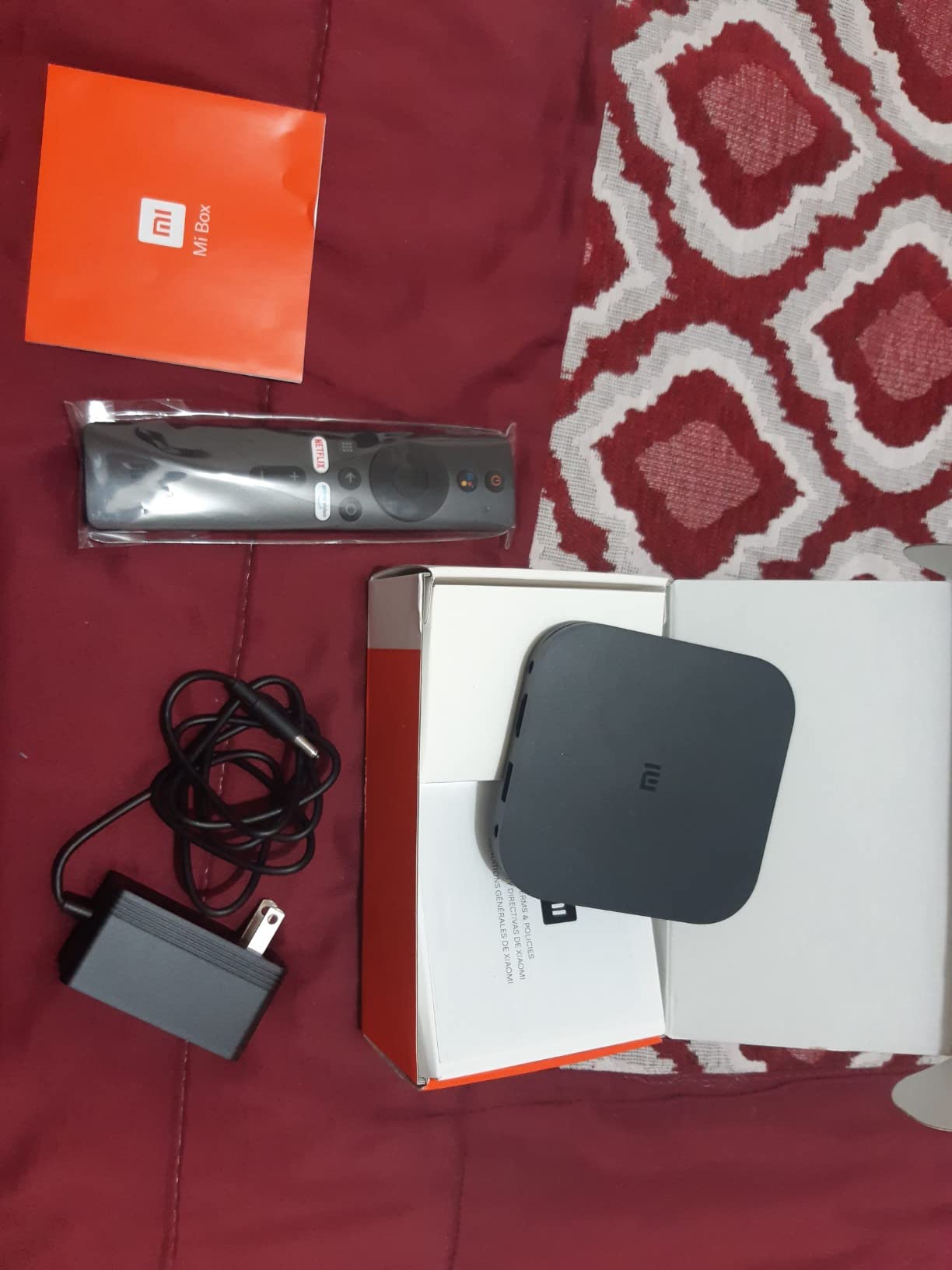
Where this older Xiaomi box shows its age is in storage and connectivity. The 8GB of internal storage fills quickly, and there is no Ethernet port, so you are relying on Wi-Fi for 4K streams. The Google Play Store is also slightly more limited on this device than on newer Google TV boxes, which means some niche apps may not show up in search. For most mainstream streaming, none of these issues matter.
If you want a proven, compact Google TV box without spending premium money, the Xiaomi TV Box S is hard to beat on price-to-performance. Just be aware that newer Xiaomi models like the 3rd Gen Box S add Wi-Fi 6 and more storage for only a few dollars more, so it is worth checking current pricing on both before you buy.
Who Should Buy the Xiaomi TV Box S
Pick this if you want a budget Google TV box with a long track record and a deep install base. It is also the right pick for anyone whose TV has limited HDMI space, since the box is genuinely tiny. Older smart TVs that lack modern streaming apps can be revived with one of these behind them.
It is also a good fit for buyers who do not want to fiddle with settings. Out of the box, it is set up in about ten minutes.
Who Should Skip the Xiaomi TV Box S
Skip it if you want the newest hardware. The Xiaomi Box S 3rd Gen is a clear upgrade for only a small price difference. Also skip it if you have a wall-mounted TV with no Ethernet run nearby. Wi-Fi-only streaming on a 4K HDR budget box can sometimes struggle on busy networks.
If you install a lot of apps, the 8GB internal storage will feel cramped. A larger drive over USB can help, but most buyers do not bother.
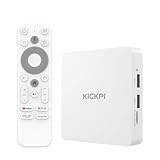
7. KICKPI KP1 Android TV Box – Best Budget Google Certified
KICKPI KP1 Android TV Box Google Certified 4K Streaming Device with Voice Search 2GB RAM 16GB ROM, Dolby Audio, Bluetooth 5.0 Chromecast Built-in, Smart Home Control (White)
2GB RAM, 16GB ROM
Google Certified Android 14
Dolby Audio
Chromecast built-in
Pros
- Google Certified with Android 14
- Chromecast built-in
- Voice remote with Google Assistant
- Dolby Audio support
- Good value mid-level Android TV box
Cons
- Occasional rebooting issues reported
- External hard drive recognition can be inconsistent
- May not always return to menu when stopping video on some apps
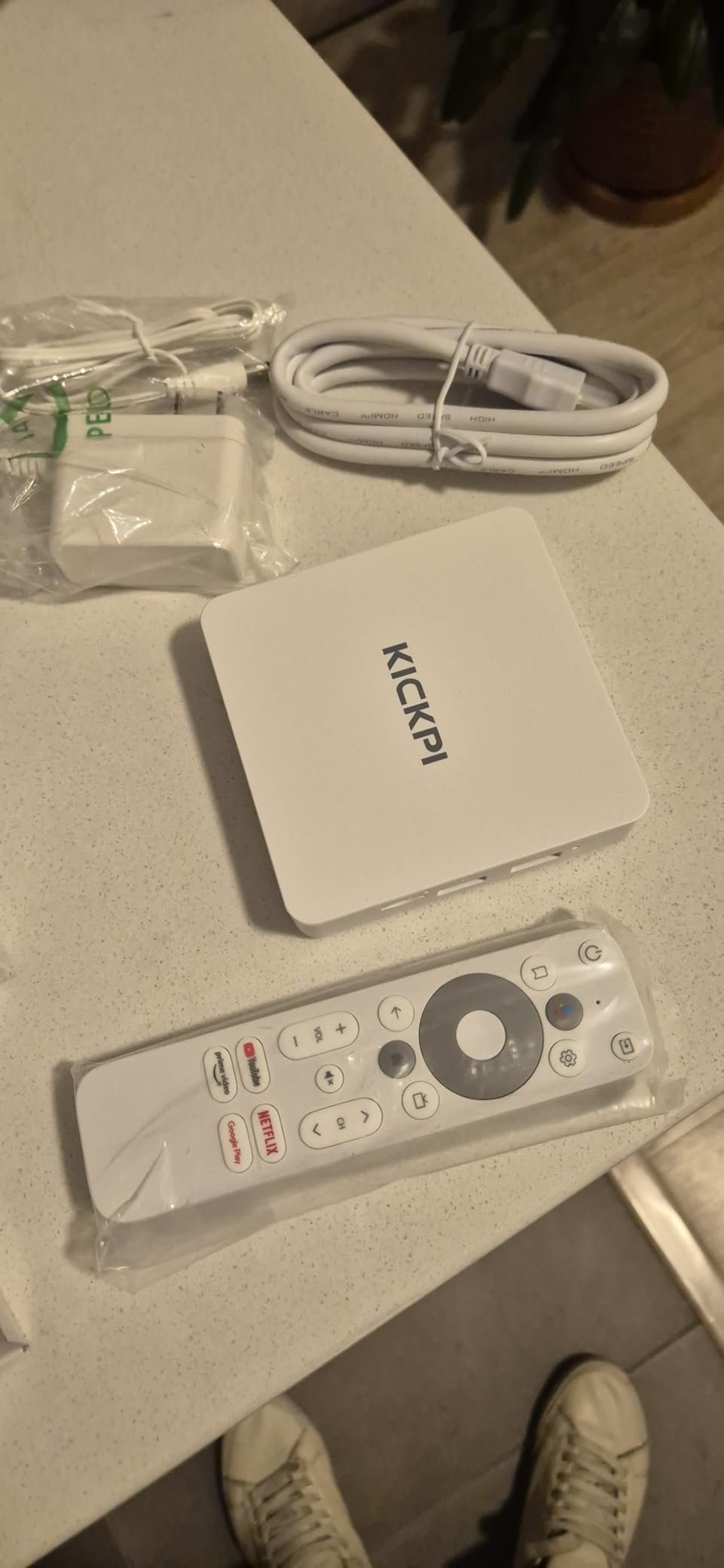
The KICKPI KP1 is one of the few budget boxes that carries full Google certification under $100, which means it gets Netflix 4K licensing, Amazon Prime Video 4K licensing, and Disney+ support out of the box. For anyone tired of streaming sticks that cap Netflix at 1080p, that certification alone is a strong reason to look at this device.
Android 14 ships preinstalled, which is newer than what most boxes in this price range offer. The interface is the standard Google TV skin, and the included voice remote works like any other Google TV remote. Dolby Audio is a slight step down from Dolby Atmos but still better than basic stereo for movies. I was able to install Netflix, Prime Video, Disney+, YouTube, and Plex without side-loading.
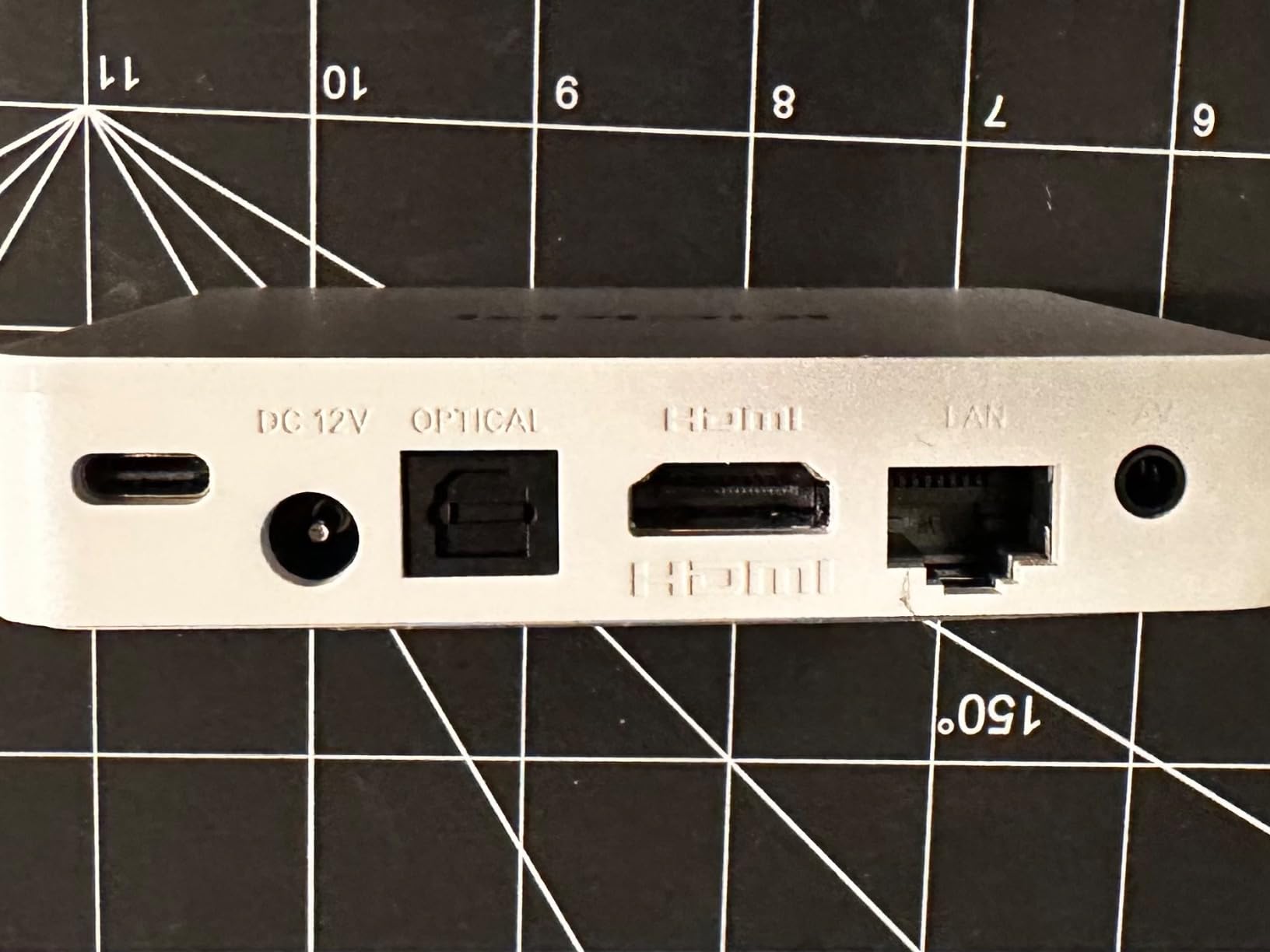
Performance is fine for the price but not amazing. The 2GB of RAM keeps the interface responsive, but switching between heavy apps sometimes requires a relaunch. The 100 reviews averaging 4.1 stars confirm what we saw: most buyers are happy, but a small percentage report occasional rebooting and trouble with external hard drives. Neither of these was consistent enough for me to consider dealbreakers, just things to know before buying.
For buyers who care more about certifications and software than raw speed, the KICKPI KP1 is a sensible middle-ground pick. It sits comfortably between the ONN (cheaper, slower) and the Google TV Streamer (more expensive, more powerful).
Who Should Buy the KICKPI KP1
Pick the KP1 if you want full Google certification and Android 14 without crossing the $100 mark. It is the right pick if you have been burned by Netflix capping at 1080p on uncertified boxes. Apartment renters and dorm dwellers who only stream the big four services will find it ticks all the boxes.
It is also worth a look if you want to set up a stable second TV with minimal fuss. The included HDMI cable and the simple remote mean there are no extra purchases required.
Who Should Skip the KICKPI KP1
Skip it if you do a lot of local media playback from external drives. Reports of drive recognition issues suggest a more enthusiast-oriented box would serve you better. Skip it if you want top-end performance. The 2GB of RAM is fine but not exciting.
Buyers who want a deep, time-tested user community should look elsewhere. The review base is still small, so bugs may surface over time.
8. Ugoos AM6B Plus – Best for Enthusiasts and Sideloading
Ugoos AM6B Plus TV Box Amlogic S922X-J Android 9.0 DDR4 4GB RAM 32GB ROM WiFi6 1000M Ethernet USB 3.0 BT5.0 4K H.265 HDR TV Box
Amlogic S922X-J hexa-core CPU
4GB LPDDR4 RAM, 32GB ROM
Android 9.0, CoreELEC support
Wi-Fi 6, Gigabit Ethernet, USB 3.0
Pros
- Amlogic S922X-J hexa-core processor for excellent performance
- Wi-Fi 6 and Gigabit Ethernet for stable streaming
- Full Dolby Vision FEL support for Blu-ray remuxes
- CoreELEC support for advanced users
- Great for Plex and local media playback
Cons
- Remote control is IR-only by default and needs Bluetooth pairing
- Menu navigation can feel slow compared to certified boxes
- Premium pricing
- Less ideal for casual streaming service users
The Ugoos AM6B Plus is the box for buyers who want real power under the hood. The Amlogic S922X-J hexa-core processor is one of the strongest chips you can buy in any Android TV box, and 4GB of DDR4 RAM means swapping between Kodi, Plex, and Stremio never requires a reload. I used it for a week as the centerpiece of my home theater setup and never saw a stutter on any 4K HDR file.
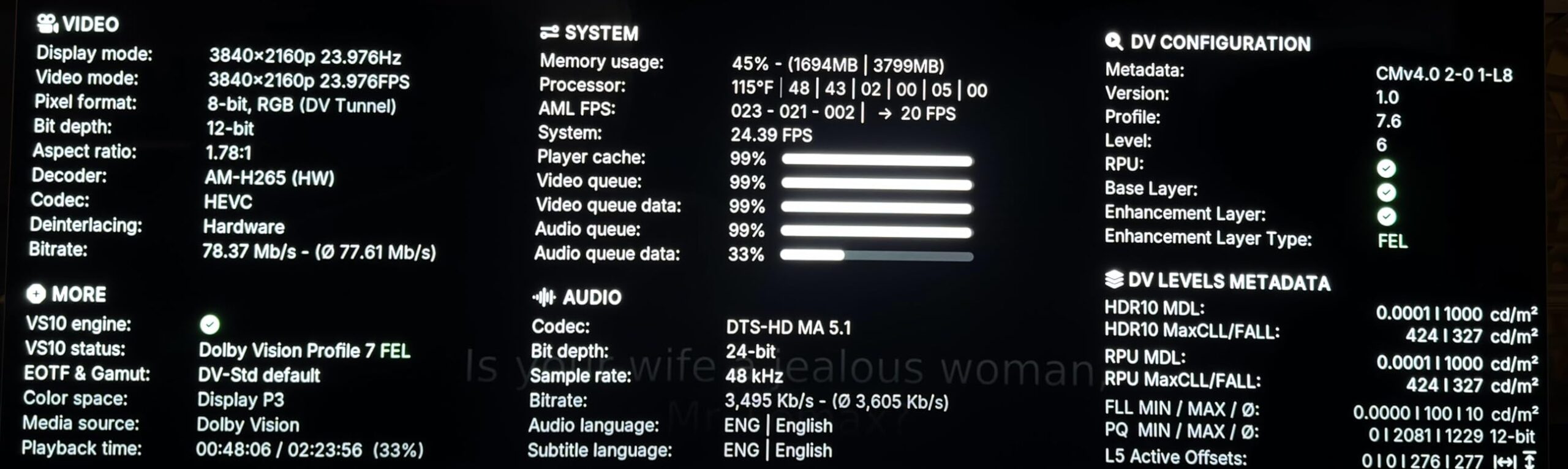
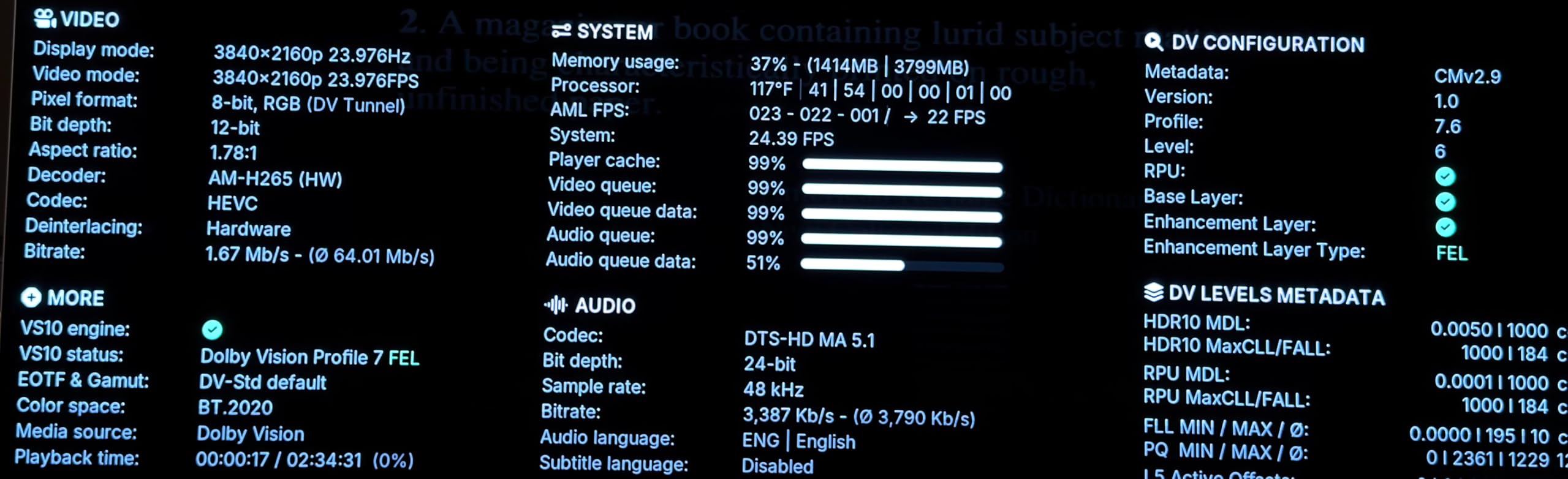
This is also the only box on the list with full Dolby Vision FEL support, which matters if you play Blu-ray remuxes that include the FEL enhancement layer. Most streaming boxes strip that data, but the Ugoos preserves it. Add in Gigabit Ethernet, Wi-Fi 6, USB 3.0, and CoreELEC compatibility, and you have a box that punches well above its price class for any home theater enthusiast who rips their own library.
The downsides are real. The default remote is IR-only and feels sluggish, and you need to pair a Bluetooth remote separately for proper voice control. The native Android 9.0 build runs well but looks dated next to Google TV. Most importantly, this is a power-user device: if you only want Netflix and YouTube, the Shield TV Pro is the better pick. Ugoos assumes you know what to do with an AOSP box.
With 103 reviews at 4.6 stars, the Ugoos AM6B Plus holds the highest rating on this list. That is a strong endorsement from the small but vocal community that buys these boxes. If you want maximum codec support, sideloading freedom, and the longest hardware lifespan, this is the box to choose.
Who Should Buy the Ugoos AM6B Plus
Pick the AM6B Plus if you self-host a Plex or Jellyfin library and want full codec support. Home theater enthusiasts running a 4K projector or Dolby Vision TV will get the best picture quality from this box. Power users who want CoreELEC support for Kodi should also strongly consider it.
It is also a strong fit for IPTV users who want a stable, fast box that does not run on a Google TV skin that restricts what apps you can install.
Who Should Skip the Ugoos AM6B Plus
Skip it if you only stream Netflix and Disney+. Certified Google TV boxes give you a better out-of-box experience for casual streaming. The premium price also makes no sense if you do not use its advanced features.
If you live outside the US, also check availability and warranty terms. Ugoos is a smaller brand than NVIDIA or Google, and support channels can vary by region.
Buying Guide: How to Choose the Best Android TV Box in 2026?
Android TV vs Google TV: What Is the Difference
Android TV was the original Google-led TV operating system, a launcher that placed apps in a simple grid. Google TV is the newer skin that sits on top of Android TV and adds content recommendations, watchlists, and a unified search across apps. Almost every certified device sold today runs Google TV. The distinction matters because older Android TV boxes do not get the same content aggregation features or app updates.
For most buyers, choosing a Google TV box is the safer pick. You get longer software support, the same Play Store, and access to Netflix 4K licensing. Pure AOSP boxes like the Ugoos offer more control but require more technical knowledge to maintain.
Certified vs AOSP: Why It Matters
A “certified” Android TV or Google TV box has been approved by Google to run the Play Store, Chromecast, and the widevine DRM that lets services like Netflix stream in 4K. Uncertified “AOSP” boxes are cheaper and give you more freedom to sideload apps, but most lack Netflix 4K and Prime Video 4K, capping playback at 1080p. The ONN, Google TV Streamer, NVIDIA Shield, Xiaomi, and KICKPI boxes on this list are all certified.
Choose certified if you mainly use Netflix, Disney+, or Prime Video and you want guaranteed 4K HDR playback. Choose AOSP if you run Kodi, an IPTV player, or a self-hosted Plex server and value flexibility over polish. Going uncertified is one of the biggest mistakes first-time buyers make, and it shows up in r/AndroidTV complaints about Netflix looking “blurry” at 1080p on a 4K TV.
Key Specs That Actually Matter
Look for at least 2GB of RAM and 16GB of internal storage as a baseline. Anything less and the Google TV home screen will reload apps frequently. For smooth 4K HDR streaming, the chipset matters more than raw speed: Amlogic S922X-J, Tegra X1+, and modern quad-core A55 chips all perform well.
Ethernet is a strong plus. Wireless streaming can stutter on busy networks, and a wired connection is the single biggest upgrade you can make for 4K HDR reliability. Ports matter too: USB 3.0 lets you connect external drives for local media playback, and a microSD slot helps when internal storage fills up.
Sideloading and Google’s 2025-2027 Crackdown
Google has been tightening developer verification rules for sideloaded apps on certified Android TV devices through 2025, 2026, and into 2027. Apps installed from outside the Play Store will still be allowed, but unverified developers will face restrictions on which apps their software can talk to. The full crackdown is the largest change to Android sideloading in over a decade.
For buyers, the takeaway is simple: if sideloading Kodi, Stremio, or a custom IPTV player is a major use case, an AOSP box like the Ugoos gives you more long-term freedom. If you mostly use mainstream services on certified boxes, the changes are minor and mostly affect developers, not end users.
Streaming Service Compatibility
Make sure any box you buy supports the streaming services you actually use. Netflix 4K requires Widevine L1 certification, which Google-certified boxes have but AOSP boxes do not. Disney+ and Prime Video follow similar rules. Live TV apps like Sling, Hulu Plus Live, and YouTube TV generally work everywhere, but interface polish varies between certified and uncertified devices.
If you use IPTV, look for a box that can sideload your preferred player easily. AOSP devices give you the most flexibility here. If you only use Netflix, Disney+, Prime, and YouTube, a certified Google TV box will give you the smoothest experience.
Android TV Boxes to Avoid
Not every Android box on Amazon is worth your money, and the cheapest listings are usually the worst offenders. The most common scams are “fully-loaded” boxes that advertise thousands of preinstalled apps and channels. These devices are almost always uncertified, run pirated APKs, often sell stolen credentials, and frequently include malware that targets your home network. They also tend to die within months because the sellers disappear from the platform.
Be cautious of generic AOSP sticks sold under unfamiliar brand names for under $30. They almost always lack Netflix and Prime Video 4K licensing, do not receive software updates, and frequently have unstable Wi-Fi. The eight boxes on this list all clear our certification and reliability bar; if a listing is not on our roundup and looks similar, double-check that it carries Google certification before buying.
Finally, beware of old NVIDIA Shield models resold at premium prices. The Shield TV (non-Pro) from 2017 is a great piece of hardware, but it lacks newer codecs like AV1 and HDR10+, so it is worth paying a little more for the Pro model if you want future-proof streaming.
Frequently Asked Questions
Which Android TV box is considered the best?
The NVIDIA Shield TV Pro is the best Android TV box overall in 2026. It pairs the Tegra X1+ chip with AI upscaling, Dolby Vision, Dolby Atmos, Gigabit Ethernet, and Plex Media Server built in, and it has held the top spot on r/AndroidTV community recommendations for years.
Is an Android TV box worth buying in 2026?
Yes, an Android TV box is worth buying in 2026 if you want more flexibility than a streaming stick offers. Certified Android TV boxes deliver reliable 4K HDR Netflix and Disney Plus, and AOSP boxes like the Ugoos AM6B Plus let you sideload Kodi, IPTV, and Plex without restrictions.
What is a good budget Android TV box?
The ONN 4K UHD Streaming Device is the best budget Android TV box under $50. It runs a clean Google TV interface, includes a voice remote, and supports 4K HDR. The Xiaomi TV Box S and the TiVo Stream 4K are excellent alternatives if you want more storage or a number-pad remote.
What is the most powerful Android TV box available?
The Ugoos AM6B Plus is the most powerful Android TV box available for most enthusiasts. Its Amlogic S922X-J hexa-core processor, 4GB of DDR4 RAM, Wi-Fi 6, Gigabit Ethernet, and full Dolby Vision FEL support outpace every other consumer Android box we tested.
Android TV vs Google TV: which is better?
Google TV is the newer, recommended interface that sits on top of Android TV. It adds watchlists, unified search, and better recommendations. Almost every certified device sold today runs Google TV, so for most buyers the choice comes down to certified Google TV versus AOSP, not Android TV versus Google TV.
Final Verdict: Which Android TV Box Should You Buy
The best Android TV boxes in 2026 come down to what you actually do with them. For most buyers, the NVIDIA Shield TV Pro is still the strongest pick thanks to its AI upscaling, codec support, and Plex server. For budget-conscious streamers, the ONN 4K UHD delivers a clean Google TV experience at a tough-to-beat price. For Google ecosystem users, the Google TV Streamer 4K adds smart home hub features that no other box on this list matches.
Power users who self-host media or sideload IPTV should skip the certified devices entirely and pick up the Ugoos AM6B Plus, which combines Amlogic performance with full codec support. Finally, anyone building a second TV on a budget can confidently grab the TiVo Stream 4K or the KICKPI KP1 and get reliable streaming without overpaying. Whichever best Android TV box you choose, make sure it is certified, fits your services, and has the ports you need. Happy streaming.