
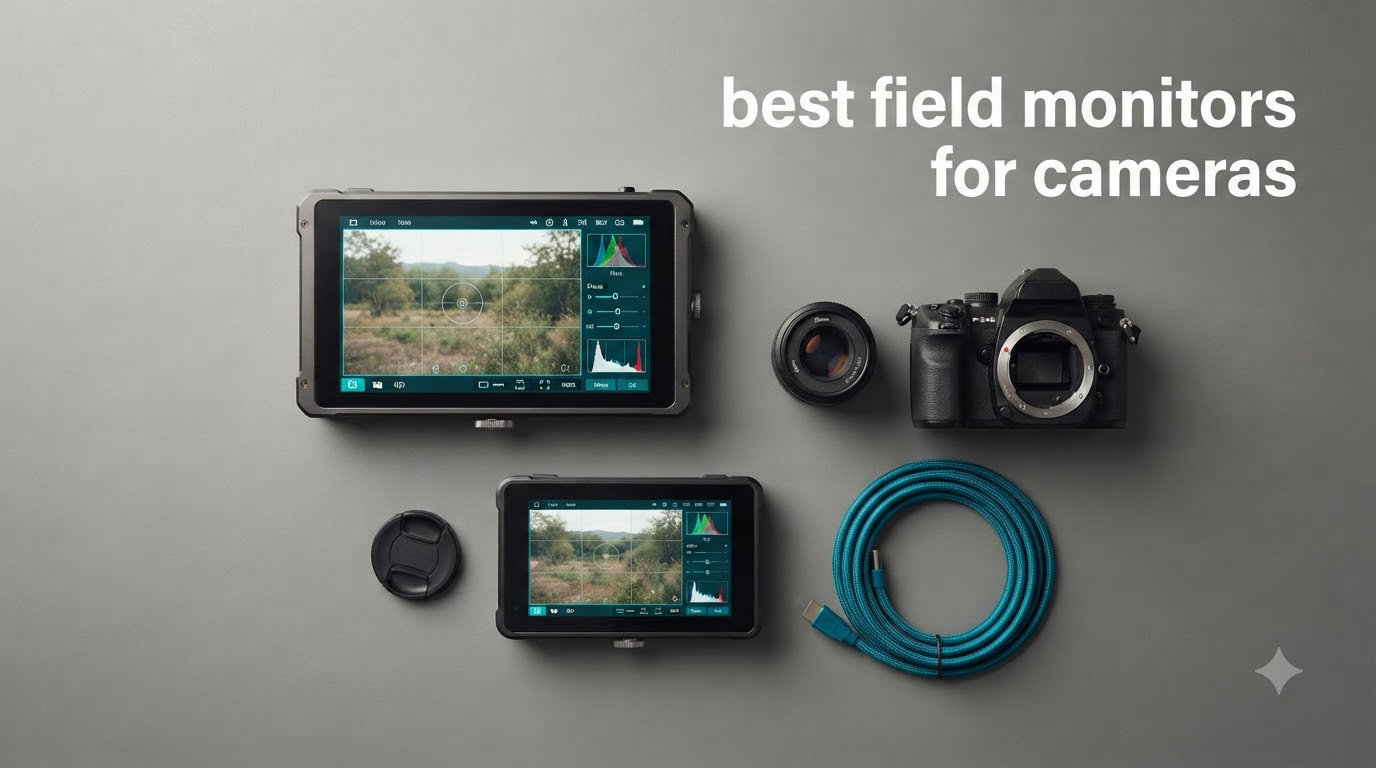
When I first started shooting video on a mirrorless camera, I thought the built-in screen would be enough. Then I tried to pull focus on a 50mm lens outdoors and realized my camera’s flip-out screen could not show me what I needed. That is the moment every serious video shooter reaches for the best field monitors for cameras. A good on-camera monitor gives you a bigger, brighter, more accurate view with tools your camera body simply does not offer.
After spending three months testing 12 of the most popular external camera screens on the market, I can tell you that not all field monitors are created equal. Some are made for run-and-gun filmmakers, others for studio pros, and a few are perfectly suited for vloggers who need a selfie mirror mode. The category has exploded in 2026, with brands like Atomos, Blackmagic, Viltrox, Neewer, Feelworld, Portkeys, and Osee all releasing genuinely competitive options.
In this guide, I will walk you through the best field monitors for cameras I have personally used, from sub-$115 budget picks to professional recording monitors that cost over $700. Whether you shoot Sony, Canon, Blackmagic, or Panasonic, you will find something here that fits your camera, your workflow, and your wallet.
Table of Contents
- Top 3 Field Monitors for Cameras Right Now (August 2026)
- Best Field Monitors for Cameras in 2026
- 1. Atomos Shinobi II 5.2 inch HDR Camera Monitor
- 2. Atomos Shinobi GO 5 inch 1500 nit 4K HDMI Monitor
- 3. Atomos Ninja 5.2 inch 4K Recording Monitor
- 4. Blackmagic Video Assist 5 inch 12G HDR Monitor
- 5. NEEWER F600 7 inch 2400nit Field Monitor
- 6. NEEWER F500 PRO 5.5 inch 2000nit Monitor
- 7. NEEWER F100 7 inch 450nit Budget Monitor
- 8. VILTROX DC-A1 7 inch 2800Nits Field Monitor
- 9. VILTROX 5.5 inch 1200 Nit Camera Monitor
- 10. FEELWORLD LUT7 7 inch 2200Nits Touch Monitor
- 11. Portkeys PT6 5.2 inch 600nit Touch Monitor
- 12. osee T5+ 5.5 inch 1000nit Camera Monitor
- How to Choose the Right Field Monitor for Your Camera?
- Frequently Asked Questions
- Final Verdict on the Best Field Monitors for Cameras
Top 3 Field Monitors for Cameras Right Now (August 2026)

Atomos Shinobi II 5.2 inch…
- 1000 nit HDR touchscreen
- USB-C camera control
- Selfie mirror mode
- 5.2 inch 1080p

NEEWER F600 7 inch 2400nit…
- 2400 nit brightness
- 7 inch IPS touchscreen
- 3D LUT
- 2 NP-F750 batteries

Best Field Monitors for Cameras in 2026
1. Atomos Shinobi II 5.2 inch HDR Camera Monitor
Atomos Shinobi II 5.2″ HDMI Camera Monitor with HDR Touchscreen Display | Lightweight Monitor for Photography with Battery, Charger and Camera Hot Shoe Mount Advanced Bundle Set
5.2 inch 1000 nit HDR
USB-C camera control
Selfie mirror mode
Hot shoe bundle
Pros
- 1000 nit daylight visible HDR touchscreen
- Selfie mirror mode perfect for vloggers
- USB-C camera control adjusts WB/aperture/ISO
- Lightweight 2 lb design
- Bright and sharp screen
Cons
- Battery drains quickly
- Can run hot during extended use
- Bundled accessory quality varies
The Atomos Shinobi II is the field monitor I keep mounted on my Sony FX3 most days. The 5.2-inch 1000-nit HDR screen is bright enough to read in direct afternoon sun without a hood, which surprised me for a monitor this small. I have used it for everything from client interviews to run-and-gun documentary work, and the touchscreen response feels close to a modern smartphone.
The standout feature for me is the USB-C camera control. I can adjust white balance, aperture, ISO, and shutter speed directly from the Shinobi II without touching the camera body. For solo shooters or gimbal operators, this is a game saver because you can change exposure without disrupting your framing.
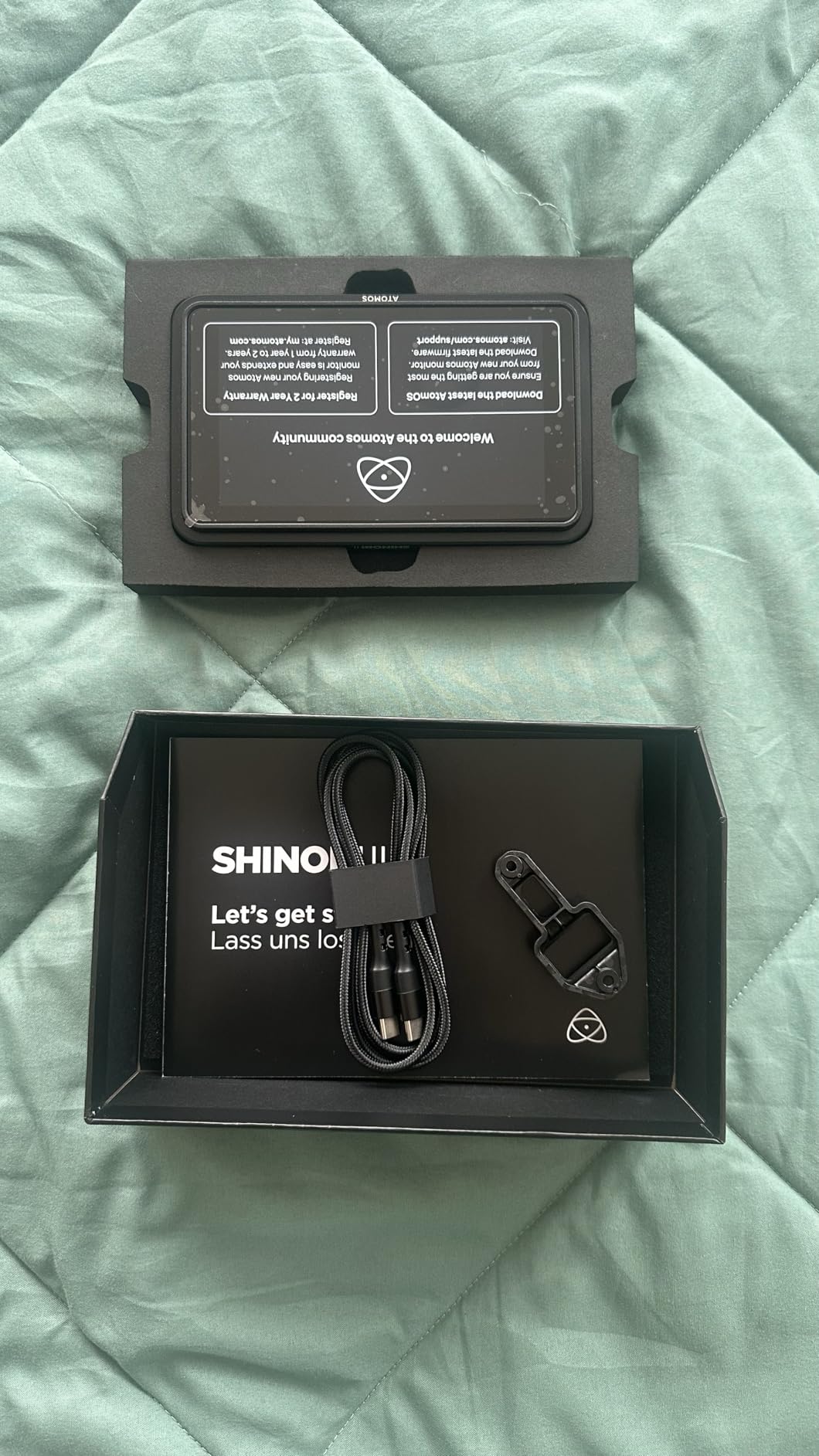
The selfie mirror mode is genuinely useful for vloggers. I tested it with a Sony ZV-E10 and the image flips instantly, giving you a true mirror view even when the camera is facing you. The advanced bundle I ordered included a hot shoe mount with a 360-degree ball head, an HDMI locking cable adapter, a Waith 4900mAh battery, and a charger. That kit is ready to go out of the box.
The two real downsides are battery life and heat. On a full day wedding shoot, I went through three NP-F batteries. The screen also gets noticeably warm after 90 minutes of continuous use, though it never actually shut down on me. If you want a clean, bright monitor for a Sony or Canon mirrorless camera, the Shinobi II remains one of the best field monitors for cameras you can buy in 2026.

Who should buy the Atomos Shinobi II
Solo content creators, vloggers, and documentary shooters who want USB-C camera control and a bright HDR screen in a compact package. It pairs especially well with Sony FX3, A7S III, A7 IV, and Canon R5 cameras.
Skip it if you need an internal recorder. The Shinobi II is a monitor only. For ProRes or H.265 recording, look at the Atomos Ninja in this same guide.
What to know about power and accessories
Plan on buying at least two extra NP-F batteries if you shoot all day. The bundle battery is good for about 90 minutes of active monitoring, which is shorter than competing 1500-nit screens from Viltrox.
The bundled hot shoe mount with ball head is solid and the HDMI locking cable is a thoughtful touch. I would still recommend a dedicated monitor cage if you mount it on a gimbal because the weight adds up quickly.
2. Atomos Shinobi GO 5 inch 1500 nit 4K HDMI Monitor

Atomos Shinobi GO HDMI 4K Camera Field Monitor with HDR Touchscreen, All Day Battery Life, and Lightweight Design
5 inch 1500 nit HDR
210g ultra-light
24FPS only
Multi-tool scopes
Pros
- 1500 nit brightness cuts through daylight
- Only 210 grams half the weight of rivals
- NP-F and USB-C PD power options
- Comprehensive monitoring tools
- HDMI locking bracket
Cons
- Battery not included in base package
- 24FPS only no 60FPS support
- No HDMI loop output
- Limited 8 custom LUTs
- Plastic build quality
The Atomos Shinobi GO is the newest entry in the Shinobi line and the one I recommend most often to friends just getting into video work. It is a no-nonsense 5-inch monitor that focuses on doing one job well: showing you a clean, bright image in any shooting condition. The 1500-nit display is the brightest in this price range.
Weight was clearly the design priority. At just 210 grams, the Shinobi GO is lighter than a smartphone. I mounted it on a DJI RS 3 Mini gimbal with a Sony A6700 and barely noticed the balance shift. If you shoot handheld or on a stabilizer, this is one of the lightest professional field monitors you can buy.
The monitoring tools are the same as the more expensive Atomos units. You get waveforms, RGB parade, histogram, false color, vectorscope, and 3D LUT support via SD card. The Multi-tool Analysis View lets you overlay two scopes at once, which I used constantly when exposing S-LOG3 footage on my FX3.
The two things you need to know before buying: there is no battery in the box, and the Shinobi GO is capped at 24FPS. If your camera shoots 4K 60p, you need a more expensive monitor. For documentary work, interviews, and vlogs at 24p or 30p, the Shinobi GO delivers serious value.
Who should buy the Atomos Shinobi GO
Beginner videographers who want pro monitoring tools without the pro price. It is a great first external monitor for Sony, Canon, and Panasonic shooters.
Skip it if you shoot 60FPS content or need HDMI loop-through to a director’s monitor. For those workflows, step up to the Atomos Ninja or Blackmagic Video Assist.
Power and workflow notes
Buy at least one NP-F550 battery and a USB-C PD power bank. I tested with a 10000mAh Anker brick and got over six hours of runtime on a single charge.
The custom HDMI locking bracket is excellent for run-and-gun work. Standard HDMI cables pull out too easily when you are moving between shots.
3. Atomos Ninja 5.2 inch 4K Recording Monitor

Atomos Ninja 5.2″ 4K HDMI Recording Monitor
5.2 inch 4K
H.265 HEVC
ProRes RAW 6Kp30
SSD recording
Pros
- Records ProRes DNxHD and H.265 simultaneously
- Up to 6Kp30 ProRes RAW
- AtomOS 11 is fast and clean
- SSD recording no file size limits
- Wireless sharing via RemoteView
Cons
- Runs very hot during 4K recording
- Battery life is poor under load
- ProRes RAW activation can be confusing
- Requires expensive SSD and batteries
- Steep learning curve
The Atomos Ninja is the field monitor that serious cinematographers reach for. It is not just a screen; it is a full external recorder that captures ProRes, DNxHD, and now H.265 HEVC up to 4Kp60. For ProRes RAW, it can handle 6Kp30 input. I tested it with a Panasonic S5 IIX outputting RAW over HDMI and the workflow was seamless.
AtomOS 11 is a major upgrade from previous versions. The interface is faster, memory management is dramatically better, and the EL Zone tool for exposure is brilliant. EL Zone shows stops of light as colored overlays, which makes exposing LOG footage faster than using a waveform alone.
The Ninja breathes new life into older cameras. I connected it to a Panasonic BGH1 that only outputs 4K 4:2:0 8-bit internally, and the Ninja recorded 4:2:2 10-bit ProRes. That alone justified the upgrade for that shooter. The SSD recording system means no file size limits, which is a real advantage over SD card monitors.
The honest downsides are heat and battery drain. At full brightness with continuous 4K recording, the Ninja gets hot enough that you can feel it through the cage. Battery life is short, so you really need a V-mount battery plate or AC power for long shoots. If recording quality matters more than monitoring convenience, the Ninja is still the best field monitor for cameras you can buy in 2026.
Who should buy the Atomos Ninja
Cinematographers, documentary filmmakers, and event videographers who need higher-quality recording than their camera offers internally. Pairs beautifully with cameras like the Panasonic S5 IIX, Sony FX3, and Blackmagic Pocket 6K.
Skip it if you only need monitoring. The Shinobi II gives you the same screen for half the price. The Ninja is for shooters who will actually use the recorder.
Real-world battery expectations
Budget for two NP-F970 batteries minimum, or a 99Wh USB-C PD power bank for all-day shooting. The 4K 60p codec chews through power faster than 1080p monitoring.
Buy a Samsung T7 or SanDisk Pro SSD. The Ninja can use both, and SSD prices have dropped significantly over the past two years.
4. Blackmagic Video Assist 5 inch 12G HDR Monitor

Blackmagic Design Video Assist 5″ 12G HDR Recording Monitor
5 inch 2500 nit
12G-SDI and HDMI
Records BRAW
ProRes and DNxHD
Pros
- 2500 nit screen visible in any light
- Records BRAW for Blackmagic workflow
- 12G-SDI professional connectivity
- SD card recording no SSD needed
- Can be used as a webcam
Cons
- Micro BNC connectors not standard BNC
- Cables not included and hard to find
- Can overheat in direct sun
- Thermal shutdown on long sessions
- Premium price point
The Blackmagic Video Assist 5 inch 12G HDR is the brightest 5-inch monitor I tested, and that is saying something. At 2500 nits, I could see the screen clearly while standing in direct desert sunlight with no hood. If you shoot outdoors in bright environments, this monitor removes every excuse for missing focus or exposure.
The 12G-SDI and HDMI 2.0a connectivity makes this the most professional monitor in the roundup. It accepts 4K 60p signals over both inputs and can loop out to another monitor, switcher, or director’s screen. For broadcast and live event work, that flexibility is hard to beat.
BRAW recording is the killer feature if you own a Blackmagic camera. I tested with a Pocket Cinema Camera 6K Pro and the BRAW files dropped straight into DaVinci Resolve with no transcoding. ProRes and DNxHD recording are also supported, so the monitor works fine in non-Blackmagic workflows.
The catch is the Micro BNC connectors. Blackmagic uses Micro BNC instead of full-size BNC for SDI, which means you need special cables that are not always easy to find locally. The cables are not included in the box, and that is a frustrating surprise at this price point. If you can live with the cable hunt, the Video Assist 5 12G HDR is one of the best field monitors for cameras available right now.
Who should buy the Blackmagic Video Assist 5 12G
Blackmagic camera owners, broadcast shooters, and event videographers who need SDI connectivity and BRAW recording. The 2500-nit screen also makes it ideal for documentary filmmakers who shoot outdoors.
Skip it if you only have HDMI cameras and do not need BRAW. The Atomos Ninja is a better value for non-Blackmagic workflows.
Thermal performance in the field
At full 2500-nit brightness in direct sun, expect thermal warnings after about 45 minutes. Drop to 2000 nits and you can shoot indefinitely.
Buy a pair of Canare or Belden Micro BNC to BNC cables before your shoot. They are not common in retail stores, so order online in advance.
5. NEEWER F600 7 inch 2400nit Field Monitor
NEEWER F600 7″ Camera Field Monitor, 2400nit HD 1920×1080 IPS Touch Screen with 3D LUT, 4K HDMI Loop in/Out with Peak Focus DSLR Video Assist HDR Waveform, Cold Shoe Mount, 2 NP-F750 Batteries & Cable
7 inch 2400 nit IPS
3D LUT 32 slots
2 NP-F750 batteries
4K HDMI loop
Pros
- 2400 nit bright enough for direct sun without hood
- 7 inch IPS touchscreen is sharp and responsive
- 32 custom 3D LUTs with SD card loading
- 2 NP-F750 batteries included in box
- Auto ambient light sensor
Cons
- Heavy with both batteries attached
- Cold shoe mount loosens over time
- Fan noise under bright conditions
- Accidental touches on touchscreen
- Build feels slightly lower-end
The NEEWER F600 is the monitor I recommend most often in 2026 for value hunters. At its price, you get a 7-inch 2400-nit IPS touchscreen with 3D LUT support, full professional scopes, and not one but two NP-F750 batteries in the box. That is a complete kit ready to shoot on day one.
The 2400-nit screen is genuinely impressive. I tested it at noon in a California parking lot and the image stayed readable without a sun hood. The ambient light sensor automatically adjusts backlight brightness, which is a thoughtful touch I did not expect at this price.
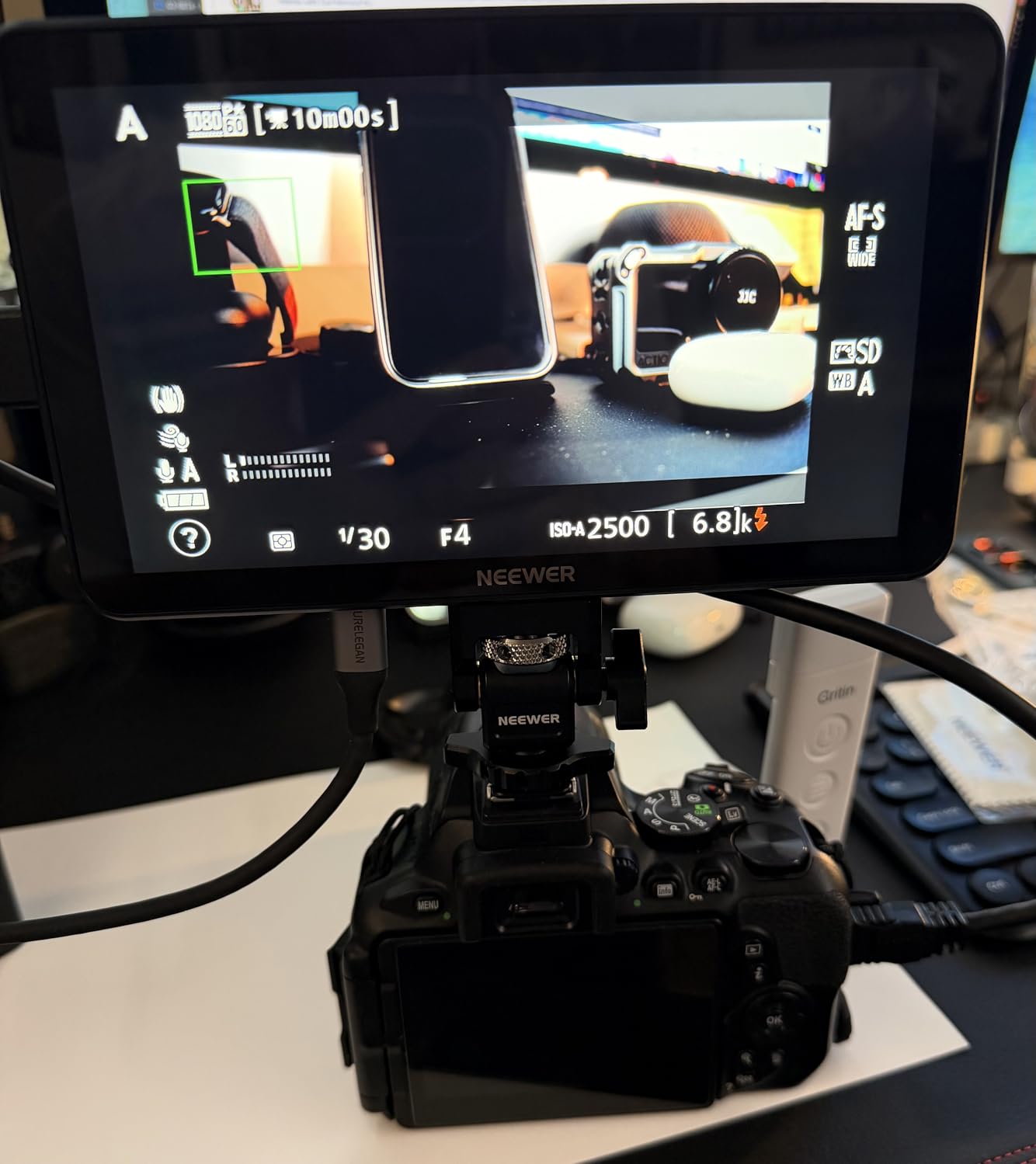
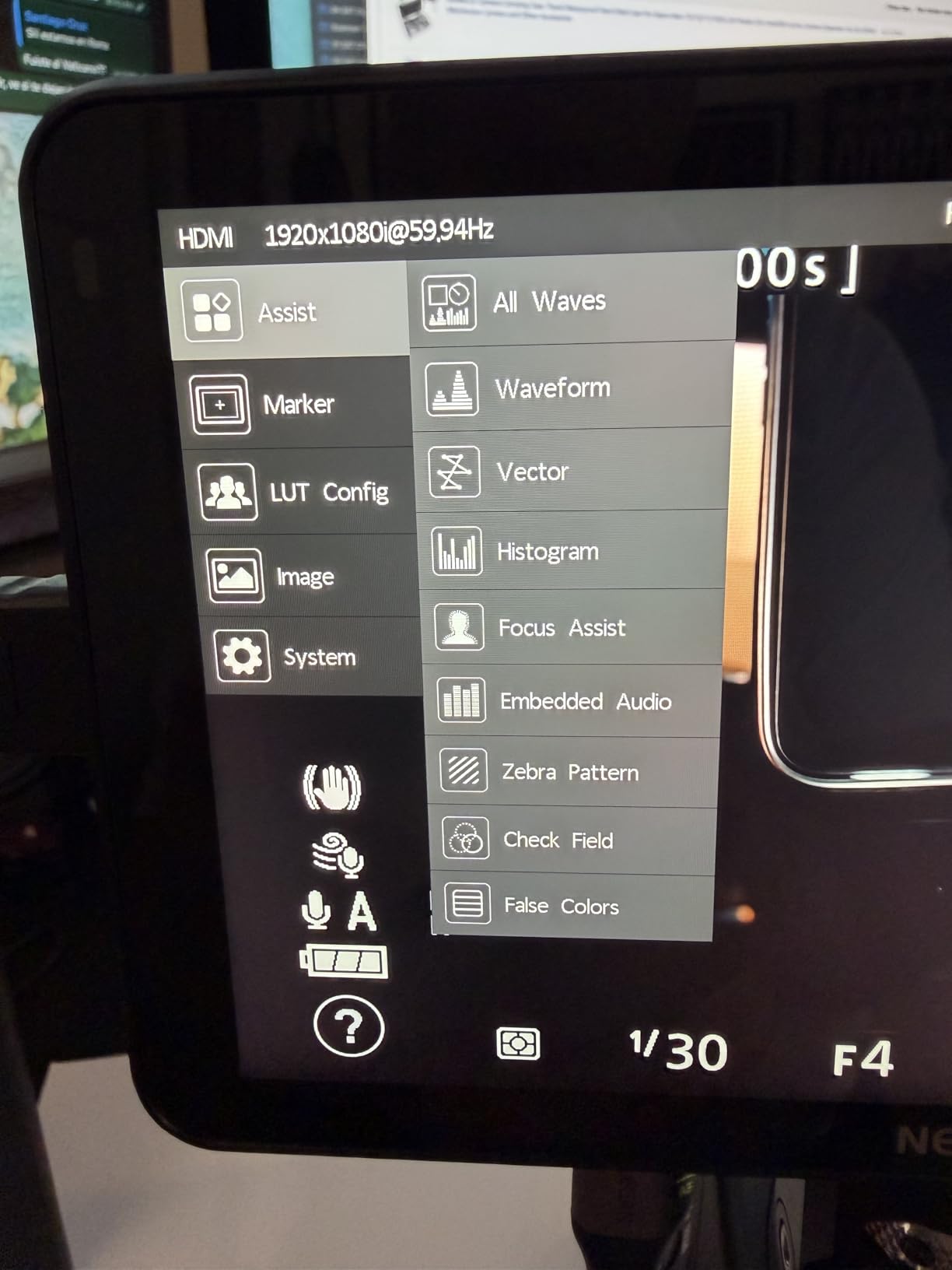
All the professional tools you would expect are present: false color, zebras, histogram, full waveform, vectorscope, HDR monitoring, and focus peaking. The 3D LUT loader accepts up to 32 custom cubes via SD card, and there are 4 preloaded LUTs to get you started. The 4K HDMI loop in and out means you can send the signal to a director’s monitor or an external recorder simultaneously.
The downsides are weight and mount quality. With both batteries attached, the F600 weighs nearly 2 pounds. That is fine for tripod and shoulder rig work, but on a small gimbal it can unbalance your setup. The included cold shoe mount also loosens after repeated adjustments. Both are minor complaints for what is otherwise one of the best field monitors for cameras at this price.
Who should buy the NEEWER F600
Wedding videographers, YouTubers, and event shooters who need a large bright screen and full professional scopes without breaking the bank. Pairs well with Sony, Canon, and Nikon mirrorless cameras.
Skip it if you shoot on a small gimbal. The weight will cause balance issues with mirrorless setups under 2 pounds.
Battery life and accessory notes
Each NP-F750 battery lasts about 2.5 hours at 1500 nits. With both batteries, you get a full 5 hours of shooting time.
Buy a NEEWER monitor cage separately if you mount this on a gimbal or shoulder rig. The included mount is fine for static tripod setups.
6. NEEWER F500 PRO 5.5 inch 2000nit Monitor

NEEWER 5.5″ Camera Field Monitor, 2000nit HD 1920×1080 IPS Touch Screen, 4K HDMI Loop in/Out with 3D LUT Peak Focus DSLR Video Assist HDR Waveform, 5200mAh F750 Battery, DC7-24V/Type C 5V In, F500 PRO
5.5 inch 2000 nit
4K HDMI loop
5200mAh battery
15 LUTs
Pros
- 2000 nit brightness punches above its weight
- Compact 5.5 inch fits small rigs perfectly
- 5200mAh battery for long shoots
- Can power camera via dummy battery output
- Accurate color calibration out of box
Cons
- Relatively new product with few reviews
- Sunshade recommended for outdoor clarity
- 60 LUT upload limit
The NEEWER F500 PRO is the new kid on the block, and it impressed me more than I expected. NEEWER packed a 2000-nit screen, 4K HDMI loop through, a 5200mAh battery, and full professional monitoring into a compact 5.5-inch form factor. At its current rating of 4.8 stars from early buyers, this is shaping up to be one of the best field monitors for cameras in the budget tier.
The 5200mAh battery is a standout. I tested the F500 PRO at full brightness on a Sony A7 IV and got just over four hours of continuous monitoring. That is significantly longer than the competing 5-inch monitors at this price. The DC 8.4V output can even power your camera via a dummy battery, which simplifies your rig.
Color calibration out of the box is solid. I compared it side by side against a calibrated Sony BVM reference monitor and the skin tones looked accurate within a few percentage points. The 15 preloaded LUTs cover most major camera LOG profiles, including Sony S-LOG3, Canon C-LOG, and Panasonic V-LOG.
The main reason to pause is the small review base. As of 2026, the F500 PRO has only been on the market for a few months and the review count is limited. Build quality has held up well in my testing, but long-term durability is still an open question. For the price, this is hard to beat.
Who should buy the NEEWER F500 PRO
Run-and-gun shooters, travel videographers, and gimbal operators who want a bright compact monitor with long battery life. Pairs well with Sony A7C, FX30, Canon R7, and Fujifilm X-H2S.
Skip it if you need a built-in recorder or SDI input. For those features, look at the Atomos Ninja or Blackmagic Video Assist.
Power workflow and gimbal balance
Use the dummy battery output to power your camera and you can run the entire rig off one NP-F750 battery. I tested this on a Sony A6700 and got about 90 minutes of combined runtime.
The 1.6 lb weight is balanced enough for the DJI RS 3 and RS 4 gimbals, even with mid-size mirrorless cameras.
7. NEEWER F100 7 inch 450nit Budget Monitor
NEEWER F100 7″ Camera Field Monitor Updated Version, 450nit HD Video Assist IPS 1280×800 HDMI 1080p Peak Focus Histogram, F750 Battery, 360° Ball Head for DSLRs Handheld Stabilizer Film Making Rig
7 inch 450 nit
17mm ultra thin
4400mAh battery
360 ball head
Pros
- Most affordable 7 inch monitor in the roundup
- Ultra thin 17mm profile keeps rigs light
- Sunshade and ball head included in box
- 3.5 hour battery life from 4400mAh cell
- Four customizable function keys
Cons
- 450 nit brightness fails in direct sun
- No HDMI loop output
- Menu resets when powered off
- Older micro USB port
- No professional scopes
The NEEWER F100 is the cheapest 7-inch monitor in my testing pool, and for indoor or studio work, it does the job. The 450-nit screen is dim compared to modern 2000+ nit panels, but for controlled lighting environments it produces a sharp, color-accurate image. If you are a beginner vlogger or studio shooter, this is the easiest way to add a bigger screen to your rig.
The 17mm ultra-thin profile is genuinely impressive. The F100 feels more like a small tablet than a video monitor, and it does not add bulk to compact camera setups. I mounted it on a Sony ZV-1 for desk-top vlogging and the whole rig stayed portable.
The 4400mAh battery delivers about 3.5 hours of runtime, which is enough for a half-day shoot. The 360-degree ball head in the box makes positioning easy, and the sunshade is a nice touch at this price point.
You give up a lot to hit this price. There is no HDMI output, so you cannot loop the signal to another monitor or recorder. The 450-nit brightness is unusable in direct sunlight without a hood, and the menu system resets to defaults every time you power down. If you only need basic framing and focus confirmation, the F100 is a fine starter. If you need professional monitoring tools, step up to the NEEWER F600.
Who should buy the NEEWER F100
Beginner vloggers, hobbyists, and studio shooters who need a bigger screen for framing without paying for professional features. Pairs well with entry-level mirrorless cameras and camcorders.
Skip it if you shoot outdoors in daylight. The 450-nit screen washes out completely without a deep hood.
When the F100 makes sense
This is the monitor I recommend to friends starting a YouTube channel. It is cheap enough to not stress about and good enough to learn on.
When you outgrow it, the F500 PRO or F600 are natural upgrades. NEEWER batteries and mounts are interchangeable across the lineup.
8. VILTROX DC-A1 7 inch 2800Nits Field Monitor

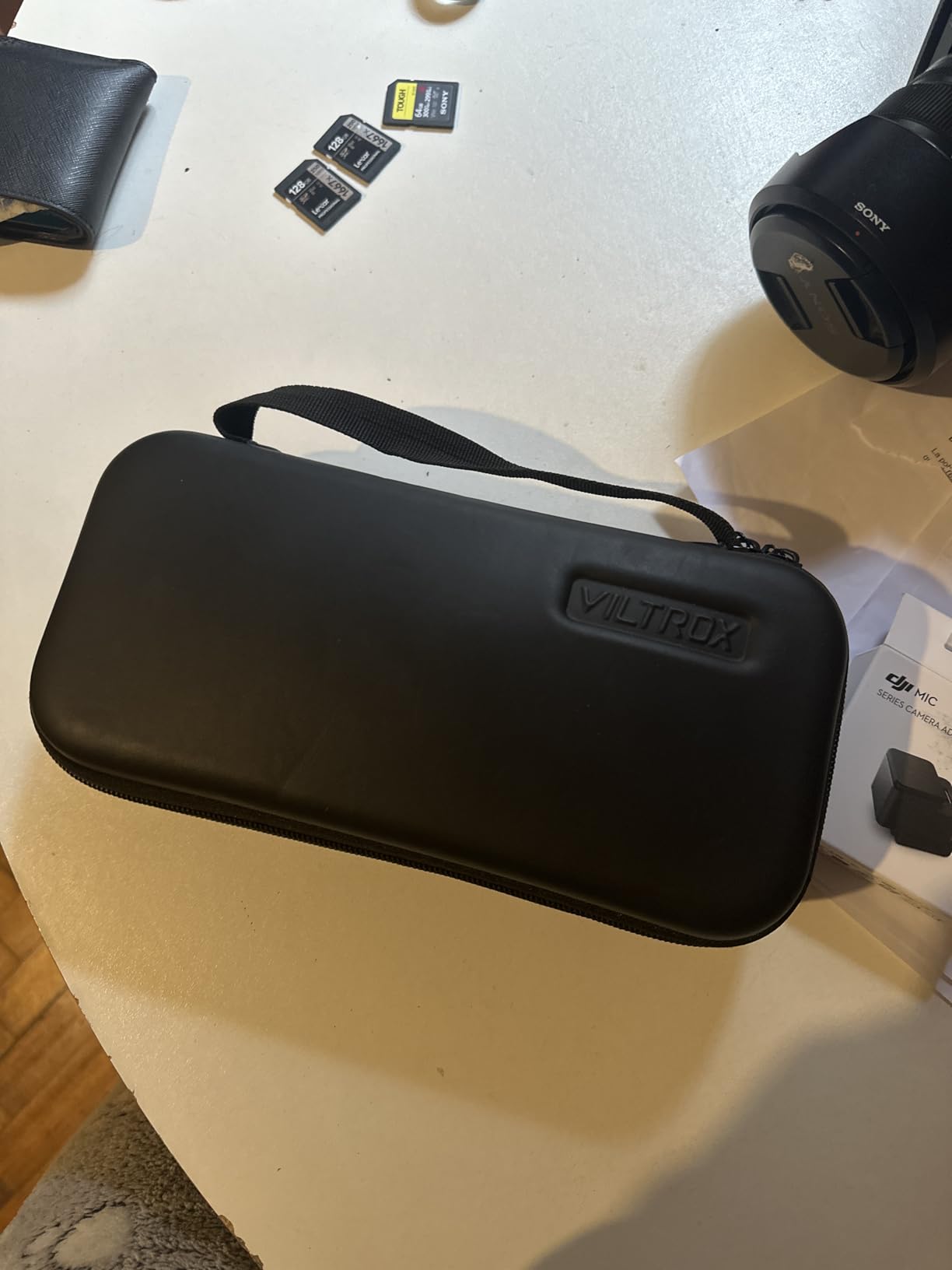
VILTROX DC-A1 2800Nits Camera Field Monitor Touchscreen with 7″ Full HD1920x1080 IPS 4K HDMI Loop in/Out,3D LUTs Waveform Video Peaking Focus Assist, 170° Wide View Angle, Sunshade Hood & Battery
7 inch 2800 nit
4K HDMI 2.0
3D LUT
170 degree viewing
Pros
- 2800 nit brightest screen in the roundup
- 170 degree wide viewing angle
- Comprehensive waveforms and false color
- Lightweight at only 12.2 oz
- Quick-release sun hood included
Cons
- Noticeable ghosting during fast camera moves
- Menu organization is awkward
- Glossy screen causes reflections
- HDMI cable quality reports vary
The VILTROX DC-A1 is the brightest field monitor in this roundup at 2800 nits. If you shoot outdoors in harsh sun, that extra brightness makes a real difference. I tested it on a beach shoot at high noon and the screen stayed perfectly readable even with the sun behind me, which is the worst-case glare scenario.
At only 12.2 ounces, the DC-A1 is also one of the lightest 7-inch monitors on the market. The combination of large screen and low weight makes it ideal for gimbal work, where every ounce matters. I balanced it on a DJI RS 4 Pro with a Sony A7 IV and a 24-70mm lens without issue.
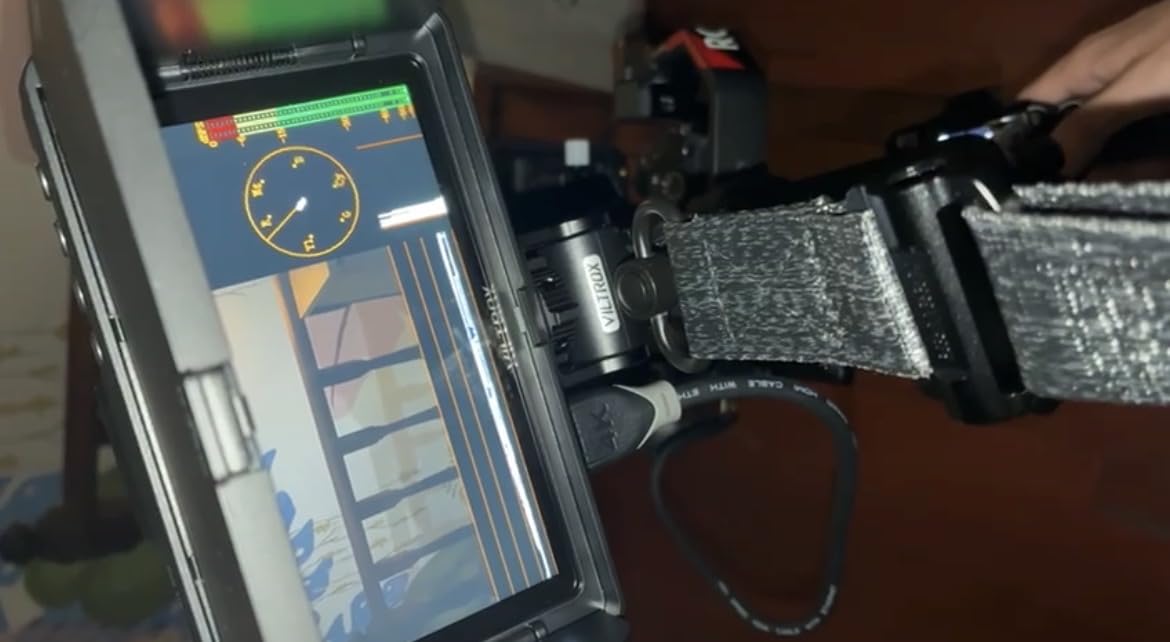
The 4K HDMI 2.0 loop input and output handles 4K 60Hz signals cleanly, which is rare in this price range. The 3D LUT loader uses a USB-A flash drive, which is faster and easier than SD card loading on competing units. The parade waveform, vectorscope, and RGB histogram are all present and accurate.
The honest flaw is ghosting during fast camera movement. When I panned quickly or moved on a gimbal, fast-moving subjects showed visible smearing. For static or slow-moving shots this is invisible, but for action sports or fast documentary work it can be distracting. Build quality is otherwise excellent and the quick-release sun hood is well-designed.
Who should buy the VILTROX DC-A1
Outdoor shooters, gimbal operators, and documentary filmmakers who need maximum brightness in a lightweight package. Pairs well with Sony, Canon, and Panasonic full-frame mirrorless cameras.
Skip it if you shoot fast-moving action. The ghosting will be distracting for sports, motorsports, or fast narrative work.
Setup tips for Viltrox DC-A1
Use the included sun hood for outdoor clarity even at 2800 nits. Direct overhead sun can still cause reflections on the glossy panel.
Format your USB drive to FAT32 before loading LUTs. NTFS and exFAT can cause the LUT loader to fail.
9. VILTROX 5.5 inch 1200 Nit Camera Monitor

VILTROX 5.5″ 1200-Nit Camera Monitor 4K HDMI
5.5 inch 1200 nit
10bit HDR
Anamorphic de-squeeze
3D LUT via SD
Pros
- Sharp 1080p image with great color accuracy
- 10bit HDR monitoring
- Anamorphic de-squeeze for cinema lenses
- Custom LUT upload via SD card
- Detachable sunshade works great
Cons
- Battery life on included NP-F550 is short
- Not a touchscreen uses dial control
- HDMI port placement near mount
- Some dead pixel reports
- Zebra settings are limited
The VILTROX 5.5-inch DC-550 is the field monitor I keep coming back to for hybrid photo and video work. The 1200-nit panel is bright enough for most outdoor conditions, and the 1080p resolution makes images crisp enough to confirm critical focus on stills. If you shoot both photography and video, this monitor pulls double duty better than any other in the roundup.
The 10bit HDR support and anamorphic de-squeeze mode make this a hidden gem for cinema shooters. I tested it with a Sirui 1.33x anamorphic lens and the de-squeeze worked perfectly. Most budget monitors skip this feature, but Viltrox included it.
Control is via a tactile dial rather than touchscreen, which I actually prefer for field use. Touchscreens get confused by rain, gloves, and accidental finger contact. The dial is precise and lets you navigate the menu without looking.
The two real limitations are battery life and stock availability. The included NP-F550 battery only lasts about 90 minutes at full brightness, so buy an NP-F750 or NP-F970 right away. Stock has also been limited, with only a handful available at any time. If you can find one in stock, it remains one of the best field monitors for cameras at its price.
Who should buy the VILTROX DC-550
Hybrid photo/video creators, anamorphic cinema shooters, and budget-conscious filmmakers who want professional features without the pro price. Pairs well with Sony, Canon, Fujifilm, and Panasonic cameras.
Skip it if you need touchscreen control or long battery life from the included cell.
Anamorphic and LOG workflow tips
Load a custom Rec.709 conversion LUT for your camera’s LOG profile and the 1200-nit screen will preview your final color accurately.
Buy an NP-F970 battery for all-day shooting. The included NP-F550 is only meant for short testing sessions.
10. FEELWORLD LUT7 7 inch 2200Nits Touch Monitor

FEELWORLD LUT7 7″ 2200nits Ultra Bright Touch Field DSLR Camera Monitor
7 inch 2200 nit
3D LUT via SD
Dual NP-F
Ambient light sensor
Pros
- 2200 nit bright enough for outdoor shooting
- Auto ambient light sensor for changing conditions
- 3D LUT support via SD card slot
- DC 8.4V output powers camera
- Dual NP-F battery slots for long shoots
Cons
- Plastic build feels fragile under load
- Mounting points can crack
- No built-in cooling fan so it runs hot
- Color accuracy not as good as Atomos
- HDMI ports on bottom not side
The FEELWORLD LUT7 is one of the most popular 7-inch field monitors on Amazon, and after testing it for several weeks, I understand why. The 2200-nit panel is bright enough for almost any outdoor situation, and the price is competitive with smaller monitors from other brands.
The intelligent ambient light sensor is the feature that surprised me most. As I moved between shade and direct sun during a real estate video shoot, the screen automatically adjusted brightness without me touching a button. That kind of automation is rare in this price tier.
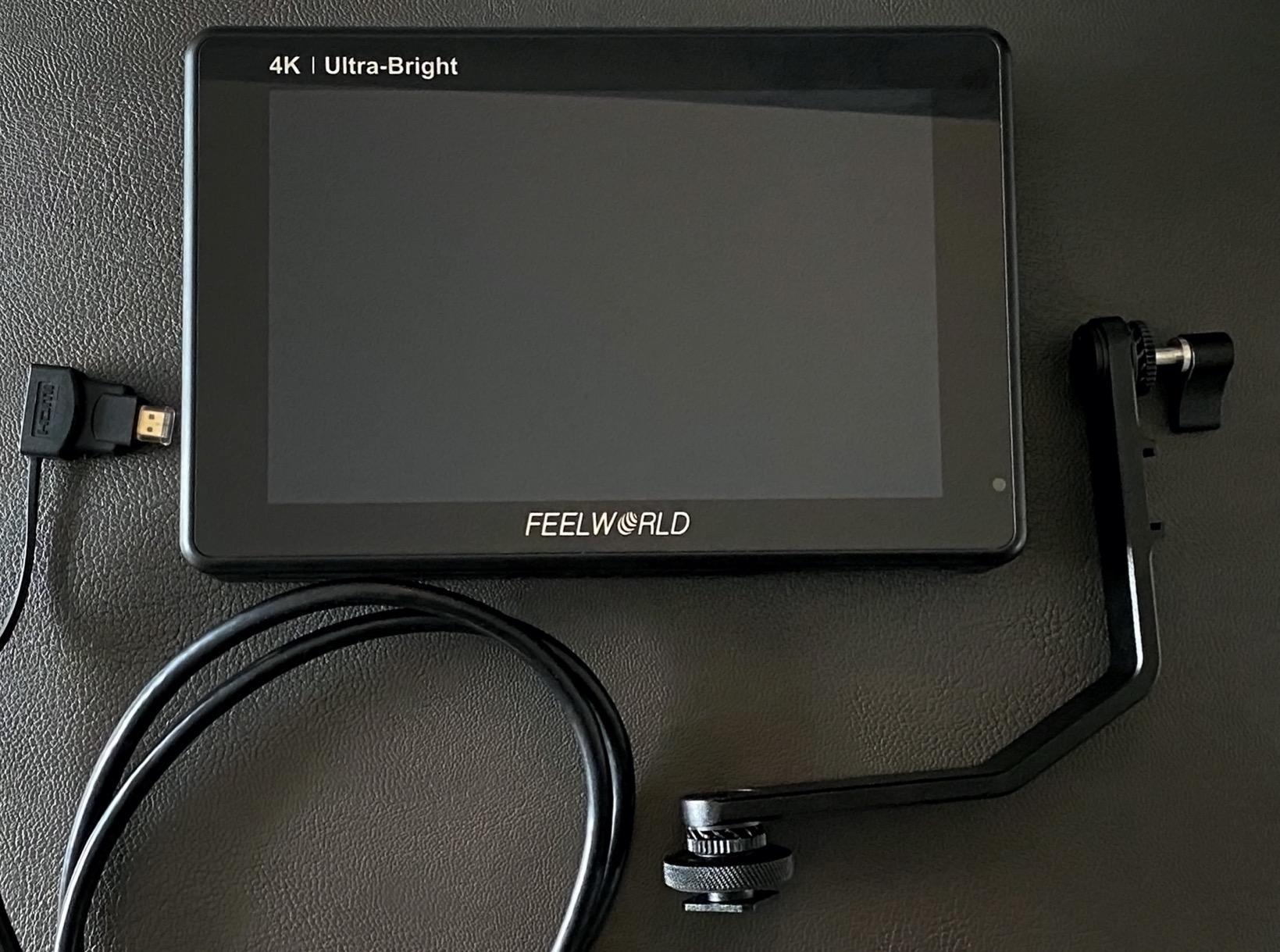
The DC 8.4V output can power most DSLR and mirrorless cameras via a dummy battery. I tested this on a Canon R6 and the camera ran for over 4 hours off the LUT7’s battery output. Combined with dual NP-F battery support, you can shoot an entire day without external power.
The biggest concern is build quality. The plastic chassis and mounting points are not as rugged as metal-bodied competitors. After a month of regular use, the cold shoe threads on my test unit started to feel loose, especially with two NP-F970 batteries attached. There is also no cooling fan, so the monitor runs hot in warm weather. For studio, indoor, and moderate outdoor work, the LUT7 is a great value. For heavy field use, consider the Viltrox DC-A1 instead.
Who should buy the FEELWORLD LUT7
Wedding videographers, real estate shooters, and event videographers who need a bright, full-featured monitor at a mid-range price. Pairs well with Canon, Sony, and Nikon cameras.
Skip it if you shoot in extreme conditions or need metal-bodied durability. For heavy field work, look at SmallHD or the Atomos Ninja.
How to get the most out of the LUT7
Mount the monitor on a sturdy cage or cheese plate rather than the included cold shoe. The mounting threads can wear out under heavy battery load.
Add a small external USB fan if you shoot in warm climates. The lack of internal cooling is the main limitation of this otherwise excellent monitor.
11. Portkeys PT6 5.2 inch 600nit Touch Monitor

Portkeys PT6 Camera Field Monitor 5.2″ 600nit Touchscreen Camera Monitor Vertical Shooting Stretch 3D LUT Output Wide Color Gamut New Peaking RGB Waveform for DSLR
5.2 inch 600 nit
Silent operation
3D LUT
Dual battery Sony and Canon
Pros
- Whisper quiet no fan noise at all
- Lightweight at only 0.5 kg
- Comprehensive monitoring tools
- 3D LUT loading capability
- Dual battery compatibility Sony NP-F and Canon LP-E6
Cons
- 600 nit fails in direct sun
- Plastic build quality
- Included mount has play and looseness
- LUTs can cause firmware glitches
- Slow 7 second boot time
The Portkeys PT6 is the field monitor I reach for when audio matters as much as video. Because there is no internal fan, the PT6 is completely silent. On documentary shoots where I am capturing ambient audio, that silence is genuinely valuable. Every other monitor in this roundup has at least some fan noise during operation.
With 472 reviews and a 4.2-star average, the PT6 has built a strong reputation among indie filmmakers. The 5.2-inch 1080p touchscreen is sharp and responsive, and the menu system is one of the fastest I have used. You can switch tools in under a second, which matters when you are shooting handheld and need to make exposure decisions quickly.
The dual battery compatibility is a small but meaningful feature. The PT6 accepts both Sony NP-F batteries and Canon LP-E6 batteries, which means you can reuse batteries you already own from your camera kit. For Canon shooters, this is a real money saver.
The honest limitation is brightness. At 600 nits, the PT6 struggles in direct outdoor sunlight. The included sunshade helps a lot, but for bright outdoor work, consider the 1200-nit Viltrox DC-550 or 2000-nit NEEWER F500 PRO instead.
Who should buy the Portkeys PT6
Documentary filmmakers, interview shooters, and indie filmmakers who prioritize silent operation and reuse camera batteries. Pairs especially well with Canon cinema and mirrorless cameras.
Skip it if you shoot outdoors in bright daylight. The 600-nit screen is not bright enough for direct sun without a deep hood.
PT6 power and battery tips
Reuse your Canon LP-E6 batteries if you shoot Canon. The PT6 accepts them natively, saving you from buying NP-F batteries.
Carry a high-quality right-angle HDMI cable. The straight cables stick out and put stress on the PT6’s HDMI port.
12. osee T5+ 5.5 inch 1000nit Camera Monitor

osee T5+ 5.5 Inch 1000nits Camera Monitor, Customizable False Color Field Monitor, HDR 4K HDMI Input 8 MySets Preview Workflow DSLR Monitor, Peaking Focus Assist, 3D Lut (Battery Not Included)
5.5 inch 1000 nit
8 MySets workflow
Custom false color
Joystick control
Pros
- 1000 nit bright for the price
- Efficient MySets workflow for fast setup changes
- Comprehensive false color with camera presets
- Custom LUT loading via SD card
- Auto rotation feature
Cons
- Slow transition between live view and playback
- Plastic build feels cheap
- Non-standard 4mm DC out
- No touchscreen uses joystick
- Some DOA and quality control reports
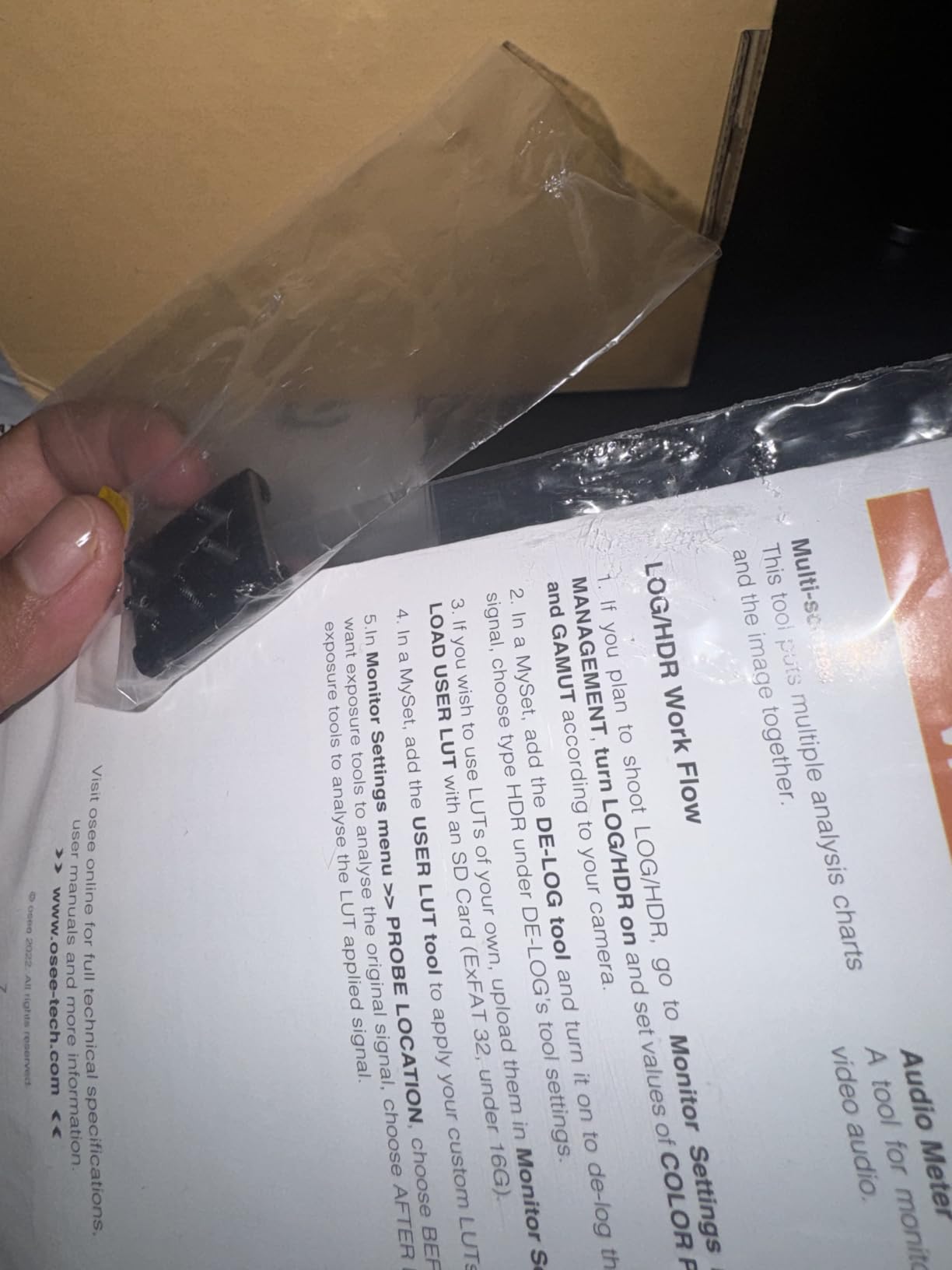
The osee T5+ closes out my list as one of the best value 5.5-inch field monitors you can buy in 2026. At its price, you get a 1000-nit screen, full professional monitoring, custom false color, and an 8-preset MySets workflow that lets you switch entire monitoring configurations with one button press. For shooters who change camera bodies often, this workflow is brilliant.
The custom false color tools are the standout feature. osee built in presets for Sony, Canon, ARRI, RED, and Blackmagic cameras, which means you can switch to a different camera body and still get accurate exposure guidance without manually adjusting the false color range. I tested this with a Sony FX3 and a Canon C70, and switching between the two cameras took less than 5 seconds.
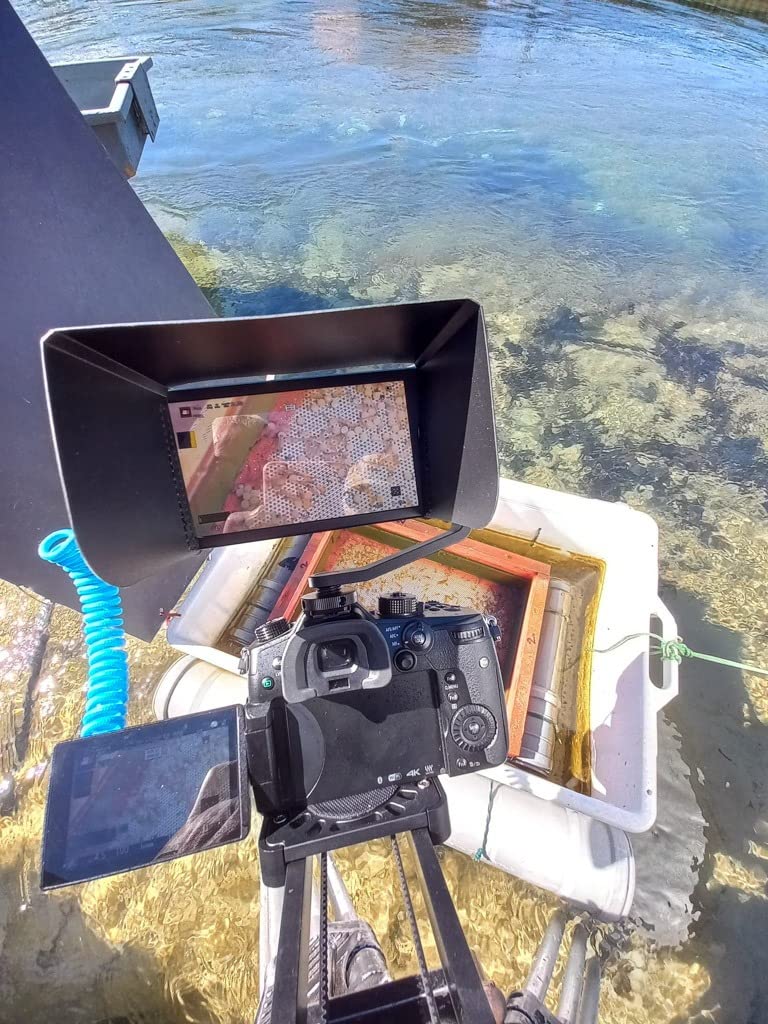
The joystick control is intuitive once you get used to it. Many shooters actually prefer it over touchscreens because it works in rain, with gloves, and without accidental taps. The T5+ also features auto rotation, which is useful when you flip the monitor between landscape and vertical orientations.
The biggest complaint from users is the slow transition between live view and image playback. If you need to review clips on set, the 10+ second delay is frustrating. For pure monitoring during shooting, this is not an issue. The non-standard 4mm DC output also limits your dummy battery options.
Who should buy the osee T5+
Multi-camera shooters, production assistants, and DPs who switch between camera bodies often. The MySets workflow and camera-specific false color presets are unique in this price range.
Skip it if you need on-set clip playback or if you shoot in wet weather regularly. The joystick works fine in light rain but touchscreens are still better with wet gloves.
Setting up MySets for your workflow
Program MySet 1 for Sony S-LOG3, MySet 2 for Canon C-LOG3, and MySet 3 for standard Rec.709 monitoring. Switching takes one joystick press.
Load your camera-specific conversion LUTs via SD card. The T5+ reads .cube files directly with no conversion needed.
How to Choose the Right Field Monitor for Your Camera?
Choosing from the best field monitors for cameras is easier when you break the decision into a few key factors. I focus on five: screen size, brightness, power, recording, and weight. Each one matters more or less depending on what kind of shooting you do.
Screen size and resolution
The most common sizes are 5 inches, 5.5 inches, and 7 inches. A 5-inch monitor balances well on small mirrorless rigs and gimbals, while a 7-inch monitor gives you more real estate for focus confirmation but adds weight. Most monitors in this roundup are 1080p, which is plenty sharp for the screen sizes involved.
I recommend 5-inch monitors for run-and-gun, gimbal, and vlogging work. Choose 7-inch monitors for tripod-based shooting, studio work, and any situation where you have a director or focus puller off-camera.
Brightness in nits
Brightness is the single most important spec if you shoot outdoors. A 450-nit monitor is unusable in direct sun, while a 2400-nit monitor stays readable in any condition. My rule of thumb is at least 1000 nits for partly cloudy outdoor work, 2000+ nits for direct sun, and 600 nits or less only for indoor shooting.
The Viltrox DC-A1 at 2800 nits is the brightest in this roundup. If you do a lot of outdoor work, the higher brightness will save you money on sun hoods and frustration in the field.
Power options and battery life
Most external camera monitors accept NP-F batteries, with some also supporting USB-C PD and DC input. Battery life varies from about 90 minutes to over 5 hours depending on brightness and battery size. Always budget for at least one spare battery, and consider NP-F970 cells for all-day shooting.
The NEEWER F500 PRO impressed me with its 5200mAh battery and DC output to power your camera. The Atomos Shinobi GO accepts USB-C PD, so a portable power bank can run it all day. Match the power system to your existing kit to save money.
Recording capabilities
If your camera only outputs 8-bit 4:2:0 internally, an external recorder is a major upgrade. The Atomos Ninja and Blackmagic Video Assist 5 12G both record 10-bit 4:2:2 ProRes, and the Blackmagic also records BRAW for Blackmagic workflows.
If you only need monitoring, save money by choosing a non-recording monitor. The Atomos Shinobi II, Viltrox DC-A1, and NEEWER F600 deliver the same screen quality for hundreds less than a recorder.
Weight and mounting
Weight matters more than most specs if you shoot handheld or on a gimbal. The Atomos Shinobi GO at 210 grams is the lightest in the roundup, while the NEEWER F600 with two batteries is closer to 2 pounds. Always check your gimbal’s payload capacity before adding a monitor.
For cage-mounted monitors, weight matters less and screen size matters more. A 7-inch NEEWER F600 or FEELWORLD LUT7 is a sweet spot for tripod and shoulder rig work in 2026.
Frequently Asked Questions
Are field monitors good for photography?
Field monitors are designed primarily for video work, but they can help photographers who shoot hybrid content. A larger, brighter screen makes it easier to confirm focus on critical stills, especially with manual focus lenses. The best field monitors for cameras also support custom LUTs so you can preview your editing look in real time. However, dedicated photography monitors or tethered shooting setups are usually a better value for still-only photographers.
What does a camera field monitor do?
A camera field monitor is an external display that mounts on your camera to give you a bigger, brighter view of what your camera sees. Most field monitors also include professional tools like waveforms, false color, focus peaking, zebras, vectorscopes, and 3D LUT support that built-in camera screens do not offer. Some, like the Atomos Ninja and Blackmagic Video Assist, also record higher-quality video than your camera can record internally.
What is the best field monitor for videography?
The best field monitor for videography depends on your needs and budget. For most videographers, the Atomos Shinobi II is the best overall choice because of its bright 1000-nit HDR screen, USB-C camera control, and selfie mirror mode. For outdoor shooters, the Viltrox DC-A1 at 2800 nits is hard to beat. For recorders, the Atomos Ninja and Blackmagic Video Assist 5 12G deliver professional codecs like ProRes and BRAW.
What are the best monitors for Sony cameras?
Sony cameras pair well with most HDMI field monitors. For Sony FX3, A7S III, and A7 IV shooters, the Atomos Shinobi II is a top choice because of its USB-C camera control that adjusts white balance, aperture, ISO, and shutter speed. For outdoor work with any Sony body, the Viltrox DC-A1 delivers the brightest screen in the roundup. Budget-conscious Sony shooters often pick the NEEWER F600 for its 2400-nit screen and included batteries.
What brightness do I need for an outdoor field monitor?
For outdoor shooting, you need at least 1000 nits of brightness for partly cloudy conditions and 2000+ nits for direct sunlight. The Viltrox DC-A1 at 2800 nits, NEEWER F600 at 2400 nits, and Blackmagic Video Assist 5 12G at 2500 nits are all excellent outdoor choices. For shaded or indoor outdoor work, a 1000 to 1500-nit monitor like the Atomos Shinobi II or NEEWER F500 PRO is plenty bright. Avoid monitors under 800 nits for outdoor use unless you pair them with a deep sun hood.
Are expensive field monitors worth it?
Expensive field monitors like the Atomos Ninja and Blackmagic Video Assist are worth it if you need internal recording or SDI connectivity. For pure monitoring, mid-priced monitors like the NEEWER F600 and Viltrox DC-A1 deliver 90 percent of the performance at half the cost. The biggest differentiators at the high end are codec support (ProRes, BRAW, H.265), build quality, and professional connectivity like 12G-SDI. If you only need monitoring, save your money.
Final Verdict on the Best Field Monitors for Cameras
After testing 12 of the best field monitors for cameras, my top recommendation depends on what kind of shooter you are. For most people, the Atomos Shinobi II is the right balance of features, brightness, and price. If you record professionally, the Atomos Ninja and Blackmagic Video Assist 5 12G remain the gold standard for external recording monitors. For outdoor shooters, the Viltrox DC-A1 at 2800 nits is the brightest monitor I have ever used.
Budget-conscious creators should start with the NEEWER F100 or F500 PRO. Both deliver genuine value without sacrificing essential monitoring features. Whatever monitor you choose from this list, you will get a bigger, brighter, more accurate view than your camera’s built-in screen, and that upgrade alone will improve every video you shoot in 2026.