
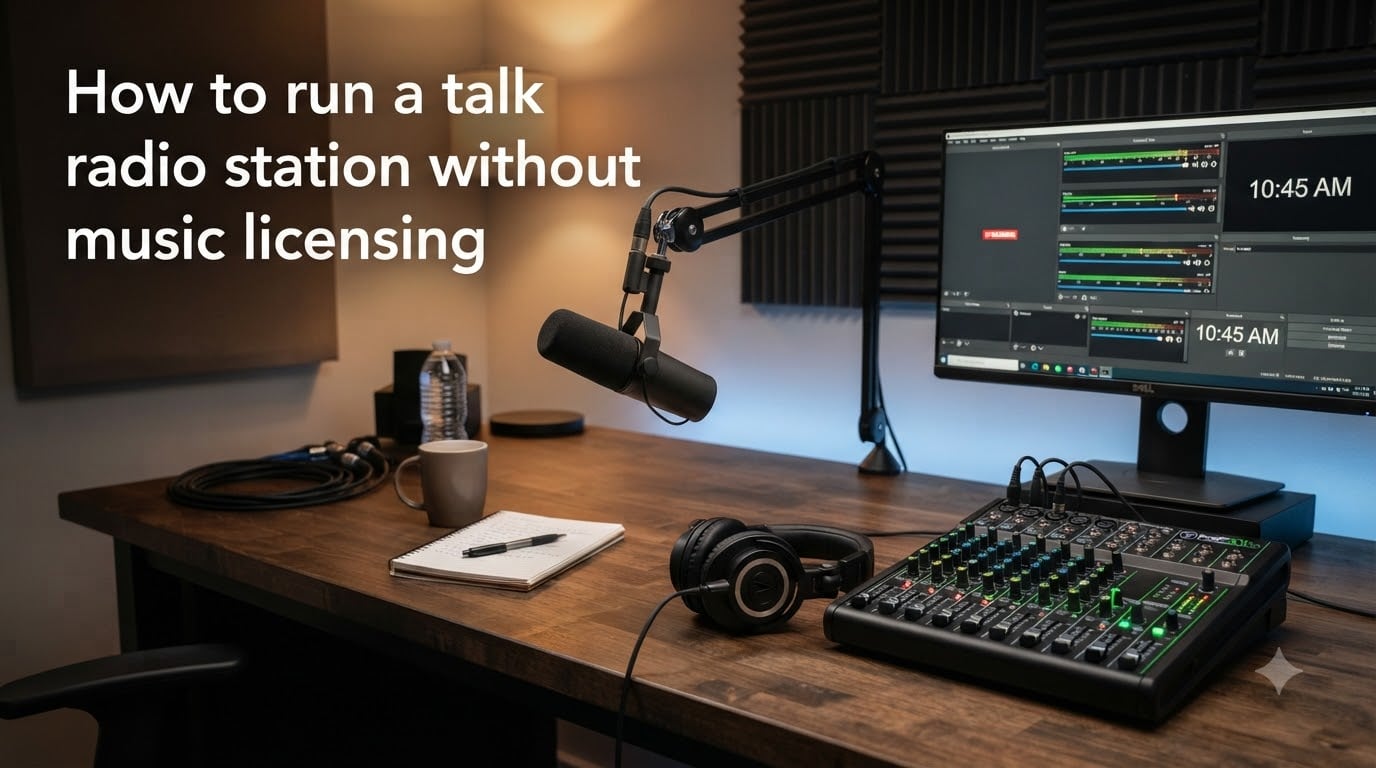
Running a talk radio station without music licensing is one of the smartest ways to broadcast legally while keeping costs low. Music royalties can easily run $75 or more per month, and the paperwork behind those licenses is notoriously complex. By focusing on spoken-word content, you sidestep the entire licensing maze and keep your station financially sustainable.
I have helped independent broadcasters set up talk-only stations for years, and the most common question I hear is whether you can legally run a station without paying those fees. The answer is a confident yes, as long as you understand the rules around music licensing for radio and structure your programming around talk content. This guide walks you through every step, from understanding the legal landscape to selecting equipment, software, and content strategies that keep you on the right side of copyright law.
Whether you want to launch a community talk show, a news commentary program, or a sports discussion format, this guide shows you exactly how to run a talk radio station without music licensing in 2026. You will learn what licenses you actually need, which ones you can skip, and how to build a professional-sounding station on a realistic budget.
Table of Contents
- What Music Licensing Means for Radio Stations
- Legal Requirements for Running a Talk Radio Station
- Why Talk Radio Lets You Skip Music Licensing
- How to Run a Talk Radio Station Without Music Licensing: Step by Step
- Background Audio Without Licensing: Your Options
- Cost Breakdown: Running a Talk Radio Station vs. Music Station
- Streaming Platform Comparison: With vs. Without Licensing
- Talk Radio Programming Tips That Build an Audience
- How to Monetize a Talk Radio Station Without Music
- Common Mistakes to Avoid When Starting a Talk Radio Station
- Building Community Around Your Talk Radio Station
- Frequently Asked Questions
- Do you need a license to run a radio station?
- How far can you broadcast radio without a license?
- Can radio stations legally play any song?
- What kind of radio can you use without a license?
- Do talk radio stations need music licenses?
- How much in royalties do radio stations pay?
- How do I create my own radio station for free?
- Is Creative Commons music free for radio use?
- Conclusion: Your Path to a Licensing-Free Talk Radio Station
What Music Licensing Means for Radio Stations
Music licensing for radio refers to the legal permission required to play copyrighted songs over the airwaves or through internet streaming. When a radio station plays a commercially released track, it owes royalties to the songwriters, publishers, and performers who created that music. These royalties are collected by performance rights organizations such as ASCAP, BMI, and SESAC in the United States, and similar agencies worldwide.
For a typical internet radio station that plays music, these licensing fees add up quickly. Broadcasters have reported paying $75 or more every month just to stay legally compliant with music licensing requirements. That cost does not even include the complex paperwork and detailed reporting many licensing agencies demand, including logs of every song played and the source of each recording.
The good news is that music licensing is tied specifically to the use of copyrighted music. If your station focuses on spoken content, conversation, news, commentary, interviews, and original programming, you do not need those music performance licenses at all. This is the core advantage of the talk radio format and why so many independent broadcasters are choosing it over music-heavy stations.
Music Licensing vs. Broadcast Licensing: Know the Difference
One of the biggest sources of confusion I see among new broadcasters is the difference between music licensing and broadcast licensing. These are two entirely separate legal requirements, and understanding the distinction is the foundation of running a station without music licensing.
Music licensing covers your right to play copyrighted songs. This is what ASCAP, BMI, SESAC, and SoundExchange handle. If you never play copyrighted music, you never need these licenses.
Broadcast licensing, on the other hand, covers your right to transmit over public airwaves. In the United States, this means an FCC license for AM or FM transmission. If you broadcast exclusively over the internet, you do not need an FCC broadcast license at all. Internet-only stations are not regulated the same way as terrestrial radio.
So when we talk about running a talk radio station without music licensing, we are addressing two separate freedoms. Internet streaming eliminates the need for a broadcast license, and a talk-only format eliminates the need for music performance licenses. Together, these two choices remove the most expensive and complicated legal barriers to launching a station.
Legal Requirements for Running a Talk Radio Station
Even without music licensing, a talk radio station still operates within a legal framework. The requirements are far simpler than those for music-based stations, but you still need to understand them to stay compliant.
If you are broadcasting online only, you do not need any broadcast license from the FCC or equivalent agencies in most countries. Internet radio is treated similarly to podcasting in terms of transmission law. You are streaming data over the internet, not transmitting over regulated radio frequencies, so the FCC does not get involved.
However, you still need to respect intellectual property rights for any audio content you use. This means you cannot play copyrighted music even as background beds for your talk segments without proper licensing. You also cannot rebroadcast copyrighted audio from other sources without permission. Original spoken content, interviews you conduct, news you write yourself, and royalty-free audio elements are all fair game.
You should also be aware of defamation and libel laws when running a talk format. Because talk radio involves opinions and commentary, there is a higher risk of making statements that could legally trouble you. Stick to verified facts, clearly label opinions as opinions, and consider having guests sign release forms before they appear on your station.
Broadcast Range and Licensing Requirements
A question I hear often is how far you can broadcast radio without a license. The answer depends entirely on your transmission method. If you are streaming online, there is no range limit in the traditional sense. Your station can reach listeners anywhere in the world with an internet connection.
If you want to use a low-power FM transmitter for local broadcast, regulations vary by country. In the United States, unlicensed FM transmission is limited to extremely low power, typically covering only a few hundred feet. Anything beyond that requires an FCC license. For most talk radio operators, internet streaming is the practical and legal choice because it offers unlimited reach without licensing headaches.
Licensed vs. Unlicensed Broadcasting Options
Here is a breakdown of the broadcasting options available to talk radio operators:
Internet streaming: No broadcast license required. No music license needed if you stick to talk content. Unlimited global reach. This is the recommended path for nearly all independent talk radio stations.
Low-power FM (unlicensed): Legal in some countries at very low power. Range is extremely limited, usually under 200 feet. Not practical for a serious station but fine for hobby use.
LPFM (licensed low-power FM): Available in the United States through the FCC for community organizations and educational institutions. Requires application and approval but offers local FM coverage at 100 watts.
Full-power AM or FM: Requires full FCC licensing, significant investment, and ongoing regulatory compliance. Not recommended for beginners or those looking to avoid licensing complexity.
For the vast majority of readers asking how to run a talk radio station without music licensing, internet streaming is the clear winner. It avoids both music licensing and broadcast licensing while giving you the widest possible audience.
Why Talk Radio Lets You Skip Music Licensing
The reason talk radio lets you avoid music licensing is straightforward. Music licenses exist to compensate creators when their copyrighted songs are performed publicly. Talk radio, by definition, does not perform copyrighted songs. It features original spoken content, interviews, commentary, and discussion.
This means that as long as your station programming consists of talking, you are not triggering the copyright mechanisms that require ASCAP, BMI, or SoundExchange payments. You are free to discuss any topic, interview any willing guest, and produce original commentary without owing royalties to any performance rights organization.
Many successful talk radio formats prove this model works. Political commentary, sports talk, news analysis, educational programming, interview shows, and community discussion programs all thrive without a single note of copyrighted music. These formats build loyal audiences through content quality, not musical accompaniment.
The key is to be intentional about your format. The moment you add a copyrighted song as a theme, a bumper, or background music, you enter territory where licensing becomes necessary. Plan your audio elements carefully from the start to maintain your licensing-free status.
How to Run a Talk Radio Station Without Music Licensing: Step by Step
Now let me walk you through the complete process of setting up your talk radio station. Each step builds on the previous one, so work through them in order for the best results.
Step 1: Define Your Talk Radio Format
Before buying any equipment or signing up for any service, decide what kind of talk radio you want to produce. Your format determines everything else, from your equipment needs to your audience strategy.
Popular talk radio formats include political commentary, where you discuss current events and policy. Sports talk radio focuses on game analysis, predictions, and fan discussion. Interview shows feature conversations with interesting guests. News radio delivers current events in a spoken format. Educational programming teaches listeners about specific subjects. Community radio covers local events, issues, and interests.
Choose a format that matches your expertise and passion. The most successful talk radio stations are run by hosts who genuinely care about their subject matter and can speak about it with authority and enthusiasm.
Step 2: Choose Your Broadcasting Platform
Your broadcasting platform is the service that takes your audio and distributes it to listeners. For internet radio, this means a streaming host that encodes your audio and serves it to anyone who connects.
There are two main technical protocols for internet radio streaming: Shoutcast and Icecast. Both work well, and most streaming hosts support one or both. Icecast is open-source and tends to be more flexible, while Shoutcast is widely compatible with older player software.
When choosing a streaming host, consider factors like monthly listener capacity, bitrate options, included bandwidth, ease of setup, and whether the platform handles licensing for you. Some platforms like Live365 include music licensing in their monthly fee, which is convenient if you ever want to add music later. Others provide raw streaming without licensing, which keeps costs lower for talk-only stations.
For a talk radio station that does not need music licensing, you can use a simpler and cheaper streaming host. Look for one that offers auto-DJ features for when you are not live, scheduled programming, and reliable uptime.
Step 3: Gather Your Essential Talk Radio Equipment
Talk radio has relatively modest equipment needs compared to music production. Here is what I recommend based on stations I have helped set up.
Microphone: This is your most important investment. A good dynamic microphone designed for voice work will make your talk show sound professional. USB microphones that connect directly to your computer are convenient for beginners. XLR microphones paired with an audio interface offer higher quality for more advanced setups.
Audio mixer or interface: A mixer lets you control microphone levels, connect multiple audio sources, and adjust sound on the fly. For a single-host talk show, a simple USB audio interface may be enough. For shows with multiple hosts or call-in guests, a small mixer with multiple inputs becomes necessary.
Headphones: Closed-back headphones let you monitor your audio and conduct interviews without echo or feedback. You need to hear exactly what your listeners hear.
Computer: Any reasonably modern computer can handle talk radio broadcasting. Your computer runs the streaming software and connects to your streaming host.
Internet connection: A stable internet connection with sufficient upload speed is non-negotiable for internet radio. Aim for at least 5 Mbps upload for a reliable single stream.
Step 4: Select Your Broadcasting Software
Broadcasting software sits between your audio equipment and your streaming host. It captures your microphone input, processes it, encodes it into a streamable format, and sends it to your streaming server.
For live talk radio, you want software that supports live microphone input, audio processing for voice, scheduling for automated content, and reliable streaming output. Popular options include BUTT (Broadcast Using This Tool), which is free and works with both Shoutcast and Icecast servers. Mixxx is another free option that offers DJ-style controls along with live streaming capability. SAM Cast and Virtual DJ are paid options with more advanced features.
If you want automation, where your station runs scheduled content when you are not live, look for software like RadioDJ, ZaraStudio, or the automation features built into platforms like Radio.co. These let you schedule talk segments, pre-recorded shows, and station IDs to play automatically.
For talk radio specifically, I recommend starting with a free option like BUTT or Mixxx to learn the basics. You can always upgrade to paid software as your station grows and your needs become more complex.
Step 5: Set Up Your Stream Configuration
Once you have your software, you need to configure it to connect to your streaming host. This involves entering your server details, choosing an audio format and bitrate, and testing your connection.
For talk radio, a bitrate of 128 kbps MP3 or 64 kbps AAC provides clear voice quality while keeping bandwidth reasonable. Talk content does not need the high bitrates that music requires because the human voice has a narrower frequency range. This means you can serve more listeners on the same bandwidth compared to a music station.
Configure your streaming software with your server address, port number, and password. Set your audio source to your microphone or mixer. Do a test broadcast and listen from a different device to make sure everything sounds right. Check your levels, make sure your voice is clear, and confirm there is no background noise or interference.
Step 6: Build Your Programming Schedule
A programming schedule gives your station structure and gives listeners a reason to tune in at specific times. Even a simple schedule makes your station feel more professional than one that broadcasts randomly.
Start with your flagship show, the main live program that defines your station. Schedule it at a consistent time each day or week. Around that core show, build supporting content like pre-recorded interviews, replay segments, community announcements, and station IDs.
For the hours when you are not live, use automation to fill the schedule with talk content. Pre-record segments, archive past shows, and schedule them to play automatically. This keeps your station sounding active and professional even when you are not at the microphone.
Aim for consistency. Listeners form habits around reliable schedules. If your live talk show airs at 7 PM every weekday, your audience will learn to tune in at that time.
Step 7: Promote Your Talk Radio Station
Promotion is what separates stations that grow from stations that stagnate. Start by creating a simple website or landing page for your station with a listen button, your schedule, and information about your shows.
Use social media to promote upcoming shows, share highlights, and interact with listeners. Platforms like X, Facebook, and Instagram let you build a community around your talk content. Short video clips of compelling moments from your shows can attract new listeners.
List your station in internet radio directories like TuneIn, Streema, and Internet Radio directories. These directories help listeners discover new stations by genre and format. Being listed in relevant directories can bring in listeners who are actively searching for talk content.
Collaborate with other content creators in your niche. Guest on their shows, invite them on yours, and cross-promote. The talk radio community tends to be collaborative, and partnerships can introduce your station to entirely new audiences.
Background Audio Without Licensing: Your Options
One of the most common questions I get from new talk radio hosts is how to add background music or sound elements without triggering licensing requirements. The good news is that you have several completely legal options that keep your station professional without paying royalty fees.
Royalty-Free Music for Radio
Royalty-free music is audio that you can use without paying ongoing royalties to performance rights organizations. You typically pay a one-time fee or subscription for access to a library of tracks, and you can use those tracks on your station without additional licensing.
Several online libraries specialize in royalty-free music suitable for radio use. These libraries offer background beds, intro themes, transition sounds, and other audio elements that enhance your talk show without copyright concerns. Read the license terms carefully, as some royalty-free libraries restrict use on radio or require attribution.
For a talk radio station, you typically only need a small selection of audio elements. A theme for your show intro, a few background beds for different segments, and some transition sounds are usually enough. A single royalty-free library subscription can cover these needs for a modest annual fee.
Creative Commons Music for Radio
Creative Commons is a licensing system that allows creators to share their work with flexible usage rights. Many musicians release their tracks under Creative Commons licenses that permit free use, including on radio stations, as long as you follow the license terms.
The most permissive Creative Commons license for radio use is CC0, which places works in the public domain. You can use CC0 music freely without any restrictions. CC BY licenses allow free use with attribution, meaning you need to credit the artist. CC BY-NC licenses allow noncommercial use with attribution, which works well for noncommercial talk radio stations.
As one Reddit user I encountered in my research noted, you can skip music licensing fees entirely if you play Creative Commons music. This is a practical strategy for talk radio hosts who want occasional musical elements without the cost and complexity of traditional licensing.
Sources for Creative Commons music include the Free Music Archive, ccMixter, and the Internet Archive’s audio collections. These platforms offer thousands of tracks across genres that you can use on your talk radio station legally and freely.
Original Audio and Sound Design
The most bulletproof way to add audio elements to your talk radio station is to create them yourself. Original audio, produced by you or commissioned from a sound designer, carries no licensing obligations because you own the rights.
Simple sound design is accessible even without musical training. Using free tools like Audacity, you can create intro stingers, transition effects, and background ambiance from recorded sounds. Natural sounds, spoken word samples that you create, and simple synthesized tones can all enhance your talk show without any copyright concerns.
This approach takes more effort than using pre-made libraries, but it gives your station a unique sonic identity. No other station will have the same audio elements, which helps you stand out in a crowded field.
Cost Breakdown: Running a Talk Radio Station vs. Music Station
Understanding the cost difference between a talk radio station and a music station helps illustrate why the talk format is so appealing. I have broken down the major expense categories based on real stations I have helped set up.
Music licensing: A music station typically pays $75 or more per month for licensing across ASCAP, BMI, SESAC, and SoundExchange. A talk radio station pays zero in this category.
Streaming hosting: Both formats need a streaming host. Basic plans start around $10 to $20 per month for either type. Talk radio can use lower bitrates, which means you can serve more listeners on cheaper plans.
Equipment: Talk radio needs less equipment than a music station. A quality microphone, headphones, and a simple mixer or interface get you started. Expect an initial investment of $100 to $500 depending on quality. Music stations often need more gear for audio sourcing and management.
Software: Both formats can start with free software. Paid options offer more features but are optional for either format.
Content production: This is where talk radio actually costs more in terms of time and effort. Producing quality talk content requires research, preparation, and consistent creative output. Music stations can rely on playlists, but talk stations need fresh spoken content regularly.
Overall, a talk radio station saves significantly on monthly costs compared to a music station. The trade-off is that talk requires more active content creation. For broadcasters who enjoy speaking and creating original content, this is not really a cost but an opportunity.
Streaming Platform Comparison: With vs. Without Licensing
Choosing the right streaming platform affects your costs, capabilities, and future flexibility. Here is a comparison of platform types based on whether they include music licensing.
Platforms with included licensing: Services like Live365 bundle music licensing into their monthly fee. This is convenient if you want the option to play music later, but it means you are paying for licensing you may not need. Reported costs run around $75 per month for ad-free service with licensing included.
Platforms without licensing: Many streaming hosts provide raw streaming infrastructure without any music licensing. These are cheaper, often starting at $10 to $20 per month, because you are not paying for licensing. For a talk radio station, this is the ideal choice since you do not need music licensing anyway.
Self-hosted streaming: If you are technically inclined, you can run your own Icecast or Shoutcast server on a VPS (virtual private server). This gives you complete control and can be very cost-effective, with VPS hosting starting at $5 per month. The trade-off is that you handle all configuration and maintenance yourself.
For most talk radio operators, I recommend starting with a simple streaming host without included licensing. This keeps your costs as low as possible while giving you professional streaming infrastructure. If your station grows and you decide to add licensed music later, you can always switch to a platform that includes it.
Talk Radio Programming Tips That Build an Audience
Great programming is what turns a technical setup into a station people actually listen to. Over years of working with talk radio hosts, I have identified several strategies that consistently help build and retain audiences.
Have a clear point of view: Successful talk radio hosts are not afraid to take positions. Listeners tune in for perspective and personality, not just information. Develop your unique voice and let it come through in every segment.
Structure your shows: A well-structured talk show keeps listeners engaged. Start with a strong hook, move through clearly defined segments, and end with a memorable closing. Tell listeners what is coming up so they have a reason to keep listening.
Encourage listener interaction: Call-in segments, live chat integration, and social media Q and A sessions make listeners feel involved. Interactive elements build community and give listeners a personal stake in your station.
Be consistent: Reliable scheduling and consistent quality are what build trust with listeners. If your show airs at the same time every day with reliable quality, listeners will make it part of their routine.
Repurpose your content: Turn your talk show segments into podcast episodes, social media clips, and written articles. This extends the reach of every piece of content you produce and helps new listeners discover your station through multiple channels.
Invite great guests: Guest interviews bring fresh perspectives and attract the guest’s audience to your station. Reach out to experts, personalities, and interesting people in your niche. Many will appear on an internet radio show for the exposure alone.
How to Monetize a Talk Radio Station Without Music
Monetizing a talk radio station follows different rules than monetizing a music station. Because you are not paying for music licensing, your overhead is lower, which means you need less revenue to be sustainable. Here are the monetization approaches I have seen work.
Sponsorships and ads: Local and niche businesses often want to reach specific audiences. If your talk show covers local issues, local businesses are natural sponsors. If you cover a specific topic like technology or sports, companies in that space make ideal advertisers.
Listener support: Platforms like Patreon and Ko-fi let listeners support your station directly. Talk radio audiences tend to be passionate and engaged, which makes them more likely to support content they value.
Premium content: Offer extended interviews, ad-free streams, or bonus episodes to paying subscribers. Your free stream serves as marketing for your premium offerings.
Merchandise: Branded merchandise works well for stations that build strong community identity. T-shirts, mugs, and stickers with your station branding can generate revenue while also promoting your station.
Affiliate marketing: If you discuss products or services on your talk show, affiliate links in your show notes can generate revenue when listeners make purchases. Be transparent about affiliate relationships to maintain trust.
The key to monetization is building an audience first. Focus on creating great talk content, growing your listenership, and building community. Revenue opportunities follow audience, not the other way around.
Common Mistakes to Avoid When Starting a Talk Radio Station
I have seen the same mistakes repeated by new talk radio operators. Avoiding these pitfalls will save you time, money, and frustration.
Accidentally playing copyrighted music: The most dangerous mistake is letting copyrighted music slip into your broadcast. Even a few seconds of a popular song as a bumper or background can technically require licensing. Use only royalty-free, Creative Commons, or original audio elements.
Skipping the test broadcast: Always test your full setup before going live. Check your audio levels, streaming connection, and sound quality from a listener’s perspective. Technical problems during your first live show can permanently turn off new listeners.
Inconsistent scheduling: Random broadcast times make it impossible for listeners to form habits. Choose a schedule and stick to it, even if you start with just one show per week.
Ignoring audio quality: Bad audio quality drives listeners away faster than any other factor. Invest in a decent microphone, learn basic audio processing, and monitor your sound quality regularly.
Underestimating content preparation: Talk radio requires preparation. Going live without notes, research, or a plan leads to awkward dead air and rambling. Prepare an outline for every show, even if you plan to improvise within that structure.
Over-investing in equipment initially: Start with basic equipment and upgrade as your station grows. Spending thousands on gear before you have a single listener is a common and wasteful mistake. Focus on content first, equipment second.
Building Community Around Your Talk Radio Station
Community is what transforms a broadcast into a movement. The most successful talk radio stations I have worked with all share one trait: they built a community around their content.
Start by making it easy for listeners to interact. Set up a Discord server, a Facebook group, or a forum where listeners can discuss your shows between broadcasts. Acknowledge frequent contributors on air to make them feel valued and encourage others to participate.
One Reddit contributor I found in my research made an insightful point: internet-only radio stations can survive and thrive if their content is hyper-local and serves the community. This means covering local events, interviewing local people, and addressing local issues that larger stations ignore. Community focus gives listeners a reason to tune in that goes beyond entertainment.
Host live events, even virtual ones. Listener Q and A sessions, special live broadcasts, and community meetups strengthen the bond between your station and its audience. When listeners feel personally connected to your station, they become advocates who promote your station to others.
Remember that community building is a long-term investment. It takes time to build trust and loyalty, but the payoff is a dedicated audience that supports your station through good times and challenges.
Frequently Asked Questions
Do you need a license to run a radio station?
You need a broadcast license only if you transmit over AM or FM airwaves. Internet-only radio stations do not require a broadcast license. However, if you play copyrighted music, you need music performance licenses from ASCAP, BMI, SESAC, and SoundExchange regardless of how you broadcast. Talk-only stations on the internet need neither type of license.
How far can you broadcast radio without a license?
Internet streaming has no range limit and requires no broadcast license. For traditional radio, unlicensed FM transmission in the United States is limited to extremely low power that covers only a few hundred feet. Licensed low-power FM (LPFM) stations can cover a local area at 100 watts, but you must apply through the FCC for that privilege.
Can radio stations legally play any song?
No. Radio stations cannot legally play copyrighted songs without proper licensing. To play commercial music, stations must obtain licenses from performance rights organizations like ASCAP, BMI, and SESAC, plus a separate license from SoundExchange for digital streaming. Stations can legally play royalty-free music, Creative Commons music (following license terms), and original compositions without these licenses.
What kind of radio can you use without a license?
You can run an internet radio station without any broadcast license, reaching listeners worldwide through streaming. You can also use very low-power FM transmitters (typically under 100 milliwatts) that cover a very small area like a single building. For wider FM coverage, you need an FCC license. Ham radio operators can use certain amateur bands with an amateur radio license, which is separate from broadcast licensing.
Do talk radio stations need music licenses?
No, talk radio stations do not need music licenses as long as they only broadcast spoken content and do not play copyrighted music. Music licenses cover the performance of copyrighted songs. If your station features talk, interviews, news, commentary, and original audio without copyrighted music, no music licensing is required. You only need music licenses if you play copyrighted songs.
How much in royalties do radio stations pay?
Music royalty costs vary based on station type and music usage. Internet radio stations typically pay around $75 or more per month for combined licensing through services like Live365. Direct licensing through individual performance rights organizations can cost more, especially for stations with large audiences. Talk-only stations that do not play copyrighted music pay zero in music royalties.
How do I create my own radio station for free?
To start a free internet radio station, choose free streaming software like BUTT or Mixxx, use a free or low-cost streaming host, and broadcast talk content to avoid music licensing fees. You need a computer, a microphone (even a basic one works), headphones, and a stable internet connection. Start with a simple setup, focus on producing quality talk content, and upgrade equipment as your station grows. The main ongoing cost is typically a streaming host at $10 to $20 per month.
Is Creative Commons music free for radio use?
Creative Commons music can be free for radio use depending on the specific license. CC0 music is in the public domain and can be used freely without restrictions. CC BY licenses allow free use with attribution to the artist. CC BY-NC licenses allow free noncommercial use with attribution. Always check the specific Creative Commons license on each track and follow its requirements, as some licenses have restrictions on commercial use or modifications.
Conclusion: Your Path to a Licensing-Free Talk Radio Station
Learning how to run a talk radio station without music licensing opens up a world of broadcasting possibilities without the financial and legal burdens of traditional radio. By choosing the talk format and streaming online, you eliminate both music licensing fees and broadcast licensing requirements in one move.
The process comes down to a few key decisions. Define your talk format around topics you are passionate about. Choose internet streaming over traditional broadcast to avoid FCC licensing. Use royalty-free or Creative Commons audio elements instead of copyrighted music. Start with modest equipment and free software, then upgrade as your station grows. Build your audience through consistent, quality programming and genuine community engagement.
The talk radio format is not just a workaround for avoiding licensing. It is a legitimate and powerful broadcasting approach that has built some of the most popular stations and shows in history. Spoken content creates a deeper connection with listeners than background music ever can. Your voice, your perspective, and your conversation are what audiences come back for.
Your next step is simple. Pick a topic you care about, grab a microphone, and start planning your first show. The technical setup takes an afternoon. Building an audience takes persistence. But the freedom to broadcast on your own terms, without licensing fees or regulatory hurdles, makes every minute of effort worthwhile. Your talk radio station is waiting to happen.