
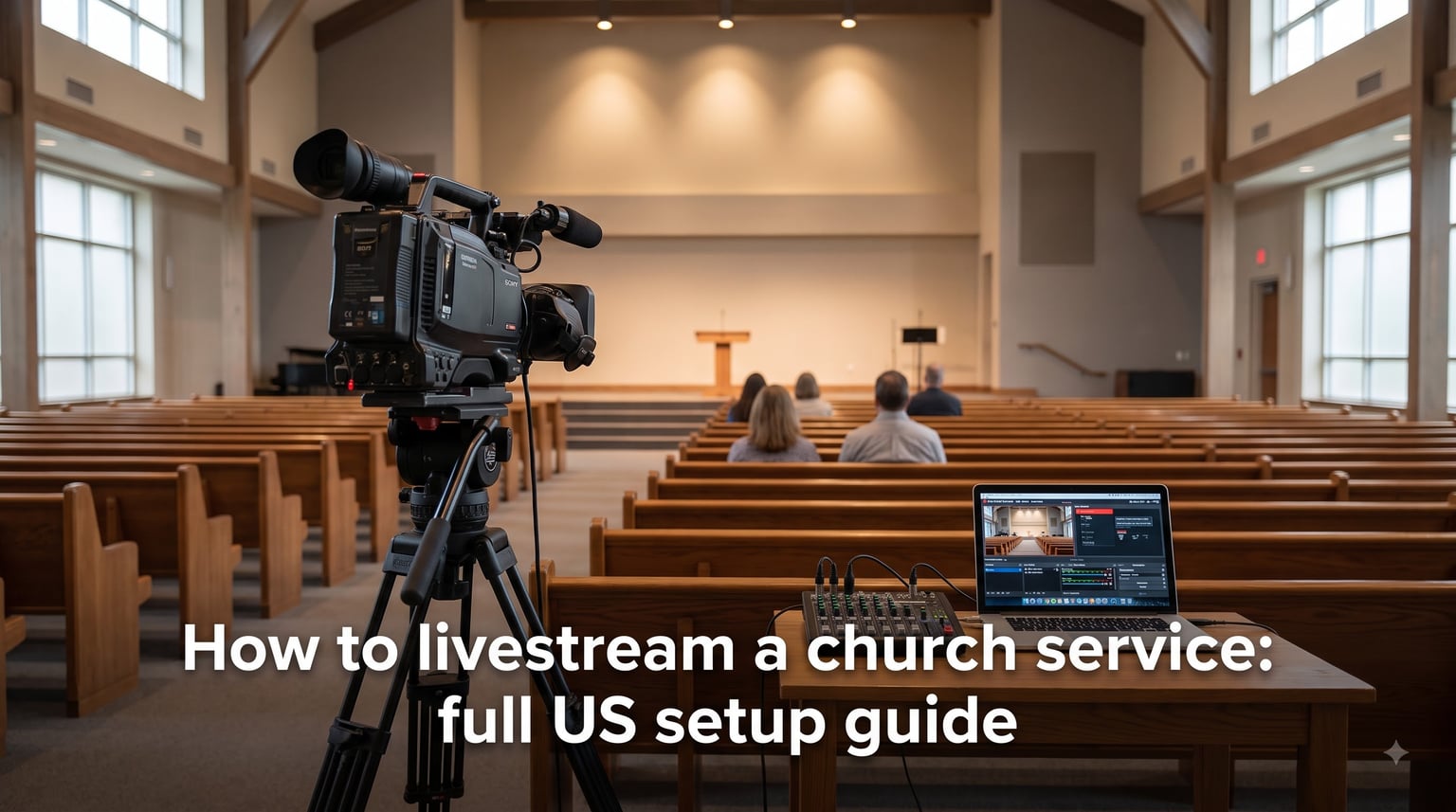
Learning how to livestream a church service is easier than most pastors and tech teams expect, and a solid setup can reach homebound members, traveling congregants, and new visitors every single week. In this guide, I walk you through the exact gear, software, internet specs, and step-by-step workflow our team uses to put worship services online for churches across the United States.
By the end, you will know which camera fits your budget, how to pull clean audio from your soundboard, the upload speed you actually need, and the streaming platforms US churches trust most in 2026.
Table of Contents
- What Is Church Livestreaming and Why Your Church Needs It
- The 3 Core Components of Any Church Live Stream Setup
- Camera Options for Streaming a Church Service
- How to Get Clean Audio for Your Church Livestream
- Internet Speed and Connection Requirements
- Choosing a Software or Hardware Encoder
- Best Streaming Platforms for US Churches
- Step-by-Step: How to Livestream a Church Service
- Budget Setup Options for Small Churches
- Privacy, Consent, and Accessibility Considerations
- Troubleshooting Common Church Streaming Issues
- FAQs
- Start Streaming Your Church Service This Week
What Is Church Livestreaming and Why Your Church Needs It
Church livestreaming is broadcasting your worship service, sermon, or Bible study online in real time so anyone can watch from a phone, laptop, or TV. It uses cameras, microphones, an encoder, and a streaming destination such as YouTube or Facebook to push a live feed to viewers across the country.
The reason this matters is simple: roughly 40 million US adults did not attend a religious service in person during the past year, but many still want to worship remotely. Livestreaming lets your congregation stay connected during illness, travel, or bad weather. It also creates an on-demand archive so someone exploring faith can watch your sermon at 11 PM on a Tuesday.
I have worked with congregations ranging from a 35-member rural chapel to a 4,000-seat megachurch, and the same three principles show up every time: keep the audio clean, keep the connection wired, and keep the workflow simple enough for a volunteer to run.
The 3 Core Components of Any Church Live Stream Setup
Every church live stream setup breaks into three core components: sources, an encoder, and a destination. Sources are your cameras and microphones. The encoder takes that raw signal and compresses it into a stream the internet can carry. The destination is the platform where viewers actually watch.
This three-part framework is the cleanest mental model I have found for beginners because it lets you upgrade one piece at a time without rebuilding the whole system. Add a second camera later? It just becomes another source. Switch from YouTube to a dedicated platform? You only change the destination.
Here is the flow in plain English: camera and mic capture the service, the encoder converts the video into a streamable format, and the streaming platform delivers that stream to your viewers. If any one of those three breaks, the audience sees a problem, so we will cover each one in detail.
Camera Options for Streaming a Church Service
The camera you pick depends on your sanctuary size, lighting, and budget. The five options I see US churches use most often are webcams, smartphones, camcorders, DSLR or mirrorless cameras, and PTZ (pan-tilt-zoom) cameras.
A USB webcam is the cheapest entry point and works well for a small pulpit shot. Models like the Logitech C920 or the newer C922 give you 1080p at 30fps with autofocus for under $70. They plug straight into your streaming computer, no capture card required.
A smartphone you already own can absolutely run a church livestream. Mount it on a tripod, plug it into power, and use a browser-based studio like StreamYard or the iOS YouTube app. For churches under 80 people with a tight budget, this is the smartest starting point.
Camcorders and DSLR/mirrorless cameras step up the image quality dramatically and let you use the lens that fits your space. The trade-off is that most need an HDMI capture card like an Elgato Cam Link to feed the signal into your streaming PC.
PTZ cameras are the professional choice because a single volunteer can control them remotely using hotkeys in OBS or a joystick controller. They cost more upfront, but for multi-camera sanctuaries they pay for themselves in saved labor.
For a clean two-camera setup, I usually pair a wide-shot camcorder on the back wall with a close-up PTZ on the pastor. That gives editors enough coverage to cut between the sermon and the worship band without missing key moments.
How to Get Clean Audio for Your Church Livestream
Clean audio is the single biggest factor that separates a professional church stream from an amateur one. Viewers will forgive a soft video, but they will leave within 30 seconds of crackling, echo, or muffled voices.
The best source is your soundboard. Run an auxiliary cable (or a direct output if your board supports it) from the mix into your streaming computer or audio interface. This gives you the same balanced mix the room hears, including vocals, instruments, and any lapel or pulpit mics.
If you do not have a soundboard, a USB condenser microphone placed near the speaker works for sermon-only streams. Avoid relying on the camera’s built-in mic, it picks up too much room echo and HVAC noise.
When in doubt, ask the person running your soundboard to give you an aux send that is pre-fader. That way their main mix changes do not affect your stream level, and you can control gain on your end without fighting the FOH engineer.
Set your input peak around -12 dB and leave 6 dB of headroom. That buffer prevents distortion when the worship band hits a loud chorus or when someone laughs into the pulpit mic.
Internet Speed and Connection Requirements
You need at least 5 Mbps of dedicated upload speed for a 1080p church livestream, and 10 Mbps gives you a comfortable margin for 60fps broadcasts. Anything below 3 Mbps produces a blocky, buffering feed that drops viewers.
Test your actual upload speed at speedtest.net from the exact computer that will run the stream, not from your phone on the other side of the building. The number on your internet bill is the plan speed, not what reaches your machine.
Always use a wired Ethernet connection from your streaming computer to your router. WiFi works for browsing, but during a live service the packet loss from a single dropped signal can end your stream. I have watched a pastor mid-sermon when the WiFi cut out, it is not a moment you want to repeat.
For multi-camera or 4K streams, consider a business-class cable or fiber plan with a static IP. Many US churches get reliable 200 Mbps symmetrical fiber from providers like AT&T, Spectrum, or Google Fiber for under $80 per month.
Choosing a Software or Hardware Encoder
An encoder converts your camera and audio signal into a compressed stream that platforms like YouTube can deliver to viewers. You have two main paths: software encoders that run on a computer, and hardware encoders that are dedicated boxes.
OBS Studio is the free, open-source workhorse I recommend first. It handles scenes, transitions, audio mixing, and multistreaming through plugins. Most church tech directors I work with learned on OBS before anything else.
Browser-based tools like StreamYard and Restream remove the install step entirely. They run in Chrome, work great with volunteers who are not tech-savvy, and let you simulcast to YouTube and Facebook at the same time with one click.
For paid software, vMix and Wirecast add multi-camera switching, lower-latency titling, and NDI input support. They cost several hundred dollars but unlock the workflows a larger production needs.
Hardware encoders like the BoxCast encoder, Epiphan Pearl, or AJA HELO sit between your cameras and the internet. They run 24/7 without a laptop, restart themselves after a power blip, and let volunteers press a single Go Live button. They are the right answer for churches that stream three or more times per week.
Best Streaming Platforms for US Churches
The streaming platform you pick determines where your stream lives, how it is monetized, and how discoverable it is to new viewers. US churches in 2026 generally use one of four categories: free social platforms, dedicated church streaming services, embed players for church websites, or self-hosted RTMP servers.
YouTube is the default for most small and mid-size churches because it is free, search-friendly, and handles thousands of viewers without extra cost. The downside is that it carries ads on monetized channels, and worship music can trigger copyright claims.
Facebook Live still reaches an older US demographic that may not use YouTube. Simulcasting the same feed to both Facebook and YouTube through Restream or StreamYard is standard practice.
Dedicated services like BoxCast, Tithe.ly Stream, Churchstreaming.tv, and Subsplash cost $50 to $500 per month but include embeddable players for your church website, no ads, and built-in chat moderation. They are popular with churches that want a single branded hub.
Self-hosted options exist but require technical staff, so they are rare outside of large congregations. For most US churches under 500 weekly viewers, a YouTube + Facebook simulcast is the right starting point.
Step-by-Step: How to Livestream a Church Service
Follow these seven steps to take your church service from the sanctuary to a viewer’s phone. I have run this exact workflow with a 200-seat congregation, and our team trains new volunteers on it inside an afternoon.
Step 1: Pick your streaming platform. Create a YouTube channel or Facebook page for your church, enable live streaming, and complete the 24-hour verification wait. Set up a recurring event for each Sunday.
Step 2: Mount and power your camera. Put the camera on a tripod at eye level, frame the pulpit and stage, and run a power cable so the battery does not die mid-sermon.
Step 3: Connect your audio. Run an aux cable from your soundboard to your streaming computer’s audio interface or USB input. Test levels before the band arrives.
Step 4: Wire your internet. Plug an Ethernet cable from the streaming computer to the router. Confirm the upload speed on speedtest.net reads above 5 Mbps.
Step 5: Set up OBS or StreamYard. Add your camera as a video source, your audio interface as an audio source, and paste the RTMP stream key from YouTube or Facebook into the destination settings.
Step 6: Run a full rehearsal. Stream to an unlisted YouTube test event the week before. Check audio sync, lighting, framing, and bitrate. Fix problems now, not during the live service.
Step 7: Go live 5 minutes early. Hit Start Streaming, watch the platform dashboard for healthy throughput, and only then call the service to begin. End the stream after the final amen.
Budget Setup Options for Small Churches
You do not need a four-figure budget to start streaming. Here are three real setups our team has built for US churches, organized by what they actually spent.
The under $200 starter setup uses the pastor’s existing iPhone or Android, a $25 phone tripod, a $30 lavalier mic into the phone, and StreamYard’s free browser-based studio. Upload speed: whatever your existing WiFi gives you, with a $20 Ethernet adapter as a backup.
The $500 to $800 mid-tier setup adds a Logitech C920 webcam or a used Canon camcorder, an Elgato Cam Link, a Rode USB mic for voice-only rooms, OBS Studio on a refurbished Dell, and a wired Ethernet run. This is the sweet spot for most small US churches.
The $1,500 and up professional setup adds two PTZ cameras, a video switcher like the ATEM Mini, dedicated audio interface, and either a hardware encoder or a dedicated streaming PC. Plan for this once you are streaming more than once a week and want lower volunteer load.
Privacy, Consent, and Accessibility Considerations
Before you point a camera at your congregation, get a written video consent policy on file. Some members may not want their image broadcast, especially children, vulnerable adults, and visitors who did not sign up to be online.
Post clear signage at the entrance, mention it in the bulletin, and offer a clearly marked back row for anyone who prefers not to be on camera. This protects your church legally and builds trust with newcomers.
For accessibility, turn on YouTube’s automatic live captions, or use a service like Caption Access or Rev for higher accuracy. About 15% of US adults report some hearing difficulty, and captions let them follow along with the sermon.
Many platforms also support alt text for thumbnails and audio description tracks. These small steps widen your audience and often qualify your church for grants under the Americans with Disabilities Act.
Troubleshooting Common Church Streaming Issues
Even with a solid setup, things go wrong. Here are the four problems I see most often and how to fix them fast.
If your stream keeps buffering, lower the bitrate in OBS to 2500 kbps, switch to 720p at 30fps, and confirm your upload speed is stable. Buffering almost always means your internet cannot keep up with the bitrate you set.
If audio echoes or crackles, check for a ground loop by lifting the audio ground on your interface, and confirm your soundboard aux send is pre-EQ and pre-compression. Phone-mic audio picks up room tone, so prefer the soundboard tap whenever possible.
If OBS crashes mid-service, enable the auto-recording feature and run a backup StreamYard browser tab on a separate laptop. The browser tab is your safety net while you restart the main software.
If a camera feed drops out, reseat the HDMI cable and the capture card USB. Cheap HDMI cables are the most common failure point in sanctuaries with long cable runs. We replace any run over 25 feet with an active HDMI or fiber cable.
FAQs
What do I need to livestream a church service?
You need three things: a video source (webcam, smartphone, camcorder, or PTZ camera), clean audio (ideally a soundboard aux tap or USB mic), and an encoder (OBS Studio, StreamYard, or a hardware encoder) connected to a streaming destination like YouTube or Facebook. Add a wired Ethernet connection with at least 5 Mbps upload speed for a reliable feed.
How can I live stream a church service for free?
Use a smartphone you already own, a free streaming app like the YouTube mobile app or StreamYard’s browser studio, your existing WiFi (ideally wired via a $10 Ethernet adapter), and YouTube’s free live streaming tier. The total out-of-pocket cost can be under $30 for a tripod and cable.
What are the rules for live streaming church services?
Post clear signage, get written video consent from members, seat anyone who prefers not to be filmed in a marked section, and never livestream minors without parental permission. Add captions for accessibility, and respect copyright by licensing worship music or using permission-granted libraries.
What is the best app to live stream church services?
For browser-based ease, StreamYard and Restream top the list. For maximum control and zero monthly cost, OBS Studio is the industry standard. For mobile-only setups, the YouTube and Facebook Live mobile apps are reliable and free.
How much does it cost to livestream a church service?
A starter setup with a smartphone, tripod, and free software costs under $200. A mid-tier two-camera OBS setup runs $500 to $800. A professional multi-camera system with a hardware encoder and switcher typically costs $1,500 to $5,000 plus optional monthly platform fees of $50 to $500.
Why is my church stream buffering?
Buffering almost always means your upload speed is too low for the bitrate you set. Run a speed test, drop to 720p at 30fps and a 2500 kbps bitrate, and switch to a wired Ethernet connection. If it still buffers, lower the resolution further or contact your ISP about a higher upload tier.
Start Streaming Your Church Service This Week
You now have the complete playbook for how to livestream a church service, from the three core components (sources, encoder, destination) to the specific gear, internet specs, and platform choices US churches use every Sunday in 2026.
Pick the budget tier that fits your congregation, run a full rehearsal the week before your first stream, and document your workflow so a volunteer can run it the next time you are out of town. That single habit is what separates a church stream that lasts one season from one that reaches people for the next decade.