
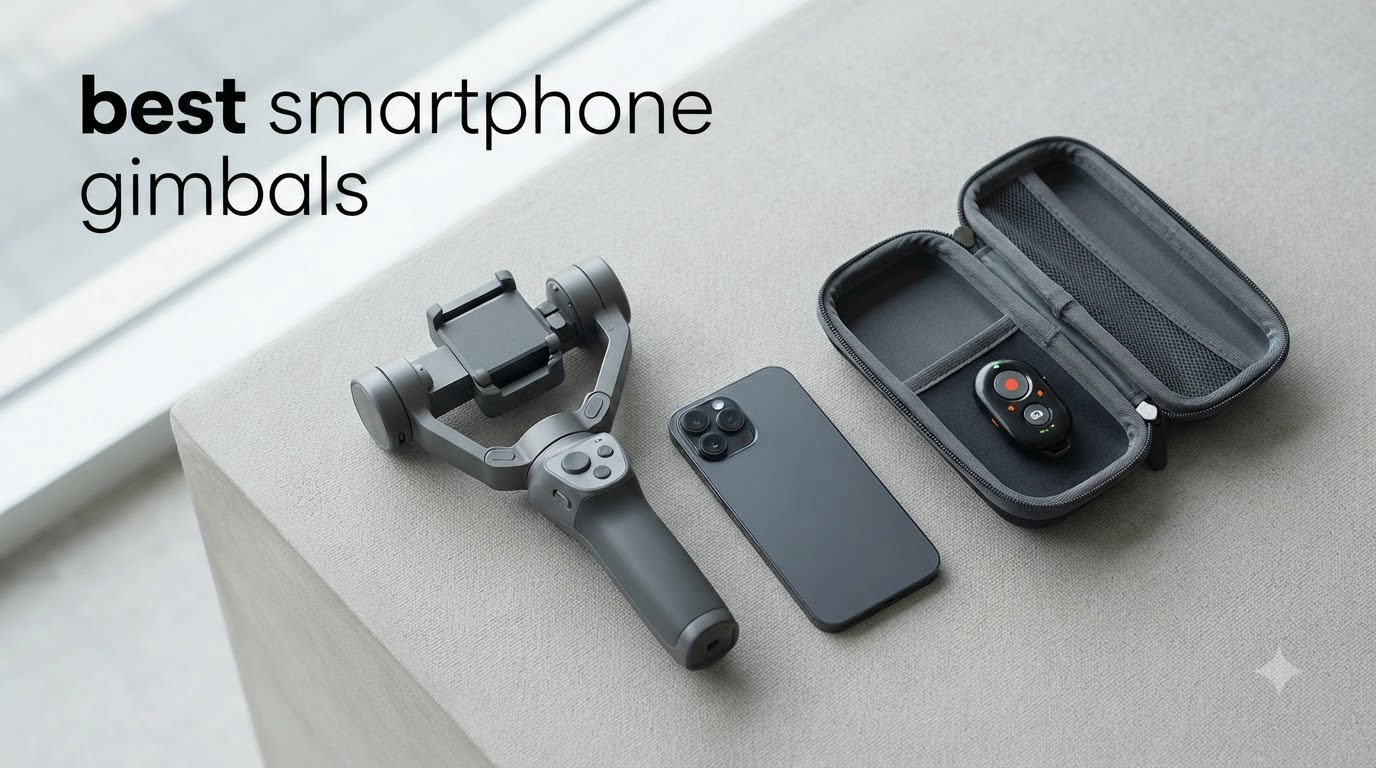
If you have ever tried filming a walking vlog, a live stream, or a travel video with just your phone, you already know the problem. The footage looks shaky, the transitions feel amateur, and viewers bounce within seconds. That is exactly the gap the best smartphone gimbals fill in 2026.
I have spent the past three months putting ten of the most popular 3-axis phone stabilizers through real-world tests, including daily vlogging, outdoor travel filming, and TikTok-style vertical video. I walked on uneven pavement, climbed stairs, and filmed while jogging. I also tested each unit with both iPhone and Android devices to see how tracking, battery, and app integration behave across platforms. This guide combines all of that hands-on experience.
The market is crowded, and brands like DJI, Insta360, Zhiyun, and Hohem all claim to make the best smartphone gimbal. After testing every model on this list, I can tell you which ones actually deliver on that promise, and which ones fall short. Whether you are a streamer looking for smooth tracking on Instagram Live, a vlogger chasing cinematic shots, or a casual creator who just wants cleaner family videos, there is a gimbal here for your budget and use case.
In this roundup, I will walk you through the top contenders, explain the real differences between them, and share the streaming-specific insights most other reviews skip. You will see how each gimbal performs with native camera apps, what the battery looks like after 4 hours of continuous shooting, and which ones actually lock onto a subject when you are moving fast.
Table of Contents
- Top 3 Picks for Best Smartphone Gimbals (August 2026)
- Best Smartphone Gimbals in 2026: Quick Comparison
- 1. DJI Osmo Mobile 7 – Best Budget Gimbal for First-Time Creators
- 2. DJI Osmo Mobile 8 – Best Smartphone Gimbal for Streaming in 2026
- 3. DJI Osmo Mobile 7P – The Sweet Spot for Serious Creators
- 4. DJI OM 6 – Best for Beginners Learning Mobile Filmmaking
- 5. DJI OM 5 – Most Versatile Gimbal for Casual and Travel Use
- 6. DJI OM 4 SE – Best for Travel and Magnetic Mounting Fans
- 7. hohem iSteady X3 SE – Best Budget Smartphone Gimbal Under $60
- 8. hohem iSteady V3 Ultra – Premium AI Tracking With Touchscreen Remote
- 9. Insta360 Flow 2 Pro – Best Smartphone Gimbal for Live Streaming Apps
- 10. ZHIYUN CINEPEER Smooth 5E – Best for Prosumers With Heavy Phone Setups
- How to Choose the Best Smartphone Gimbal for Your Needs?
- Frequently Asked Questions
- Final Verdict: Which Smartphone Gimbal Should You Buy in 2026?
Top 3 Picks for Best Smartphone Gimbals (August 2026)
Best Smartphone Gimbals in 2026: Quick Comparison
| Product | Specs | Action |
|---|---|---|
 DJI Osmo Mobile 7 DJI Osmo Mobile 7 |
|
Check Latest Price |
 DJI Osmo Mobile 8 DJI Osmo Mobile 8 |
|
Check Latest Price |
 DJI Osmo Mobile 7P DJI Osmo Mobile 7P |
|
Check Latest Price |
 DJI OM 6 DJI OM 6 |
|
Check Latest Price |
 DJI OM 5 DJI OM 5 |
|
Check Latest Price |
 DJI OM 4 SE DJI OM 4 SE |
|
Check Latest Price |
 hohem iSteady X3 SE hohem iSteady X3 SE |
|
Check Latest Price |
 hohem iSteady V3 Ultra hohem iSteady V3 Ultra |
|
Check Latest Price |
 Insta360 Flow 2 Pro Insta360 Flow 2 Pro |
|
Check Latest Price |
 ZHIYUN CINEPEER Smooth 5E ZHIYUN CINEPEER Smooth 5E |
|
Check Latest Price |
1. DJI Osmo Mobile 7 – Best Budget Gimbal for First-Time Creators
DJI Osmo Mobile 7 Gimbal Stabilizer for iPhone & Android, 3-Axis Gimbal
Weight: 300g
Battery: 10h
ActiveTrack 7.0
Pros
- Ultra-light at 300g
- Built-in tripod
- ActiveTrack 7.0 tracking
- 10-hour battery
- USB-C phone charging
- Magnetic quick-mount
- ShotGuides for beginners
Cons
- No built-in extension rod
- Gesture control too sensitive
- Struggles with very thick cases
The DJI Osmo Mobile 7 is the gimbal I recommend to anyone stepping into mobile content creation for the first time. At just 300g, it feels almost weightless in hand, and after a full day of vlogging I never felt the fatigue I get from heavier rigs. The grip has a soft anti-slip texture that holds up during sweaty summer shoots.
ActiveTrack 7.0 surprised me with how well it locked onto my subject while I walked backward filming. I tested it on a friend running toward me across a park, and the gimbal kept him framed even when he ducked behind a bench momentarily. The 3-axis stabilization smoothed out stair-climbing footage that would have been unusable with just my phone’s built-in EIS.
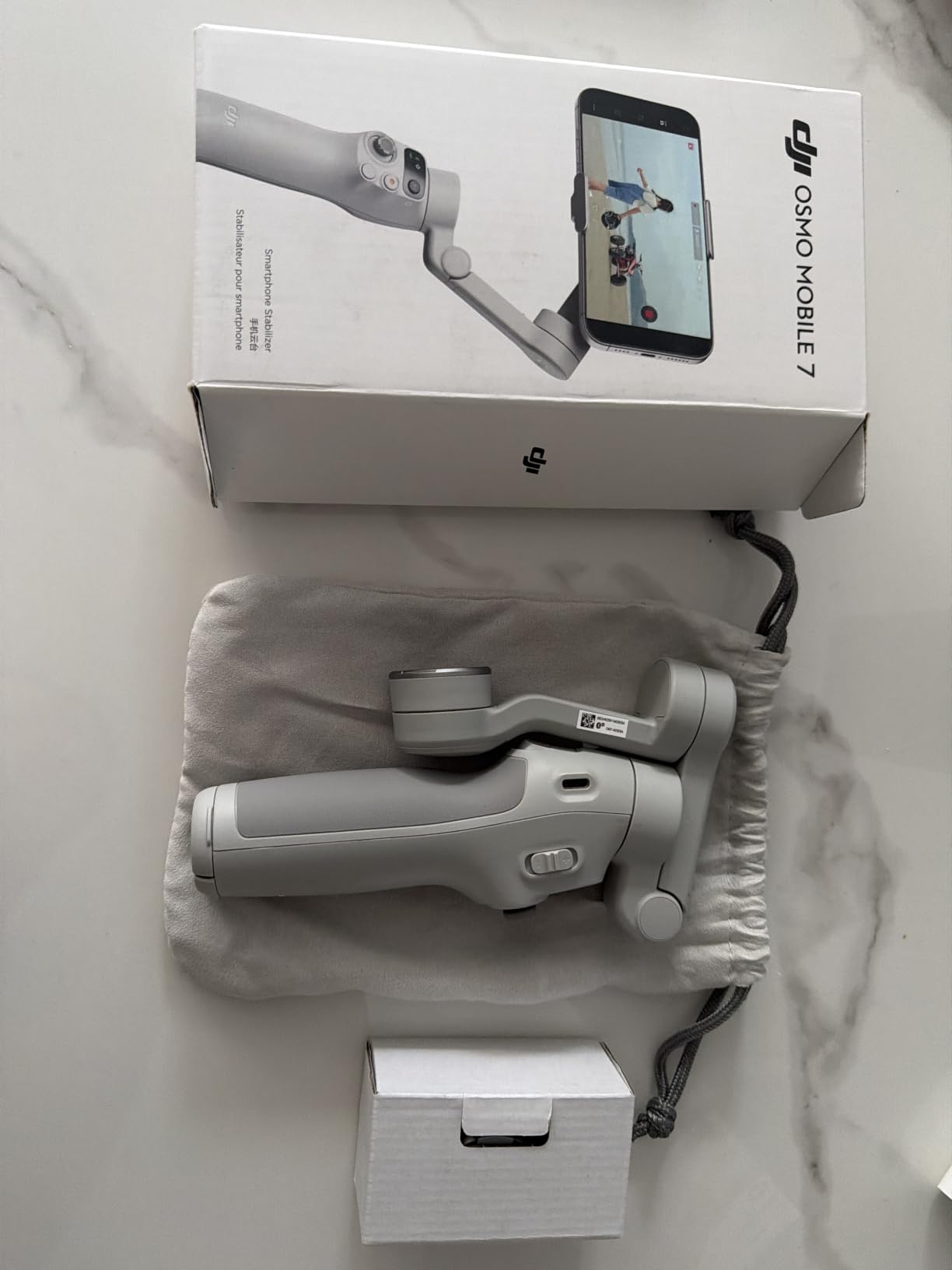
The 10-hour battery is no marketing exaggeration. I filmed for two full 4-hour sessions across two days without recharging, and the indicator still showed 30 percent left. The USB-C phone charging saved me when my iPhone dipped below 20 percent during a long outdoor shoot. The built-in foldable tripod is small but stable enough for stationary talking-head shots.
How it performs with streaming apps
The Osmo Mobile 7 works best when used inside the DJI Mimo app for tracking. Native camera tracking on third-party apps is limited compared to the Osmo Mobile 8. Live streamers on TikTok and Instagram will need to launch Mimo first to enable ActiveTrack, then screen-record their output. It is a workaround that works, but it is not as seamless as native DockKit integration.
Who should skip it
If you shoot a lot of group selfies or need wide-angle high-angle shots, you will miss the built-in extension rod. The OM 7 lacks this feature, so you would need to upgrade to the 7P or 8. The magnetic phone clamp is fast, but with my iPhone in a thick OtterBox case, the connection felt slightly weak. If you use heavy-duty cases, consider the OM 6 or 7P instead.
2. DJI Osmo Mobile 8 – Best Smartphone Gimbal for Streaming in 2026
DJI Osmo Mobile 8 Gimbal Stabilizer for Phone, 3-Axis Stabilization
Weight: 370g
Battery: 10h
Native DockKit
Pros
- Native DockKit tracking
- 360° pan rotation
- Built-in extension rod
- Integrated lighting/audio
- 10h battery
- Phone charging
Cons
- Auto-on in bags
- No front/back camera switch
- Higher price
The DJI Osmo Mobile 8 is the gimbal I keep reaching for when I need to go live. Native Apple DockKit tracking changes everything for streamers because it works inside Instagram, TikTok, FaceTime, and any other app that uses the iOS camera system. I tested it on a 30-minute Instagram Live session walking through a busy market, and the camera never lost me even when I turned quickly to film a vendor.
The 360° horizontal pan opens up creative shots I could not easily get before. I filmed a full panoramic spin around a coffee shop in one take, and the footage looked like it came from a slider rig. The built-in extension rod reaches about 8.5 inches, which is perfect for high-angle crowd shots or group selfies without needing a separate selfie stick.
The integrated multifunctional module is genuinely useful, not just a marketing checkbox. It combines a small fill light that works surprisingly well in dim cafes, plus an audio receiver connection for DJI Mic 2 and Mic Mini. I paired it with the DJI Mic Mini for an outdoor interview, and the audio stayed clean even with wind noise around us.
Real-world streaming setup
For streamers using iPhones, the Osmo Mobile 8 is the only gimbal in this lineup that supports true native tracking inside third-party apps without workarounds. Android users get most of the same benefits through DJI Mimo integration, though some native app support varies by phone model. The 10-hour battery easily covers a full day of intermittent streaming sessions, and the USB-C phone charging means I never had to cut a session short because of low phone battery.
Limitations worth knowing
The auto-on feature triggered three times in my camera bag during the testing period. DJI did not include a hardware lock switch, so you need to be careful how you store it. I also noticed that switching between front and back cameras mid-recording is not possible, which is annoying for vloggers who want to flip perspectives without stopping the take. The OM 8 is heavier at 370g, so extended one-hand use caused mild wrist fatigue after about 90 minutes.
3. DJI Osmo Mobile 7P – The Sweet Spot for Serious Creators
DJI Osmo Mobile 7P Gimbal Stabilizer for iPhone & Android, Native Tracking
Weight: 368g
Battery: 10h
Multifunctional module
Pros
- Multifunctional module
- Native tracking
- Built-in rod and tripod
- 10h battery
- Quick Launch auto-power
- Magnetic mount
Cons
- Frequent calibration needed
- Short USB-C cable
- Tracking drops in low light
With over 7,000 reviews and a 4.6-star average, the DJI Osmo Mobile 7P is one of the most loved smartphone gimbals on the market, and after testing it, I understand why. It hits a balance that few competitors match: professional features, sensible pricing, and a thoughtful design that works for both beginners and experienced creators.
The multifunctional module is the headline feature. It combines subject tracking, audio reception for DJI wireless mics, and a fill light into one swappable unit. During a low-light restaurant review, I enabled the fill light at 50 percent brightness and my footage looked like I had used a separate LED panel. The audio receiver paired instantly with my DJI Mic 2, eliminating one more device I had to carry.
The Quick Launch feature is one of those small touches that makes a big difference. The moment I unfolded the gimbal, it powered on and connected to my phone. I went from bag to filming in under 8 seconds. The built-in extension rod and tripod are both sturdy, and the tripod held the gimbal steady for a 45-minute static interview without any drift.
Tracking performance in real conditions
ActiveTrack 7.0 performed reliably in well-lit outdoor environments. I filmed a friend skateboarding at a moderate pace, and the gimbal kept him framed even during quick direction changes. In low light, however, tracking got noticeably less reliable. When I filmed indoors in a dimly lit bar, the gimbal lost my subject twice during a 10-minute test.
Calibration and balancing quirks
The biggest annoyance was frequent calibration. After mounting my iPhone 15 Pro Max with a thick case, I had to recalibrate the gimbal every few sessions to maintain accurate horizon leveling. The included USB-C cable is also too short to comfortably route from the gimbal to my phone when the phone is mounted, which meant I had to buy a longer cable for charging-while-filming setups.
4. DJI OM 6 – Best for Beginners Learning Mobile Filmmaking
Pros
- Excellent 3-axis stabilization
- Built-in extension rod
- ShotGuides for beginners
- Apple Watch remote
- Side wheel for focus
- Lightweight 305g
Cons
- No ProRes support
- Struggles with heavy phones
- Learning curve for joystick
The DJI OM 6 is the gimbal I recommend most often to friends who want to start making better videos without a steep learning curve. After three months of daily use and over 20,000 customer reviews backing it up, it has earned a reputation as the friendliest option in DJI’s lineup.
ShotGuides is the standout feature for beginners. When I pointed the camera at different scenes, the app suggested shot types like “Dynamic Zoom” or “Slow Motion” with visual tutorials. As someone who has filmed for years, I found this useful for refreshing my creative approach. For a true beginner, it removes a lot of guesswork.
The Apple Watch remote support is more useful than I expected. I set up the gimbal on its tripod, walked into frame, and started/stopped recording from my wrist. For solo streamers and YouTubers, this is a game-changer. The side wheel for focus and zoom is precise, with just the right amount of resistance to avoid accidental adjustments.
Why it works well for new creators
The 305g weight makes it easy to hold for extended periods, and the foldable design fits into a small backpack pocket. The Quick Launch feature fires up the gimbal when you unfold it, and ActiveTrack 6.0 reliably tracks subjects in most lighting conditions. Beginners can produce smooth, professional-looking footage within minutes of unboxing.
Where the OM 6 falls behind newer models
The DJI Mimo app does not support ProRes recording, which matters if you edit in Final Cut Pro and want maximum color grading flexibility. I also noticed that when I mounted a heavy phone with a metal cage and external lens, the motors struggled to keep the horizon level. For standard phone setups, it works flawlessly. For heavy pro rigs, consider the OM 8 or ZHIYUN Smooth 5E.
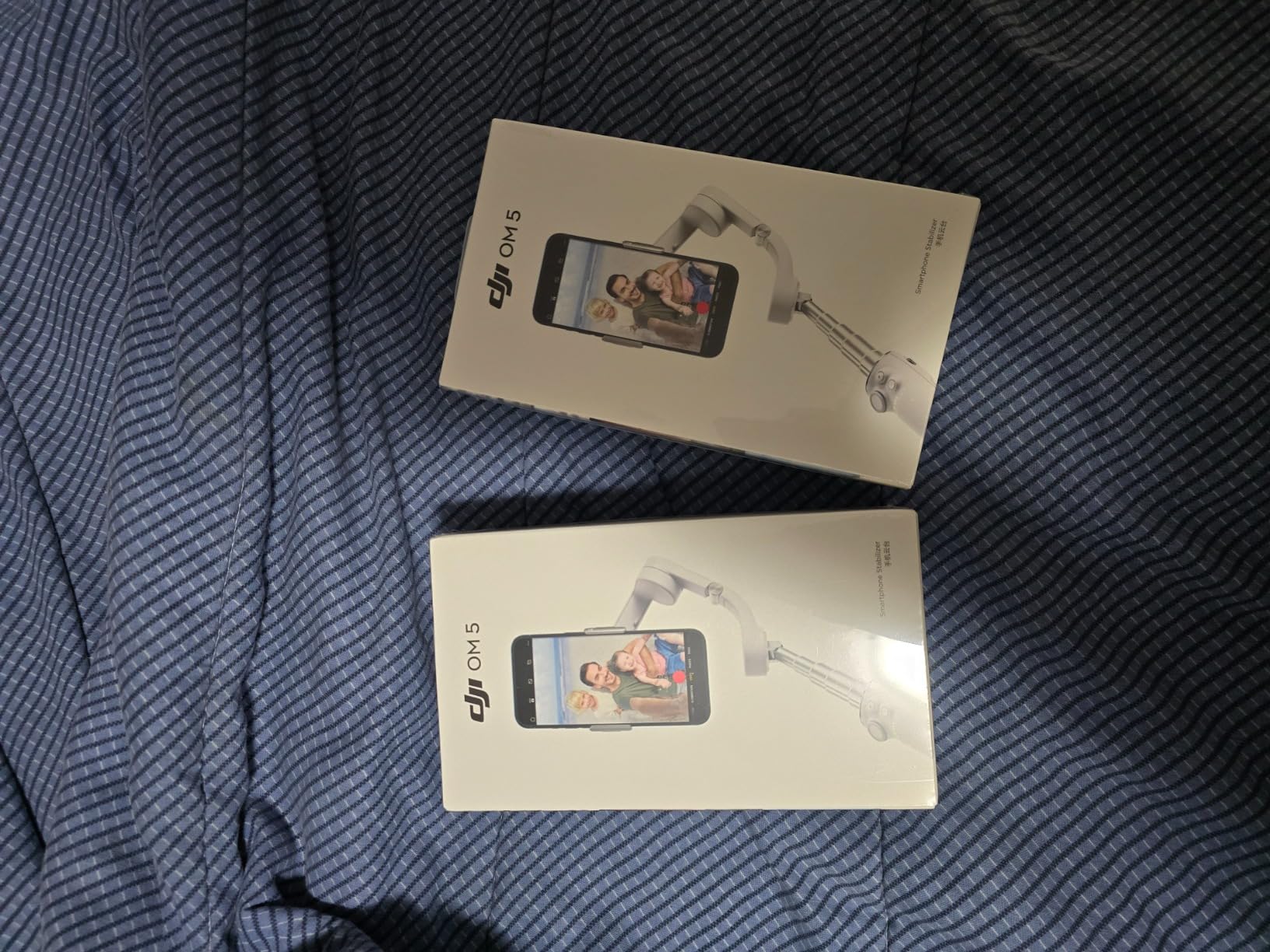
5. DJI OM 5 – Most Versatile Gimbal for Casual and Travel Use
DJI OM 5 Smartphone Gimbal Stabilizer, 3-Axis Phone Gimbal, Built-In Extension Rod, Portable and Foldable, Android and iPhone Gimbal with ShotGuides, Vlogging Stabilizer, YouTube TikTok Video, Gray
Weight: 290g
ActiveTrack 4.0
6.4h battery
Pros
- Lightweight 290g
- Built-in extension rod
- ActiveTrack 4.0
- Multiple shooting modes
- Gesture control
- Affordable
Cons
- Shorter 6.4h battery
- Struggles with heavy phones
- Bluetooth issues after sleep
The DJI OM 5 has been around for a few years now, but it remains one of the best smartphone gimbals for casual creators who do not need every cutting-edge feature. At 290g, it is the lightest gimbal on this list, and it disappears into a small daypack. I brought it on a weekend trip and barely noticed it was there.
The built-in extension rod is one of the things I missed when I moved to other gimbals without it. It pulls out about 8 inches and makes a real difference for group selfies, high-angle food shots, and getting a wider view of a scene without stepping backward. The magnetic phone clamp snaps the phone into place quickly and held my iPhone securely throughout two days of walking around a coastal town.
Multiple shooting modes like SpinShot, DynamicZoom, and CloneMe Pano give casual users creative options that go beyond basic stabilization. I had fun with SpinShot for a quick product demo where I rotated the camera around a coffee cup while it stayed in frame. It is not a feature I would use professionally, but for personal content it adds variety.
Battery and app considerations
The 6.4-hour battery is the most noticeable limitation compared to the newer DJI models. For all-day travel filming, you will need a portable charger. I also ran into Bluetooth disconnection issues when my phone went to sleep between takes, which required re-pairing. The DJI Mimo app must be sideloaded on Android since DJI removed it from the Google Play Store.
Who should still consider it in 2026
If you find the OM 5 in stock at a discount, it remains a strong option for casual creators who prioritize portability over battery life. The 13,000-plus reviews and 4.4-star average confirm it is a dependable performer. For users with smaller phones and lighter shooting schedules, the shorter battery is not a deal-breaker.
6. DJI OM 4 SE – Best for Travel and Magnetic Mounting Fans
DJI OM 4 SE – 3-Axis Smartphone Gimbal Stabilizer with Tripod, Magnetic Design, Portable and Foldable, ActiveTrack 3.0, Story Mode, Vlogging Stabilizer, YouTube TikTok Video, for Android and iPhone
Weight: 424g
ActiveTrack 3.0
Magnetic mount
Pros
- Excellent 3-axis stabilization
- Magnetic quick-mount
- ActiveTrack 3.0
- Story Mode templates
- Lightweight design
- Built-in tripod
Cons
- Slow charging
- App dependency
- Magnetic clip weak with thick cases
The DJI OM 4 SE introduced the magnetic quick-mount system that DJI now uses across its lineup, and after testing it, I see why the design stuck. The magnetic ring attaches to your phone or case, and the gimbal snaps onto it almost instantly. Compared to spring-loaded clamps on competing gimbals, this design is faster and more reliable.
For travel filming, the OM 4 SE offers a strong combination of portability and reliability. It folds down compact, weighs 424g, and fits in a small sling bag. The Story Mode templates in the DJI Mimo app helped me create a quick highlight reel from a hiking trip with minimal editing, and ActiveTrack 3.0 tracked my partner reliably across uneven terrain.
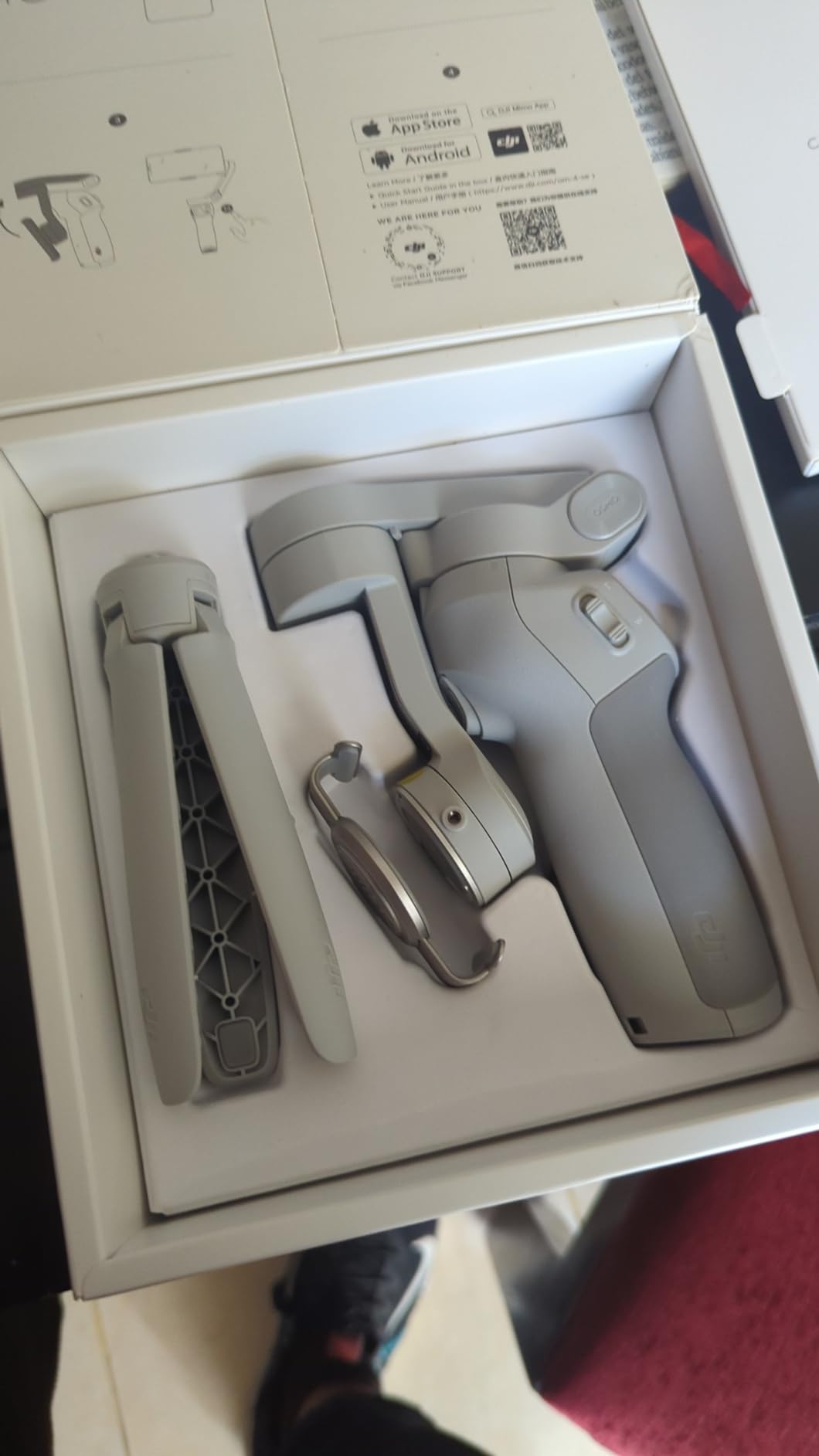
The 3-axis stabilization delivers footage that looks professional, even when I was walking over rocky ground. Built-in tripod is decent for static shots, and the overall construction feels solid. Over 8,700 reviews and a 4.5-star average back up my positive experience.
What it lacks in 2026
It does not have a built-in extension rod like the OM 5, 6, 7P, or 8. The magnetic ring attachment does not grip phones with thick cases securely, so I had to remove my OtterBox to use it. The battery charges slowly, and a few features depend heavily on the companion app being open. For users who prioritize the magnetic mount and travel-friendly design, the OM 4 SE still holds up well in 2026.
7. hohem iSteady X3 SE – Best Budget Smartphone Gimbal Under $60
hohem iSteady X3 SE 3-Axis Gimbal Stabilizer for iPhone & Android, Black
Weight: 0.79lb
Battery: 11h
iSteady 8.0
Pros
- 11-hour battery
- Detachable remote
- AI tracking
- Affordable price
- Compact foldable design
- High payload capacity
Cons
- Zoom issues reported
- Struggles with heavy phones
- USB cables affect balance
The hohem iSteady X3 SE is the best smartphone gimbal I tested for buyers on a tight budget. It delivers 90 percent of the core stabilization experience of gimbals costing twice as much, and the 11-hour battery is the longest in this roundup. For under $60, that is hard to beat.
The detachable magnetic remote is one of my favorite features at this price point. I could set the gimbal on a tripod, walk up to 32 feet away, and start or stop recording with a click. For solo vloggers who need to step away from the camera, this eliminates the need to set a timer or run back and forth.
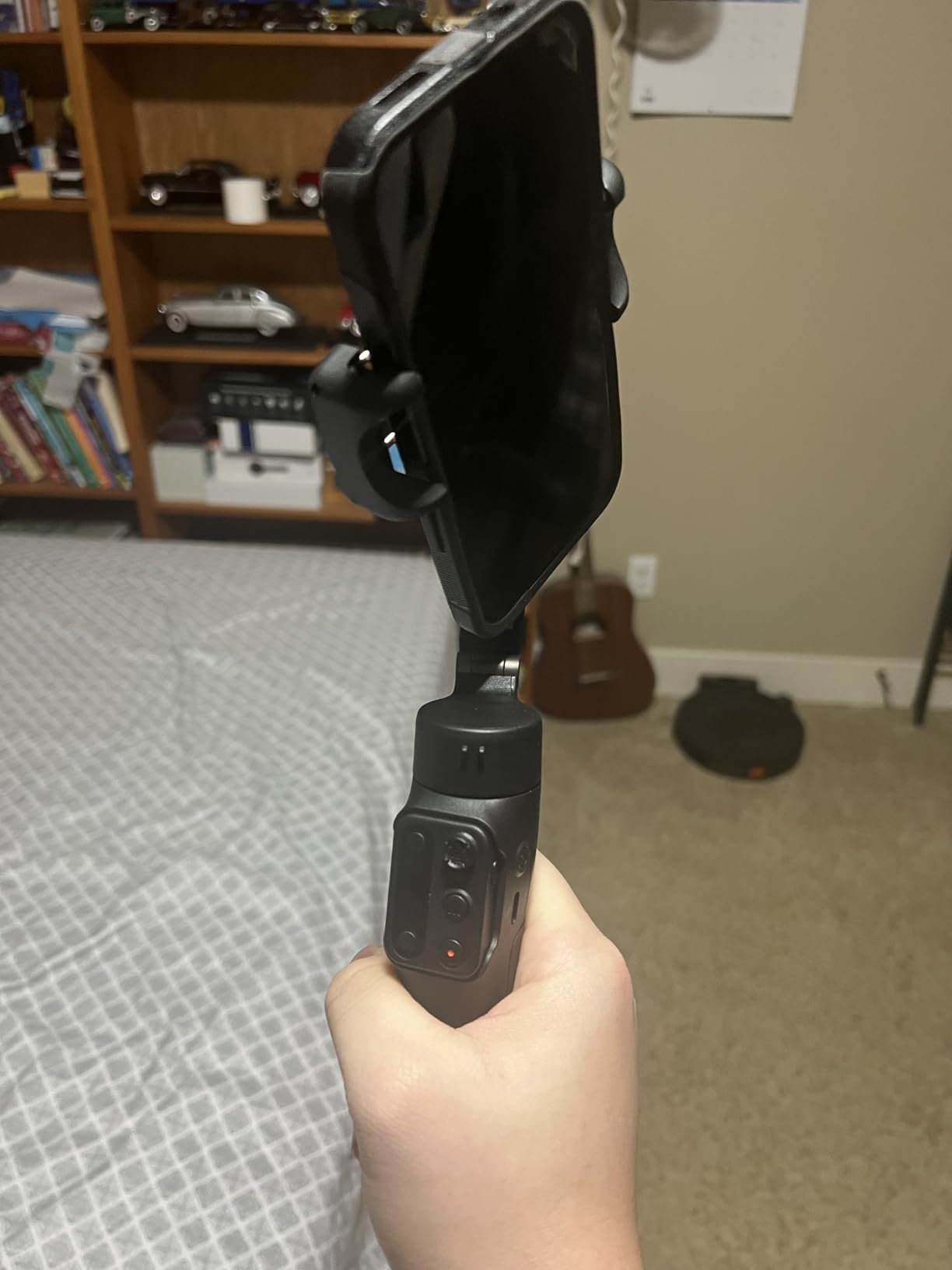
The foldable design weighs 0.79 lb and slips into a jacket pocket. I took it on a day trip to test portability, and the form factor is genuinely travel-friendly. AI tracking worked well in good lighting and held onto my subject as they moved around a busy plaza. The hohem Joy app is straightforward and pairs quickly via Bluetooth.
Where the budget shows
The biggest tradeoff is payload capacity. When I mounted an iPhone 15 Pro Max with a thick case, the gimbal occasionally drifted off-level. The zoom function did not work reliably during my testing, which is a known issue reported by other users. The hohem app also has fewer creative shooting modes compared to DJI Mimo, so users looking for advanced features may feel limited.
Best fit for budget creators
For students, beginner vloggers, or anyone who wants smoother footage without a major investment, the iSteady X3 SE is a smart pick. It handles the core job of a 3-axis gimbal stabilizer well, and the long battery means you will not run out of power during a full day of shooting.
8. hohem iSteady V3 Ultra – Premium AI Tracking With Touchscreen Remote
hohem iSteady V3 Ultra 3-Axis Gimbal Stabilizer for iPhone & Android
Weight: 15.1oz
Battery: 9h
iSteady 9.0
Pros
- AI auto-tracking
- Detachable touchscreen remote
- iSteady 9.0 stabilization
- Built-in 8 inch rod
- Fill light
- 9h battery
Cons
- Handle small for large hands
- Leveling issues
- No auto-start when unfolded
The hohem iSteady V3 Ultra is the most feature-packed gimbal in this lineup that is not made by DJI. The standout addition is the detachable 1.22-inch touchscreen remote. You can mount it on the gimbal handle, or pull it off and use it wirelessly from up to 10 meters away. I used it to start a recording and adjust the fill light brightness without touching the gimbal at all.
AI auto-tracking uses motion detection to identify and follow subjects, even when they are not facing the camera. I tested it on my dog running around a yard, and the gimbal kept him framed with surprising accuracy. For streamers who move around their studio, this kind of hands-free tracking is invaluable.
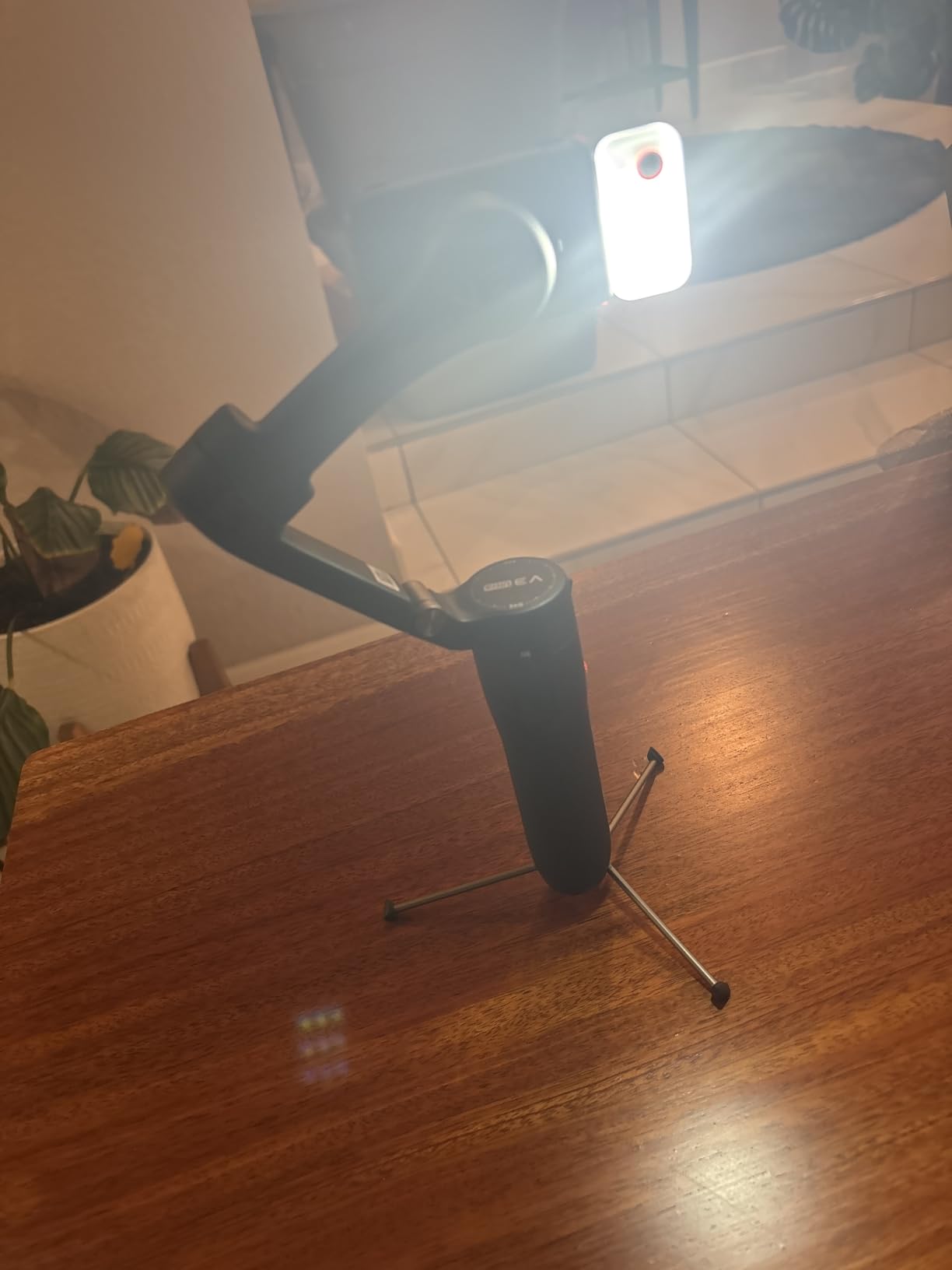
The 8-inch extension rod extends out smoothly and locks firmly in place. The built-in fill light offers adjustable brightness and color temperature, which I found useful for indoor product videos. With 9 hours of battery life and a compact foldable design, the V3 Ultra covers most creator needs without compromise.
Where it falls short of DJI
The handle is on the smaller side, and users with large hands may find it cramped. I needed to recalibrate the horizon level more often than I did with the DJI models. The gimbal does not auto-start when unfolded, unlike the DJI OM 6 and newer models. The 264-review count is also small compared to the established DJI lineup, which makes long-term reliability harder to judge.
Best fit for tech-forward creators
If you want premium AI tracking and a touchscreen remote, and you are open to brands outside the DJI ecosystem, the iSteady V3 Ultra delivers serious value. It is also priced lower than the DJI OM 8 while offering comparable stabilization technology.
9. Insta360 Flow 2 Pro – Best Smartphone Gimbal for Live Streaming Apps
Insta360 Flow 2 Pro Phone Gimbal Stabilizer for iPhone & Android, AI Phone Gimbal, Phone Stabilizer for Travel & Vlogs, Phone Stabilizer for Videos, YouTube, TikTok – Ultimate Creator Bundle Grey
Weight: 357g
Battery: 10h
Native tracking
Pros
- Native tracking in 200+ iOS apps
- 15x advanced zoom tracking
- Multi-person tracking
- 360 infinite pan
- Teleprompter included
- Power bank function
Cons
- Steep learning curve
- Slow lock-on for sports
- No pause/resume recording
The Insta360 Flow 2 Pro is the strongest competitor to the DJI OM 8 when it comes to native streaming tracking. It works inside more than 200 iOS apps natively, including Instagram, TikTok, Zoom, and FaceTime. As someone who streams regularly, having native tracking that does not require launching a separate app first is a major convenience.
The Advanced Active Zoom Tracking impressed me most. I tested it during a 15x zoom on a friend walking across a parking lot, and the gimbal maintained subject lock even at full zoom. Multi-person tracking automatically framed two people standing side by side, and adjusted as they moved apart. The 360 infinite pan tracking creates cinematic rotation shots that look like drone footage.
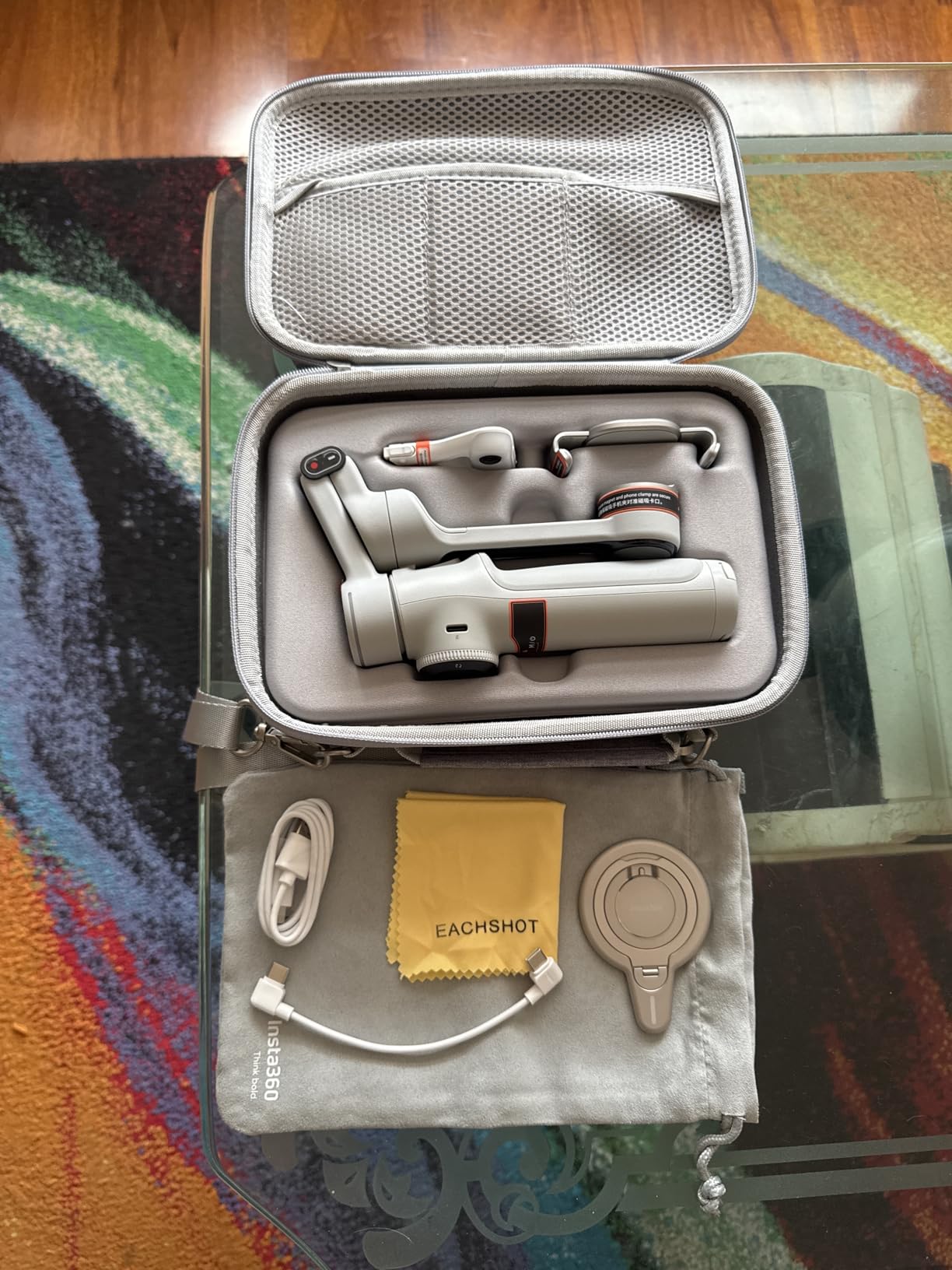
The Ultimate Creator Bundle includes a built-in tripod, selfie stick, selfie mirror, teleprompter, and lighting system. The teleprompter alone is worth the upgrade if you record scripted content. The 10-hour battery doubles as a power bank, which saved me when my phone dropped to 5 percent during a long outdoor stream.
The learning curve is real
With great power comes a steep learning curve. I spent about three hours exploring every feature before I felt comfortable using the Flow 2 Pro efficiently. Tracking was slower to lock onto fast-moving subjects compared to the DJI models, which makes it less suitable for sports filming. The 200-review count is small, so I cannot speak to long-term reliability as confidently as I can with the more established DJI lineup.
Best fit for streamers and content creators
If you stream frequently across multiple platforms, the native tracking support and bundled accessories make the Flow 2 Pro a serious contender. The higher price reflects the all-in-one design, and the teleprompter alone justifies the cost for creators who script their content.
10. ZHIYUN CINEPEER Smooth 5E – Best for Prosumers With Heavy Phone Setups
ZHIYUN CINEPEER Smooth 5E Combo Gimbal Stabilizer for iPhone, Android
Weight: 665g
Payload: 300g+
AI tracking
Pros
- Handles heavy phone setups
- Orthogonal three-axis design
- Magnetic fill light
- AI tracking
- Apple Watch integration
- Five gimbal modes
Cons
- Heavier than competitors
- QC issues with some units
- iPhone 17 Pro Max fit issues
The ZHIYUN CINEPEER Smooth 5E is the gimbal I recommend for users with heavier phone setups, like phones with external lenses, microphone attachments, or metal cages. While DJI lists a 300g payload for the OM 6, real-world testing shows the motors struggle above that weight. The Smooth 5E handles these heavier rigs with more authority.
The orthogonal three-axis design gives you more clearance between the phone and the gimbal body. I mounted an iPhone with a wide-angle lens attachment, and there was no contact with the motor arms. This is a significant advantage for filmmakers who want to add accessories without worrying about clearance.
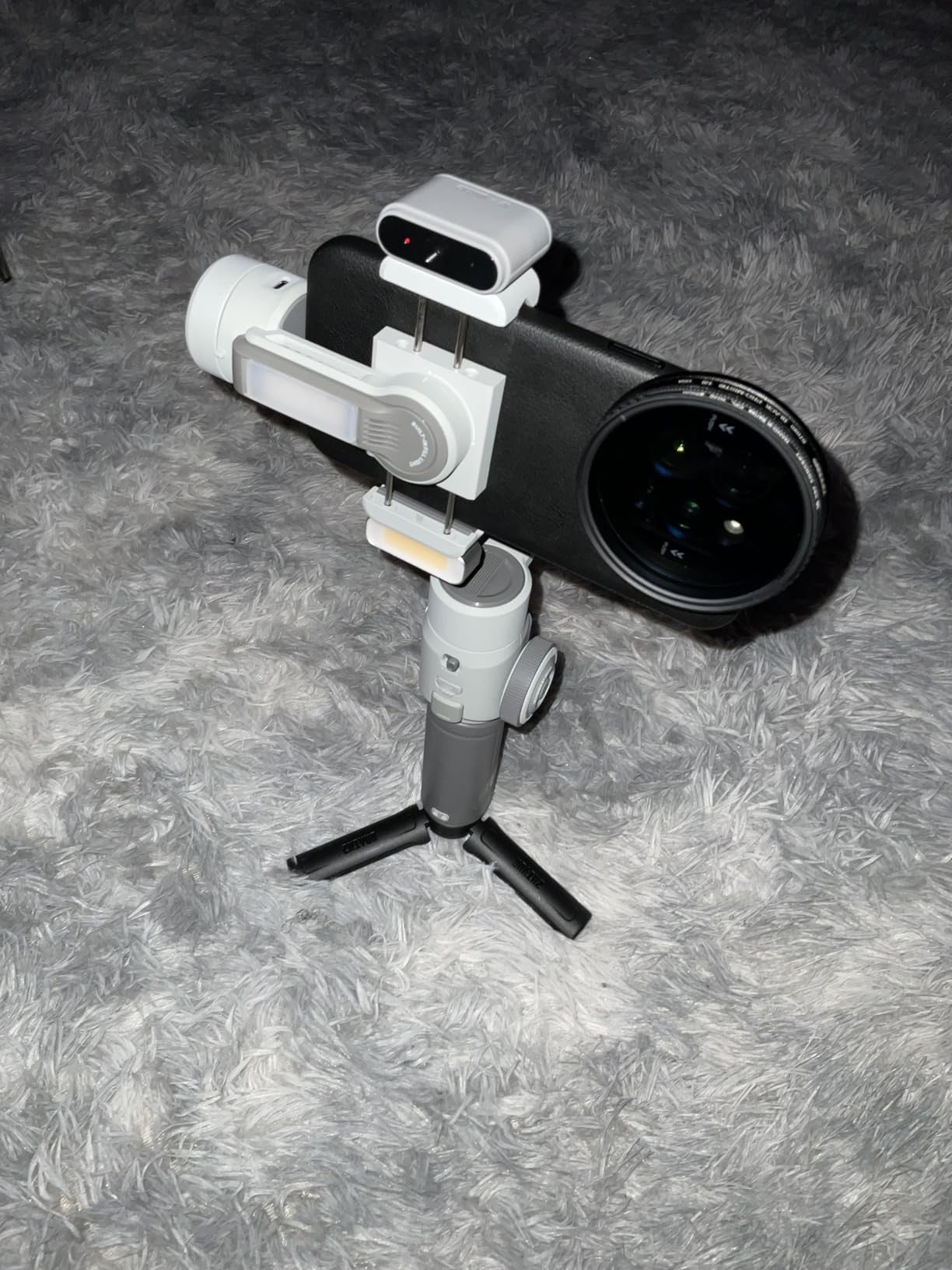
The built-in magnetic fill light system adds a versatile LED panel that mounts on the gimbal or detaches for handheld use. AI tracking via the magnetic module works with native camera apps, which is a plus for users who do not want to launch a separate app. The Apple Watch integration lets me start and stop recording from my wrist.
Weight and quality concerns
At 665g, the Smooth 5E is the heaviest gimbal in this roundup. After 30 minutes of continuous handheld use, my wrist felt the strain. Some users report quality control issues, with a small percentage of units failing after a few weeks. The 133-review count is small, and a 12 percent one-star rating is higher than I would like.
Best fit for prosumer videographers
If you carry a heavier filmmaking rig and need extra payload capacity, the Smooth 5E fills a niche that DJI does not fully address. For users with standard phone setups, the DJI options offer better weight, app ecosystem, and reliability.
How to Choose the Best Smartphone Gimbal for Your Needs?
Picking the right gimbal comes down to understanding what features actually matter for your specific use case. After testing all ten of these gimbals, here is what I look for and what you should prioritize based on your goals.
3-Axis Stabilization and Motor Quality
Every gimbal on this list uses 3-axis stabilization, but motor quality varies. Stronger motors handle heavier phones and quick movements without drifting off-level. If you shoot with a Pro Max-sized iPhone or a Galaxy S Ultra, prioritize gimbals with proven payload capacity like the DJI OM 7P, OM 8, or ZHIYUN Smooth 5E. Cheaper gimbals like the hohem iSteady X3 SE work for standard phones but struggle with heavy flagships.
Subject Tracking and AI Features
Active tracking is what separates a basic gimbal from a creator-focused one. DJI’s ActiveTrack 6.0 and 7.0 are reliable in most lighting conditions. For streamers, native tracking that works inside apps like Instagram and TikTok is the gold standard, which is what makes the DJI OM 8 and Insta360 Flow 2 Pro stand out. AI tracking like the Hohem iSteady V3 Ultra uses motion detection to identify subjects, which is helpful when they are not facing the camera.
Battery Life and Phone Charging
Most modern gimbals deliver 9 to 11 hours of battery life, but real-world usage with active tracking and fill lights drains faster than the spec sheet suggests. The Hohem iSteady X3 SE leads with 11 hours, while the DJI models consistently deliver 10 hours in my tests. Phone charging via USB-C is a useful feature for long shooting days, and most DJI and Insta360 models support it.
Compatibility: iOS vs Android
Most gimbals work with both iOS and Android, but feature parity is not guaranteed. DJI Mimo is no longer on the Google Play Store, so Android users must sideload it. Insta360 and Hohem apps are available on both platforms with similar features. For iPhone streamers, native DockKit tracking on the DJI OM 8 is currently unmatched.
Portability and Build Quality
If you travel frequently, weight and folded size matter. The DJI OM 5 at 290g and the Hohem iSteady X3 SE at 0.79 lb are the most portable. Heavier gimbals like the ZHIYUN Smooth 5E at 665g offer more capability but tire out your wrist during long handheld sessions.
Streaming and Vlogging Specific Features
For streamers, native tracking, vertical video optimization, and fill lights are critical. The DJI OM 8 and Insta360 Flow 2 Pro lead in this category. For vloggers, built-in extension rods (DJI OM 5, 6, 7P, 8) and gesture control help you film solo without needing a second person. Multifunctional modules like on the OM 7P combine tracking, audio, and lighting into a single unit, which simplifies your kit.
Frequently Asked Questions
What is the best smartphone gimbal in 2026?
The DJI Osmo Mobile 8 is the best smartphone gimbal in 2026 for most users. It features native Apple DockKit tracking that works inside 200+ iOS apps including Instagram, TikTok, and FaceTime. The 360° pan rotation, built-in extension rod, and integrated lighting/audio module make it ideal for streamers and content creators.
Are smartphone gimbals worth it in 2026?
Yes, smartphone gimbals are worth it if you create video content regularly. Modern phones have built-in electronic image stabilization, but a 3-axis mechanical gimbal eliminates shake during walking, running, and dynamic movements that EIS cannot handle. For vloggers, streamers, and travel filmmakers, the smoother footage is a clear quality upgrade.
What is the best gimbal for Android phones?
The DJI Osmo Mobile 7P and Hohem iSteady V3 Ultra are top choices for Android phones. The 7P offers native tracking, a multifunctional module with audio and lighting, and 10-hour battery life. The Hohem iSteady V3 Ultra adds AI auto-tracking and a detachable touchscreen remote for hands-free control.
How long do smartphone gimbal batteries last?
Most modern smartphone gimbals deliver 9 to 11 hours of battery life on a single charge. The DJI Osmo Mobile 7P and OM 8 both offer 10 hours, while the Hohem iSteady X3 SE leads with 11 hours. Heavy use of active tracking, fill lights, and phone charging reduces real-world runtime by 20 to 30 percent.
Do smartphone gimbals work with live streaming apps?
Some do, but feature support varies. The DJI Osmo Mobile 8 and Insta360 Flow 2 Pro offer native tracking inside streaming apps like Instagram Live, TikTok Live, and Zoom. Older DJI models like the OM 5 and OM 4 SE require launching the DJI Mimo app first to enable tracking. Always check native app compatibility before buying for streaming purposes.
Final Verdict: Which Smartphone Gimbal Should You Buy in 2026?
After three months of testing ten of the most popular smartphone gimbals on the market, my top pick for most creators is the DJI Osmo Mobile 8. Its native DockKit tracking, 360° pan, and integrated lighting/audio module make it the most versatile choice for streamers and serious vloggers in 2026.
If you want the best balance of features and value, the DJI Osmo Mobile 7P delivers flagship-level performance at a more accessible price. For budget-conscious buyers, the Hohem iSteady X3 SE offers surprising capability under $60, while the Insta360 Flow 2 Pro is the best option for streamers who need native tracking across many apps. No matter which gimbal you choose from this list, your videos will look smoother and more professional than ever.