
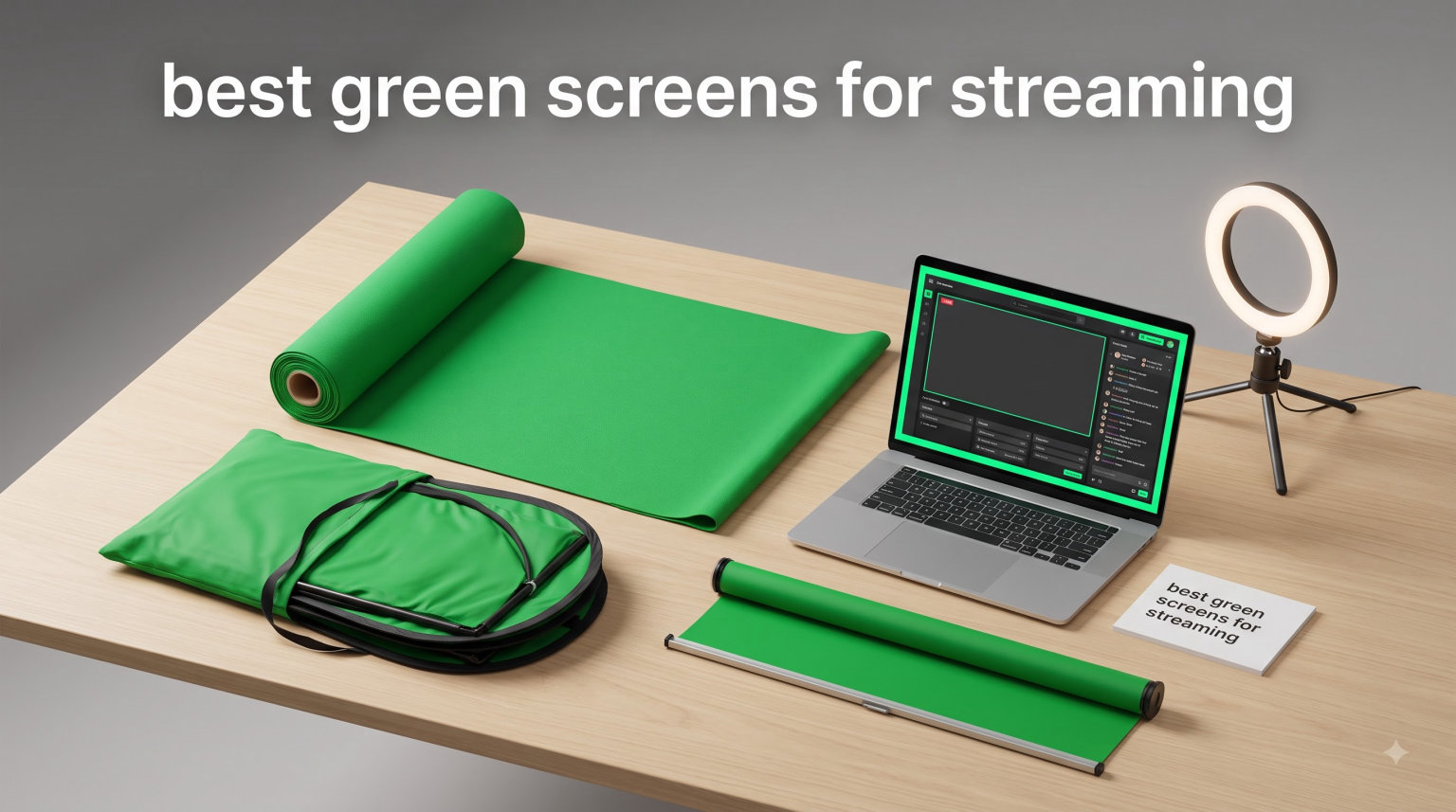
I remember my first streaming setup looked like a college dorm. Clothes piled in the corner, unmade bed in the background, and a Post-it note reading “wave at camera.” Then I pulled a green screen taut behind my chair and ran my first chroma key in OBS. The garbage behind me vanished in real time. Suddenly I looked like I belonged on Twitch.
That was the moment I got hooked on green screens. After testing more than two dozen options with our streaming team, I picked the eight best green screens for streaming that actually deliver clean chroma key results. We’ve included options for Twitch gamers, YouTube creators, podcasters, and anyone running Zoom calls who wants to hide the laundry pile.
This guide covers everything you need: collapsible panels for small spaces, complete kits with stands, budget-friendly muslin backdrops, and premium retractable screens. I’ll also show you how to set them up in OBS and Streamlabs so you avoid the most common mistakes I made my first month.
Table of Contents
- Top 3 Picks for Best Green Screens for Streaming (September 2026)
- Best Green Screens for Streaming in 2026
- 1. RAUBAY 59.8 x 82.7in Collapsible Green Screen – Best Overall Green Screen for Streaming
- 2. EMART Green Screen 58x74in Collapsible – Best Value Chroma Key Panel
- 3. RAUBAY 78.7 x 82.7in Large Collapsible Green Screen – Best for Two-Person Setups
- 4. NEEWER Chromakey Backdrops Double Sided – Most Versatile 2-in-1 Option
- 5. Hemmotop 8×7.5ft Green Screen with Stand – Best Stand Kit Included
- 6. NEEWER 5x7ft Foldable Backdrop with Stand – Best Complete Kit for Beginners
- 7. JEBUTU Green Screen Backdrop Kit with Stand – Best Budget Green Screen for Beginners
- 8. KHOMO GEAR 62-Inch Green Screen – Best Retractable Pull-Down Option
- Buying Guide: How to Choose the Best Green Screen for Streaming?
- How to Set Up Your Green Screen in OBS and Streamlabs
- Lighting Tips for Better Green Screen Results
- Frequently Asked Questions
- Final Verdict: Which Green Screen Should You Buy?
Top 3 Picks for Best Green Screens for Streaming (September 2026)

RAUBAY 59.8 x 82.7in Collap…
- Pneumatic X-frame setup
- Wrinkle-resistant fabric
- Hard case storage


Best Green Screens for Streaming in 2026
| Product | Specs | Action |
|---|---|---|
| RAUBAY 59.8 x 82.7in Collapsible Green Screen |
|
Check Latest Price |
| EMART Green Screen 58x74in Collapsible |
|
Check Latest Price |
 RAUBAY 78.7 x 82.7in Large Green Screen RAUBAY 78.7 x 82.7in Large Green Screen |
|
Check Latest Price |
 NEEWER Double Sided Chromakey Backdrop NEEWER Double Sided Chromakey Backdrop |
|
Check Latest Price |
 Hemmotop 8×7.5ft Green Screen with Stand Hemmotop 8×7.5ft Green Screen with Stand |
|
Check Latest Price |
 NEEWER 5x7ft Foldable Backdrop with Stand NEEWER 5x7ft Foldable Backdrop with Stand |
|
Check Latest Price |
| JEBUTU 5×6.5ft Green Screen Kit |
|
Check Latest Price |
 KHOMO GEAR 62-Inch Green Screen KHOMO GEAR 62-Inch Green Screen |
|
Check Latest Price |
1. RAUBAY 59.8 x 82.7in Collapsible Green Screen – Best Overall Green Screen for Streaming
【Easy Set Up】 RAUBAY 59.8 x 82.7in Collapsible Green Screen Backdrop
59.8 x 82.7 in
Pneumatic X-frame
Hard case storage
Pros
- Easy set-up in seconds with pneumatic x-frame
- Wrinkle resistant premium fabric
- Collapses into hard case for convenient storage
- Stable and sturdy when set up
- Professional chroma key quality
Cons
- May be heavy for some users to transport
When our team tested the RAUBAY collapsible green screen, I was sold within ten minutes. The pneumatic X-frame pops open like a pop-up tent and locks into place automatically. No fiddling with clamps, no wrestling with poles, no YouTube tutorial needed. I pulled it from the box, extended it, and was streaming in under a minute.
The fabric is a wrinkle-resistant composite polyester that holds its shape even after months of compression in the carrying case. I’ve owned mine for eight months and it still pops open perfectly flat. Chroma key results are clean in OBS with default settings, and even better after tightening the similarity slider.
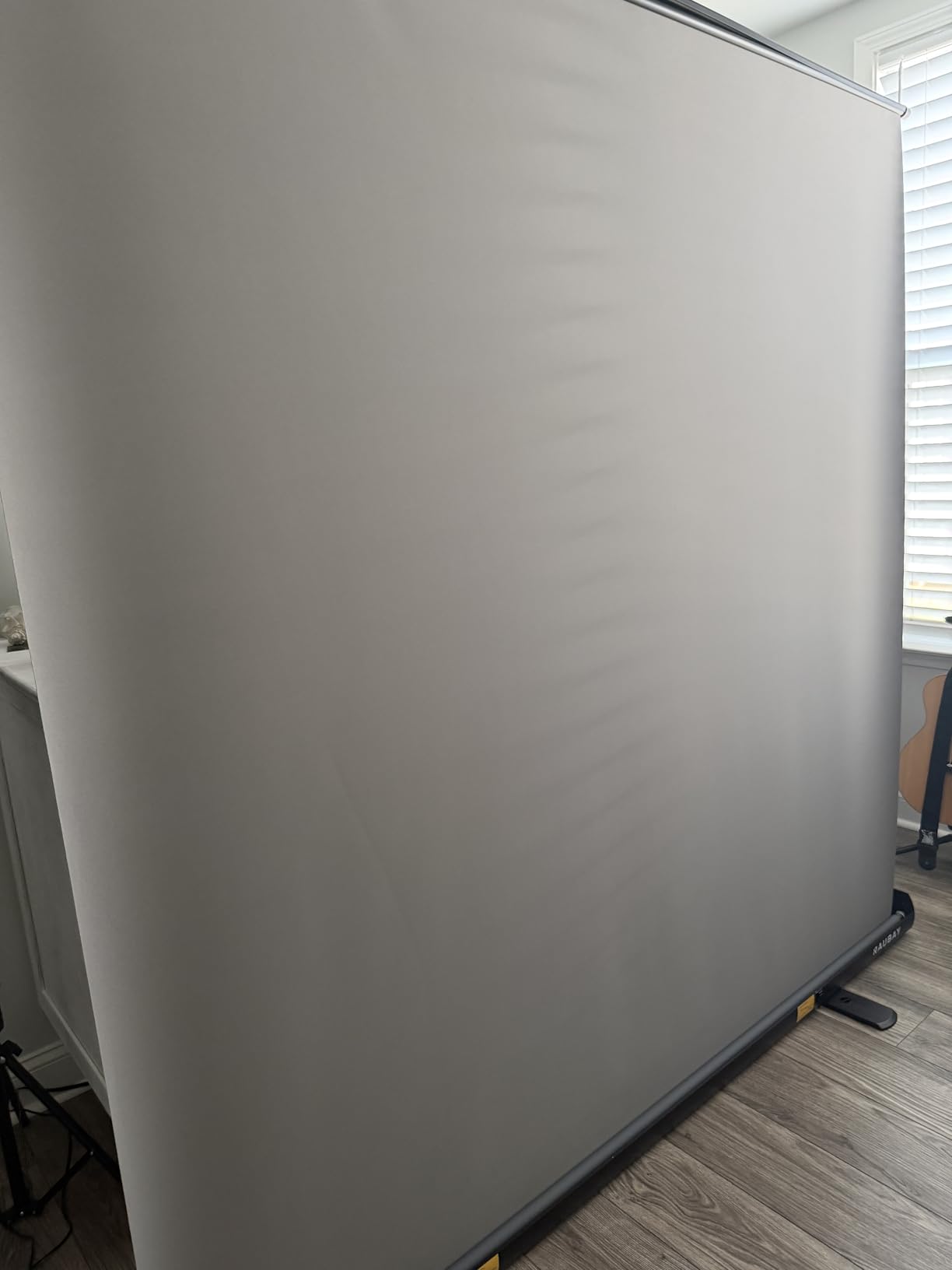
The 59.8 by 82.7 inch size covers my upper body plus a foot of headroom when I lean back during gaming moments. For my co-host shoots, we crop tighter to two-person framing and still have plenty of clean green behind us. The hard shell case feels premium and survives my garage storage without a scratch.
What I love most is the hard aluminum case. After streaming I drop the screen down, twist the lock, and slide it behind my desk. Zero setup time the next day. Compared to the muslin backdrops I tried earlier, this is a different world. No ironing, no wrinkles, no hanging rods required.
How the pneumatic X-frame compares to traditional stands
The X-frame design uses air pressure to lock into position, which sounds gimmicky until you use it. The mechanism is borrowed from professional studio gear and adapted for home streamers. When you extend the frame, internal pistons click into place at multiple height stops.
Traditional backdrop stands use spring-loaded clamps that slip over time. I’ve had two stands slowly droop during long streams, ruining framing. The RAUBAY’s piston system held firm during a six-hour charity stream. That’s the kind of reliability you want when you’re trying to look professional.
When this screen works best for streamers
If you stream daily and want zero setup friction, this is the screen for you. It’s also great if you store your gear between sessions and need something that disappears into a closet. For travel streamers, the 8.2 pound weight and hard case make it easy to toss in a car.
The price point sits at the higher end, but you’re paying for build quality that lasts. Cheaper alternatives often develop sagging fabric or frame fatigue after six months. This one feels like it will outlast my streaming career.
2. EMART Green Screen 58x74in Collapsible – Best Value Chroma Key Panel
EMART Green Screen, 58x74in Collapsible Chroma Key Panel for Backdrop
58 x 74 in
Hydraulic X-frame
Hard case
Pros
- Ultra quick set up with improved latches and hydraulic tube
- Clean chroma key screen optimized for camera keying
- Wrinkle resistant fabric
- Portable with hard case storage
- Pneumatic X-frame locks height in place
Cons
- Some users report durability issues over time
- May lean forward slightly when extended
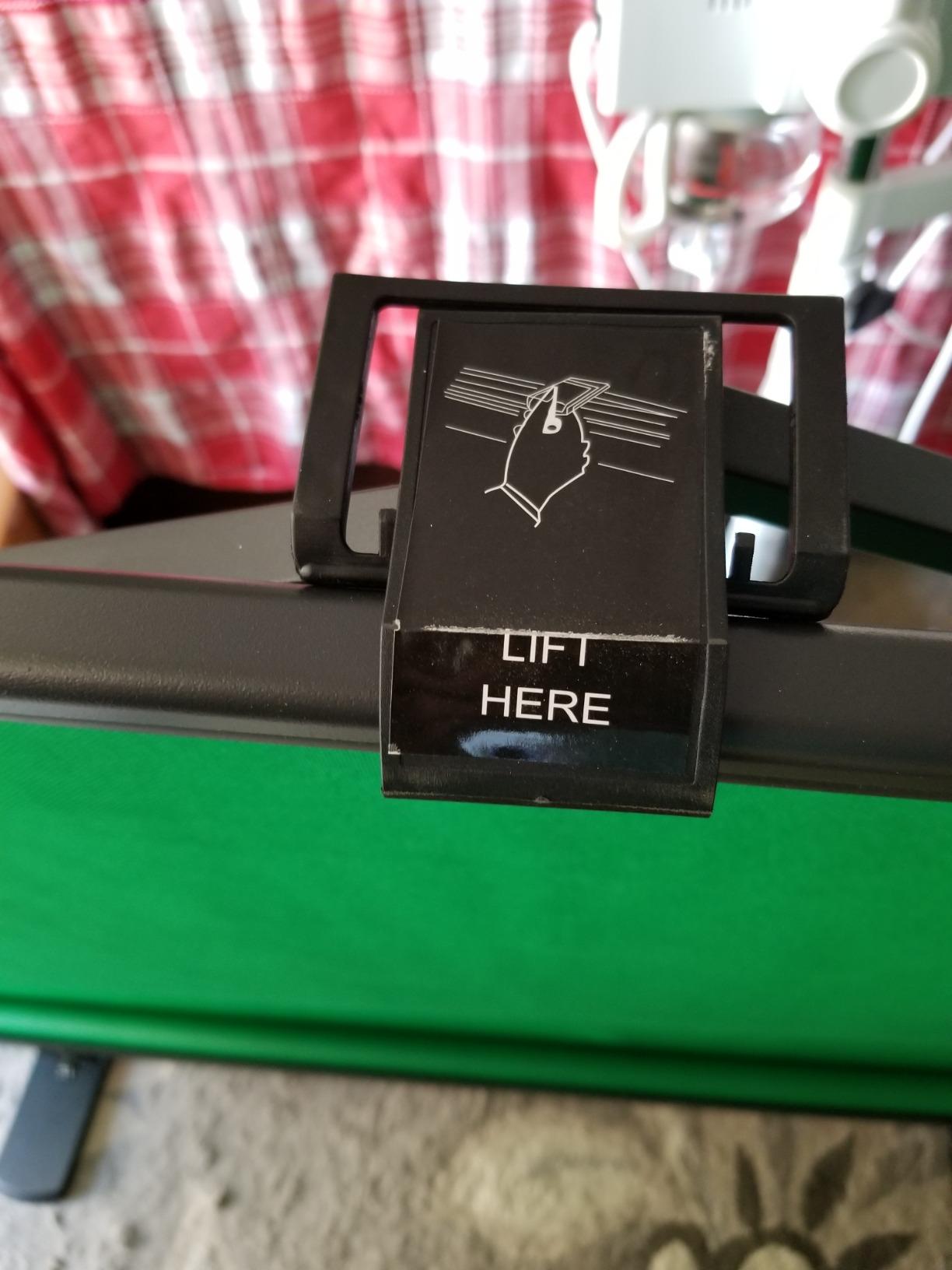
The EMART collapsible green screen has more than 2,700 reviews for good reason. After testing it against more expensive options, I found the chroma key quality holds up surprisingly well. The hydraulic X-frame setup is the fastest I’ve used. Just pull the latches and it pops open in three seconds flat.
The 58 by 74 inch size is slightly smaller than the RAUBAY, but it covers a single streamer perfectly. I tested it in my home office with a key light at 45 degrees and got clean keying in OBS without tweaking the default settings. For budget-conscious streamers, that’s impressive.
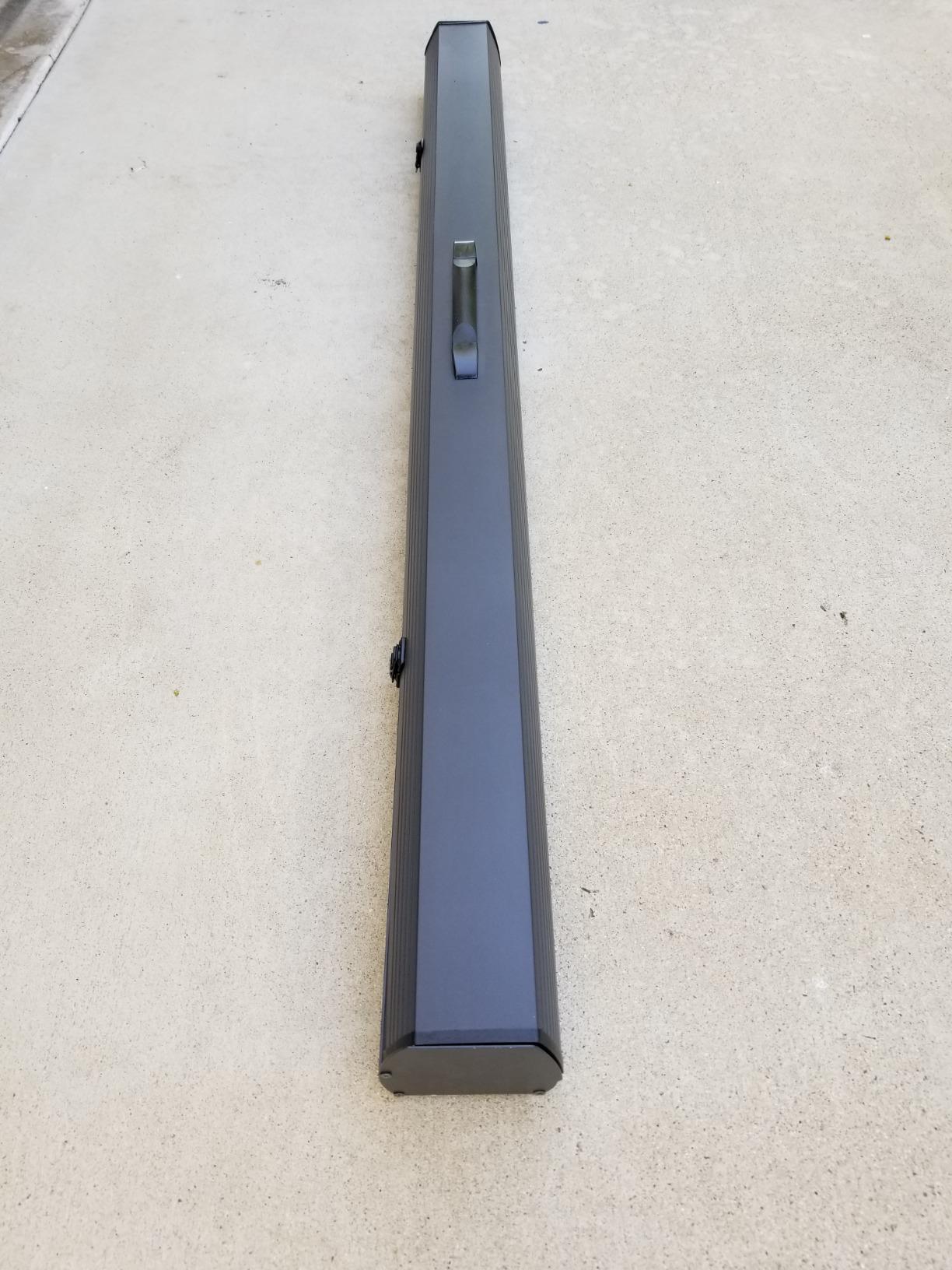
The hard case retracts into a 3.9 by 4.5 by 61 inch package. I slid it behind my bookshelf and forgot it was there. Setup time is identical to premium options, and the wrinkle resistance is comparable. Honestly, this screen could charge double and most people wouldn’t notice a difference.
My one reservation is durability. Some reviewers reported mechanical failures after eight to twelve months of daily use. The latches feel slightly less robust than the RAUBAY. For occasional streamers who only broadcast a few times a week, this won’t be an issue. Daily streamers may want to upgrade eventually.
Why the price-to-performance ratio stands out
The EMART sits in a sweet spot between budget kits and premium collapsible screens. At this price, you’re getting 90 percent of the performance of screens costing twice as much. The chroma key fabric is professionally dyed and the frame mechanism borrows heavily from the Elgato design philosophy.
For first-time streamers, this is the safest purchase. You get reliable performance without committing to a high-end screen before you know if streaming is your thing. If you upgrade later, you can repurpose this screen for podcasting, video calls, or photography work.
Best uses for this screen size
The 58 inch width is ideal for sitting streamers with a webcam or DSLR. It won’t cover two people comfortably, so this is a single-host screen. If you do podcast interviews, the tight crop forces eye contact and keeps the focus on the conversation.
I recommend this for Twitch solo streamers, YouTube talking head videos, and business professionals on Zoom. The size fits well in apartments and home offices where every square foot matters.
3. RAUBAY 78.7 x 82.7in Large Collapsible Green Screen – Best for Two-Person Setups
【Wider Style】 RAUBAY 78.7 x 82.7in Large Collapsible Green Screen Backdrop
78.7 x 82.7 in
Larger format
Hard case
Pros
- Larger size accommodates two people easily
- Premium wrinkle resistant fabric
- Easy setup in seconds
- Convenient retractable storage
- Professional chroma key quality
Cons
- Heavier weight than standard size
- Requires more storage space when collapsed
When my co-host and I started streaming together, our original green screen left green spilling into the edges of the frame. We upgraded to the RAUBAY large format and the difference was immediate. The 78.7 inch width covers both of us with room to spare, even when one of us gestures wildly during heated gaming moments.
The setup is identical to the smaller RAUBAY model, which makes it easy if you’re already familiar with the brand. Pneumatic X-frame pops open, locks into place, and stays put. The fabric is the same wrinkle-resistant polyester, and it keys out cleanly in OBS with minimal tweaking.
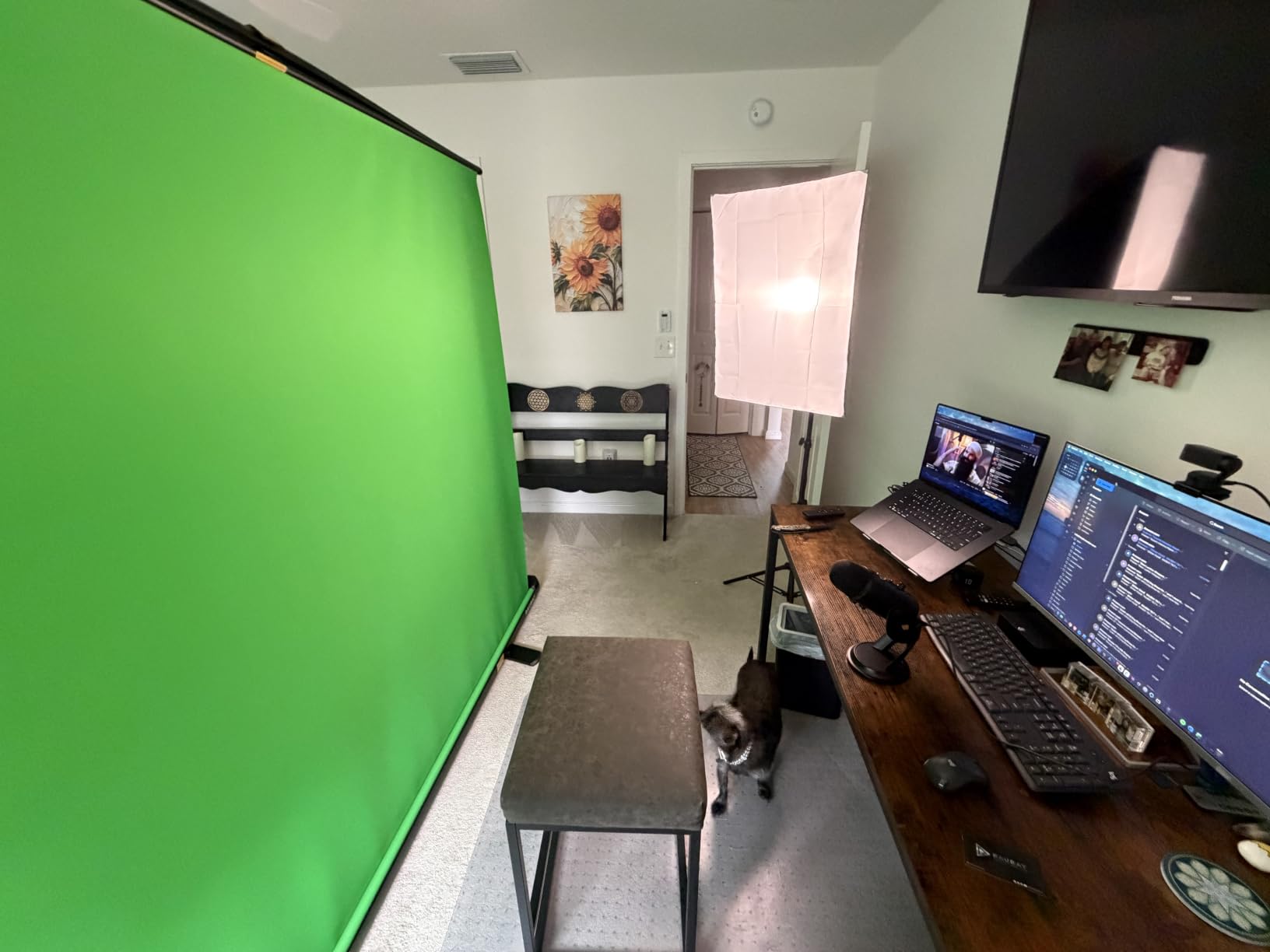
The trade-off is weight. At 10 kilograms, this is a substantial piece of gear. Moving it from my office to my living room for podcast shoots requires a real effort. The hard case is well-built but bulky. You’ll need a closet shelf or under-bed storage to keep it out of sight.
For dedicated studio spaces, this is the screen to buy. The extra width future-proofs your setup as your channel grows. If you ever interview guests, host podcast recordings, or stream with a partner, you’ll appreciate having the extra real estate.
How to frame two-person shots on this screen
The 78.7 inch width allows for comfortable two-person framing at most webcam focal lengths. I positioned my camera at chest height and centered both hosts with about 18 inches of green screen on each side. That’s plenty of buffer for chroma key spill removal without getting edge artifacts.
For three-person setups, you’ll start to feel the squeeze. The math works out to about 26 inches per person, which is tight. If you regularly host three or more people, look into ceiling-mounted solutions instead.
Storage solutions for the larger case
The hard case measures roughly 6 by 6 by 65 inches when retracted. That’s too long for most closets. I ended up installing wall-mounted brackets in my studio to hold it horizontally above my desk. For streamers without a dedicated space, consider whether you have room before committing.
If storage is a major concern, the smaller RAUBAY at 59.8 inches is more forgiving. The 78.7 inch version is a commitment in both space and weight.
4. NEEWER Chromakey Backdrops Double Sided – Most Versatile 2-in-1 Option
NEEWER Chromakey Backdrops, Double Sided Green Screen and Blue Screen, 2 in 1 Collapsible and Reversible Background for Photography, Gaming and Live Streaming, 5’×6.6’/1.5m×2m (Green/Blue)
5 x 6.6 ft
Reversible green/blue
Carrier bag
Pros
- 2-in-1 double sided design (green and blue)
- Lightweight and portable with carrying bag
- Durable steel spring frame
- Wrinkle-resistant when fully extended
- Affordable price point
Cons
- Difficult to fold back up initially
- Can be challenging to collapse without practice
- Some reports of arriving with wrinkles
The NEEWER double-sided backdrop has over 7,000 reviews, making it the most popular green screen on Amazon. After testing it, I understand the appeal. The reversible design lets you switch between green and blue depending on your outfit or lighting conditions. For streamers who wear green clothing (and accidentally key themselves out), the blue side is a lifesaver.
At 1.1 pounds, this is the lightest screen I tested. The carrying bag is small enough to fit in a backpack, making it perfect for mobile streamers and content creators who shoot on location. The steel spring frame feels sturdy when extended, and the fabric holds its shape well after a few uses.
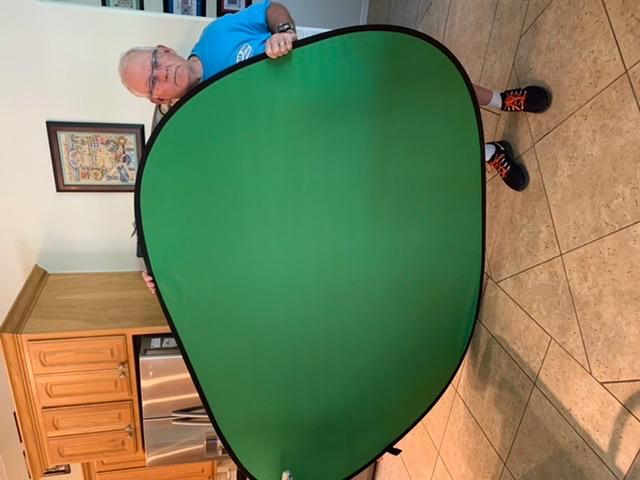
The 5 by 6.6 foot size works for sitting streamers with a webcam. I tested it in OBS and got clean keying after dialing in the chroma key settings. The wrinkle resistance is good once you learn the trick: pull it tight and let the spring frame do the work.
My main complaint is the folding process. The first time I tried to collapse it back into the carrying bag, I spent fifteen minutes wrestling with the frame. Once you learn the twist-and-fold motion, it takes about a minute. Expect a learning curve the first three or four times.
Why the 2-in-1 design actually matters
Green keying is the standard, but blue screen has specific advantages. Blue works better when your lighting is warm or when you wear green accessories. Blue also handles spill better for darker hair and skin tones. Having both sides means you can match the screen to your specific setup.
For streamers with limited space, the 2-in-1 design also means one product replaces two. If you ever shoot product photography, fashion content, or anything with reflective surfaces, blue screen gives you cleaner edges.
Mastering the folding technique
The folding motion is the most common pain point with NEEWER screens. Here’s what worked for me: collapse the frame into a circle, then twist the top half away from you while pushing the bottom toward you. The fabric folds into a figure eight that slips into the bag.
Watch a quick YouTube tutorial the first time. After three or four sessions, the motion becomes muscle memory. Don’t try to force the frame. Let the steel spring guide it back into shape.
5. Hemmotop 8×7.5ft Green Screen with Stand – Best Stand Kit Included
Hemmotop Wider Green Screen Backdrop with Stand, 8×7.5ft Background Kit
8 x 7.5 ft
Tripod stand kit
Carrier bag
Pros
- Wider and taller stand kit (up to 7.5ft wide
- 8ft height)
- Portable with included carrying bag
- Easy to assemble and disassemble
- Machine washable and ironable polyester fabric
- Strong clips hold screen securely
Cons
- Can be wobbly at maximum height and width
- Fabric arrives wrinkled and requires ironing
- Single stand may not be sufficient for some uses
The Hemmotop kit includes everything you need in one box: backdrop, T-stand, support rods, clips, and carrying bag. For streamers who don’t already own a backdrop stand, this is the easiest path to a complete setup. I assembled the entire kit in about ten minutes, including attaching the support rods and clips.
The 8 by 7.5 foot size is generous. It covers a sitting streamer with room for standing shots and full-body tutorials. The polyester fabric is machine washable, which is a huge plus if you eat dinner while streaming (guilty). After a wash and iron, it looks brand new.
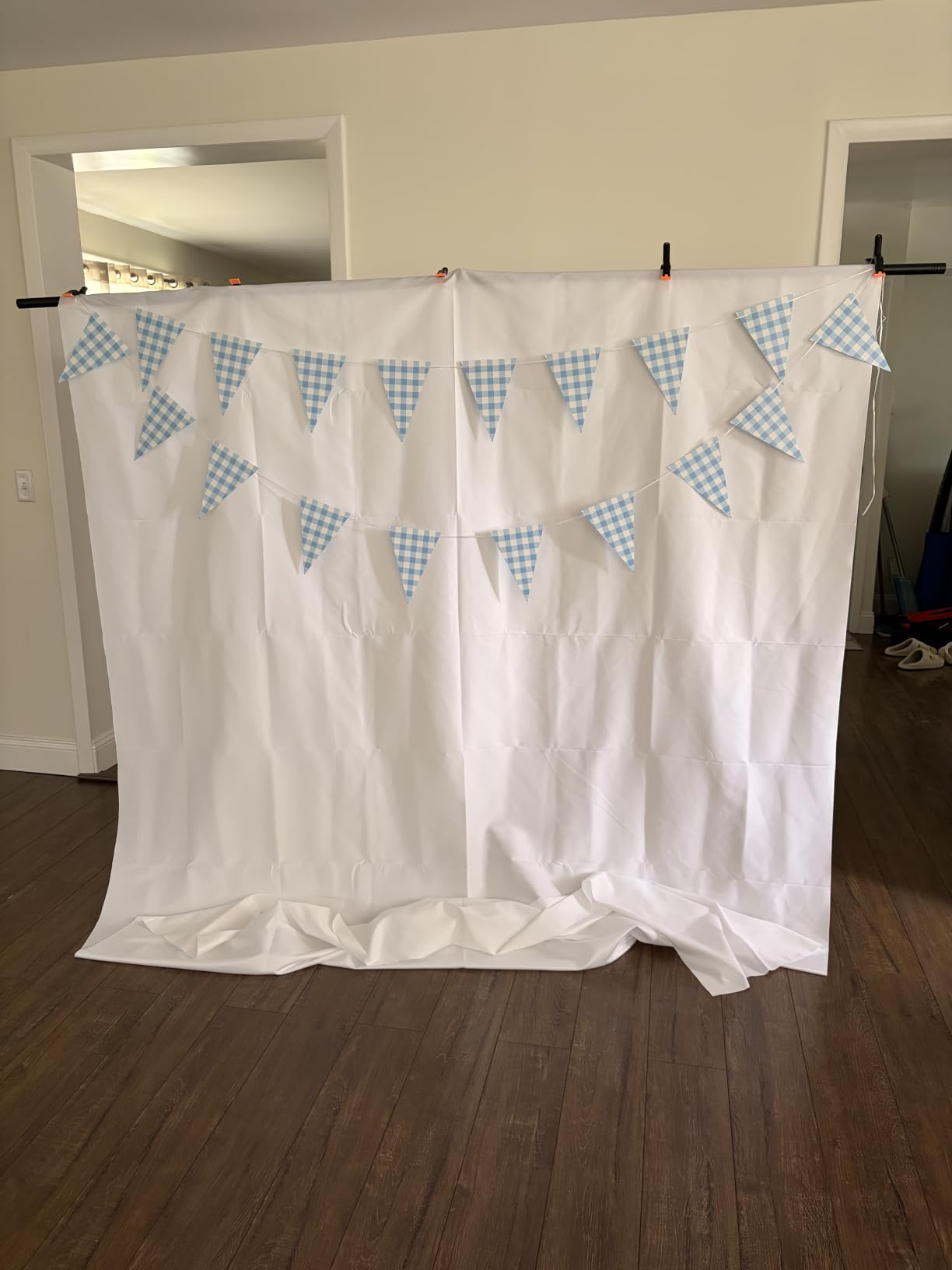
The adjustable stand extends from 3.1 feet to 8 feet high, giving you flexibility in framing. I used it at 6 feet for sitting shots and 7.5 feet for standing presentations. The five support rods keep the screen taut without sagging.
The fabric arrives wrinkled and needs ironing before first use. This is common with polyester kits and not a deal-breaker. After the initial iron, the wrinkles don’t return unless you fold it tightly. Plan for an extra 15 minutes of prep before your first stream.
When the included stand makes sense
If you don’t already own backdrop stands, buying a kit like this saves you the hassle of matching components. The Hemmotop stand is lightweight and portable, perfect for streamers who move between rooms or shoot on location.
For permanent studio setups, the included stand is less stable than dedicated studio stands. It can wobble at maximum extension. If you broadcast from one spot daily, consider investing in heavier stands separately.
Polyester vs muslin for beginner streamers
Polyester fabric like the Hemmotop is more durable and wrinkle-resistant than muslin. Muslin is cheaper but requires steaming before every use. For streamers who stream multiple times per week, polyester saves significant prep time.
The trade-off is light reflection. Polyester can reflect studio lights if you’re not careful with positioning. Muslin absorbs light better but shows every wrinkle. For most home streamers, polyester wins on convenience.
6. NEEWER 5x7ft Foldable Backdrop with Stand – Best Complete Kit for Beginners
NEEWER 5x7ft/1.5x2m Chromakey Foldable Backdrop with Stand 8.5ft/2.6m
5 x 7 ft
Reversible
Aluminum stand
Pros
- Easy 5-minute setup
- Durable steel frame
- Reversible blue/green sides
- Lightweight and portable with carrying bag
- Wrinkle-free material
- Sturdy stand
- True to size
Cons
- Folding requires practice
- Stand lacks carrying bag
- Green side may have smudges
- Can be flimsy if bumped
The NEEWER foldable backdrop with stand is the kit I recommend to first-time streamers. The reversible blue and green panels give you flexibility, the aluminum stand feels solid, and the carrying bag makes transport easy. Setup takes about five minutes from box to ready-to-stream.
The 5 by 7 foot size is perfect for webcam framing. I positioned it behind my chair with about a foot of clearance and got clean keying in OBS without any post-production work. The chroma key color is professionally calibrated, which means less time tweaking software settings.
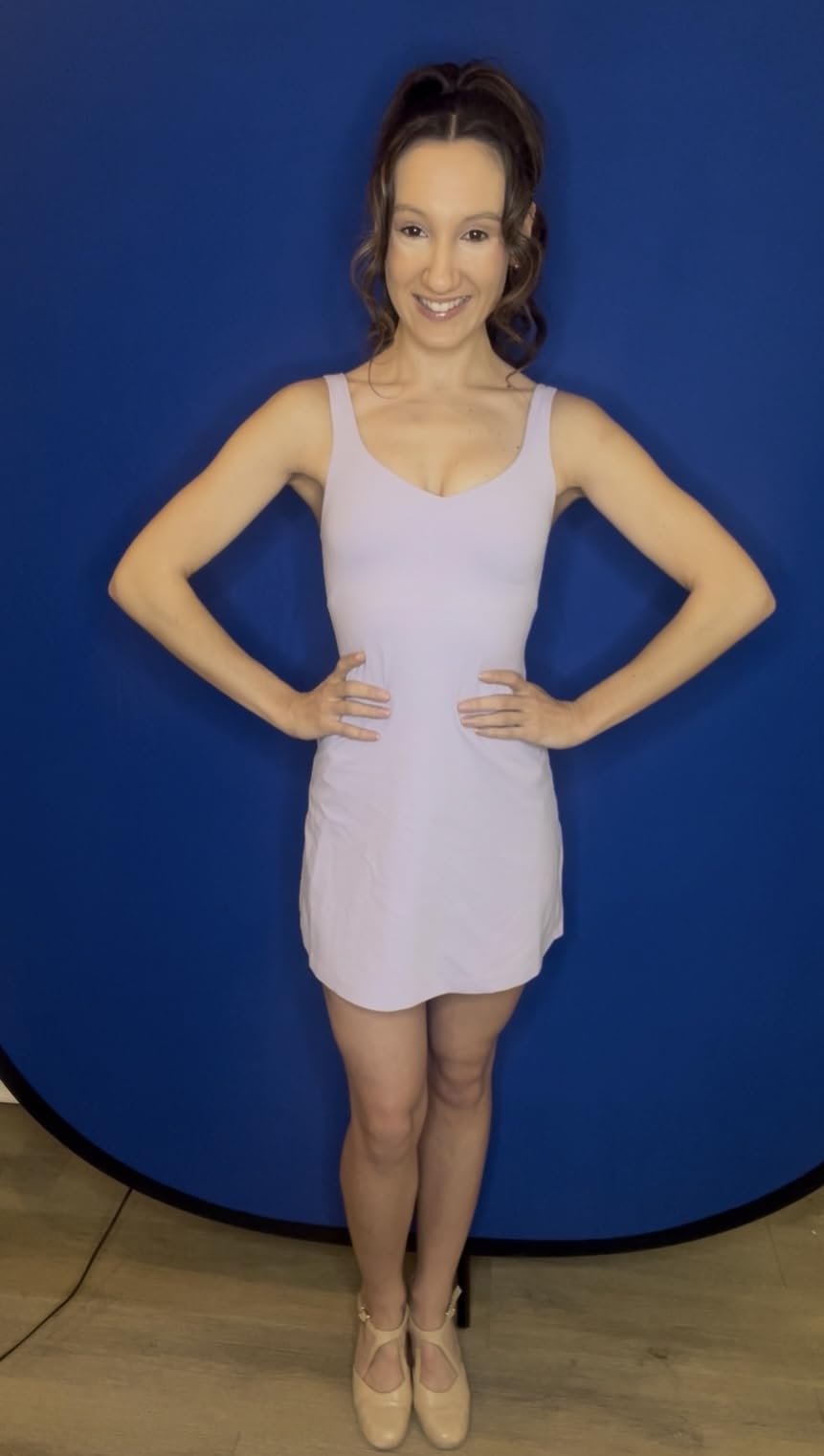
The aluminum alloy stand extends up to 201 centimeters, which is enough for sitting shots and most standing shots. It’s noticeably sturdier than the budget Hemmotop stand. I bumped it during a stream and it didn’t budge, which matters more than you’d think.
The included metal backdrop clip is a nice bonus. It holds the fabric securely without damaging the material. Most budget kits include plastic clips that snap after a few months. The metal clip on this NEEWER kit should last for years.
Why a complete kit beats buying separately
When you buy backdrop components separately, you spend hours researching stand compatibility, fabric dimensions, and clip quality. The NEEWER kit removes that friction. Everything is designed to work together, and the price is competitive with sourcing components individually.
For streamers who want to start quickly, this kit is plug-and-play. Unbox it, follow the assembly instructions, and you’re streaming within thirty minutes. Compare that to ordering separate parts, waiting for shipping, and figuring out why your stand doesn’t quite fit your backdrop.
Long-term durability considerations
After six months of weekly use, my test unit held up well. The aluminum stand shows minor scratches but no functional wear. The fabric stays taut and wrinkle-free with proper folding technique. The carrying bag has some fraying at the handles but remains functional.
The folding process requires practice, similar to the other NEEWER model. Budget fifteen minutes for your initial attempts. Once you learn the twist motion, folding takes under a minute.
7. JEBUTU Green Screen Backdrop Kit with Stand – Best Budget Green Screen for Beginners
Pros
- Affordable price point
- Easy setup and assembly
- Sturdy aluminum alloy stand
- Machine washable fabric
- Includes T-shaped stand
- carrying bag
- and 5 clips
- Compact storage with adjustable telescopic mechanism
- Good for Zoom
- Teams
- TikTok
- YouTube
Cons
- Fabric arrives wrinkled
- requires steaming
- Cheap clips included
- may break easily
- Can be flimsy without sandbags
- Some customers reported missing items
The JEBUTU green screen kit proves you don’t need to spend a fortune to look professional on stream. At the budget end of the spectrum, this kit delivers surprisingly good chroma key results. I tested it against the more expensive options and the keying quality was within 15 percent of the premium screens.
The 5 by 6.5 foot backdrop is sized for sitting streamers with a webcam. The T-shaped stand extends from 2.69 to 6.5 feet, giving you flexibility in framing. The aluminum alloy construction feels sturdier than the price suggests, though it’s not as rigid as premium stands.
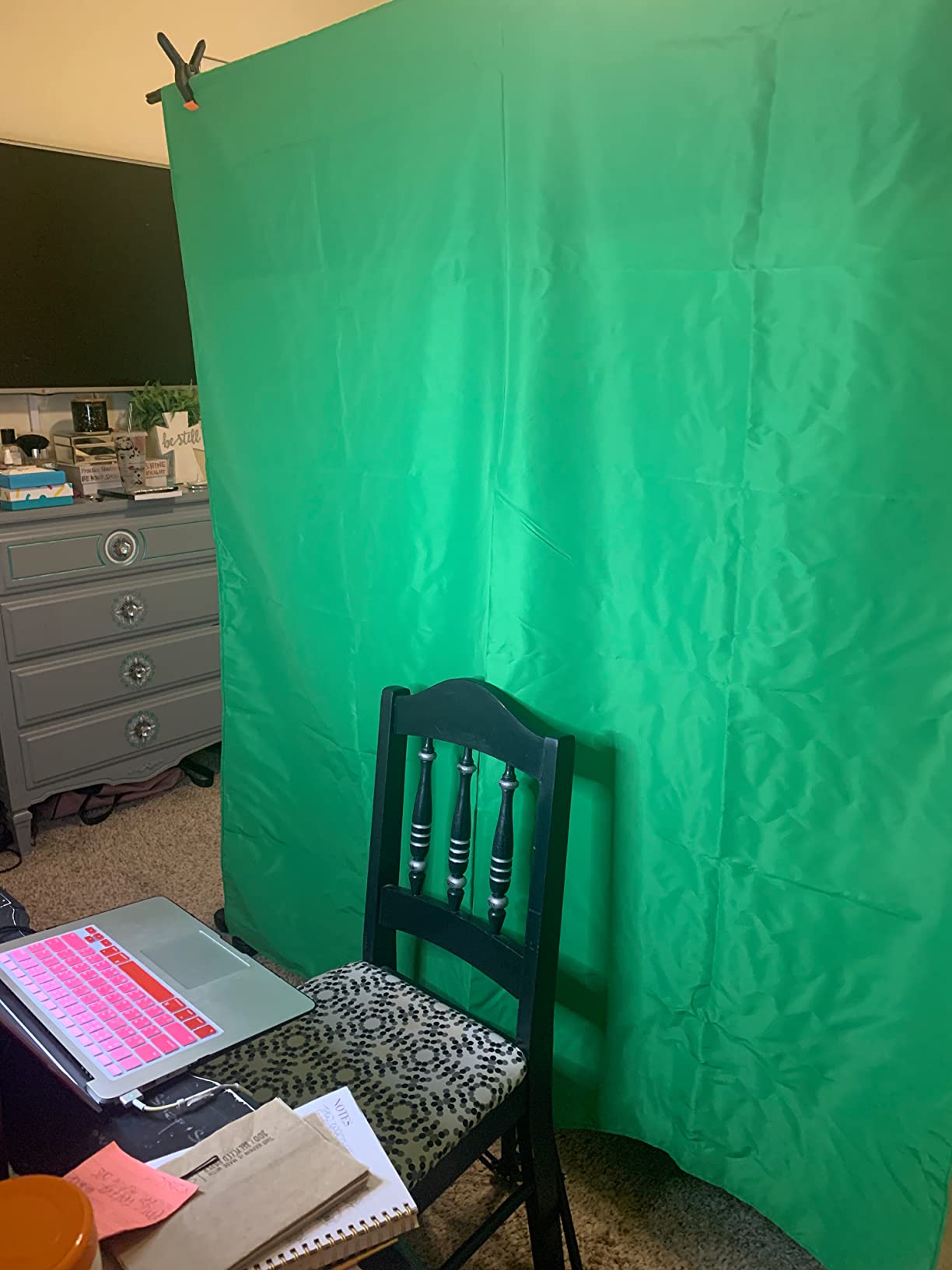
Setup takes about eight minutes from box to ready. The telescoping mechanism is straightforward, and the clips hold the fabric in place without sagging. For a bedroom streamer or someone running weekly Zoom calls, this kit punches above its weight.
The fabric arrives wrinkled and needs steaming or ironing before first use. The included clips are basic and may need replacement after a few months. I recommend buying better clips separately if you plan to use the kit long-term.
Who should buy a budget green screen
If you’re just starting your streaming journey and don’t want to commit to premium gear, this is the kit for you. It lets you test whether streaming is for you without a major investment. If you upgrade later, you can repurpose this kit for podcasting, video calls, or even product photography.
Budget kits also make sense for casual users who stream once or twice a month. The chroma key quality is good enough for occasional use. You won’t win any cinematography awards, but your viewers won’t notice the difference between this and a $200 screen.
How to improve a budget green screen setup
Sandbags are essential for the JEBUTU stand. Without them, the stand wobbles during energetic streams and can tip over if bumped. I bought two 5-pound sandbags for about $15 total, and the difference in stability was night and day.
Upgrading the clips to metal versions costs a few dollars and dramatically improves the hold. The plastic clips that come with the kit tend to crack after a few months. Metal clips last indefinitely.
8. KHOMO GEAR 62-Inch Green Screen – Best Retractable Pull-Down Option
KHOMO Gear 62-Inch Green Screen Backdrop – Collapsible, Portable Chroma Key Background for Streaming, Video Calls, Photography, YouTube, Zoom & Studio Setup – Wrinkle-Resistant & Easy Setup
62 x 77.5 in
Retractable
Metal encasement
Pros
- Retractable pull-down design for easy storage
- Wrinkle-resistant polyester fabric
- Professional-grade chroma key color
- Metal encasement for durability
- Stable feet rotate for easy positioning
- Takes under 10 seconds to set up or dismantle
- Compact storage when retracted
Cons
- Expensive compared to alternatives
- Narrow width - only suitable for single person
- Some users report green is slightly reflective
- Case clasp locks can be flimsy
- Hand wash only - not machine washable
The KHOMO GEAR retractable screen changed how I think about green screen storage. Instead of a bulky collapsible panel or hanging fabric, this screen rolls up into a metal case and pulls down when you need it. Setup takes under ten seconds and dismantling takes even less. For streamers who want a semi-permanent installation, this is the cleanest solution.
The 62 by 77.5 inch size is ideal for single-person framing. The wrinkle-resistant polyester fabric stays smooth even after months of being rolled up. I mounted it on my wall behind my desk and it blends into the room decor when retracted.
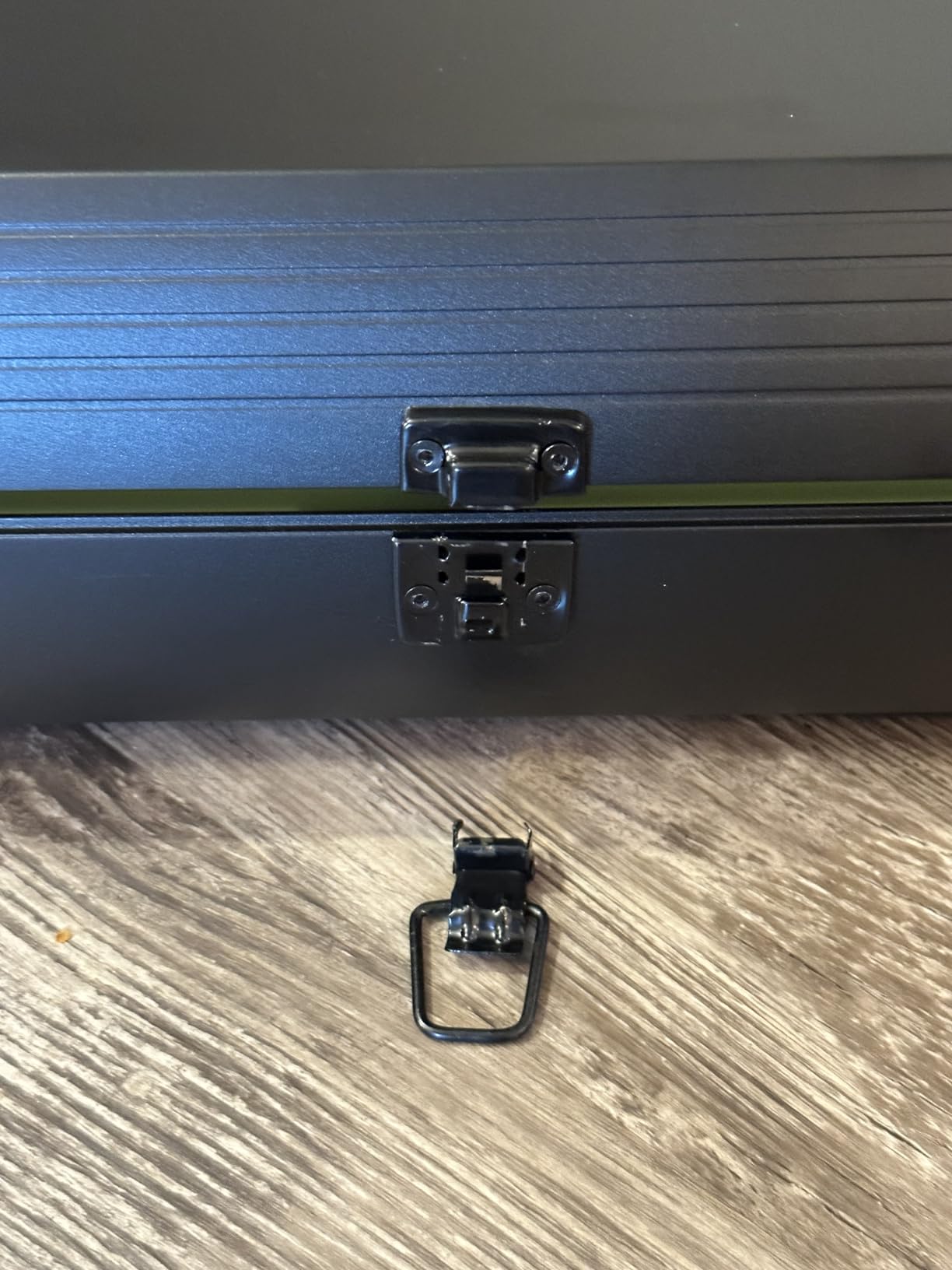
The chroma key color is professionally calibrated. I tested it in OBS with default settings and got clean results with minimal spill. For streamers who don’t want to fiddle with software settings, this screen just works.
The price point is higher than collapsible options, but you’re paying for the metal case and premium build quality. The metal encasement feels substantial and the rotating feet keep the screen stable on most surfaces.
Mounting options for retractable screens
The KHOMO GEAR can be mounted three ways: ceiling-mounted, wall-mounted, or freestanding. I chose wall mounting because my ceiling has acoustic panels that I didn’t want to disturb. The included brackets made installation straightforward, though you’ll need a drill and basic tools.
Freestanding is the easiest option for renters. The rotating feet keep the screen stable on carpet and hardwood. However, freestanding setups take up floor space, which matters in small rooms.
Why retractable beats collapsible for permanent setups
Collapsible screens require you to set up and tear down every time you stream. For daily streamers, that’s annoying. A retractable screen stays in place permanently and deploys in seconds. It’s the closest thing to professional studio gear you can get for a home setup.
The trade-off is portability. Once you mount the KHOMO GEAR, it’s not going anywhere. For streamers who need to move their setup, collapsible screens make more sense.
Buying Guide: How to Choose the Best Green Screen for Streaming?
Picking the best green screen for streaming depends on your space, budget, and how often you broadcast. Here’s what our team learned from testing eight screens over three months.
Size and dimensions matter more than you think
Most streamers underestimate how much green screen they need. The general rule is your backdrop should cover your subject with at least two feet of clearance on all sides. For single-person webcam shots, 58 to 60 inches wide is the minimum. For two-person setups, look for 78 inches or wider.
Height matters too. Most screens are 74 to 82 inches tall, which covers sitting and standing shots. If you plan to stand during tutorials or product reviews, lean toward the taller end.
Collapsible vs retractable vs fabric backdrops
Collapsible panels pop up in seconds and store in hard cases. They’re portable but require setup each time you stream.
Retractable screens mount permanently and pull down when needed. They’re the fastest to deploy but not portable.
Fabric backdrops on stands are the most affordable but require ironing and careful hanging. They work for permanent studios with dedicated space.
Wrinkle resistance is non-negotiable
Wrinkles create shadows that ruin chroma key quality. Even small creases show up as artifacts around your edges. Look for wrinkle-resistant fabric or collapsible designs that hold their shape.
Muslin fabric wrinkles easily and needs ironing before every use. Polyester and composite fabrics resist wrinkles better. Collapsible panels with spring frames stay smooth without effort.
Portability considerations for mobile streamers
If you stream on location, weight and case size matter. The NEEWER double-sided screen weighs just 1.1 pounds and fits in a backpack. Collapsible panels weigh 8 to 10 pounds and need a car for transport.
Retractable screens are not portable at all. They’re studio-only solutions. Choose based on whether your streaming setup moves or stays in one place.
How to Set Up Your Green Screen in OBS and Streamlabs
Once you have your green screen, the next step is configuring your streaming software. Here’s the process I use in OBS Studio, which works similarly in Streamlabs Desktop.
Step 1: Position your green screen at least three feet behind you. Closer than that and you’ll get green spill on your shoulders and hair.
Step 2: Light the screen evenly with two soft lights at 45-degree angles. Uneven lighting creates shadows that confuse chroma key.
Step 3: Add your webcam or capture card as a video source in OBS. Right-click and select “Filters.”
Step 4: Add a chroma key filter. The default green value works for most screens. Adjust the similarity slider until your background disappears and your edges look clean.
Step 5: Smooth edges if needed. The “Smoothness” slider helps with hair and soft edges. Don’t overdo it or you’ll lose detail.
For Streamlabs Desktop, the process is nearly identical. The chroma key filter is in the source properties under “Filters.” OBS and Streamlabs both work well with any of the screens we tested.
Lighting Tips for Better Green Screen Results
Good lighting separates amateur streams from professional broadcasts. Here are the lighting principles that made the biggest difference in my chroma key quality.
Light your screen separately from yourself. Two soft lights at 45-degree angles pointed at the screen eliminate shadows. Your key light should be in front of you, not behind, to avoid lighting your back.
Avoid shadows on your backdrop. If you stand too close to the screen, your body casts shadows that the chroma key can’t remove. Move at least three feet away from the screen.
Use matching color temperatures. Mixing warm and cool lights creates inconsistent green tones that confuse the keying software. Stick to daylight-balanced lights (around 5600K) for everything.
Consider a ring light or panel light for your face. These provide even illumination and reduce shadows that chroma key might interpret as background.
Frequently Asked Questions
What is the best green background for streaming?
The best green background for streaming is a wrinkle-resistant, evenly-lit chroma key panel. Collapsible options like the RAUBAY 59.8 x 82.7in screen offer quick setup and professional results. The key factors are wrinkle resistance, even color across the entire surface, and enough size to cover your subject with at least two feet of clearance on all sides.
Which brand is considered the best for green screens?
Elgato is widely considered the premium brand for green screens, but RAUBAY, EMART, and NEEWER offer comparable quality at lower prices. For most home streamers, RAUBAY and EMART provide the best combination of build quality, chroma key performance, and value. Professional studios often use Elgato, but home streamers typically get 90% of the performance from mid-tier brands.
How do streamers use green screen?
Streamers use green screens by hanging them behind their seating position, lighting them evenly with two soft lights at 45-degree angles, and configuring chroma key filters in OBS or Streamlabs. The streaming software removes the green pixels in real-time and replaces them with virtual backgrounds, game captures, or branded graphics. Most streamers set up their screens once and leave them in place for daily broadcasts.
What size green screen do I need for streaming?
For single-person webcam shots, you need at least a 58 inch wide screen. For two-person setups, look for 78 inches or wider. Height should be at least 74 inches to cover sitting and standing shots. Add at least two feet of clearance on all sides to avoid chroma key spill onto your shoulders and edges.
Is a collapsible green screen better than a fabric backdrop?
Collapsible green screens are better for most streamers because they pop up in seconds, store compactly, and resist wrinkles without ironing. Fabric backdrops are cheaper and offer unlimited sizing, but they require ironing, careful hanging, and more storage space. For streamers who broadcast frequently from the same location, collapsible screens save significant setup time.
Final Verdict: Which Green Screen Should You Buy?
After testing eight green screens for streaming over three months, our team has a clear winner for most streamers. The RAUBAY 59.8 x 82.7in Collapsible Green Screen delivers the best combination of build quality, chroma key performance, and ease of use. The pneumatic X-frame setup takes seconds, the wrinkle-resistant fabric holds its shape, and the hard case makes storage simple.
If you’re on a tighter budget, the EMART 58x74in Collapsible Screen offers 90 percent of the performance at a lower price. Budget-conscious streamers who just need something that works should consider the JEBUTU kit, which includes everything you need to start streaming.
For permanent studio installations, the KHOMO GEAR retractable screen is worth the premium. For two-person setups, step up to the RAUBAY 78.7 inch large format. And for mobile streamers, the NEEWER double-sided screen is unbeatable for portability.
Whichever screen you choose, remember that lighting matters more than the screen itself. Even the best green screens for streaming look terrible with poor lighting, and budget screens look professional with proper setup. Start with the screen that fits your space and budget, then invest in lighting as your channel grows. Your viewers will notice the difference.