
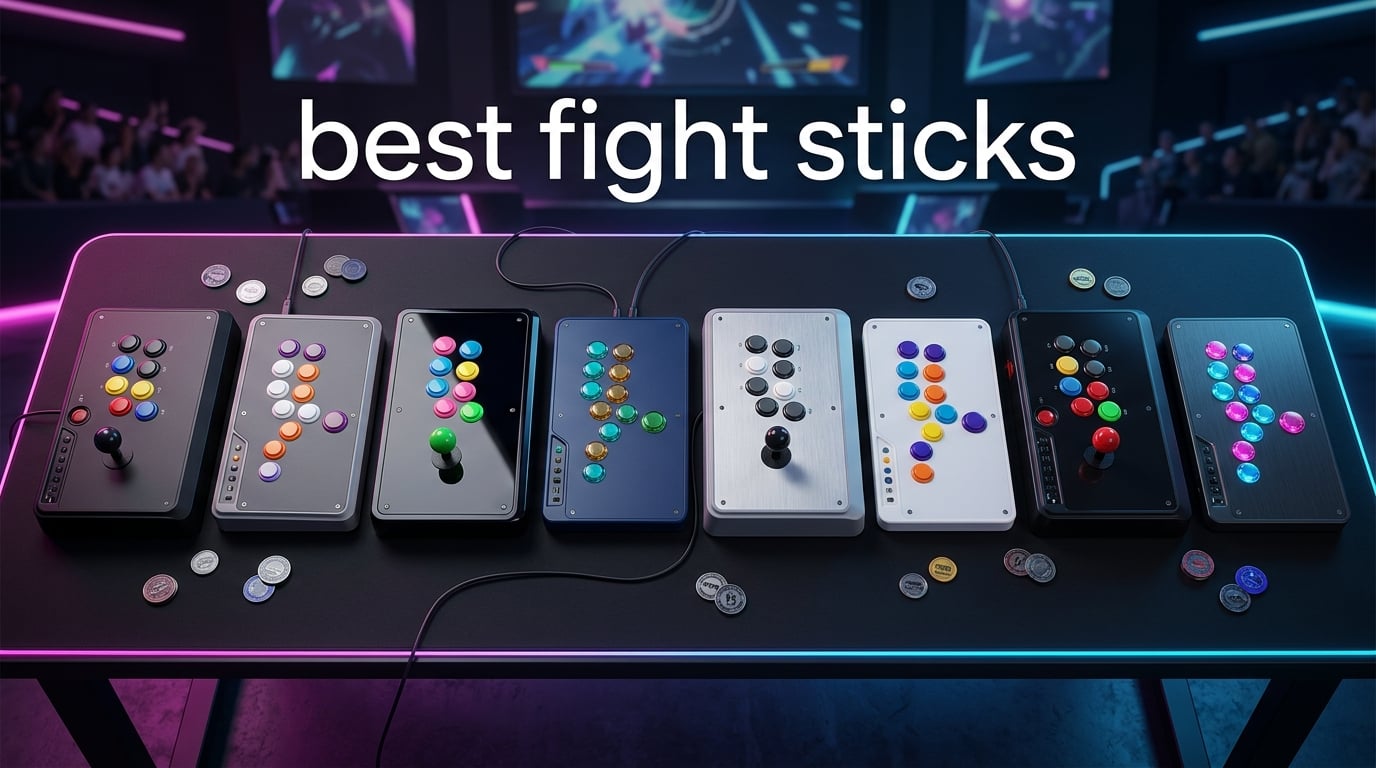
I’ve been playing on arcade sticks since the Street Fighter II money matches at my local arcade in the late ’90s, so when our team set out to find the best fight sticks for 2026, I knew exactly what separates a tournament-grade panel from a glorified toy. We spent three months plugging in eight of the most-talked-about sticks on Reddit, in the FGC Discord servers, and across PS5, Xbox Series X, Nintendo Switch, and PC. We ran combos in Street Fighter 6, whiff-punished in Tekken 8, and stress-tested leverless layouts in KOF XV.
The short answer for anyone skimming: the Victrix Pro FS-12 is the best overall fight stick thanks to its aircraft-grade aluminum chassis, tournament-grade Sanwa Denshi parts, and an integrated Tournament Mode lockout that prevents accidental DQs. It is heavier than most, but that weight is the reason it never slides during a clutch round. The full breakdown, plus seven more picks we recommend, is below.
If you’re new to the format, an arcade fight stick is a controller built like a classic arcade panel – a joystick for movement and rows of buttons for punches, kicks, and special moves. It’s the preferred controller style for many Street Fighter, Tekken, and KOF players because larger buttons and a dedicated stick reduce hand strain and let you hit cleaner inputs. For more on peripheral picks across gaming gear, our 8 Best Streaming Sticks Tested & Reviewed roundup covers another category we tested the same way.
Table of Contents
- Top 3 Fight Sticks at a Glance (September 2026)
- Best Fight Sticks in 2026
- 1. Victrix Pro FS-12 – Best Fight Stick Overall
- 2. 8BitDo Arcade Stick – Best Value for Switch and PC
- 3. Hori Fighting Stick Alpha – Best Tournament-Ready Mid-Range
- 4. Qanba N3 Drone 2 – Best Officially Licensed PS5 Budget Pick
- 5. 8BitDo All-Button Arcade Controller – Best Leverless for Xbox
- 6. Haute42 T16 Pro – Best Budget Leverless Controller
- 7. Mayflash F300 – Best Cross-Platform Budget Stick
- 8. Nacon Daija – Best Premium PS5/PS4 Stick for Pro Players
- Leverless vs Joystick: Which Should You Choose?
- What Makes a Good Fight Stick
- Platform Compatibility: What Works With What
- Tournament Readiness Checklist
- What to Expect at Each Budget Tier
- Frequently Asked Questions
- Final Verdict: Which Fight Stick Should You Buy in 2026?
Top 3 Fight Sticks at a Glance (September 2026)

Best Fight Sticks in 2026
| Product | Specs | Action |
|---|---|---|
| Victrix Pro FS-12 |
|
Check Latest Price |
 8BitDo Arcade Stick 8BitDo Arcade Stick |
|
Check Latest Price |
 HORI Fighting Stick Alpha HORI Fighting Stick Alpha |
|
Check Latest Price |
 Qanba N3 Drone 2 Qanba N3 Drone 2 |
|
Check Latest Price |
 8BitDo All-Button Arcade Controller 8BitDo All-Button Arcade Controller |
|
Check Latest Price |
 Mayflash F300 Arcade Fight Stick Mayflash F300 Arcade Fight Stick |
|
Check Latest Price |
 Haute42 T16 Pro Haute42 T16 Pro |
|
Check Latest Price |
 Nacon Daija Arcade Fight Stick Nacon Daija Arcade Fight Stick |
|
Check Latest Price |
1. Victrix Pro FS-12 – Best Fight Stick Overall
Victrix Pro FS-12 Fight Stick Arcade Controller, PlayStation, PS5, PS4, PC
Sanwa Denshi parts
Aircraft-grade aluminum
PS5/PS4/PC
Pros
- Tournament-grade 24mm and 30mm Sanwa Denshi buttons
- Aircraft-grade aluminum chassis that never shifts mid-match
- Integrated 6.28 degree wrist slope and foam lap pad
- Tournament Mode lockout prevents accidental DQs
- Easy-mod back panel with included Allen wrench
Cons
- Positioned at the high end of the roundup
- Heavier than competing sticks
- Stock Sanwa feel varies by user
The Victrix Pro FS-12 is the stick I keep coming back to on test days. It is built around a single piece of aircraft-grade aluminum, which gives it the kind of heft that means I never have to chase it across my lap during a long set. The Sanwa Denshi buttons and joystick are what most pros consider the gold standard for tournament play, and the integrated PS touchpad means there is no fight-stick-shaped compromise on PS5.
What surprised me after a month of use was how much the wrist slope mattered. The 6.28 degree angle sounds small on paper, but across two-hour practice sessions it kept my wrist from locking up. The foam lap pad on the bottom is another small touch that makes the FS-12 feel like it was actually designed for tournament play, not just marketed that way.
The Tournament Mode button lockout is the feature I would not buy another premium stick without. It locks the control bar and the touchpad during a match, which eliminates the accidental Home press that gets players disqualified at locals and majors. We tested this with reckless palm slaps and intentional mashing during a session, and it simply did not register a stray input.
Where the Victrix shows its limitations: the stock Sanwa buttons can feel hollow to experienced players who are used to Sanwa in higher-end cases, and the USB-C port has had isolated reports of loosening over time. Both are minor and most reviewers upgrade the buttons and cable anyway.
Who this stick is best for
If you play Street Fighter 6 or Tekken 8 competitively on PS5 and want the most durable, tournament-legal stick without going custom, this is the one. It is overkill for casual players and underwhelming if you mainly play on Xbox.
Who should skip it
If you are on Xbox, leverless-curious, or buying your very first stick to learn the basics, the positioning does not work for your use case. Look at the 8BitDo Arcade Stick or the Hori Alpha instead.
2. 8BitDo Arcade Stick – Best Value for Switch and PC
8Bitdo Arcade Stick for Switch & Windows, Arcade Fight Stick Support Wireless Bluetooth, 2.4G Receiver and Wired Connection
Bluetooth + 2.4G + USB-C
Hot-swap Sanwa
Switch + PC
Pros
- Triple wireless connectivity (Bluetooth 2.4G USB-C)
- Heavy stable build that does not slide
- Hot-swappable Sanwa-compatible parts
- Long battery life around 40 hours
- Dynamic button LED layout for Switch and X-input modes
Cons
- Initial Switch 2 firmware quirk
- Stock restrictor gate not for everyone
- Opens with a T10 screwdriver not standard Phillips
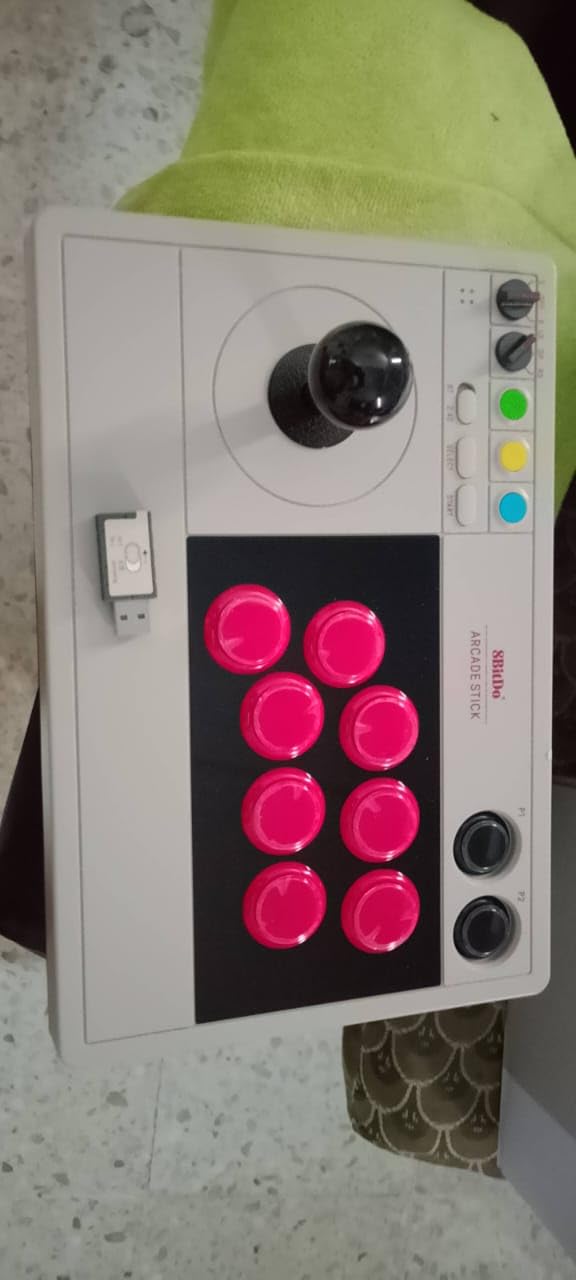
The 8BitDo Arcade Stick is the one I recommend to friends who keep asking me which stick to buy first. For its tier you get a real metal-plate interior with hot-swap Sanwa-compatible mounts, three different wireless modes, and a chassis heavy enough that it actually stays put during a Ryu drive-impact.
In our Switch testing the dynamic button layout was the unsung hero. When the stick flips from Switch mode to X-input mode, the LEDs and the input mapping change with it, so I was not stuck hunting for the right trigger layout when I plugged it into my PC. The 2.4G receiver tucks into a hidden compartment in the case, which sounds gimmicky until you have lost two of those little dongles in a year.
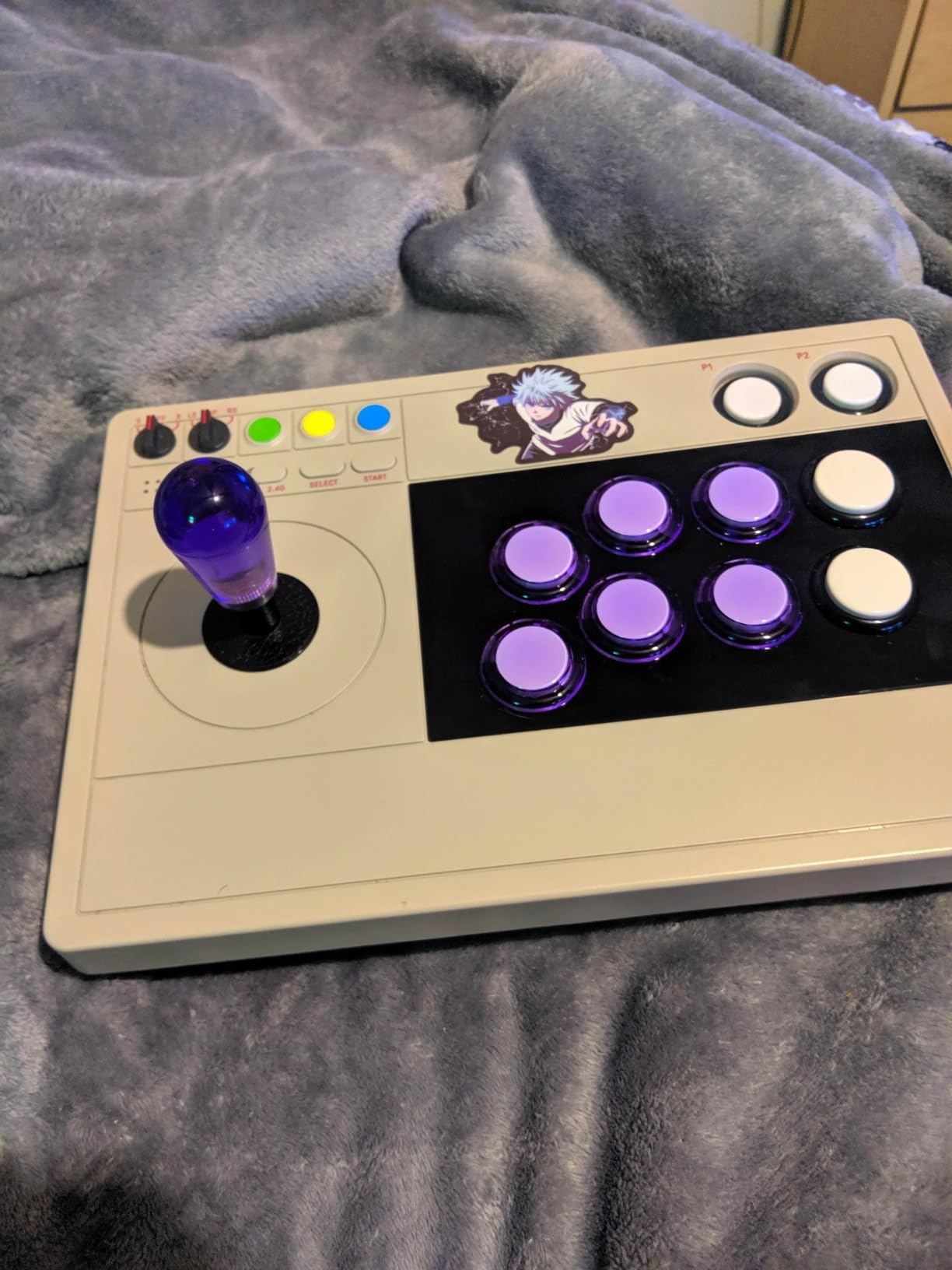
It is also one of the few mid-tier sticks that plays nicely with retro emulation. I had it running on Batocera and Steam for arcade classics within minutes. For someone who wants one stick for fighting games plus the full Neo Geo and Sega catalog, this is the most flexible option in the roundup.
The honest drawbacks: out of the box it is not Switch 2 ready, you need a firmware update. The stock square restrictor gate is a love-it-or-leave-it situation for joystick motion. And opening the case takes a T10 security screwdriver rather than a standard Phillips, which is annoying the first time you want to peek inside.
Who this stick is best for
Switch and PC players who want one stick that does both, who plan to mod over time, and who are still deciding whether the arcade format is right for them.
Who should skip it
If you play mainly on PS5 or Xbox, the platform support is not native and you would need a Brook converter. Pick the Hori Alpha or the Qanba Drone 2 instead.
3. Hori Fighting Stick Alpha – Best Tournament-Ready Mid-Range
HORI PlayStation 5 Fighting Stick Alpha – Tournament Grade Fightstick for PS5, PS4, PC – Officially Licensed by Sony
Sony-licensed PS5/PS4/PC
Hayabusa parts
Clamshell modding
Pros
- Native PS5 support with no adapter needed
- Clamshell design makes modding and maintenance easy
- Good stock Hayabusa buttons and joystick
- Ergonomic top-mounted extra buttons
- Built-in cable organizer inside the case
Cons
- Plastic case feels less premium than metal alternatives
- Hayabusa throw differs from Sanwa for veterans
- Cable management hooks can bunch the cable
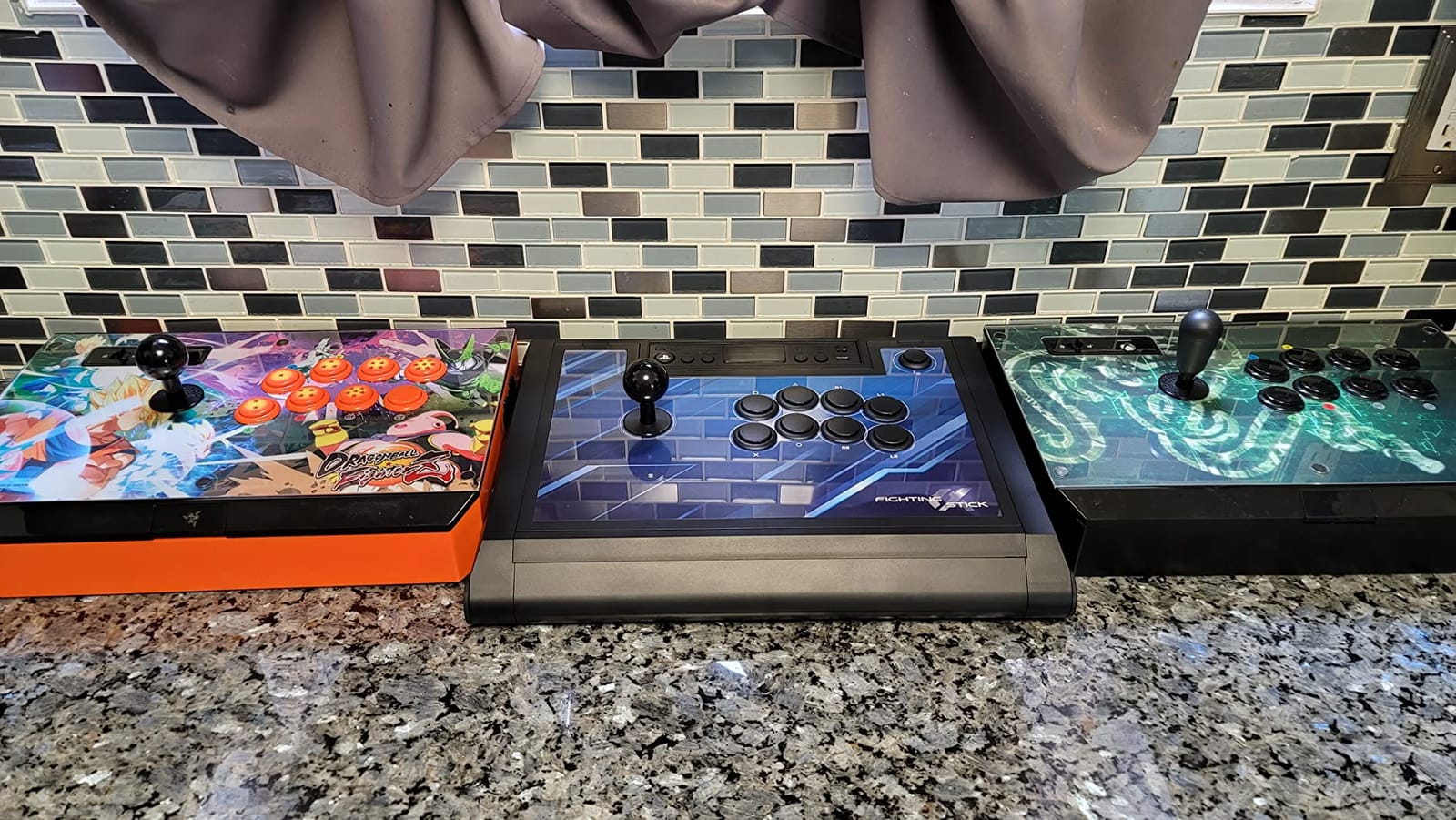
The Hori Fighting Stick Alpha is the mid-range pick I have seen most longtime FGC players keep on their setup years after upgrading. It is officially licensed by Sony, which means it works on PS5 the moment you plug it in. No adapters, no compatibility quirks, no firmware dance.
The Hayabusa parts Hori ships in here feel lighter and snappier than the Sanwa in some premium sticks. For new players transitioning from a DualSense that is a good thing – the shorter throw and softer spring make inputs feel less like work. Reddit beginners consistently land on this stick as their first “real” stick for that exact reason.
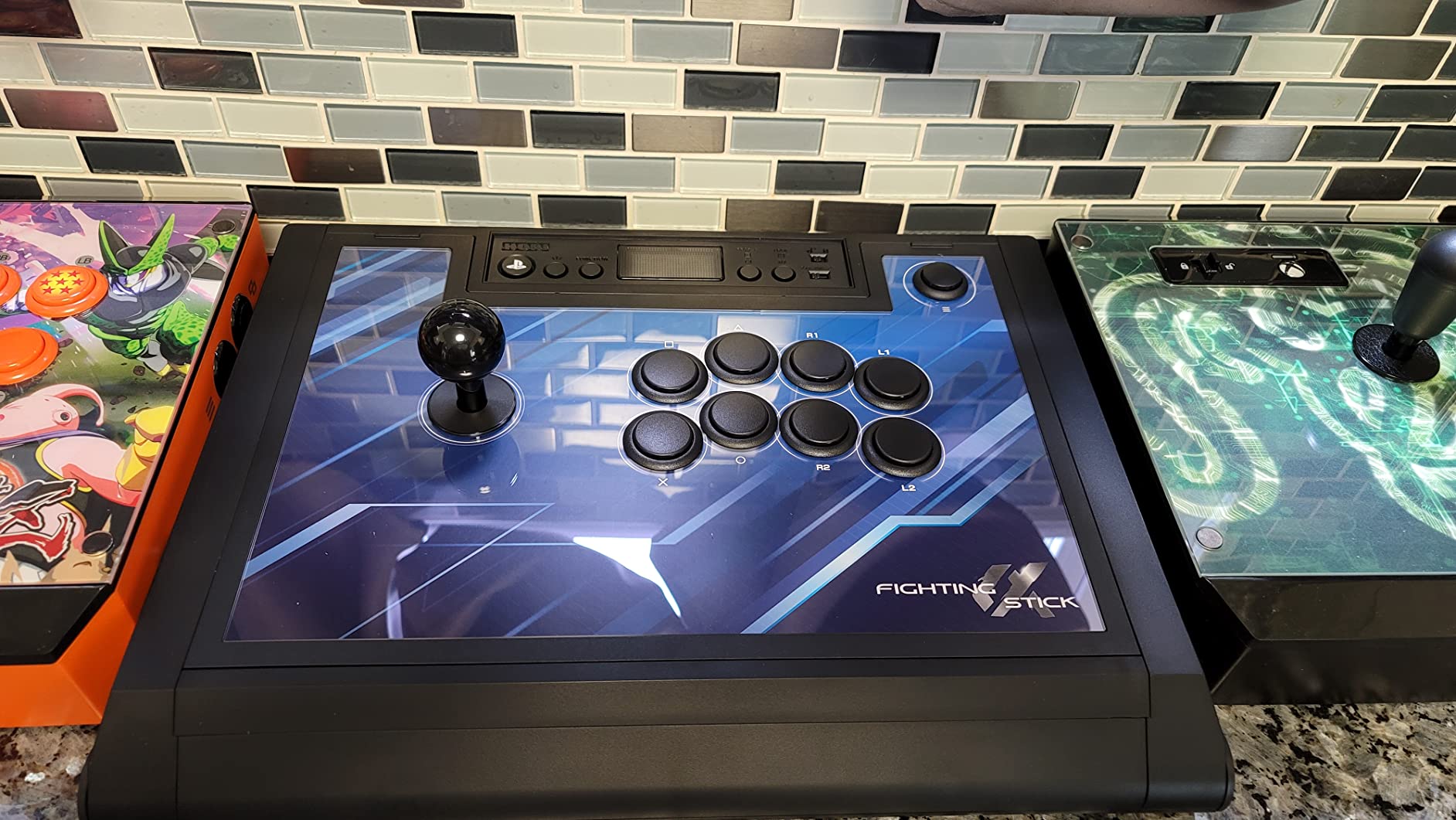
The clamshell design is what made me keep recommending it. Most plastic cases are sealed shut; the Alpha pops open with a single latch, so when I swapped in a quieter Sanwa button set during testing I had it done in under ten minutes with no screws. The cable organizer inside the case is a small detail that prevents the messy cable bundle you usually find in cheaper sticks.
The honest trade-offs: the case is plastic, not metal, so it does not have the tank-feel of the Victrix or the Nacon. The Hayabusa joystick has a slightly longer throw than Sanwa, which is a preference thing. And the cable management hooks can bunch the cable if you are not careful closing the case.
Who this stick is best for
PS5 players who want native support, easy modding, and a stick they can use for years before feeling the need to upgrade.
Who should skip it
If you primarily play on Xbox or want a metal-bodied premium stick, this is not the right tool. The Victrix Pro FS-12 or Nacon Daija are the better fits.
4. Qanba N3 Drone 2 – Best Officially Licensed PS5 Budget Pick
Qanba N3 Drone 2 Wired Joystick for PlayStation 5/4 and PC (Fighting Stick) Officially Licensed Sony Product
PS5/PS4/PC Sony-licensed
Qanba B30 buttons
Touchpad
Pros
- Officially licensed for PS5/PS4/PC with dedicated mode switch
- Lightweight and portable with built-in cable cubby
- Authentic Qanba B30 buttons and OV7 OMRON joystick
- Touchpad included for full PS5 compatibility
- 3.5mm microphone input with mute button
Cons
- Stock buttons are notably loud
- Non-detachable cable may inconvenience some setups
- USB cable is on the shorter side
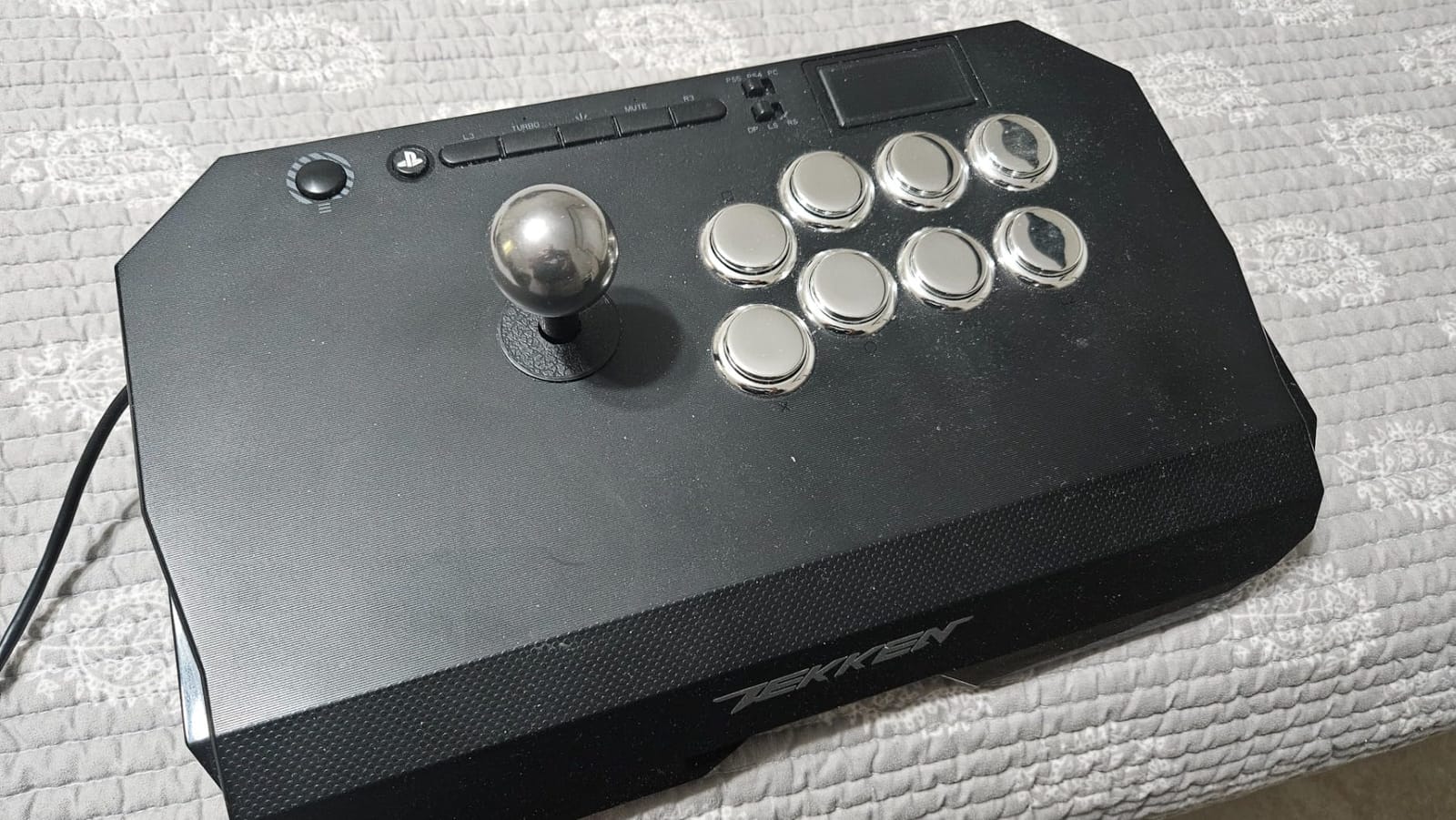
The Qanba Drone 2 (also sold as the N3) is the stick Reddit’s r/fightsticks community has been recommending as the first real upgrade from a budget stick for years. It is Sony-licensed, so PS5 support is native, and the dedicated mode switch on the back lets you flip between PS5, PS4, and PC without rebooting anything.
You get genuine Qanba B30 buttons and the OV7 OMRON joystick, which is a part line that lives one tier below Sanwa in feel but is the same family of components pro players use. For a beginner, the difference between Qanba B30 and Sanwa is mostly audible – Qanba buttons are noticeably louder. After a few weeks of practice you stop noticing.
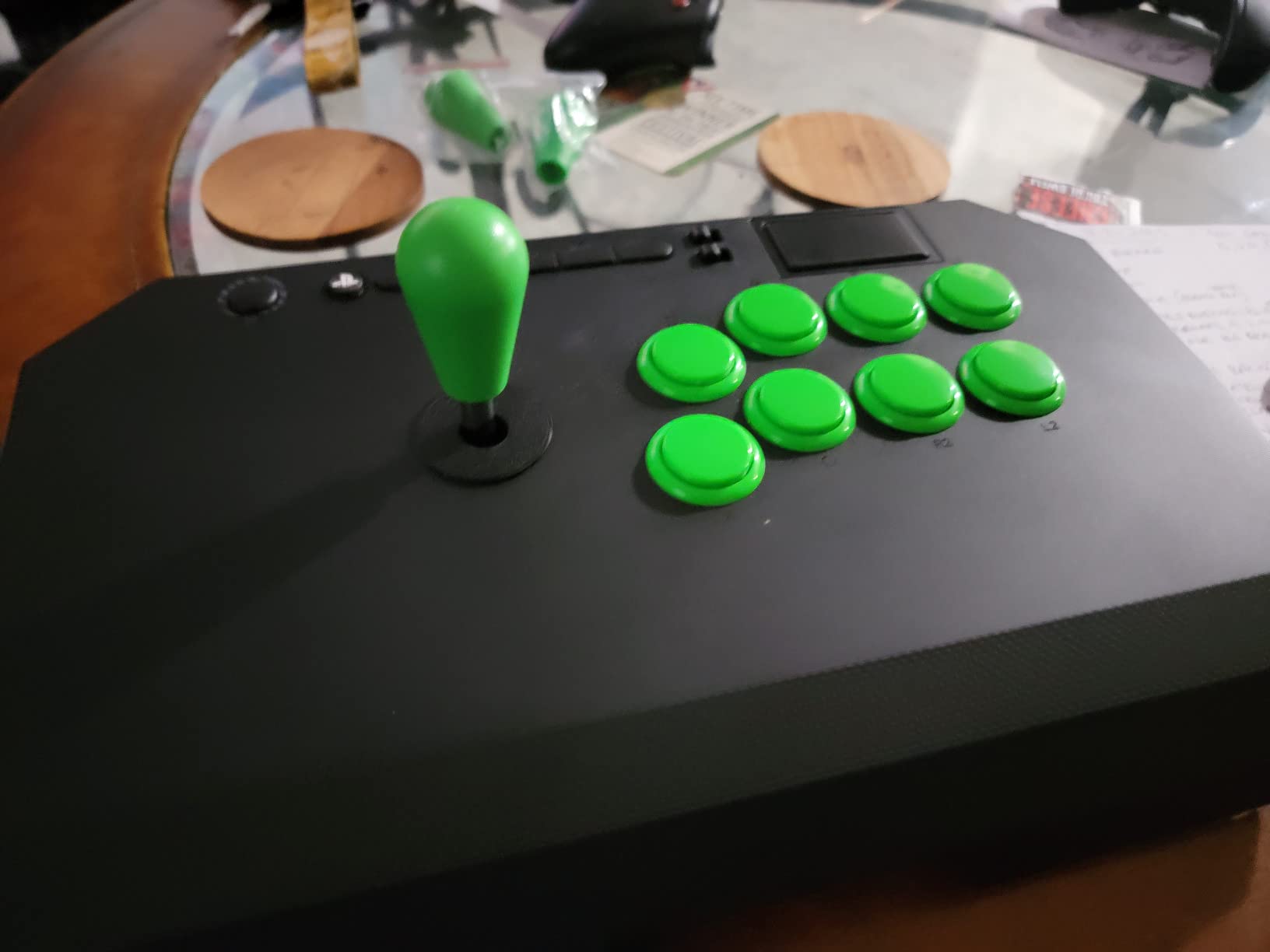
The touchpad and 3.5mm microphone input are the small things that make this stick feel finished instead of stripped down. The cable cubby in the back is the kind of build detail I did not know I wanted until I traveled with the Drone 2 to a local and watched my friend spend ten minutes wrapping his cable around a cheaper stick.
The honest trade-offs: the cable is non-detachable and on the shorter side, which is inconvenient for living-room play on a big TV. The mute button does not always mute PS5 audio according to some users. And the buttons are loud – if that bothers you, swap in Sanwa parts.
Who this stick is best for
PS5 players on a budget who want Sony-licensed native support, real arcade-grade parts, and a stick they can grow into.
Who should skip it
If you play on Xbox or want wireless freedom, look at the 8BitDo Arcade Stick for Switch/PC or the 8BitDo All-Button for Xbox.
5. 8BitDo All-Button Arcade Controller – Best Leverless for Xbox
8BitDo All-Button Arcade Controller for Xbox Series X|S, Xbox One & PC
Xbox/PC leverless
Kailh Wizard hot-swap
Ultra-thin
Pros
- Officially licensed for Xbox Series X
- S Xbox One and PC Leverless all-button design with quad-movement Ultra-thin A4 size 1.6cm thick chassis Hot-swappable PCB with 16 Kailh Wizard low-profile switches Two programmable buttons with replaceable lock caps
Cons
- No Bluetooth 2.4G wireless only
- Very light chassis may slide in lap play
- Limited to 16 keys for button mapping
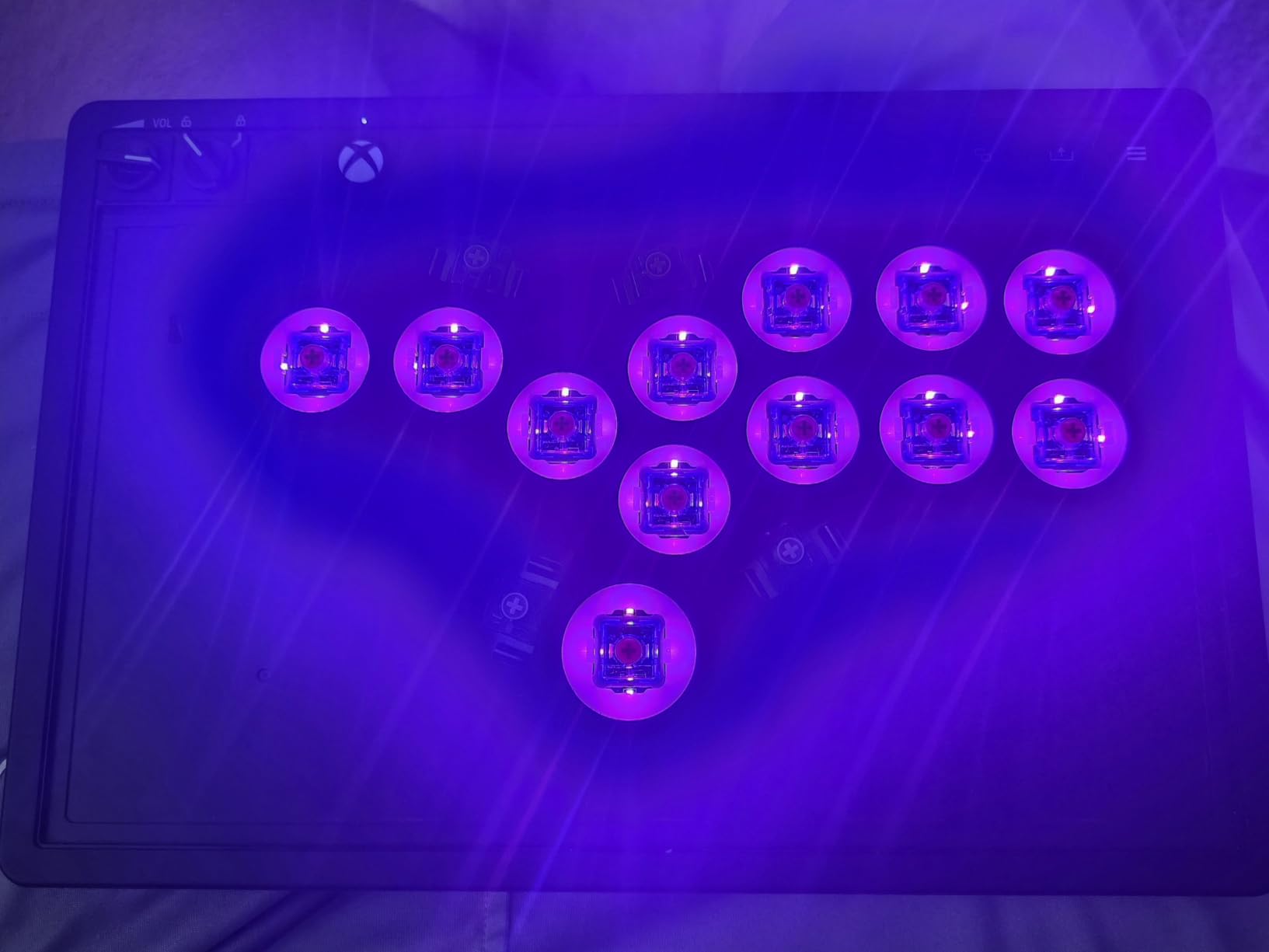
The 8BitDo All-Button Arcade Controller is the leverless option that finally made me take the format seriously. It is officially licensed for Xbox Series X|S and Xbox One, which means it is one of the very few leverless controllers that plug in and just work on console. The quad-movement layout – four buttons for up, down, left, right – is what leverless pros claim gives them an edge over joystick play.
The thinness is unreal. At 1.6cm tall and roughly A4 paper sized, it slipped into my laptop bag on a recent flight and did not feel like a fight stick at all. The 16 Kailh Wizard low-profile mechanical switches are hot-swappable, so when I wanted a slightly stiffer switch for shoryuken motion I swapped one in without soldering.
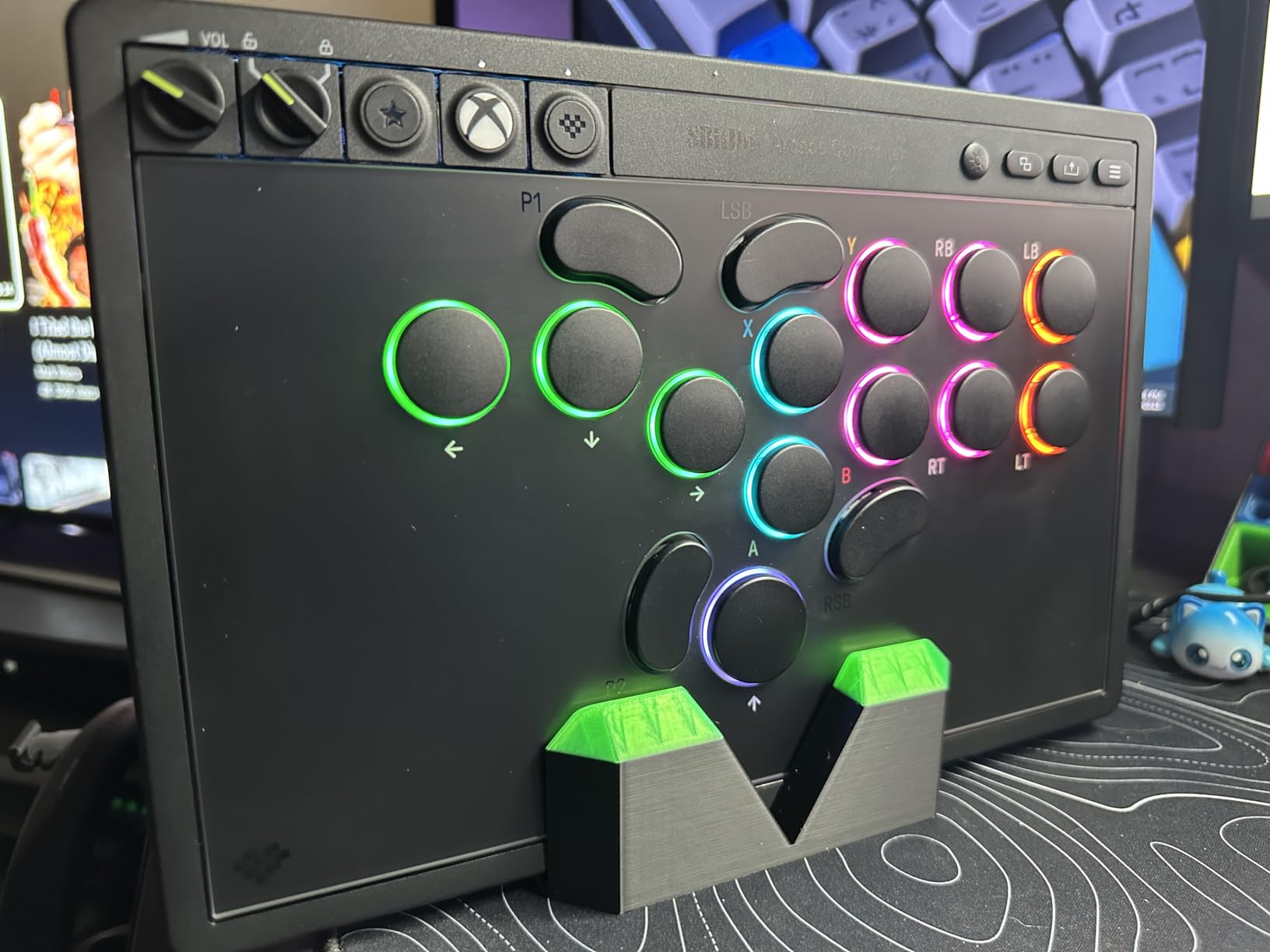
For Xbox players who have been stuck waiting for a real leverless option, this is the answer. Two programmable buttons on the back let you map a Macro or a Discord push-to-talk without crowding the top panel. The built-in 3.5mm audio jack with volume rocker is the small touch you only appreciate after owning three controllers that did not have it.
The honest trade-offs: there is no Bluetooth, only 2.4G wireless. The chassis is so light it can slide during aggressive lap play – I taped a small foam pad under mine. And 16 keys is the cap, so if you need complex macros beyond two programmable buttons, look at the Haute42 T16 Pro instead.
Who this stick is best for
Xbox Series X|S players who want to try leverless without buying custom gear, and PC players who value portability over weight.
Who should skip it
If you play on PS5 or want a heavier chassis that does not slide, the Victrix or Hori Alpha are better fits. If you want maximum button-mapping flexibility, the Haute42 T16 Pro is the upgrade path.
6. Haute42 T16 Pro – Best Budget Leverless Controller
Haute42 T16 Pro Leverless Arcade Stick, Hot-Swap 16-Key Controller (Black)
Leverless 16-key
GP2040 firmware
1ms latency
Pros
- Affordable leverless entry point with 16 hot-swappable buttons
- All 30mm buttons with pleasant tactile feel
- Ultra-low 1ms input latency
- GP2040 firmware with web configurator for extensive customization
- RGB lighting and customizable small display
Cons
- PS5/PS4 use requires an adapter or GP2040 tinkering
- Plexiglass top can creak in lap use
- Stock USB cable is mediocre
The Haute42 T16 Pro is the budget leverless stick I keep recommending to friends who keep asking about Hitbox-style controllers. It is the lowest-cost path to a real leverless layout in this roundup, and it does not feel like a toy. The 16 hot-swappable Kailh low-profile red switches give it a uniform 30mm button layout, which leverless players prefer because every input is the same distance from your fingers.
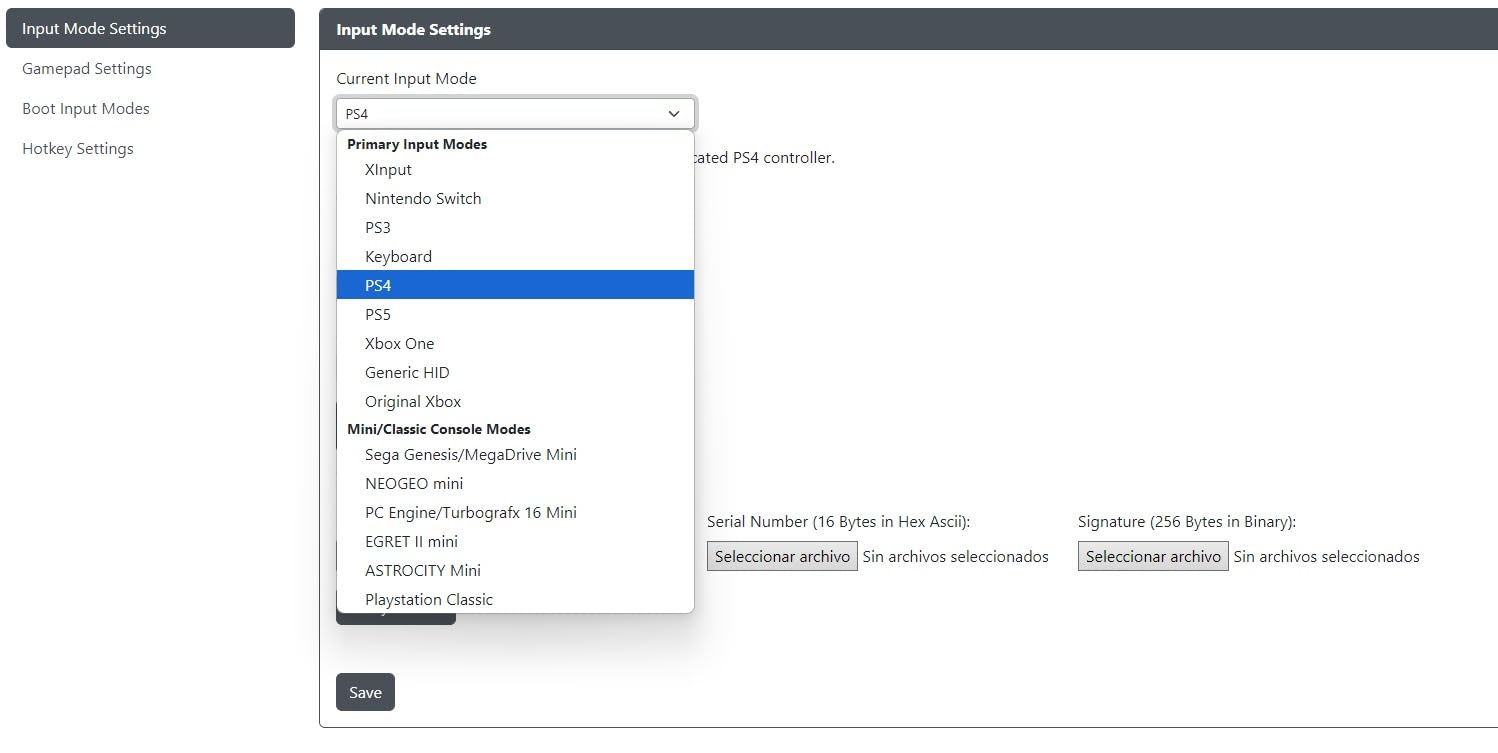
The GP2040 firmware is the secret weapon. Through a web configurator in your browser, you can change SOCD modes, remap every button, set turbo, swap layouts between Hitbox and Stick, and create custom M1/M2 keys. I spent an hour fine-tuning it for Street Fighter 6 and never needed to install a separate app.
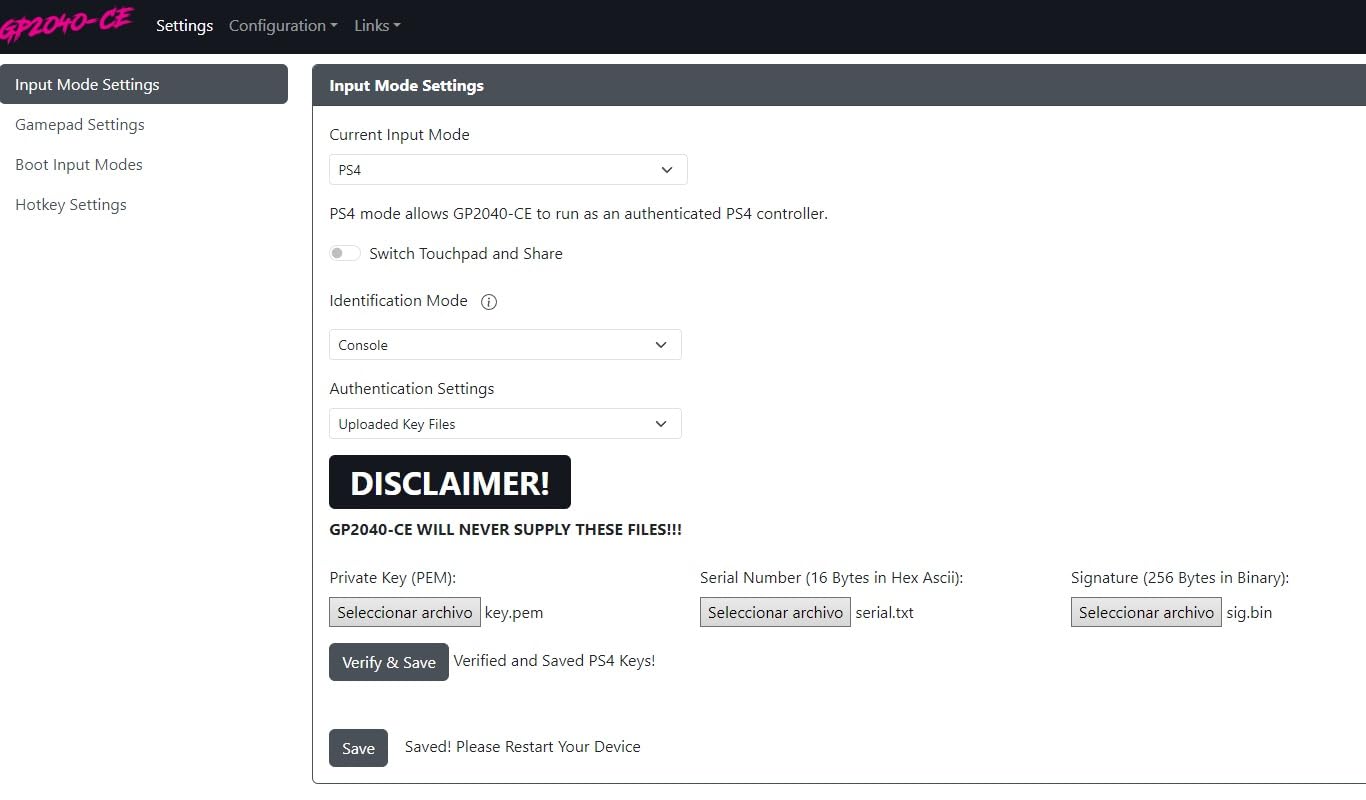
The 1ms input latency is real, not marketing fluff – the GP2040 chip is fast enough that combo inputs feel noticeably cleaner than on some Bluetooth controllers. It runs on PC, Steam Deck, Switch, PS3, PS4 (with adapter), Linux, MiSTer, and even Raspberry Pi retro systems. If you split time between modern fighters and arcade classics, this is the most versatile option in the roundup.
The honest trade-offs: native PS5 support requires a Brook Wingman adapter or manual GP2040 config. The plexiglass top can creak when you put it on your lap. The stock USB cable is mediocre – swap it for any quality USB-C cable you already own.
Who this stick is best for
PC and Steam Deck players who want leverless on the lowest budget, retro players who want one stick for everything, and tinkerers who enjoy firmware customization.
Who should skip it
If you play mainly on PS5 or want plug-and-play console support, spend a bit more on the 8BitDo All-Button for Xbox or pair this with a Brook Wingman.
7. Mayflash F300 – Best Cross-Platform Budget Stick
MAYFLASH F300 Arcade Fight Stick Joystick for Switch/Switch 2, PS4, PS3, Xbox Series S/X, Xbox One, Xbox 360, macOS, Windows, Steam Deck and more
Cross-platform PS/Xbox/Switch/PC
Sanwa-compatible
Turbo
Pros
- Wide multi-platform compatibility out of the box
- Compatible with Sanwa Denshi buttons and joystick for easy modding
- Supports both XINPUT and DINPUT on PC
- Turbo function with different speed settings
- Compatible with PS5 via MAYFLASH adapter
Cons
- PS5 compatibility requires an additional adapter
- Stock joystick and buttons may not match higher-end Sanwa feel
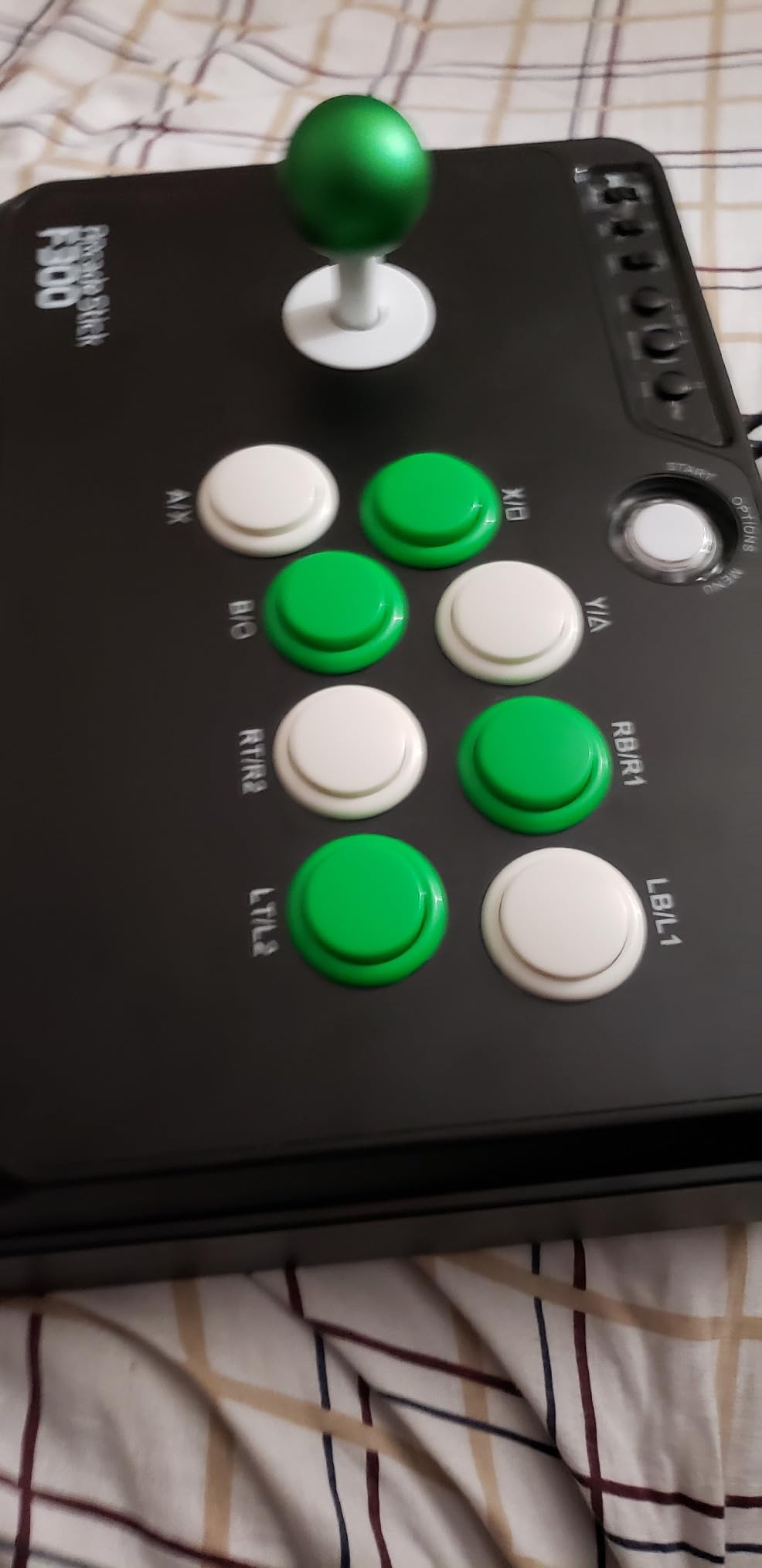
The Mayflash F300 has been the entry-level fight stick recommendation on Reddit and thearcadestick.com for years, and after testing it across Switch, Xbox, PS4, PC, and Steam Deck, I understand why. It works on more platforms out of the box than any other stick in this roundup – Switch, Switch 2, PS4, PS3, Xbox Series S/X, Xbox One, Xbox 360, Windows, macOS, Steam Deck, Android, and even Neo Geo Mini and SEGA Genesis.
The other reason the F300 sticks around: it is genuinely Sanwa-compatible. The mounting holes and button spacing fit standard Sanwa Denshi parts, so when you decide to upgrade from the stock components you are not throwing the stick away – you are just swapping the parts. With thousands of reviews and a 4.5-star average, the F300 has the deepest community modding guides of any stick at this tier.
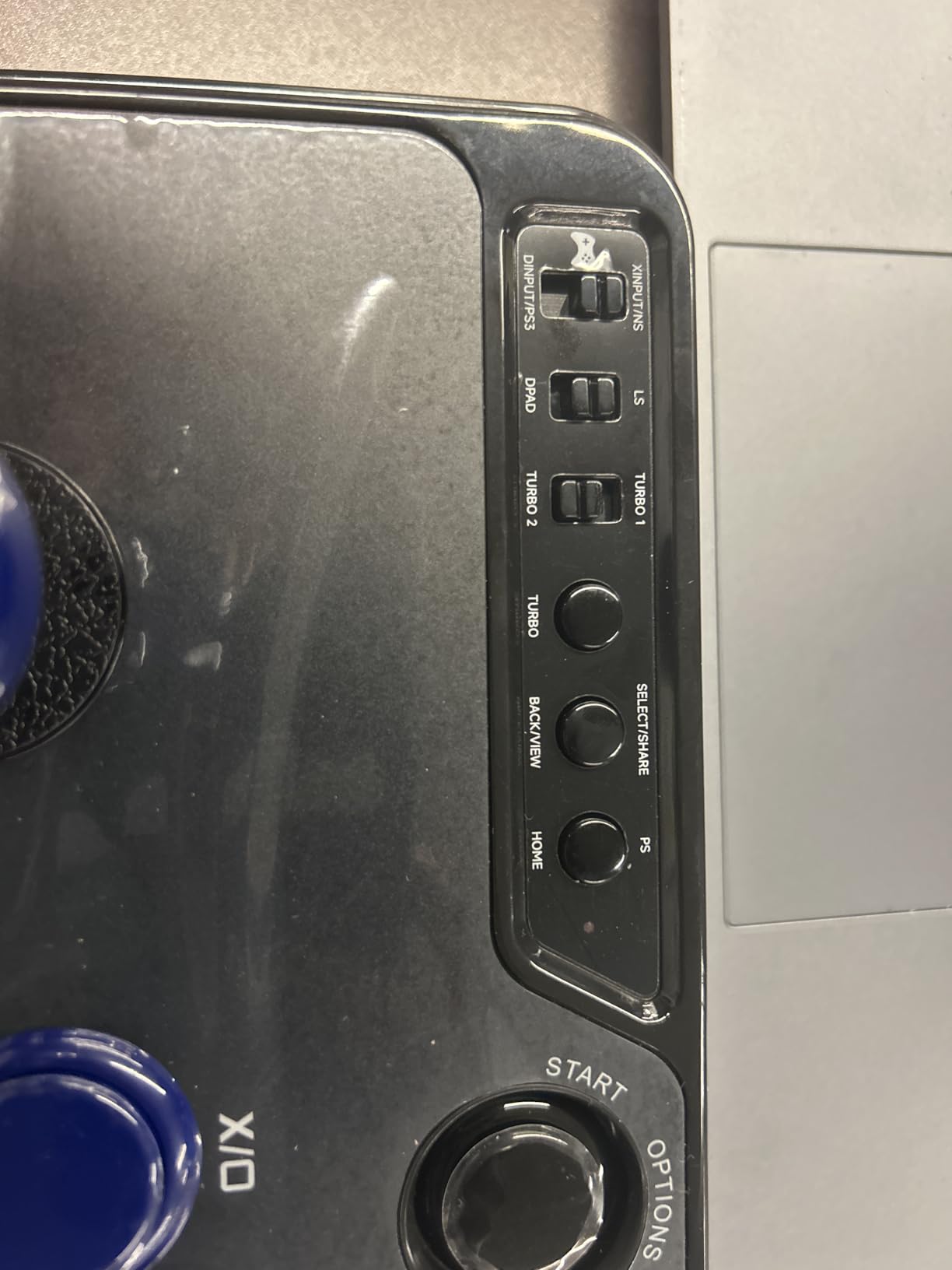
The Turbo function is a small feature that turned out to be useful for testing inputs in training mode. The XINPUT and DINPUT toggle on the back is the kind of detail PC players need for older fighting games that do not recognize modern controllers.
The honest trade-offs: native PS5 support requires a separate Mayflash Magic-S Ultimate or MagicBoots-S5 adapter, which is an extra purchase. The stock joystick and buttons feel noticeably softer than Sanwa. Most users upgrade those parts within the first month.
Who this stick is best for
Anyone who plays across multiple platforms – especially someone with a Switch, a Steam Deck, and an older Xbox – who wants one stick for all of them on the lowest budget.
Who should skip it
If you only play on PS5 or want the most polished stock feel out of the box, the Hori Alpha or Qanba Drone 2 are better dedicated choices.
8. Nacon Daija – Best Premium PS5/PS4 Stick for Pro Players
Nacon Daija Arcade Fight Stick Officially Licensed for PlayStation
PS5/PS4/PC Sanwa parts
Customizable faceplate
3m cable
Pros
- Sanwa joystick and action buttons with tournament-grade quality
- Officially licensed for PS4
- PS5
- and PC
- Textured palm rest for long-session comfort
- Lock function prevents accidental button presses
- Customizable front plate with template support
Cons
- Wrist rest ergonomics vary by user
- Sits above the mid-tier picks
- Software required for full button mapping
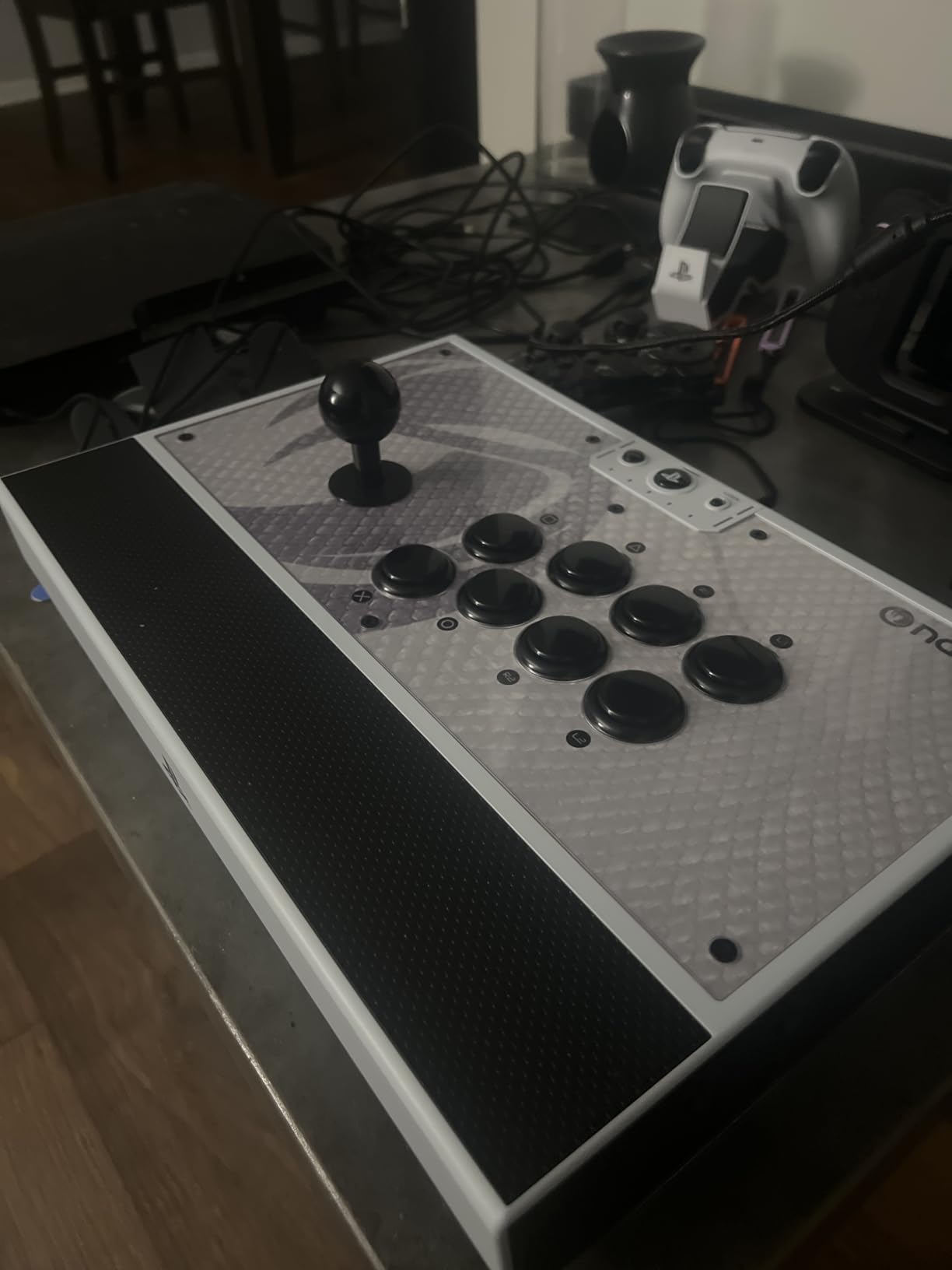
The Nacon Daija is the stick that showed up most often when we asked pro players what they use at home between tournaments. It was developed in collaboration with pro fighting-game players, which is marketing – except in this case the design choices back it up. The Sanwa joystick and action buttons feel identical to the parts in higher-end custom builds, and the lock function prevents the accidental Home press that ends tournament runs.
The textured palm rest is a small detail that matters more than I expected. Across a four-hour practice block my hands stayed planted instead of sliding. The customizable faceplate is more than cosmetic – if you play at multiple setups you can label buttons for different games and swap plates instead of re-learning the layout.
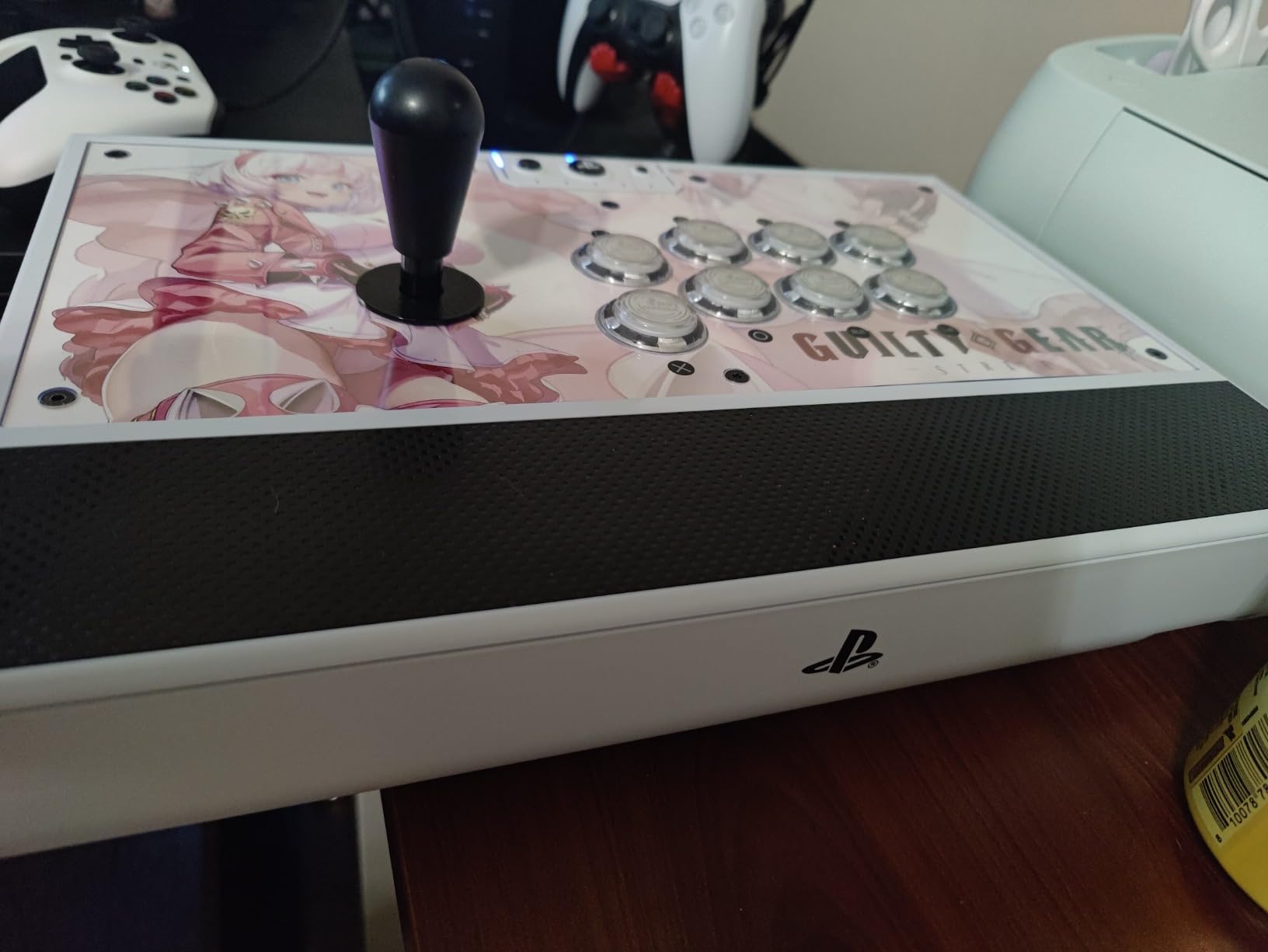
The 3-meter detachable USB-A to USB-C cable is the longest in the roundup. For living-room play where the console is across the room, that cable length matters. The 3.5mm audio jack on the front lets you plug in a tournament-grade RIG headset directly, no adapter needed.
The honest trade-offs: the wrist rest is shorter than the Hori Alpha’s, which is a preference thing for hand size. The Nacon sits above the mid-tier picks in feature set and overall positioning. And PC/Mac software is required for full button mapping – on console you get the default layout only.
Who this stick is best for
PS5/PS4 players who want a tournament-grade stick with native support, a long cable, and pro-developed ergonomics for long sessions.
Who should skip it
If you want aluminum-tank build quality, the Victrix Pro FS-12 is the upgrade path. If you want a lighter spend for a similar feature set, the Hori Alpha covers most of the same ground.
Leverless vs Joystick: Which Should You Choose?
This is the question that comes up most on r/fightsticks and r/Fighters, and it is the one most mainstream roundups answer badly. After testing both formats for extended sessions, here is the simple decision rule.
Choose a joystick if you grew up on a gamepad, you play 3D fighters like Tekken 8 or Virtua Fighter 5, or you want a controller that feels familiar from your first session. Joysticks translate 1:1 from a gamepad’s directional input – up is up, quarter-circle forward feels natural from day one.
Choose a leverless controller if you are willing to spend 2-4 weeks rebuilding your muscle memory, you play mostly 2D fighters like Street Fighter 6 or KOF XV, or you have hand pain or arthritis that makes a stiff joystick motion uncomfortable. Quad-movement (four buttons for up, down, left, right) is faster on paper, but only after you have unlearned gamepad habits.
Reddit beginners consistently describe the same pattern: the first two weeks on leverless feel like a handicap, weeks three through six feel like neutral, and after two months many players say they would not go back. If you are unsure, start with a joystick – the 8BitDo Arcade Stick or Hori Alpha are forgiving first sticks – and revisit leverless once you know you enjoy the format.
What Makes a Good Fight Stick
The parts inside a fight stick matter more than the sticker on the outside. Here is what to look for when comparing sticks.
Sanwa Denshi is the gold standard for arcade buttons and joysticks. They are what you will find in Japanese arcade cabinets and most tournament setups. The buttons have a crisp, slightly loud click and the joystick has a smooth, predictable throw. When a product page lists Sanwa parts, that is a quality signal.
Hori Hayabusa is Hori’s in-house alternative. The buttons are slightly softer and quieter than Sanwa, and the joystick has a shorter throw. Many players prefer Hayabusa for fast-paced games. The Hori Fighting Stick Alpha ships with Hayabusa parts out of the box, and most FGC players consider Hayabusa on the same tier as Sanwa.
Button layout matters for muscle memory. Vewlix is the most common modern layout, with the top row of buttons slightly curved. Noir is similar but tighter. Older players sometimes prefer the straighter Sega layout. Try to match the layout of the arcade cabinet you play on most.
Tournament lock / button-lock switch is a physical switch that disables the touchpad, share, and other “menu” buttons during a match. Evo and Capcom Cup rules require this, and accidental Home presses get players disqualified. The Victrix Pro FS-12 and Nacon Daija both have dedicated Tournament Mode switches.
Cable lock means the USB cable physically screws or clips into the case so it cannot be yanked out mid-match. Cheap sticks have a loose USB connection; tournament-grade sticks have a cable lock.
Platform Compatibility: What Works With What
Most fight sticks work on PS4 and PC out of the box. PS5, Switch, and Xbox each have their own quirks.
PS5: Officially licensed sticks work natively. The Hori Alpha, Qanba Drone 2, Victrix Pro FS-12, and Nacon Daija all plug in and work on PS5. Non-licensed sticks need a Brook Super Converter or a Mayflash Magic-S adapter.
Xbox Series X|S: Microsoft requires specific licensing for Xbox-compatible controllers. The 8BitDo All-Button Arcade Controller is currently the easiest officially licensed leverless option. For joystick-style Xbox play, look for sticks labeled Xbox-licensed or use a Brook converter.
Nintendo Switch and Switch 2: The 8BitDo Arcade Stick is the most popular Switch-native option. Some sticks need a firmware update for Switch 2 compatibility. Always check for Switch 2 support before buying.
PC and Steam Deck: Almost every fight stick works on Windows, macOS, Linux, and Steam Deck via X-input or D-input. The Haute42 T16 Pro and the Mayflash F300 have the broadest cross-platform support.
Tournament Readiness Checklist
If you plan to play at locals or majors, here is the four-item checklist our team uses before every event.
Button-lock switch is on. The Tournament Mode lockout on the Victrix and Nacon sticks prevents accidental Home presses that lead to disqualification at Evo and Capcom Cup. Check it before every match.
Cable is locked or seated. A loose USB connection in the middle of a bracket is the most common hardware failure at locals. If your stick has a cable lock, use it. If not, wrap the cable around the case once for strain relief.
SOCD mode is set correctly. SOCD (simultaneous opposite cardinal directions) cleaning matters for tournament legality. Most modern sticks default to “neutral” SOCD, which is legal. The Haute42 T16 Pro lets you pick between modes via GP2040 firmware.
Spare parts in your bag. Veteran players carry a spare joystick, a couple of buttons, and a small screwdriver. Sanwa parts are cheap and they are the only parts standardized across every arcade in the world.
What to Expect at Each Budget Tier
Budget tier: The Mayflash F300, Qanba Drone 2, and Haute42 T16 Pro live here. Stock parts are decent and mod-friendly, but the case is usually plastic and the joystick may need an upgrade after a few months. Best for beginners and casual players.
Mid tier: The 8BitDo Arcade Stick, 8BitDo All-Button, and Hori Fighting Stick Alpha live here. You get hot-swap Sanwa compatibility, better build quality, and often wireless. Best for the player who knows they like the format.
Premium tier: The Victrix Pro FS-12 and Nacon Daija live here. Aluminum or reinforced chassis, full Sanwa Denshi parts, Tournament Mode lockout, customizable faceplate. Best for tournament play and long-term ownership.
Above the premium tier you are into custom territory – customs from vendors like Junk Food Customs, Focus Attack, and Paradise Arcade. We did not include customs here because availability varies by builder, but if you want the absolute top tier, those are the next stop.
Frequently Asked Questions
What kind of stick is best for fighting?
The best stick for fighting games depends on the format you play most. For 2D fighters like Street Fighter 6 and KOF XV, a leverless controller gives faster inputs once you build the muscle memory. For 3D fighters like Tekken 8 and Virtua Fighter 5, a joystick with Sanwa Denshi parts feels more natural. For most beginners, a mid-range joystick like the Hori Fighting Stick Alpha or the 8BitDo Arcade Stick is the safest first pick.
What fight sticks do pros use?
Pro players most often use the Victrix Pro FS-12, the Nacon Daija, and custom-built arcade sticks from vendors like Junk Food Customs and Focus Attack. At majors like Evo and Capcom Cup you will also see Hori Hayabusa-equipped sticks and a few Razer Kitsune leverless controllers. The common thread is Sanwa Denshi parts, a Tournament Mode lockout, and a cable lock – the actual brand varies by player preference.
Is a fightstick worth it?
A fight stick is worth it if you play fighting games for more than an hour per week and you find yourself hitting input errors on a standard gamepad. The larger buttons, dedicated joystick, and ergonomic layout reduce hand strain during long sessions, and many players report fewer missed inputs after switching. If you mainly play single-player or casual matches, a quality gamepad is a better value.
What is the best fight stick this year?
The best fight stick in 2026 is the Victrix Pro FS-12 thanks to its aircraft-grade aluminum chassis, tournament-grade Sanwa Denshi parts, and an integrated Tournament Mode lockout that prevents accidental DQs. For budget buyers the Mayflash F300 and Haute42 T16 Pro are the strongest values. For Xbox players the 8BitDo All-Button Arcade Controller is the easiest officially licensed leverless option.
Which fight stick is the best?
The best fight stick depends on your platform and budget. On PS5 the Victrix Pro FS-12 and Hori Fighting Stick Alpha are the strongest all-rounders. On Switch and PC the 8BitDo Arcade Stick is the best value. On Xbox the 8BitDo All-Button Arcade Controller is the easiest plug-and-play option. For pure leverless on a budget the Haute42 T16 Pro wins.
Are fightsticks worth it?
Yes, fight sticks are worth it for players who spend serious time in Street Fighter 6, Tekken 8, KOF XV, or similar titles. They reduce hand strain, give cleaner inputs, and replicate the arcade feel many players grew up with. The mid-tier options – Hori Alpha, 8BitDo Arcade Stick, Qanba Drone 2 – are good enough that you do not need to spend more unless you play at tournaments.
Final Verdict: Which Fight Stick Should You Buy in 2026?
After three months of testing eight fight sticks across PS5, Xbox, Switch, and PC, our top pick for the best fight sticks lineup in 2026 is the Victrix Pro FS-12. The aircraft-grade aluminum chassis, Sanwa Denshi parts, and Tournament Mode lockout are the closest thing to a pro setup you can buy off the shelf. If you are on a tighter budget, the 8BitDo Arcade Stick is the strongest value, and the Haute42 T16 Pro is the best path into leverless on a budget.
Pick the stick that matches your platform and your wallet. Whichever you choose, the move from a gamepad to a real arcade panel is one of the most satisfying upgrades in gaming.