
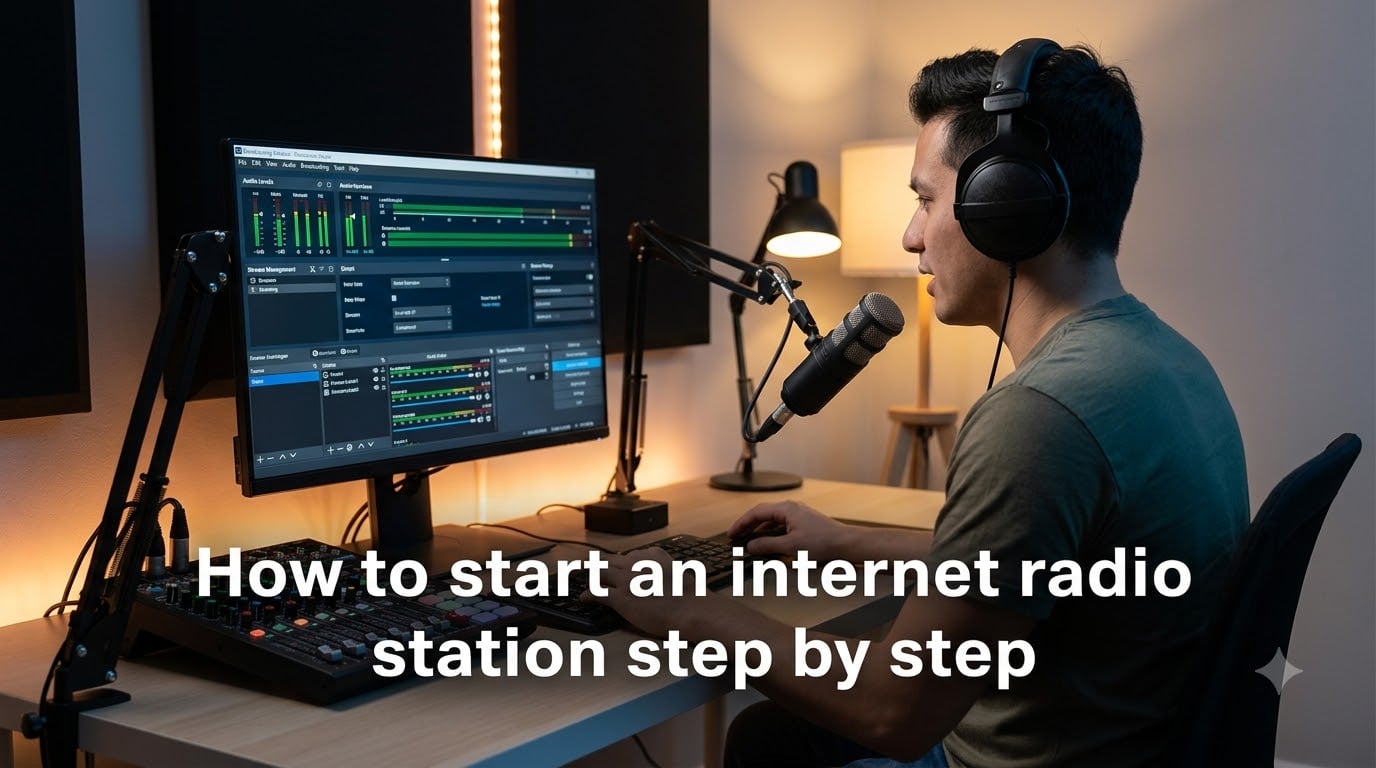
Learning how to start an internet radio station step by step means following a clear path: plan your station concept, gather basic equipment, pick broadcasting software, choose a hosting platform, configure your stream, organize your content, handle licensing, build your brand, and launch to listeners. I have helped hundreds of aspiring broadcasters cut through the technical confusion, and this guide breaks down every part of that process without the jargon.
Internet radio is growing fast. The global online radio market continues to expand as traditional FM and AM stations lose ground to streaming. Starting your own station in 2026 is cheaper and more accessible than ever before. You can broadcast to the entire world from a spare bedroom with a computer, a microphone, and an internet connection.
But the details trip people up. One Reddit user put it plainly: they had the format, the branding, and the automation system figured out but were still struggling with licensing costs running around $2,500 per year. That kind of real-world challenge is exactly what this guide addresses. I will walk you through the technical setup, the legal requirements, and the costs so nothing catches you off guard.
Whether you want to run a 24/7 music station, a weekly talk show, a church broadcast, or a community radio project, the steps below apply to every format. Let us get your station on the air.
Table of Contents
- What Is an Internet Radio Station?
- Why Start an Internet Radio Station?
- How to Start an Internet Radio Station Step by Step
- Step 1: Define Your Station Identity and Format
- Step 2: Choose Your Equipment
- Step 3: Pick Your Broadcasting Software
- Step 4: Select a Hosting Platform
- Step 5: Set Up Your Stream and Configure Your Encoder
- Step 6: Organize Your Music Library and Programming
- Step 7: Handle Legal Requirements and Music Licensing
- Step 8: Design Your Station Branding and Website Player
- Step 9: Launch and Promote Your Station
- Internet Radio Station Costs and Budget Planning
- Common Mistakes to Avoid When Starting Out
- How to Make Money with Your Internet Radio Station
- FAQs
- Conclusion
What Is an Internet Radio Station?
An internet radio station is a broadcasting channel that delivers audio content online through web browsers, mobile apps, or internet-connected devices. Unlike traditional AM or FM radio, which relies on physical transmitters and limited geographic reach, internet radio streams audio over the internet to listeners anywhere in the world.
Here is how it works in practice. Your computer or server encodes audio using broadcasting software, which sends the stream to an online radio hosting platform running a streaming server like SHOUTcast or Icecast. That server then delivers the audio to listeners who tune in through a web player, mobile app, or media player like VLC.
The difference between internet radio and terrestrial radio comes down to three things. Internet radio has no geographic limits, requires no FCC broadcast license, and costs a fraction of what a traditional station costs to operate. You can reach a listener in Tokyo just as easily as one in your hometown.
Why Start an Internet Radio Station?
Starting an internet radio station gives you a global audience that terrestrial radio simply cannot match. An FM signal might reach 50 miles on a good day. Your internet stream can reach anyone with a phone or laptop, anywhere on the planet.
The barrier to entry is remarkably low. You do not need a broadcast tower, FCC approval, or hundreds of thousands of dollars in equipment. Many people start with equipment they already own and scale up as their station grows.
Niche audiences are where internet radio truly shines. If you love 1980s synth-pop, obscure jazz recordings, or local sports talk, you can build a dedicated community around that passion. Traditional radio serves the broadest possible audience. Internet radio lets you serve the audience everyone else ignores.
There is real monetization potential too. Stations make money through advertising, sponsorships, listener donations, and premium subscriptions. We will cover each of those in detail later in this guide.
How to Start an Internet Radio Station Step by Step
Follow these nine steps in order and you will have a working internet radio station broadcasting to listeners worldwide. Each step builds on the previous one, so do not skip ahead.
Step 1: Define Your Station Identity and Format
Before you buy a single cable, decide what your station is going to be. Your format determines everything that follows, from equipment choices to licensing costs to your marketing strategy.
Start with these questions. What genre or type of content will you broadcast? Who is your target listener? Will you run live shows, pre-recorded content, or a mix of both? What makes your station different from the thousands already out there?
Write down a one-sentence mission statement for your station. Something like “24/7 indie folk music for late-night listeners” or “weekly interviews with small business owners in the Pacific Northwest.” That sentence becomes your north star for every decision that follows.
Popular formats include music stations by genre, talk radio, podcast-style shows, DJ mixes, church services, college radio, community radio, and live event coverage. Pick the one you are most passionate about, because consistency is what builds an audience.
Step 2: Choose Your Equipment
Every internet radio station needs three hardware pieces: a computer, a microphone, and headphones. Everything else is optional and depends on your budget and format.
Your computer is the heart of the operation. Any modern laptop or desktop with at least 4 GB of RAM and a stable internet connection can handle broadcasting. You do not need a specialized broadcast computer to get started.
For microphones, beginners can start with a USB microphone like the Audio-Technica ATR2100x or Blue Yeti. Both plug directly into your computer with no extra hardware. If you want professional broadcast quality, the Shure SM7B is the industry standard but requires an audio interface like the Focusrite Scarlett or a mixer like the Behringer Xenyx to connect.
Closed-back headphones are essential for monitoring your audio without bleed into the microphone. Look for models from Sony, Audio-Technica, or Sennheiser in the $50 to $150 range to start.
If you plan to run live shows with multiple microphones or external audio sources, an audio mixer gives you control over levels and inputs. For solo broadcasters or automated stations, you can skip the mixer entirely and add it later.
Step 3: Pick Your Broadcasting Software
Broadcasting software, also called an encoder, takes your audio and sends it to your streaming server. This is the software that connects your microphone, music files, and hosting platform together.
For beginners, here are the most popular options ranked by ease of use. BUTT (Broadcast Using This Tool) is free, lightweight, and works on Windows, Mac, and Linux. It is the most recommended option for first-time broadcasters because it does one thing and does it well.
Mixxx is another free option that doubles as a DJ tool. It supports live mixing, has a built-in music library, and works well if you want to blend tracks during live shows. VirtualDJ is similar and offers a free version for home use.
If you need advanced automation and scheduling, SAM Broadcaster is a paid professional option used by thousands of stations worldwide. Radio.co and RadioKing also include their own built-in broadcasting tools when you use their hosting platforms.
For Mac users, Audio Hijack is a powerful tool that can capture audio from any application on your computer and send it to your stream. It is especially useful for broadcasting live calls, interviews, or content from multiple apps at once.
Step 4: Select a Hosting Platform
Your hosting platform runs the streaming server that delivers your audio to listeners. Running your own SHOUTcast or Icecast server is possible, but for most beginners, a managed hosting platform is far simpler and more reliable.
Popular hosting platforms include Radio.co, RadioKing, Live365, SHOUTcheap, and RadioCult. Each offers different features, listener limits, and pricing tiers. Most start with a free trial and scale up based on how many simultaneous listeners you need and how much AutoDJ storage you want.
The key features to compare are listener slots (how many people can tune in at once), AutoDJ storage (for 24/7 automated broadcasting when you are not live), bitrate options (higher bitrate means better audio quality but more bandwidth), and analytics (to track where listeners are and when they tune in).
One Reddit user recommended Radio.co specifically, saying the platform is easy to follow and the support team is always available. That kind of real-world feedback matters when you are choosing a platform you will rely on every day.
For self-hosted options, SHOUTcast and Icecast are the two dominant streaming server technologies. Icecast is open source and free. SHOUTcast is owned by Radionomy and is widely supported across virtually every hosting platform and media player.
Step 5: Set Up Your Stream and Configure Your Encoder
This is the step where technical confusion usually hits. But once you understand the basic flow, configuration is straightforward. Your broadcasting software needs four pieces of information to connect to your streaming server.
First, you need the server address and port number from your hosting platform. Second, you need your stream password. Third, you need to choose a bitrate, which determines your audio quality. Fourth, you select an audio format.
For bitrate, 128 kbps is the sweet spot for music stations. It provides near-CD quality audio while keeping bandwidth manageable. Talk radio can get away with 64 kbps, while audiophile music stations may want to push to 192 kbps or higher.
For audio format, MP3 is the most universally supported option. Every media player, web player, and mobile app can play MP3 streams. AAC offers better quality at lower bitrates but has slightly less universal support. OGG Vorbis is efficient and open source but is not supported by all players, particularly on iOS devices.
Enter your server details into your broadcasting software, hit connect, and you should see a status indicator showing your stream is live. Open your hosting platform’s web player in a browser to confirm you can hear your audio.
Step 6: Organize Your Music Library and Programming
A well-organized music library is what separates a professional station from a chaotic playlist on shuffle. Your listeners expect structure, variety, and a sense that someone is curating their experience.
Start by building folders or categories for your content. Group music by genre, mood, era, or however makes sense for your format. Create separate folders for station IDs, jingles, commercials, and promotional content so you can insert them between songs easily.
AutoDJ is the feature that makes 24/7 broadcasting possible without you sitting at your computer around the clock. You upload your music to your hosting platform, create playlists, set rotation rules, and AutoDJ handles the rest. It automatically follows your schedule, inserts station IDs at intervals, and keeps the stream running even when you are asleep.
One forum user described their ideal setup: a 24/7 music station using files on their server, embedded on their website. AutoDJ makes exactly that possible. You upload your library once, configure your schedule, and the platform streams it continuously.
For live shows, use your broadcasting software to switch from AutoDJ to your live microphone and music source. Most platforms let you schedule a live window where AutoDJ hands off control to your live encoder automatically.
Step 7: Handle Legal Requirements and Music Licensing
This is the step nobody likes to talk about but everyone needs to understand. If you broadcast copyrighted music to listeners in the United States, you need licenses from the major performance rights organizations. Playing music without proper licensing can result in significant fines.
In the US, there are four organizations you need to deal with. ASCAP, BMI, and SESAC represent songwriters and music publishers. SoundExchange represents recording artists and record labels. You need licenses from all four to legally stream most popular music.
Annual costs for these licenses add up. Based on real user reports from radio forums, expect to pay approximately $2,500 per year combined for ASCAP, BMI, SESAC, and SoundExchange for a small internet radio station. The exact figures depend on your revenue and listener count.
There are ways to reduce or eliminate these costs. If you play only royalty-free music, Creative Commons licensed content, or music from independent artists who give you direct permission, you may not need these licenses at all. Platforms like Live365 handle licensing for you as part of their service, which is a major advantage for beginners who do not want to navigate the legal landscape alone.
Outside the US, different countries have their own licensing organizations. Research the requirements for your country before you start broadcasting copyrighted content.
Step 8: Design Your Station Branding and Website Player
Your station needs an identity that listeners remember. This includes a station name, a logo, a tagline, and a visual style that appears across your web player, social media, and promotional materials.
Your station name should be memorable, easy to spell, and descriptive of what you play. Avoid generic names that blend in with thousands of other stations. Your logo should be simple enough to read at small sizes on mobile devices.
Most hosting platforms provide a customizable web player you can embed on your website. This is how listeners will tune in from their browsers. Customize the player with your colors, logo, and now-playing information so it feels like an extension of your brand.
If you do not have a website yet, consider building a simple one-page site with your web player, schedule, social media links, and a brief description of your station. Tools like WordPress, Wix, and Squarespace make this easy even without coding experience.
Step 9: Launch and Promote Your Station
Your station is configured, your library is organized, your branding is ready, and you are legally licensed. Now it is time to actually get listeners. This is where many station owners struggle, because building an audience takes patience and strategy.
Start with the directories. Submit your station to internet radio directories like Internet Radio, TuneIn, Radio Garden, and Streema. These directories are how many listeners discover new stations, and being listed costs nothing.
Social media is your next most powerful tool. Create accounts on the platforms where your target audience already spends time. Share behind-the-scenes content, upcoming show schedules, and links to your web player. Engage with listeners who message you directly.
Community building is essential for growth. Participate in forums, Facebook groups, and subreddits related to your format. A user in the radio community subreddit described their setup as knowing the format, having automation, and working on branding before tackling licensing. That methodical approach, shared with communities, builds credibility and attracts early listeners.
Cross-promote with other internet radio stations and podcasters in your niche. Guest on their shows, invite them on yours, and share each other’s content. Collaboration grows audiences faster than competition.
Be patient and consistent. Audience growth is rarely linear. Most stations see slow growth for the first few months, then a tipping point where word-of-mouth accelerates everything. Keep broadcasting on schedule, respond to every listener message, and your audience will grow.
Internet Radio Station Costs and Budget Planning
Understanding the full cost picture before you start prevents surprises later. Internet radio costs fall into three tiers depending on how professional you want your setup to be.
The free tier is real but limited. You can use a computer you already own, a free broadcasting tool like BUTT or Mixxx, and a free or low-cost hosting platform trial. With royalty-free music to avoid licensing fees, you can technically launch a station for no money at all. The trade-offs are limited listener slots, no custom branding, and minimal storage for AutoDJ.
The starter tier typically runs between $20 and $50 per month for hosting plus a one-time equipment investment of $100 to $300. This covers a USB microphone, headphones, and a paid hosting plan with enough listener slots and AutoDJ storage for a small but real audience. Add music licensing on top if you play copyrighted tracks.
The professional tier includes a quality XLR microphone, audio interface or mixer, sound treatment for your broadcast space, and a premium hosting plan. Equipment costs run $500 to $2,000, with monthly hosting and licensing fees on top. This is the tier for stations that are actively generating revenue or building a serious brand.
Music licensing is the cost that catches the most people off guard. The combined annual cost of ASCAP, BMI, SESAC, and SoundExchange for a small US internet station is approximately $2,500 based on real user reports. Budget for this expense from day one or use royalty-free music to avoid it entirely.
Common Mistakes to Avoid When Starting Out
After watching many new broadcasters go through this process, the same mistakes come up repeatedly. Avoiding these pitfalls will save you time, money, and frustration.
Ignoring music licensing is the most dangerous mistake. Broadcasting copyrighted music without proper licenses exposes you to legal liability and substantial fines. Either pay for the licenses or stick to royalty-free and licensed content. There is no middle ground.
Overlooking AutoDJ is a close second. Many beginners assume they need to be live constantly. Without AutoDJ, your station goes silent when you step away. Setting up automation for 24/7 broadcasting keeps listeners engaged and your station sounding professional even during off hours.
Poor audio quality drives listeners away faster than anything else. A cheap microphone with no pop filter, recording in a room with hard reflective surfaces, or running your bitrate too low all contribute to a sound that makes listeners click away within seconds. Invest in decent audio basics before anything else.
Neglecting listener analytics means you are flying blind. Your hosting platform’s analytics tell you when listeners tune in, where they are located, and how long they listen. Use this data to adjust your schedule, identify your best content, and make informed decisions about programming.
Inconsistent scheduling is the silent killer of new stations. If listeners never know when you will be live, they stop checking. Pick a schedule, stick to it religiously, and your audience will learn when to tune in.
How to Make Money with Your Internet Radio Station
Monetizing your station turns a hobby into a sustainable project. Once you have a consistent listenership, several revenue streams become available.
Advertising and sponsorships are the most direct path. Local businesses, online retailers, and brands relevant to your niche will pay for ad spots or sponsored segments. Start with small local businesses and expand as your listener base grows. Programmatic advertising platforms like those integrated into some hosting services can fill unsold ad inventory automatically.
Listener donations through platforms like Patreon, Buy Me a Coffee, or Ko-fi work well for niche stations with passionate communities. If your listeners love what you do, many will happily contribute a few dollars per month to keep the station running.
Premium subscriptions offer ad-free listening, exclusive content, or early access to shows for paying subscribers. This model works best once you have established a loyal core audience that values your content enough to pay for it.
Affiliate partnerships let you earn commissions by recommending products relevant to your audience. A station focused on indie music could partner with headphone brands, record stores, or concert ticket platforms. Recommend genuinely useful products and disclose your affiliate relationships transparently.
FAQs
How much does it cost to start an internet radio station?
You can start an internet radio station for free using your existing computer, free broadcasting software like BUTT or Mixxx, and a free hosting trial. A starter setup with a decent microphone, headphones, and a paid hosting plan typically costs $100 to $300 upfront plus $20 to $50 per month for hosting. Music licensing for copyrighted tracks adds approximately $2,500 per year for US stations.
Can anyone start an internet radio station?
Yes, anyone with a computer and internet connection can start an internet radio station. Unlike traditional FM or AM radio, internet radio does not require an FCC broadcast license or expensive transmission equipment. You need broadcasting software, a hosting platform, and optionally a microphone and headphones for live content.
Do internet radio stations make money?
Internet radio stations can make money through advertising, sponsorships, listener donations, premium subscriptions, and affiliate partnerships. Revenue depends on your listener count and engagement. Stations with dedicated niche audiences often earn more per listener than stations trying to appeal to everyone. Most stations start generating revenue after building a consistent listenership over several months.
What equipment is needed to start an internet radio station?
The essential equipment is a computer, a microphone, and headphones. Beginners can start with a USB microphone like the Audio-Technica ATR2100x or Blue Yeti, plus any closed-back headphones. For professional quality, an XLR microphone like the Shure SM7B paired with an audio interface or mixer such as the Behringer Xenyx or Focusrite Scarlett is the standard upgrade path.
Do I need a license to broadcast internet radio?
You do not need an FCC broadcast license for internet radio. However, if you stream copyrighted music to US listeners, you need licenses from ASCAP, BMI, SESAC, and SoundExchange, costing approximately $2,500 per year combined. You can avoid these costs by playing only royalty-free music, Creative Commons content, or using a hosting platform like Live365 that handles licensing for you.
Can I start an internet radio station for free?
Yes, you can start for free by using free broadcasting software like BUTT or Mixxx, a free hosting trial, royalty-free or Creative Commons music, and equipment you already own. The limitations are fewer listener slots, minimal AutoDJ storage, and no custom branding. Most free stations upgrade to paid hosting once they start attracting regular listeners.
Conclusion
Knowing how to start an internet radio station step by step comes down to nine clear actions: define your identity, gather equipment, pick software, choose hosting, configure your stream, organize content, handle licensing, build your brand, and promote consistently. Each step is manageable on its own, and together they produce a station capable of reaching listeners worldwide.
The biggest barriers people face are not technical. They are licensing costs and audience growth. Plan for both from the beginning. Budget for your performance rights licenses or commit to royalty-free music. Start promoting before you launch so your first broadcast has at least a small audience waiting.
Your next step is simple. Pick your station format today, download a free broadcasting tool like BUTT or Mixxx, and sign up for a hosting platform trial. You could be streaming to listeners within a single weekend.