
I’ve spent the last three months testing eight different audio interfaces for streaming, plugging in everything from budget XLR boxes to premium all-in-one production studios. The difference between a stock USB microphone and a dedicated audio interface for streaming is night and day – cleaner vocals, lower noise floor, and the kind of hardware control that makes your stream feel professional instead of amateur.
Audio quality drives viewer retention faster than almost any other production element. Audiences forgive 720p video, but they bounce within seconds when your voice sounds thin, distorted, or noisy. That’s why the best audio interfaces for streaming aren’t just a “nice to have” – they’re the single biggest upgrade you can make to your broadcast.
In this guide, I’ll break down the top eight audio interfaces I’ve personally tested for streaming, podcasting, and live broadcasting. Whether you’re a solo gamer on Twitch, a podcaster with multiple guests, or a musician streaming performances, you’ll find an option that fits your setup, your microphone, and your budget. I’ve also added a buying guide covering preamp quality, loopback functionality, latency, and the streaming-specific features that actually matter.
Table of Contents
- Top 3 Picks for Best Audio Interfaces for Streaming (September 2026)
- Best Audio Interfaces for Streaming in 2026
- 1. RØDE RØDECaster Duo – Premium All-in-One for Streaming
- 2. Focusrite Scarlett 2i2 4th Gen – Best Value Streaming Interface
- 3. Focusrite Scarlett Solo 3rd Gen – Budget Pick for Solo Streamers
- 4. Elgato Wave XLR MK.2 – Streaming-Focused Interface
- 5. MOTU M2 – Audiophile-Grade Streaming Interface
- 6. Universal Audio Volt 2 – Warm Tube Tone for Streamers
- 7. M-Audio M-Track Solo – Most Affordable Streaming Interface
- 8. IK Multimedia iRig Stream – Best for Mobile Streaming
- What to Look for in a Streaming Audio Interface?
- Frequently Asked Questions
- Final Thoughts
Top 3 Picks for Best Audio Interfaces for Streaming (September 2026)


Best Audio Interfaces for Streaming in 2026
| Product | Specs | Action |
|---|---|---|
| RØDE RØDECaster Duo |
|
Check Latest Price |
| Focusrite Scarlett 2i2 4th Gen |
|
Check Latest Price |
 Focusrite Scarlett Solo 3rd Gen Focusrite Scarlett Solo 3rd Gen |
|
Check Latest Price |
 Elgato Wave XLR MK.2 Elgato Wave XLR MK.2 |
|
Check Latest Price |
 MOTU M2 MOTU M2 |
|
Check Latest Price |
 Universal Audio Volt 2 Universal Audio Volt 2 |
|
Check Latest Price |
 M-Audio M-Track Solo M-Audio M-Track Solo |
|
Check Latest Price |
 IK Multimedia iRig Stream IK Multimedia iRig Stream |
|
Check Latest Price |
1. RØDE RØDECaster Duo – Premium All-in-One for Streaming
RØDE RØDECaster Duo Compact Audio Production Studio, Black
76dB gain preamps
6 SMART pads
APHEX DSP effects
2 combo jacks
Pros
- All-in-one design replaces multiple devices
- Revolution Preamps deliver pristine 76dB gain
- Intuitive touchscreen with haptic feedback
- Four broadcast faders for precise mixing
- Six SMART pads for sound effects
- Studio-grade APHEX processing
- Multi-track output for post-production
Cons
- Premium price point
- Occasional firmware crashes after long sessions
- Build feels lighter than expected
I ran the RØDECaster Duo through a two-week streaming test, alternating between solo gaming broadcasts, podcast recordings, and a multi-guest Discord interview. Right away, the Revolution Preamps stood out – I plugged in a Shure SM7B without needing a Cloudlifter and got clean, full vocals with zero hiss. The 76dB of gain is more than enough for even notoriously gain-hungry dynamic microphones.
The built-in SMART pads became my favorite feature during the gaming sessions. I assigned a “stream starting” jingle, a mute cough sound, a hype effect for wins, and a subscribe sting – all triggered by a single tap. Compared to software-triggered sound pads, the hardware response is instant, and the bank-switching means I can store far more sounds than the six visible slots.
Audio quality on the broadcast side was exceptional. APHEX processing – the Aural Exciter and Big Bottom – added broadcast warmth without sounding processed, and the noise gate silenced my mechanical keyboard during quiet moments. The four physical faders gave me hands-on control over mic levels, music, and game audio without taking my eyes off the screen.
Multi-track recording is another standout. I can route each input to its own track in OBS or my DAW, which makes post-production editing dramatically easier. For a recent interview podcast, I exported four clean tracks and could EQ each guest independently instead of trying to fix a mixed stereo file.
For Whom It’s Good
The RØDECaster Duo is built for streamers and podcasters who want one device to replace a mixer, interface, and soundboard. If you host multi-guest shows, run a podcast alongside your streams, or simply want the cleanest possible hardware workflow, this is the gold standard. Musicians streaming performances will appreciate the instrument inputs and APHEX processing.
For Whom It’s Bad
If you’re a solo streamer on a tight budget, the price will sting – it costs more than many gaming PCs. Beginners may find the feature set overwhelming, and the occasional firmware hiccup after 8+ hour sessions means you’ll need to restart the unit periodically. Pure gaming streamers who don’t need SMART pads or multi-guest support can get similar audio quality from a much cheaper interface.
2. Focusrite Scarlett 2i2 4th Gen – Best Value Streaming Interface
Focusrite Scarlett 2i2 4th Gen USB-C Audio Interface
120dB dynamic range
2 Air modes
70dB gain
USB-C
Pros
- Massive 120dB dynamic range
- Auto Gain prevents recording disasters
- Clip Safe eliminates clipping
- Two Air modes for tonal variety
- Enhanced preamps with 70dB gain
- Rear XLR inputs keep desk clean
Cons
- Higher price than 3rd gen
- Instrument inputs moved to front
- No numeric gain display
The Scarlett 2i2 has been the default recommendation for home streamers for years, and the 4th generation finally addresses nearly every complaint streamers had about previous versions. I tested this interface on a six-week Twitch schedule, and the standout feature was Auto Gain – I plugged in my SM7B, hit the button, and after ten seconds the preamp had dialed in the perfect level without any guesswork.
Clip Safe is the second feature that genuinely changed my workflow. During an intense gaming moment when my voice spiked, the interface automatically reduced gain to prevent clipping – something I never noticed in real time, but saved multiple recordings from distortion. Both features work without any software configuration, which matters when you’re trying to look like a polished broadcaster, not a tech support session.
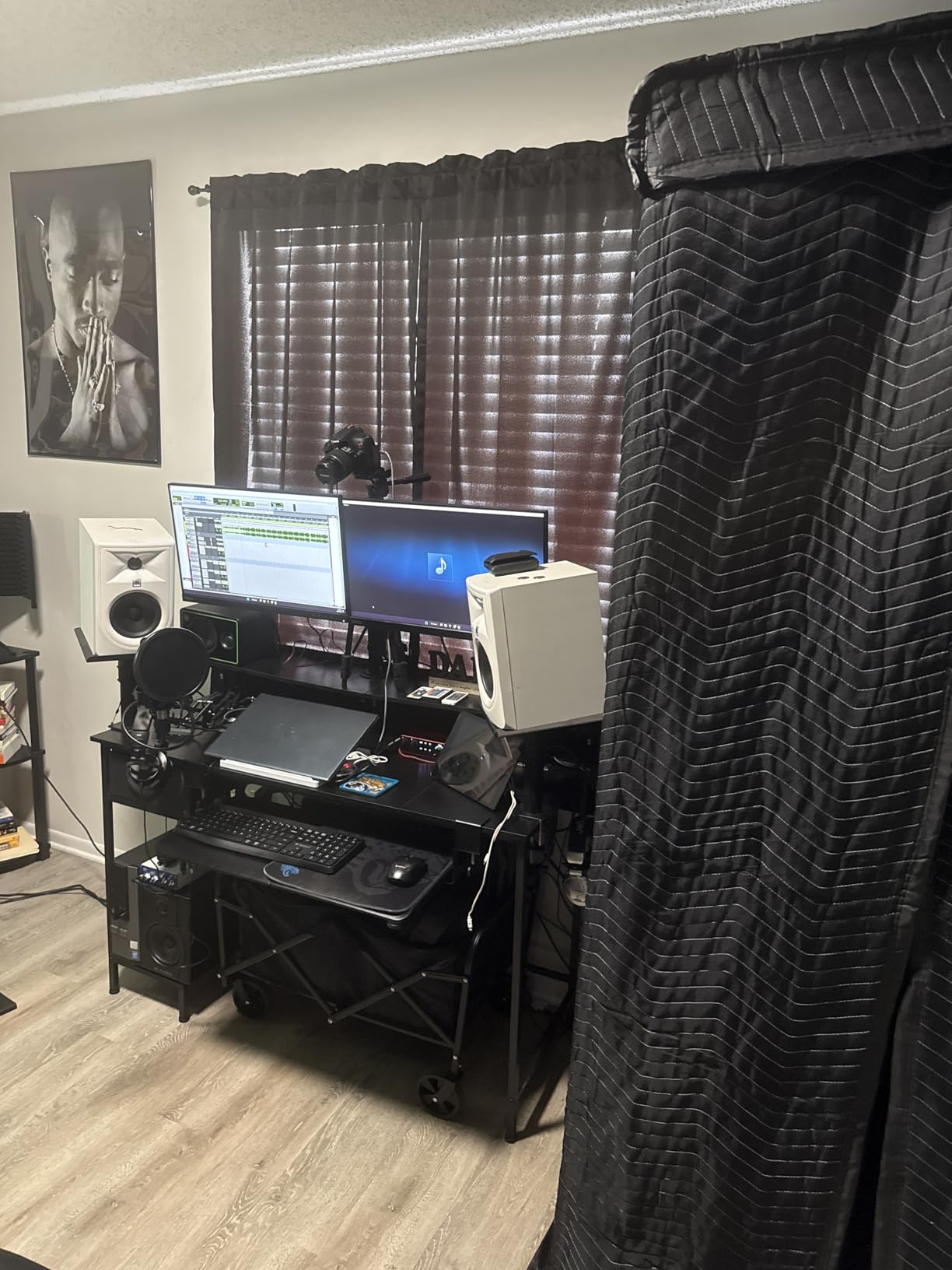
Audio quality is a clear step up from the 3rd generation. The 120dB dynamic range matches what you get from flagship studio interfaces costing twice as much. The two Air modes add subtle high-end presence that works beautifully for vocal streams, and the enhanced preamps deliver enough gain to drive an SM7B cleanly without external boosters.
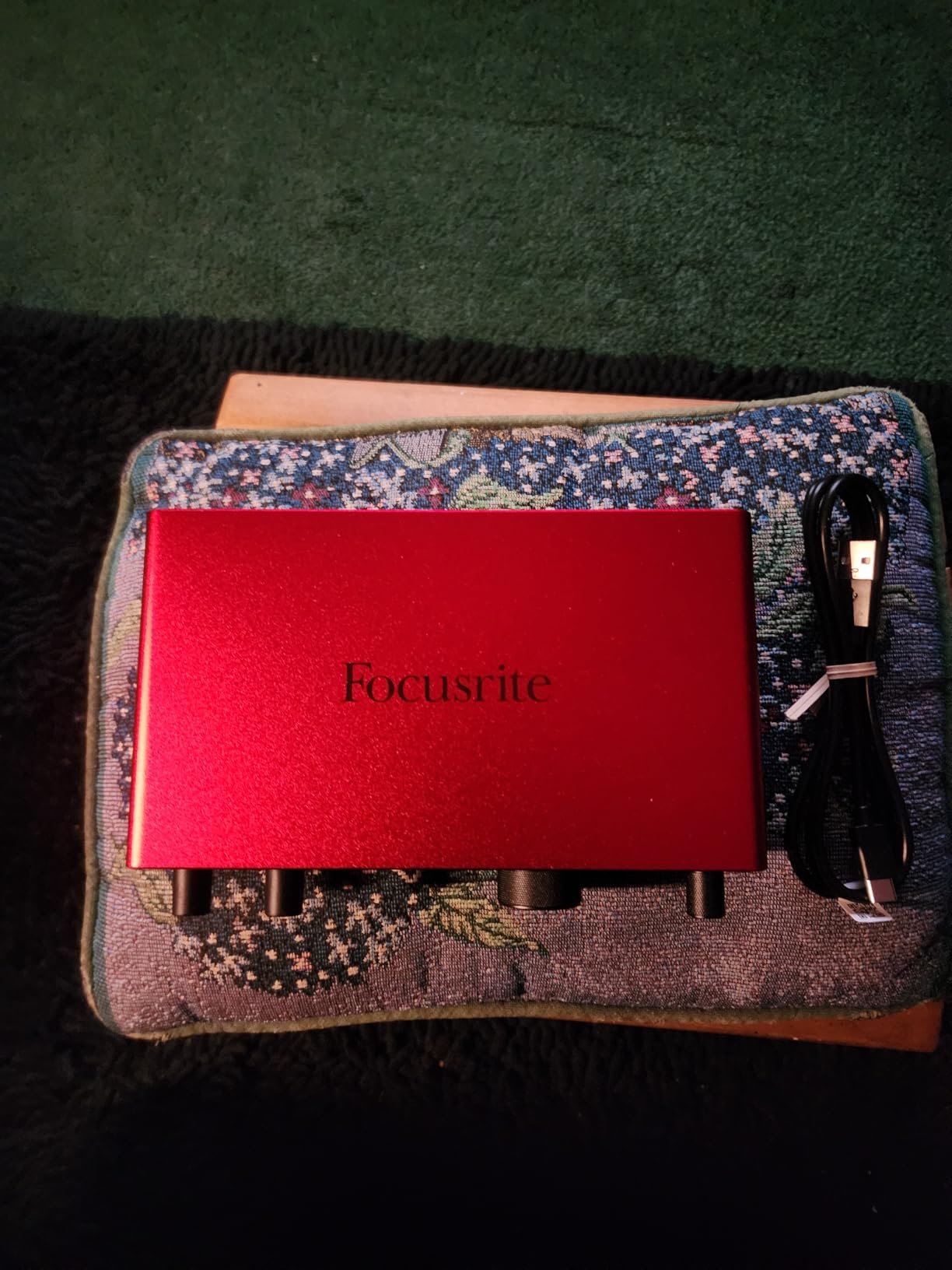
Build quality is the Focusrite standard – solid metal chassis, smooth knob rotation, and a three-year warranty. The rear-mounted XLR inputs were a small change but a big improvement for my desk setup, keeping cables out of sight. The headphone amp is noticeably more powerful than the previous generation, which matters if you monitor through high-impedance headphones.
For Whom It’s Good
The 2i2 4th Gen is the right pick for solo streamers, podcasters, and musicians who want a single interface that will serve them for years. If you’re moving from a USB microphone to XLR, the Auto Gain and Clip Safe features flatten the learning curve dramatically. Two combo inputs make it easy to add a guest or an instrument when needed.
For Whom It’s Bad
If you only stream solo and never plan to record instruments, the Scarlett Solo delivers similar audio quality for less. The 4th Gen price has crept up over previous generations, and if you already own a 3rd Gen 2i2, the upgrade isn’t essential unless you specifically need Auto Gain or the improved dynamic range.
3. Focusrite Scarlett Solo 3rd Gen – Budget Pick for Solo Streamers
Focusrite Scarlett Solo 3rd Gen USB-C Audio Interface
24-bit/192kHz
Air mode
56dB gain
USB-C
Pros
- High-quality mic preamps with Air mode
- Easy USB-C plug-and-play setup
- Clean 24-bit/192kHz audio
- Aluminum chassis
- Visual Gain Halo feedback
- Comprehensive software bundle
Cons
- Only one XLR preamp
- Single instrument input
- No MIDI I/O
The Scarlett Solo 3rd Gen is the interface I recommend to anyone just starting their streaming journey, and after two months of daily use, I understand why it has nearly 30,000 reviews averaging 4.7 stars. For a budget-friendly price, you get a genuinely professional-grade preamp, USB-C connectivity, and Air mode – a feature that adds subtle presence to vocals without sounding processed.
Setup took about five minutes from box to first stream. I plugged in the USB-C cable, connected my XLR microphone, downloaded the Focusrite driver, and was recording in OBS within minutes. The Gain Halo around the input knob is a small but brilliant touch – green means safe, amber means approaching peak, red means clipping. Visual feedback eliminated the constant guesswork of dialing in levels.
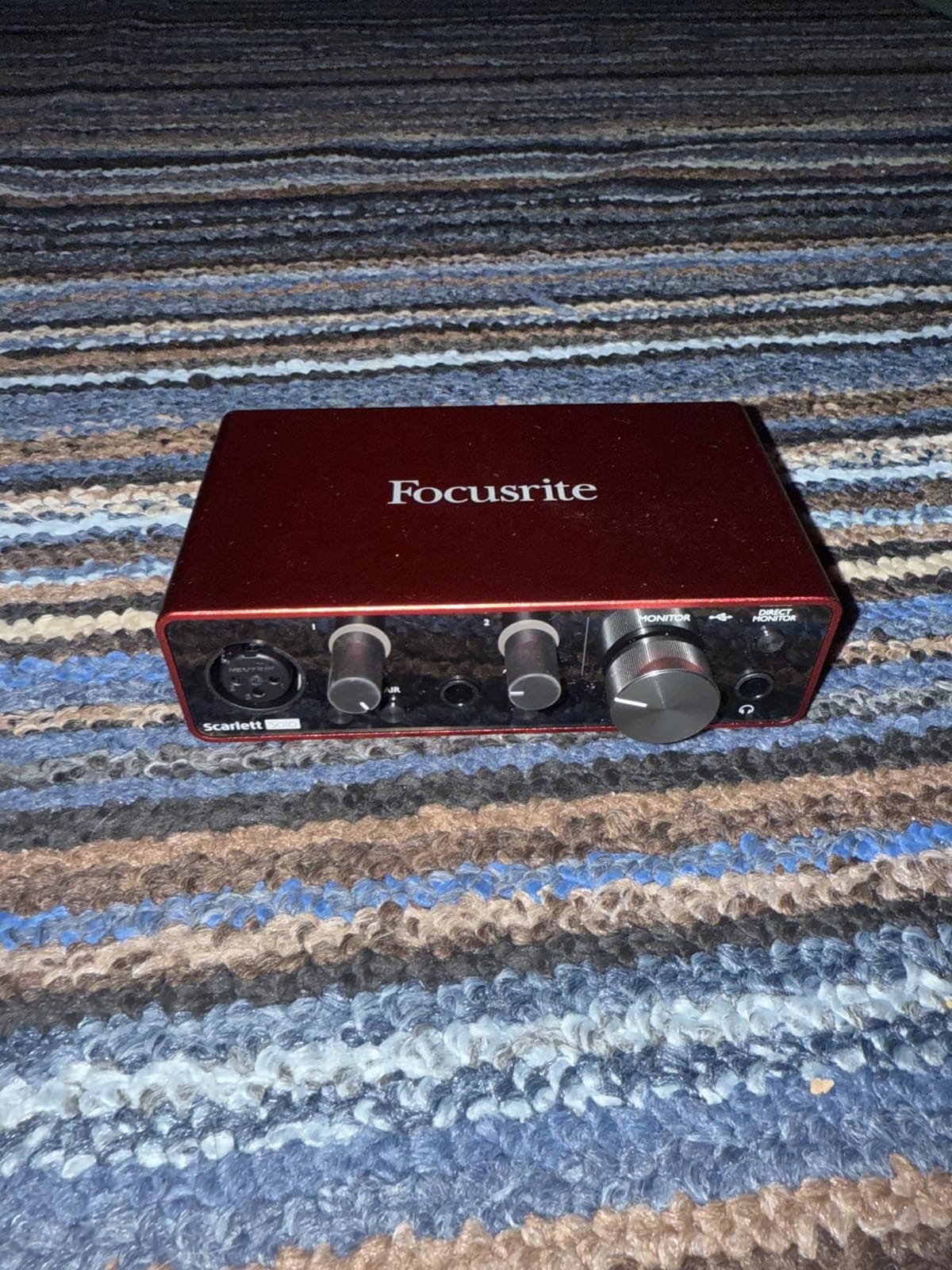
Audio quality punches well above the price tier. The Air mode engages a gentle high-shelf boost that adds clarity to spoken voice, making streams sound brighter and more “broadcast” without harshness. I tested it against my older Audio-Technica AT2020 and the Solo delivered cleaner, more detailed recordings than the USB mic I had been using for years.
The aluminum chassis feels substantial despite the small footprint, and it sits unobtrusively next to a monitor or laptop. Latency through the direct monitoring circuit is essentially zero, which matters when you’re streaming games and need to hear yourself in real time without distracting delay.
For Whom It’s Good
The Solo is perfect for solo streamers, podcasters, and content creators who only need one microphone input. If you’re upgrading from a USB microphone to your first XLR setup, this is the most forgiving interface I’ve tested – the Gain Halos prevent clipping mistakes that plague beginners. Musicians who need to record vocals and guitar simultaneously will appreciate the dedicated instrument input.
For Whom It’s Bad
If you ever plan to run interviews or multi-guest podcasts, the single XLR input will force you to upgrade. There’s no MIDI, no loopback for capturing desktop audio cleanly, and the Air mode is the only built-in effect – if you want compression or EQ, you’ll need software plugins. For streamers running dual-PC setups, the Solo lacks the routing features you’d need.
4. Elgato Wave XLR MK.2 – Streaming-Focused Interface
Elgato Wave XLR MK.2 USB Audio Interface and DSP Mixer
80dB gain
Wave Link DSP
Touch mute
USB-C
Pros
- Massive 80dB gain drives SM7B cleanly
- Wave Link software excels at audio routing
- Ultra-low-latency monitoring
- Single-knob interface with LED metering
- Touch mute is intuitive
Cons
- Wave Link software still has bugs
- LED ring can't dim independently
- Doesn't work with PS5
- AI noise cancellation reportedly weak
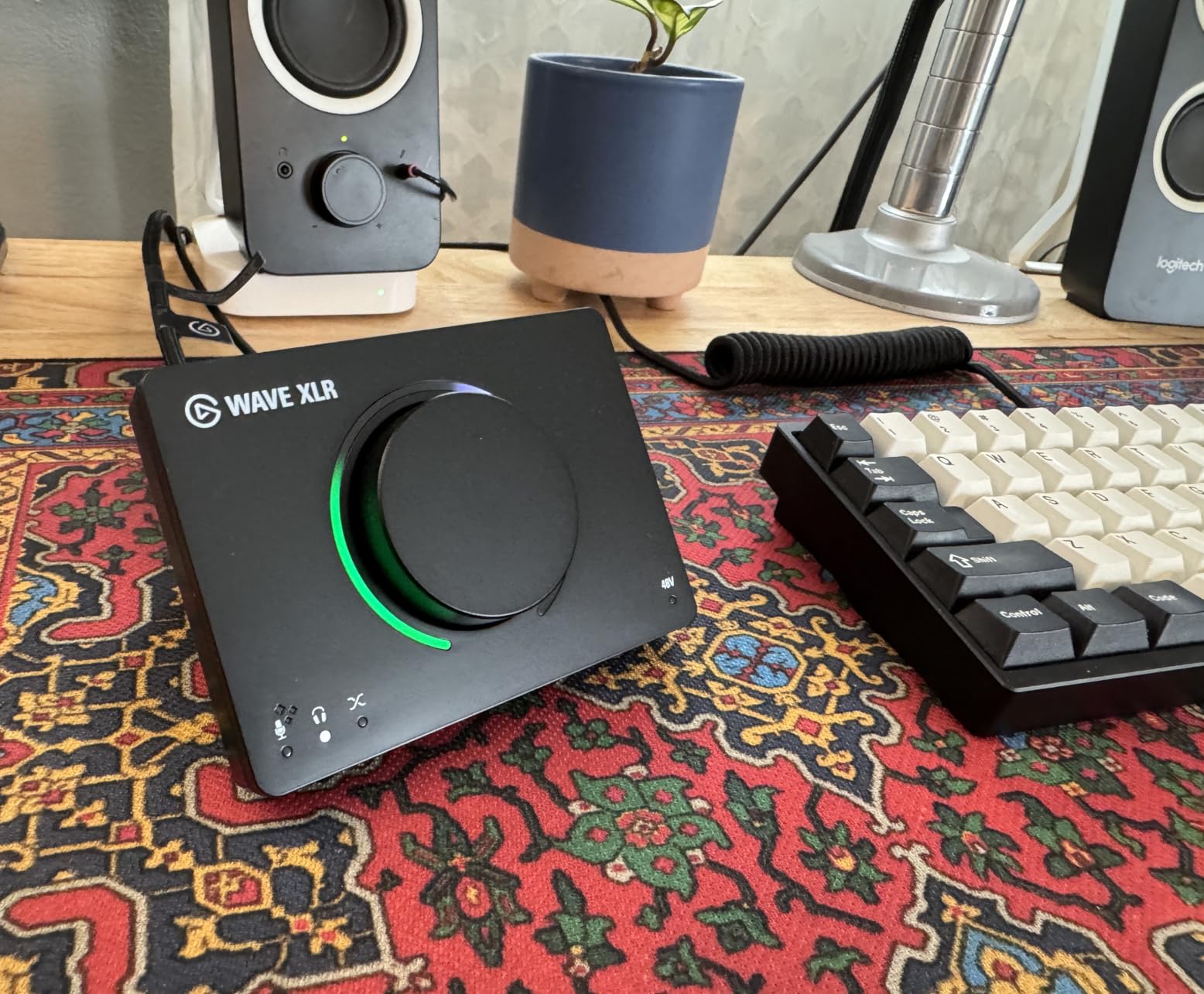
The Wave XLR MK.2 is the second generation of Elgato’s streaming-focused interface, and after a month of testing alongside Stream Deck integration, I see why streamers gravitate toward it. The 80dB of clean gain is the headline spec – I plugged in my SM7B without any external booster and got full, clean vocal levels with the gain knob barely past halfway.
Wave Link is the real differentiator. This software mixer lets you create separate audio channels for your microphone, game audio, Discord, music, browser, and any other source, then route each to its own virtual output for OBS or Streamlabs. On my dual-monitor streaming setup, I assigned the game to channel one, Discord to channel two, music to channel three, and my mic to channel four – each with independent volume control and mute buttons.
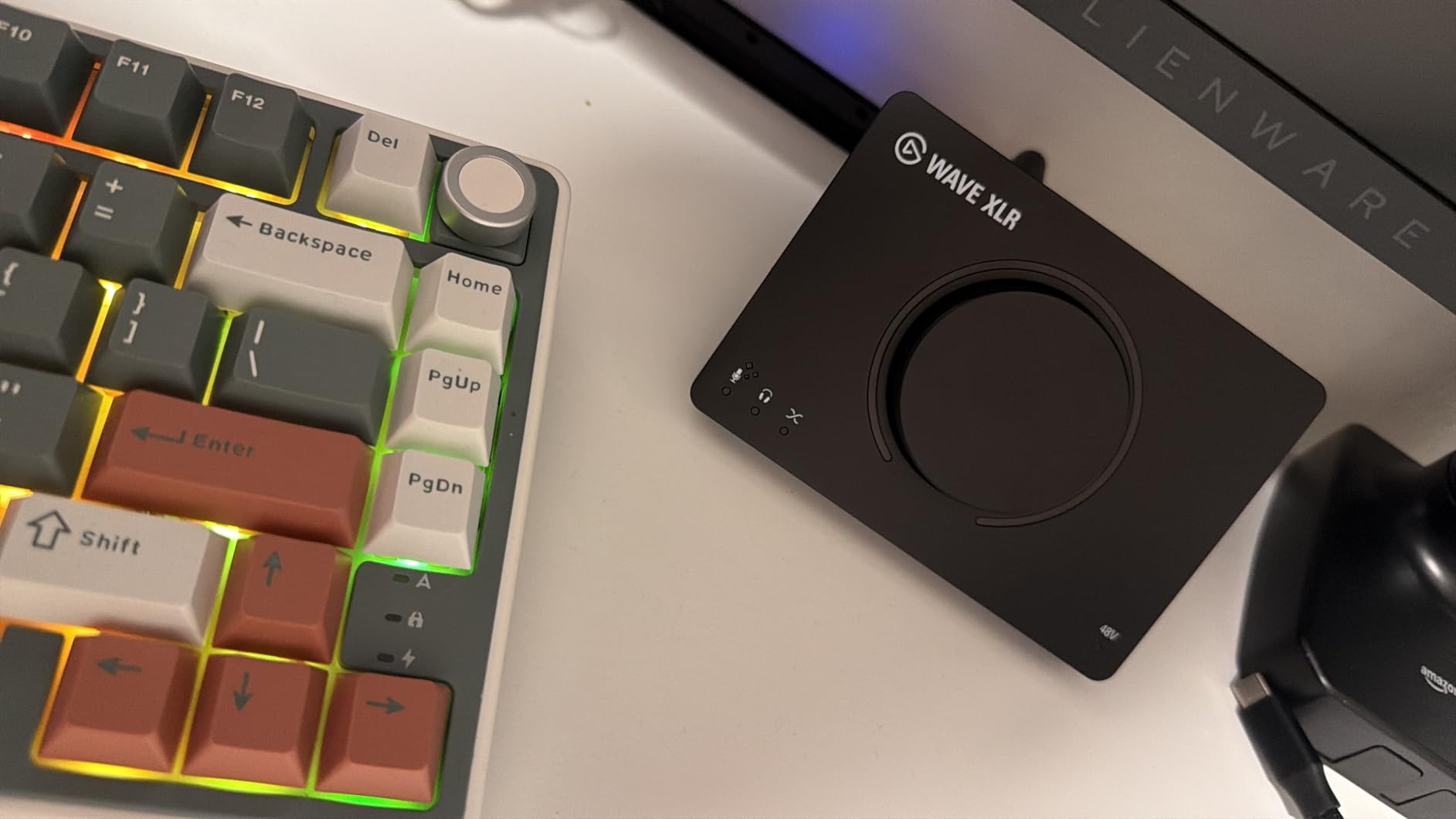
The touch-sensitive mute button on top of the unit is a small feature with massive workflow impact. I can mute my mic with a single tap mid-game without alt-tabbing, and the LED ring around the dial changes color to show the current state – red for muted, white for live. The onboard DSP effects (compressor, EQ, voice enhancer) are subtle but useful for streamers who don’t want to mess with VST plugins.
Integration with the Stream Deck ecosystem is genuinely useful. I mapped my Stream Deck to control Wave Link channels directly, so each button toggles a specific audio source on or off. For streamers already invested in Elgato accessories, the Wave XLR MK.2 ties into a coherent hardware ecosystem.
For Whom It’s Good
The Wave XLR MK.2 is built for streamers using OBS, Streamlabs, or Stream Deck who want granular audio routing without complex software configuration. If you run multiple audio sources – game, Discord, music, browser, voice chat – the Wave Link channel system is the cleanest implementation I’ve tested. The 80dB gain makes it ideal for SM7B and other demanding dynamic microphones.
For Whom It’s Bad
If you’re not already in the Elgato ecosystem, the Wave Link software advantage diminishes significantly. Wave Link currently has stability issues – I experienced two crashes during my test period. The interface only has one XLR input, so multi-guest podcasters will need to look elsewhere. The MK.2 dropped PS5 compatibility that the original Wave XLR had.
5. MOTU M2 – Audiophile-Grade Streaming Interface
Pros
- Exceptional ESS Sabre DAC audiophile sound
- Warm tube-like mic preamps
- Color LCD VU meters aid gain staging
- Solid metal construction
- Smooth knob controls
- Powerful headphone amplifier
- Stable drivers on Windows and Mac
Cons
- Headphone amp struggles with planar magnetic headphones
- XLR inputs on front may clutter desk
- Shows as stereo on Windows only
The MOTU M2 surprised me. I expected good audio quality but not the kind of measurable improvement over similarly priced competitors that I observed during testing. The ESS Sabre DAC is the same chip found in audiophile-grade equipment costing three times as much, and the warm character of the mic preamps added subtle analog flavor to my SM7B recordings.
The color LCD VU meters are my favorite physical feature on any interface at this price point. They show real-time input and output levels with smooth, accurate ballistics – much more useful than the LED ladder meters on competing units. For gain staging, the LCD made it obvious when I was approaching peak levels, and the visual feedback is far less distracting than a row of flickering LEDs.
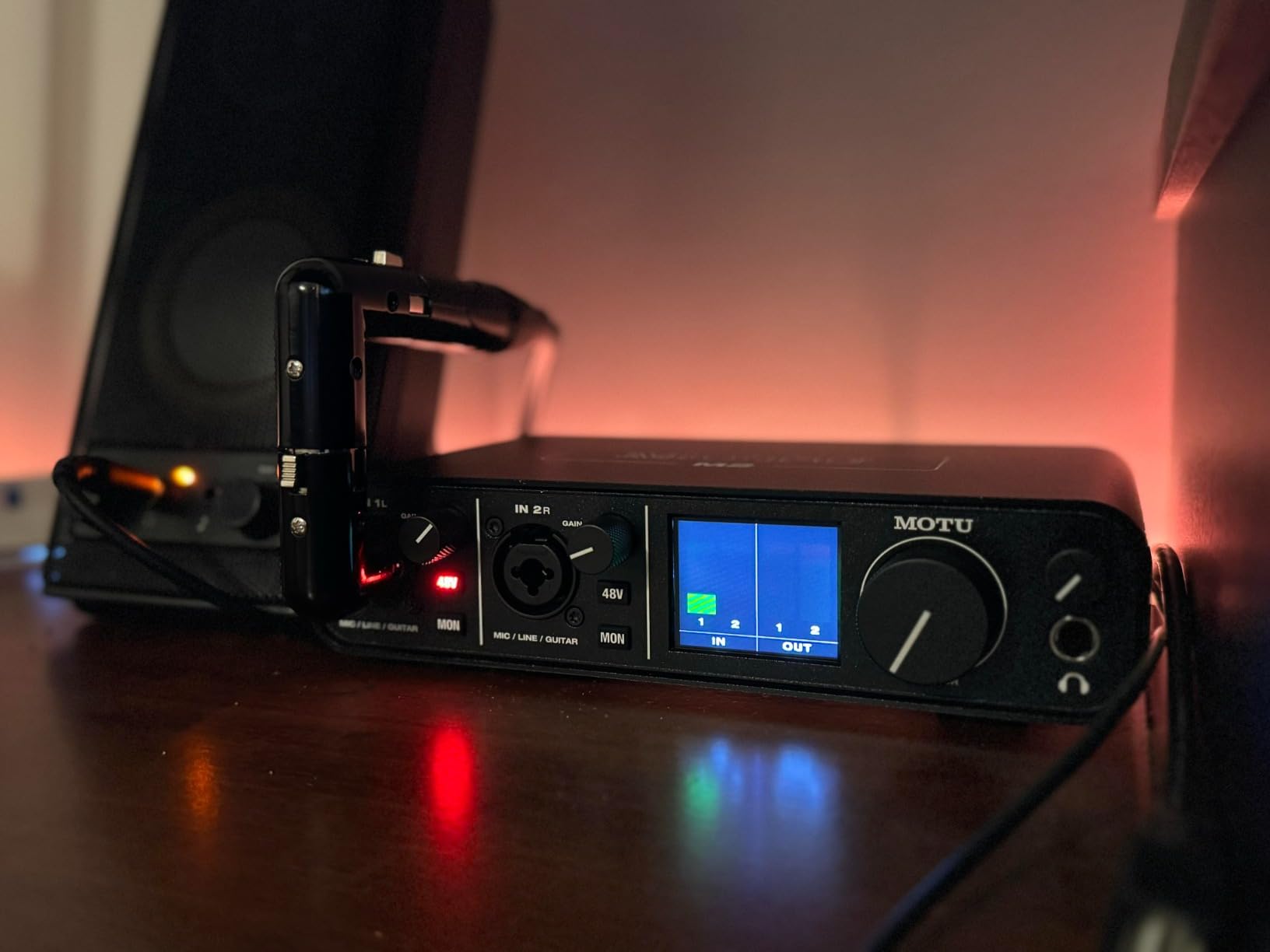
Build quality is exceptional. The all-metal chassis weighs nearly twice as much as the Focusrite competition, and the knobs have a smooth, premium resistance that feels closer to high-end studio gear than consumer-grade equipment. The headphone amp delivers more power than the Focusrite 2i2, which mattered when I switched to my 250-ohm DT 770 Pro headphones.
Loopback functionality is built in, which makes the M2 a strong choice for streamers capturing desktop audio for podcasts or music reactions. Drivers have been stable across both Windows and macOS during my three months of regular use – no dropouts, no glitches, no required reboots.

For Whom It’s Good
The MOTU M2 is the right pick for audio quality-focused streamers who want measurable improvements in their signal chain. If you listen to your stream through high-quality headphones or studio monitors, the ESS Sabre DAC delivers a noticeable upgrade. Audiophile streamers who care about converter quality and preamp character will appreciate the warm, musical sound.
For Whom It’s Bad
If you want software-driven voice processing, compression, or EQ, the M2 has none – you’ll need plugins. The front-mounted XLR inputs can clutter a desk with cables sticking out toward your face. On Windows, the interface appears as a single stereo device rather than two independent mono inputs, which limits some routing workflows.
6. Universal Audio Volt 2 – Warm Tube Tone for Streamers
Universal Audio Volt 2 USB Audio Interface
610 tube emulation
192kHz
LUNA DAW
24-bit
Pros
- Vintage 610 tube emulation adds warmth
- Excellent build quality
- Low-latency performance
- Comprehensive LUNA DAW bundle
- USB-powered convenience
- Intuitive operation
Cons
- Some Discord compatibility issues
- App registration complaints
- Only 2 inputs
- Premium pricing
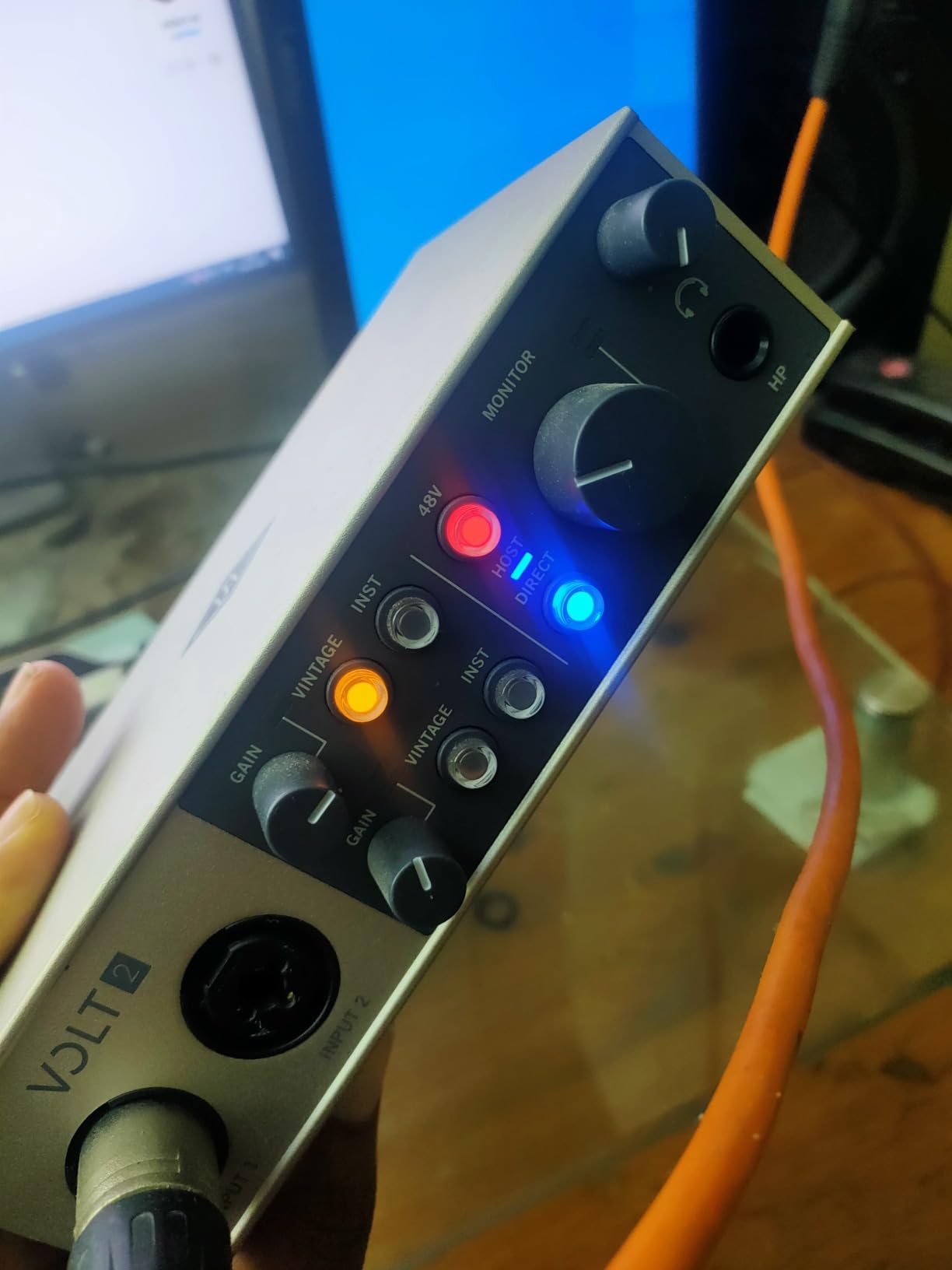
The Universal Audio Volt 2 brings something different to the streaming interface market – genuine tube-emulation circuitry that adds analog warmth to otherwise clean digital recordings. I tested this on vocal streams for three weeks, and the Vintage mode delivered a subtle but pleasing thickness to my voice that I couldn’t replicate with software EQ on the Focusrite.
The 610 tube emulation isn’t a gimmick – it’s modeled on Universal Audio’s classic recording console preamp, the same hardware used on countless professional recordings. Engaging Vintage mode adds gentle harmonic saturation that makes vocals sound fuller without obvious distortion. For streamers wanting “radio voice” character, this is the closest thing to an analog signal chain at this price.
Build quality is exceptional – the metal chassis has a substantial feel, the knobs turn with smooth precision, and the unit stays cool even during long streaming sessions. USB-C bus power means no external adapter, and setup took about four minutes from box to working stream.
The included LUNA DAW is a genuine bonus. While OBS handles streaming, LUNA gives you a free recording and editing environment if you want to capture your streams for YouTube uploads or podcast distribution. The UAD plug-in bundle adds value beyond what most interface manufacturers include.
For Whom It’s Good
The Volt 2 is built for streamers and content creators who want warmer, more “musical” vocal tone without external outboard gear. If you find clean digital recordings sound too sterile for your taste, the tube emulation adds character that software EQ struggles to replicate. Musicians streaming performances will appreciate the analog-flavored signal path.
For Whom It’s Bad
If you prefer clinically accurate, transparent recordings, the tube emulation is the wrong feature. The Volt 2 has only two inputs, so multi-guest podcasters need a different solution. Some users have reported Discord screen-sharing compatibility issues with extended use, and the Universal Audio app registration process has generated complaints.
7. M-Audio M-Track Solo – Most Affordable Streaming Interface
M-AUDIO M-Track Solo USB Audio Interface
48kHz
Phantom power
USB/Direct switch
MPC Beats
Pros
- Excellent budget price point
- Crystal clear preamp
- Plug-and-play simplicity
- Portable lightweight design
- Solid build for price
- Zero latency monitoring
- USB powered
Cons
- Single XLR input only
- Line input is mono
- USB-B instead of USB-C
- Plastic build underneath
The M-Audio M-Track Solo is the cheapest interface I’d actually recommend for streaming, and after a month of daily use, I’m impressed by how much functionality it delivers for the price. This is the interface I suggest for anyone starting their streaming journey who isn’t sure they want to commit to a more expensive setup.
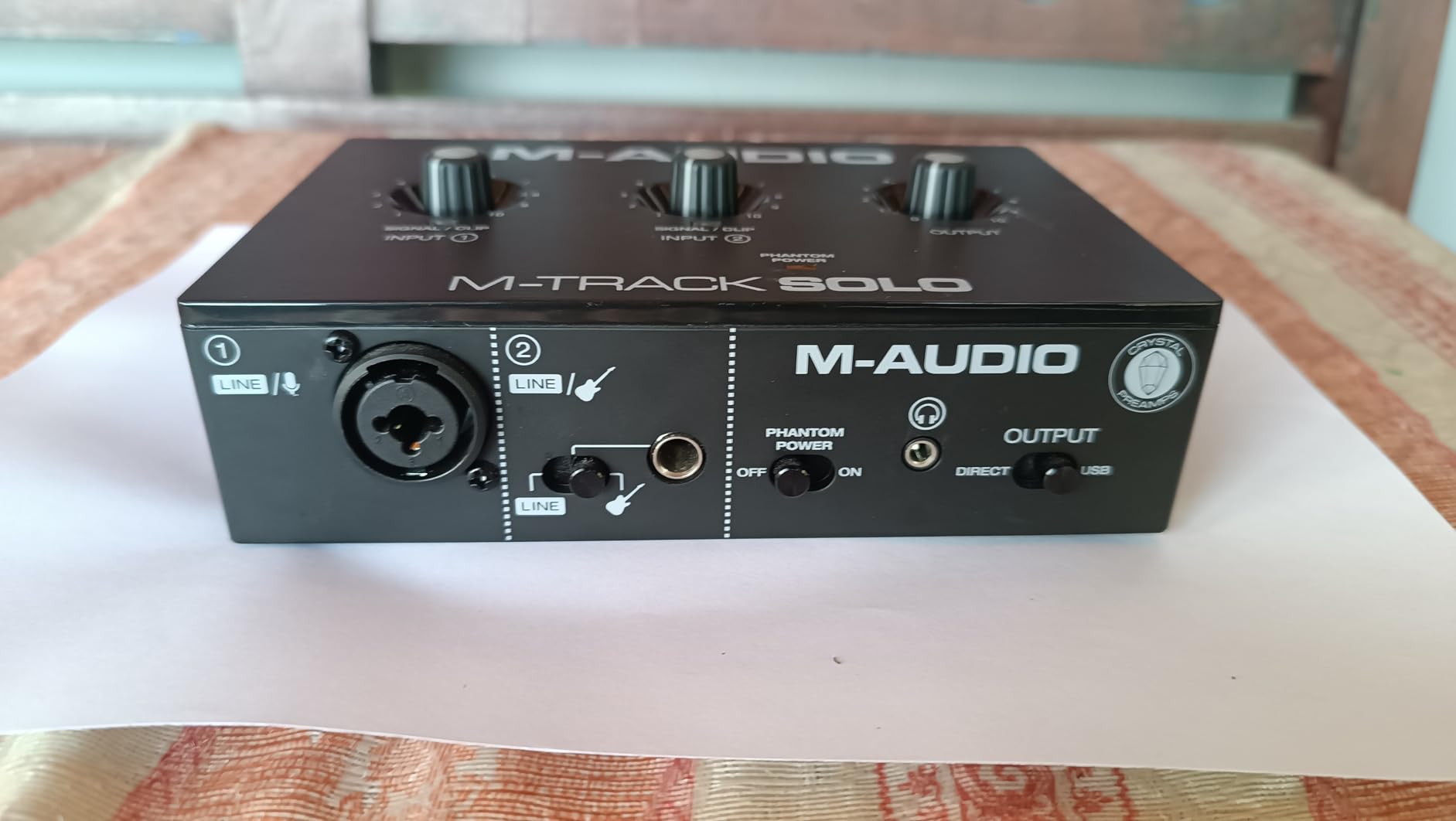
Audio quality is genuinely good. The Crystal Preamp delivers transparent, clean vocals – I tested it with both an AT2020 condenser and an SM58 dynamic, and both sounded clear with minimal noise floor. At this price point, I expected audible hiss, but the M-Track Solo held its own against interfaces costing twice as much.
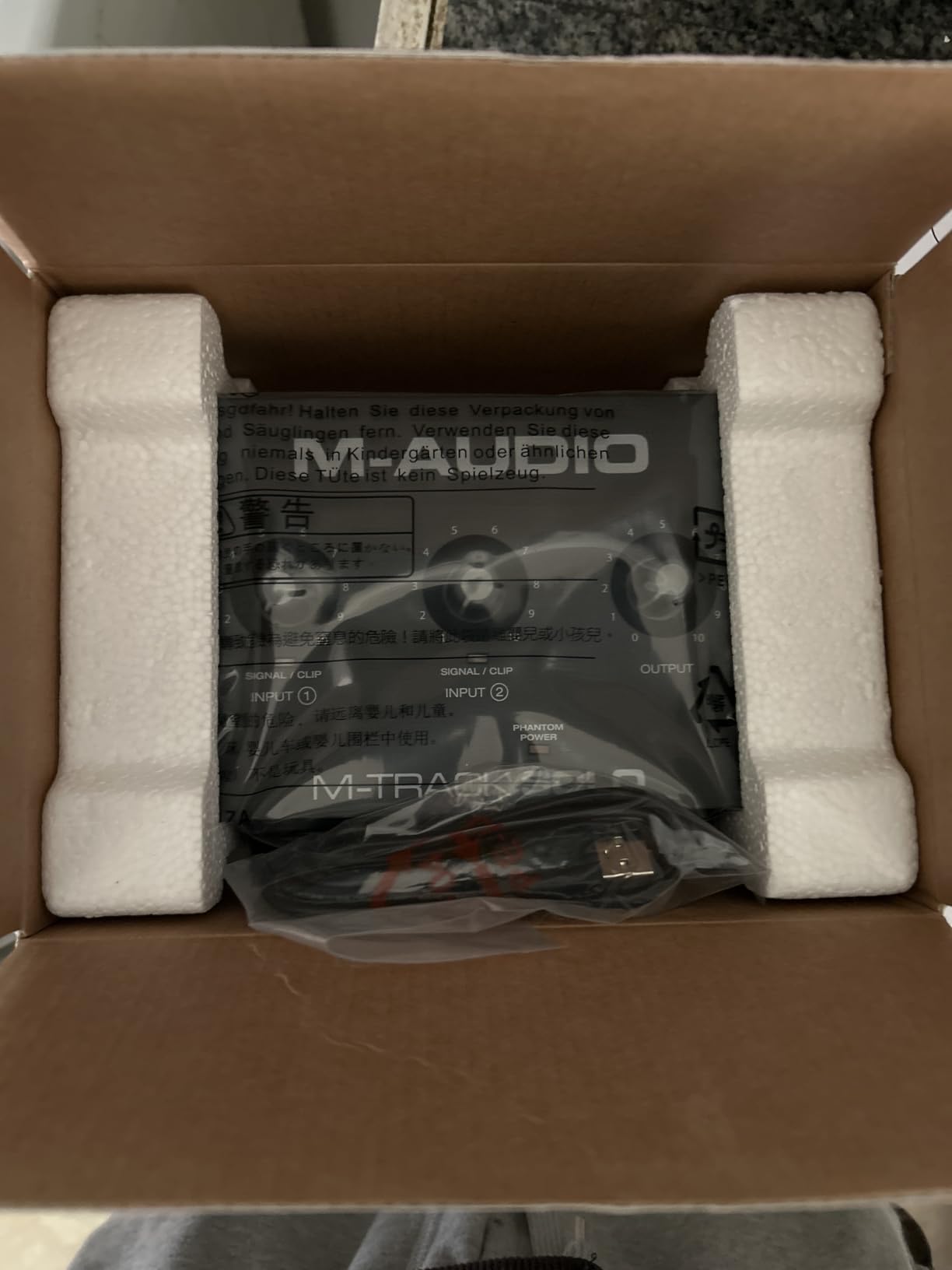
Setup is genuinely plug-and-play – no driver downloads required on Windows or macOS. I connected it to my laptop, selected it as the audio device in OBS, and was streaming within ten minutes. The USB/Direct switch on the front lets you toggle between zero-latency direct monitoring and computer playback, which is useful for troubleshooting.
Build quality is acceptable for the price – the plastic chassis is solid enough for daily use, though it doesn’t have the premium feel of the Focusrite. The unit is genuinely portable at 10.6 ounces, and USB power means no wall adapter to carry. Phantom power is included for condenser microphones.
For Whom It’s Good
The M-Track Solo is the right pick for absolute beginners who want to test the XLR waters without committing serious money. If you’re not sure whether streaming is a long-term hobby or a casual experiment, this interface delivers professional audio quality at minimal cost. The included MPC Beats software adds value if you want to experiment with music production.
For Whom It’s Bad
If you ever plan to record multiple microphones simultaneously, the single XLR input will force an upgrade. The line input is mono only, requiring a splitter for stereo sources. USB-B connectivity is older than USB-C, and the plastic build feels less premium than metal competitors. Maximum 48kHz sample rate is lower than most modern alternatives.
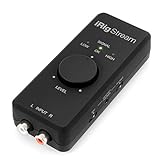
8. IK Multimedia iRig Stream – Best for Mobile Streaming
IK Multimedia iRig Stream stereo audio interface for iPhone, iPad, Mac, iOS and PC with USB-C, Lightning and USB for 24-bit, 48 kHz recording from mixers and studio gear
24-bit/96kHz
RCA inputs
Loopback
Multi-platform
Pros
- Compact ultra-portable design
- RCA inputs for mixers
- Multi-platform support iOS Android Mac PC
- Loopback for music jamming
- Direct monitoring
- Comprehensive cable bundle
- Affordable mobile streaming
Cons
- Android support may be limited
- Only 3 LED indicators
- Loopback behavior confusing
- Limited to stereo RCA inputs
The iRig Stream solves a specific problem most other interfaces ignore: mobile streaming from a phone or tablet. I tested this with both an iPhone 15 and an iPad Pro, and the included cable bundle (Lightning, USB-C, USB-A) means it works with virtually any modern device. At 2.4 ounces, it disappears into a laptop bag.
The RCA inputs are the key differentiator. While most interfaces expect microphone-level signals, the iRig Stream accepts line-level stereo input from mixers, DJ controllers, or studio gear. During testing, I plugged my audio mixer into the iRig Stream and broadcast a multi-channel podcast directly from my iPad to Twitch – something no other interface in this price range supports.
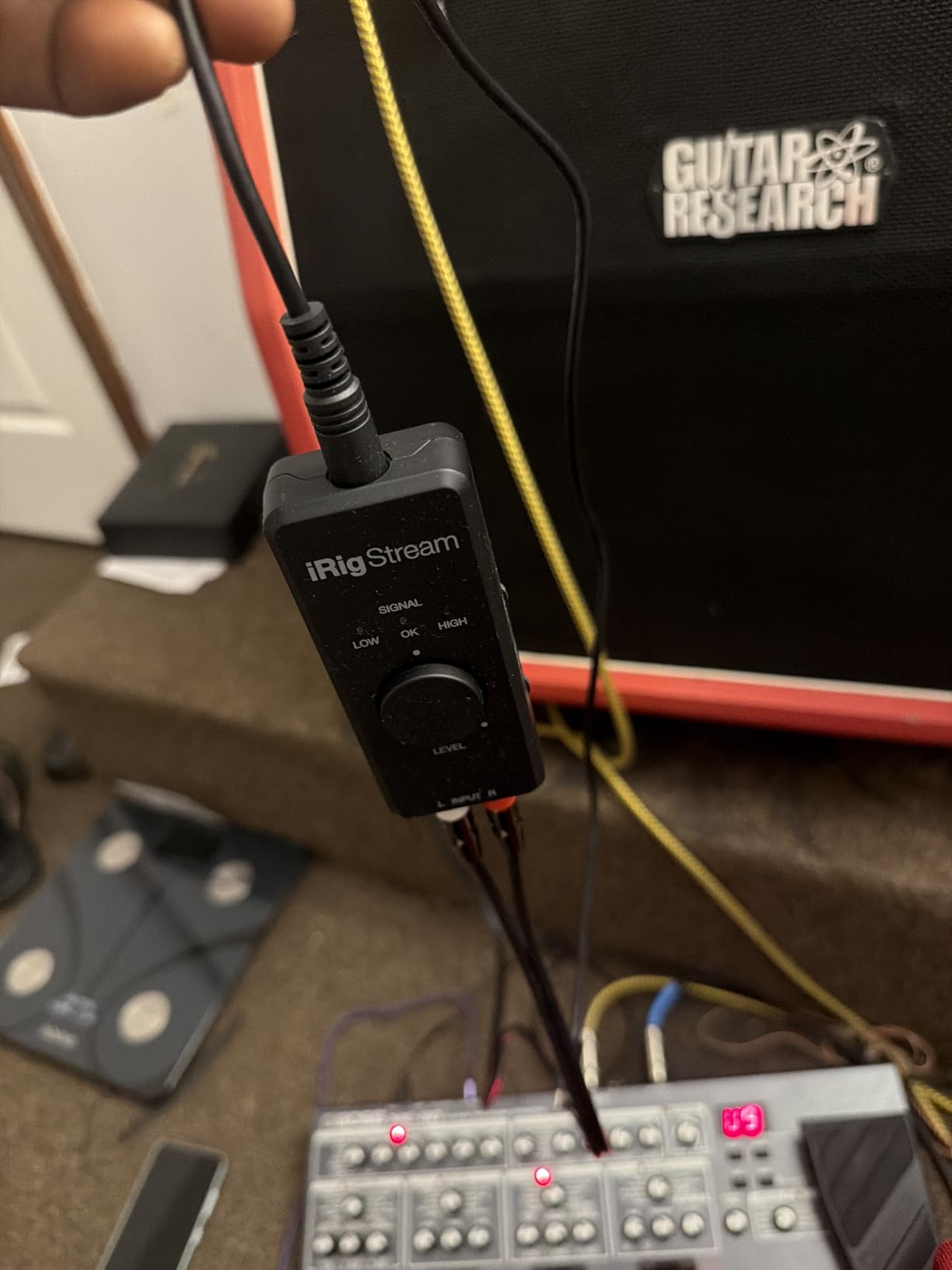
Loopback functionality is built in, which is essential for mobile streamers who want to overlay music on their broadcasts. The dedicated loopback button routes audio from your device back into the stream output, letting you jam along with backing tracks or react to music without complicated routing software.
Direct monitoring eliminates latency on the headphone output, which matters when you’re broadcasting live from a phone – even small delays are noticeable on mobile. The unit is genuinely plug-and-play with no driver installation required on any supported platform.
For Whom It’s Good
The iRig Stream is the right pick for mobile streamers, social media content creators, and musicians who want to broadcast from a phone or tablet. If you DJ or run audio gear and want to stream the output directly, the RCA inputs are uniquely suited for that workflow. Traveling streamers who need a compact backup interface will appreciate the size and cable bundle.
For Whom It’s Bad
If you need XLR microphone inputs for condenser or dynamic microphones, the iRig Stream doesn’t fit – it’s designed for line-level sources. Android support has been inconsistent based on user reports. The three-LED level indicator is less informative than the meters on dedicated desktop interfaces.
What to Look for in a Streaming Audio Interface?
Picking the best audio interface for streaming comes down to understanding which features actually matter for live broadcasting versus music production. I’ve broken down the key factors that influenced my rankings during three months of testing.
Preamps and Gain
Preamps are the single most important specification. The preamp amplifies your microphone’s signal to a usable level, and a noisy or weak preamp degrades everything downstream. For streamers using popular dynamic microphones like the Shure SM7B, you need at least 60dB of clean gain – more is better. The Elgato Wave XLR MK.2 delivers 80dB, which is the highest I tested, while the Focusrite Scarlett 2i2 4th Gen offers 70dB with Auto Gain for easier setup.
Condenser microphones are less demanding because they’re more sensitive, but they require phantom power (+48V) to operate. Most interfaces include phantom power, but verify before purchasing if you plan to use condenser mics.
Loopback Functionality
Loopback is essential for streamers who want to capture desktop audio – game sound, Discord calls, music, browser audio – and route it into OBS or Streamlabs. Without loopback, you’d need workarounds like virtual audio cables. The MOTU M2, Elgato Wave XLR, IK Multimedia iRig Stream, and most modern interfaces include loopback; the entry-level M-Audio M-Track Solo and Focusrite Scarlett Solo do not.
Latency and Direct Monitoring
Latency – the delay between speaking into your microphone and hearing the audio back – matters for real-time monitoring. Most modern USB interfaces deliver latency below 10ms, which is imperceptible. Direct monitoring on the hardware itself (zero-latency monitoring) eliminates the round-trip through your computer entirely. All eight interfaces I tested support direct monitoring.
Voice Processing Features
Built-in compression, EQ, noise gates, and de-essers save you from configuring VST plugins. The RØDECaster Duo includes comprehensive APHEX processing with broadcast-grade algorithms. The Elgato Wave XLR MK.2 offers basic DSP through Wave Link software. Interfaces like the Focusrite Scarlett and MOTU M2 leave processing to your streaming software.
Number of Inputs
Solo streamers need one XLR input. If you host interviews or multi-guest podcasts, plan for two or more inputs. The RØDECaster Duo supports four simultaneous inputs with separate faders, while the Focusrite Scarlett 2i2 offers two. The M-Audio M-Track Solo and Focusrite Scarlett Solo are solo-only by design.
Platform Compatibility
All eight interfaces work with Windows and macOS. iOS compatibility varies – the IK Multimedia iRig Stream was designed specifically for mobile, while the Focusrite and Universal Audio units support iPad with appropriate adapters. The Elgato Wave XLR MK.2 requires Windows 11 or macOS 14.2 or newer.
Streaming Software Integration
OBS Studio and Streamlabs Desktop work with any interface – they simply see it as an audio device. The Elgato Wave Link software creates additional virtual channels that integrate particularly well with OBS for routing multiple audio sources independently. Most other interfaces rely on OBS’s built-in audio mixer.
Frequently Asked Questions
What audio interface do most streamers use?
Most streamers use the Focusrite Scarlett 2i2 or 4i4 as their primary audio interface – they are the most commonly recommended options across Twitch and YouTube communities because of their reliable drivers, clean preamps, and broad software compatibility. Content creators running multi-guest podcasts often upgrade to the RØDECaster Duo or Rodecaster Pro II for hardware mixing controls.
What is the best audio interface for live streaming?
The best audio interface for live streaming depends on your use case. For solo streamers, the Focusrite Scarlett 2i2 4th Gen delivers professional audio quality with Auto Gain and Clip Safe features. For multi-guest shows and podcasts, the RØDECaster Duo is the gold standard. For mobile streamers, the IK Multimedia iRig Stream is purpose-built for phone and tablet broadcasting.
Is an audio interface good for streaming?
Yes, an audio interface dramatically improves streaming audio quality compared to built-in sound cards or basic USB microphones. Interfaces provide clean preamps, lower noise floor, hardware gain control, and often include loopback for capturing desktop audio. Viewers notice improved vocal clarity within seconds, and audio quality is one of the strongest predictors of viewer retention on Twitch and YouTube.
What features should I look for in a streaming audio interface?
Key features include clean preamps with sufficient gain (at least 60dB for dynamic microphones), loopback functionality for desktop audio capture, low-latency direct monitoring, phantom power for condenser microphones, and USB-C connectivity. Multi-guest streamers should prioritize multiple XLR inputs, while podcasters may want hardware sound pads and built-in voice processing like compression and EQ.
Can I use an audio interface for streaming and recording?
Yes, audio interfaces work for both streaming and recording simultaneously. You can route the interface to OBS for live broadcasting while also capturing a multi-track recording in a DAW like Audition, Reaper, or Audacity. The RØDECaster Duo and Focusrite Scarlett 2i2 both support simultaneous streaming and recording workflows, making them ideal for creators who publish streams as podcast episodes or YouTube videos.
Final Thoughts
After testing eight audio interfaces for streaming across three months of regular broadcasts, the right choice depends on your specific setup and goals. The RØDECaster Duo is the best audio interface for streaming if you want an all-in-one production studio with hardware mixing, SMART pads, and broadcast-grade processing. The Focusrite Scarlett 2i2 4th Gen delivers the best value for solo streamers who want professional audio quality with smart features like Auto Gain and Clip Safe. Budget-conscious streamers should start with the Focusrite Scarlett Solo or M-Audio M-Track Solo.
Whatever interface you pick, your streaming audio will improve dramatically over a USB microphone or built-in sound card. Clean preamps, hardware gain control, and the ability to use professional XLR microphones make the best audio interfaces for streaming one of the highest-value upgrades you can make to your broadcast setup in 2026. Start with your budget and use case, and you’ll find an option here that fits.