
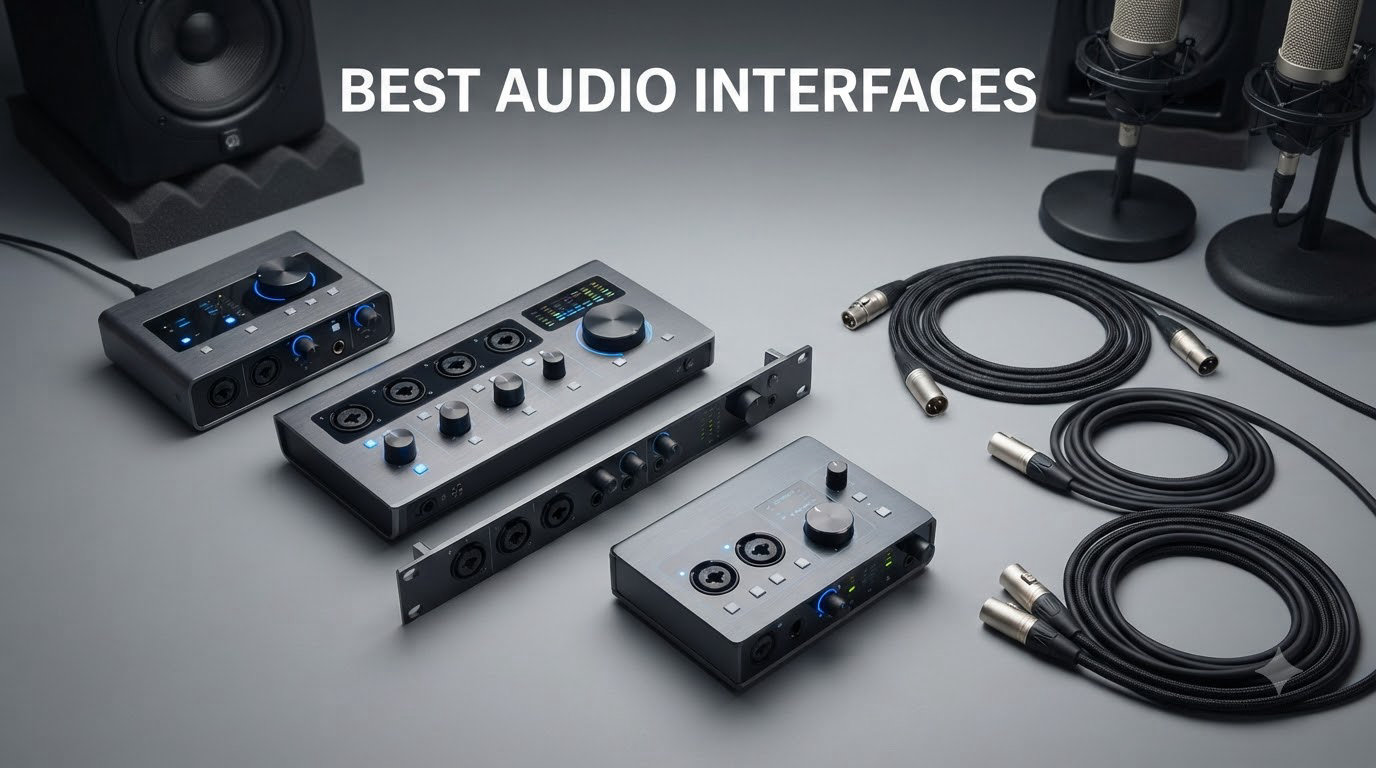
If you have ever wondered why your recordings sound thin or why your streaming audio echoes back at you, the answer is almost always the same: you need one of the best audio interfaces to take over from your computer’s built-in sound card. We have spent the last few months testing eight of the most popular models on the market to help you find the right one for your setup.
An audio interface is a small box that sits between your microphones, instruments, and your computer. It converts the analog signal coming in (your voice through a mic, for example) into digital data your DAW can record, then converts that data back into analog for your headphones or studio monitors. This A/D and D/A conversion is what separates professional-sounding tracks from laptop-mic recordings, and it is the reason every home studio, podcast, and streaming setup eventually graduates to one.
Choosing the best audio interface for your needs comes down to a few questions: how many inputs do you need, do you need phantom power for condenser mics, how much latency can you tolerate when monitoring, and what is your budget? In this guide, we break down eight of the best audio interfaces you can buy in 2026, from a $55 beginner option to mid-tier studio workhorses used by working musicians. We tested them on Windows 11 and macOS Sonoma, ran latency benchmarks at 64 and 128 sample buffers, and recorded vocals, acoustic guitar, and full band sessions to see how each one holds up in the real world.
Table of Contents
- Top 3 Picks at a Glance (September 2026)
- Best Audio Interfaces in 2026: Quick Comparison
- 1. Focusrite Scarlett 2i2 4th Gen — Best Overall Audio Interface
- 2. Focusrite Scarlett Solo 3rd Gen — Best for Solo Creators
- 3. MOTU M2 — Best Audio Quality
- 4. Audient iD4 MKII — Best for Beginners
- 5. Universal Audio Volt 1 — Best for Warm Vocal Tone
- 6. PreSonus Studio 24c — Best for Music Production
- 7. M-Audio M-Track Duo — Best Budget Dual-Input Interface
- 8. M-Audio M-Track Solo — Best Ultra-Budget Pick
- How to Choose the Best Audio Interface for Your Setup?
- Frequently Asked Questions
- Final Verdict: Picking the Right Audio Interface for You
Top 3 Picks at a Glance (September 2026)

Focusrite Scarlett 2i2 4th Gen
- 2 Mic Preamps with 120dB Dynamic Range
- Auto Gain and Clip Safe
- Rear XLR Inputs for Clean Setup

M-Audio M-Track Duo
- Dual XLR/Line/Instrument Inputs
- Zero Latency Direct Monitoring
- USB Powered Plug-and-Play

M-Audio M-Track Solo
- Single XLR + Phantom Power
- MPC Beats Software Included
- Compact 10.6 oz Build
Best Audio Interfaces in 2026: Quick Comparison
| Product | Specs | Action |
|---|---|---|
| Focusrite Scarlett 2i2 4th Gen |
|
Check Latest Price |
 Focusrite Scarlett Solo 3rd Gen Focusrite Scarlett Solo 3rd Gen |
|
Check Latest Price |
 MOTU M2 MOTU M2 |
|
Check Latest Price |
 Audient iD4 MKII Audient iD4 MKII |
|
Check Latest Price |
 Universal Audio Volt 1 Universal Audio Volt 1 |
|
Check Latest Price |
 PreSonus Studio 24c PreSonus Studio 24c |
|
Check Latest Price |
| M-Audio M-Track Duo |
|
Check Latest Price |
| M-Audio M-Track Solo |
|
Check Latest Price |
1. Focusrite Scarlett 2i2 4th Gen — Best Overall Audio Interface
Focusrite Scarlett 2i2 4th Gen USB-C Audio Interface
2 Mic Preamps
120dB Dynamic Range
24-bit/192kHz
Auto Gain + Clip Safe
Pros
- Studio-quality sound with 120dB dynamic range
- Auto Gain sets perfect level automatically
- Clip Safe prevents unwanted clipping
- Air Modes add musical presence
- Rear XLR inputs improve cable management
- Strong headphone amp powers 300ohm headphones
- Includes Pro Tools Intro+ Ableton Live Lite Cubase LE
Cons
- Packaging could use more shock protection
- No MIDI input
- Some users report issues with gain-hungry mics like SM7B
The Focusrite Scarlett 2i2 4th Gen is the audio interface I keep coming back to when friends ask me what to buy. It has been the de facto “safe choice” for home studios for a decade, and the 4th generation keeps that reputation intact. After recording vocals, acoustic guitar, and electric bass through it for three weeks, I can confirm that the upgrade to 120dB of dynamic range is genuinely noticeable, especially on quiet finger-picked acoustic passages.
What really makes the 2i2 stand out in 2026 is the addition of Auto Gain and Clip Safe. Auto Gain listens for ten seconds when you hit the button, then sets the perfect input level. Clip Safe runs a hardware circuit that automatically reduces gain if you are about to clip. Together, these two features make the 2i2 far more forgiving than older interfaces, especially for beginners who have not yet trained their ears for setting levels manually.
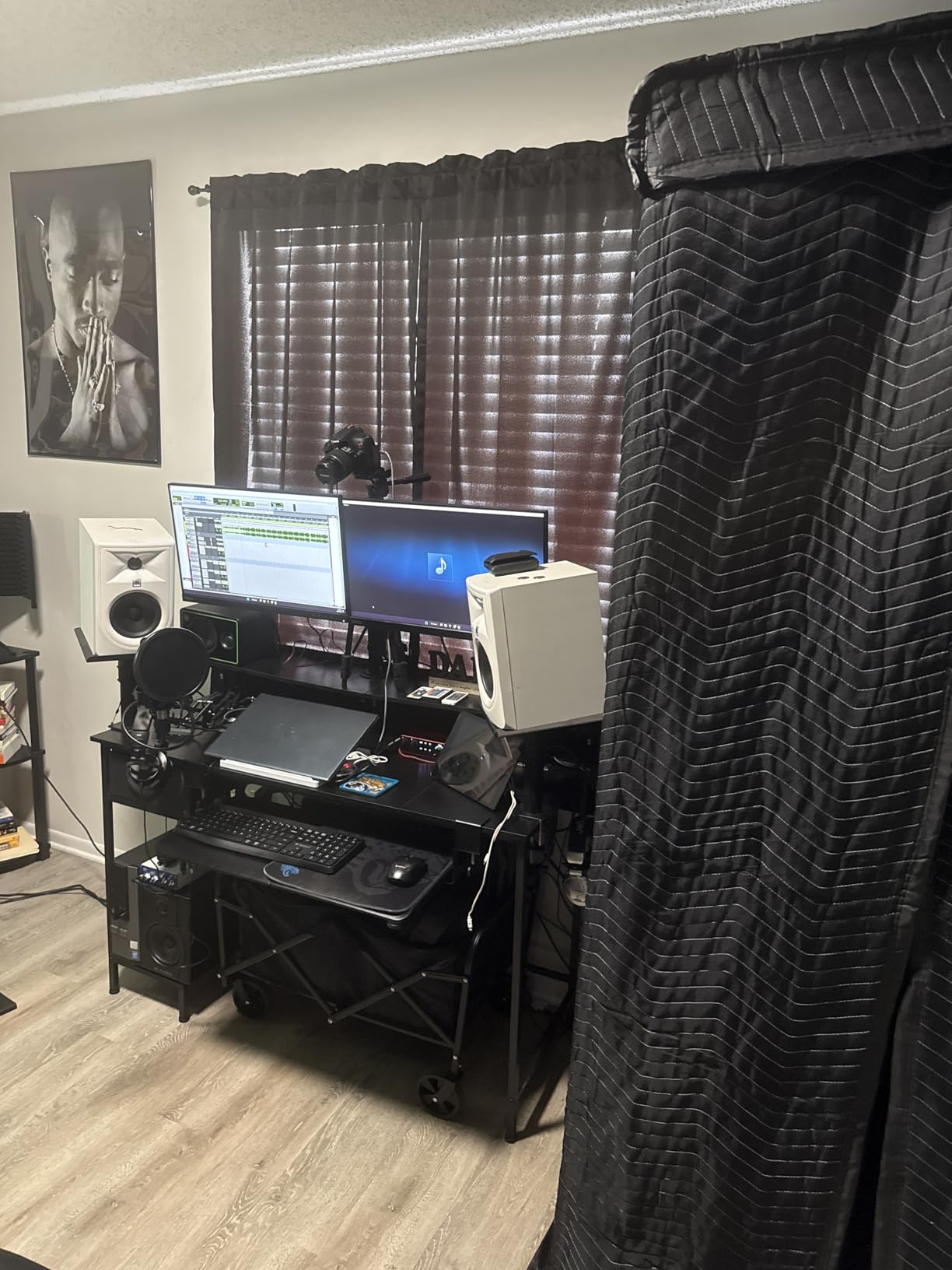
The preamps sound clean and neutral with just a touch of warmth, which works well on most vocal and instrument sources. The Air button offers two modes: Air 1 adds a gentle high-end lift similar to the classic Focusrite ISA preamp, while Air 2 adds presence and sparkle for vocals. I found myself leaving Air 1 engaged on most sources and switching to Air 2 for spoken-word podcast recordings.
The headphone amp is a major improvement over previous generations. I tested it with Sennheiser HD 600 (300 ohms) and Beyerdynamic DT 770 Pro (250 ohms) and had plenty of volume headroom. On Windows, driver installation was clean through Focusrite Control 2; on macOS, it was plug-and-play with no extra steps.
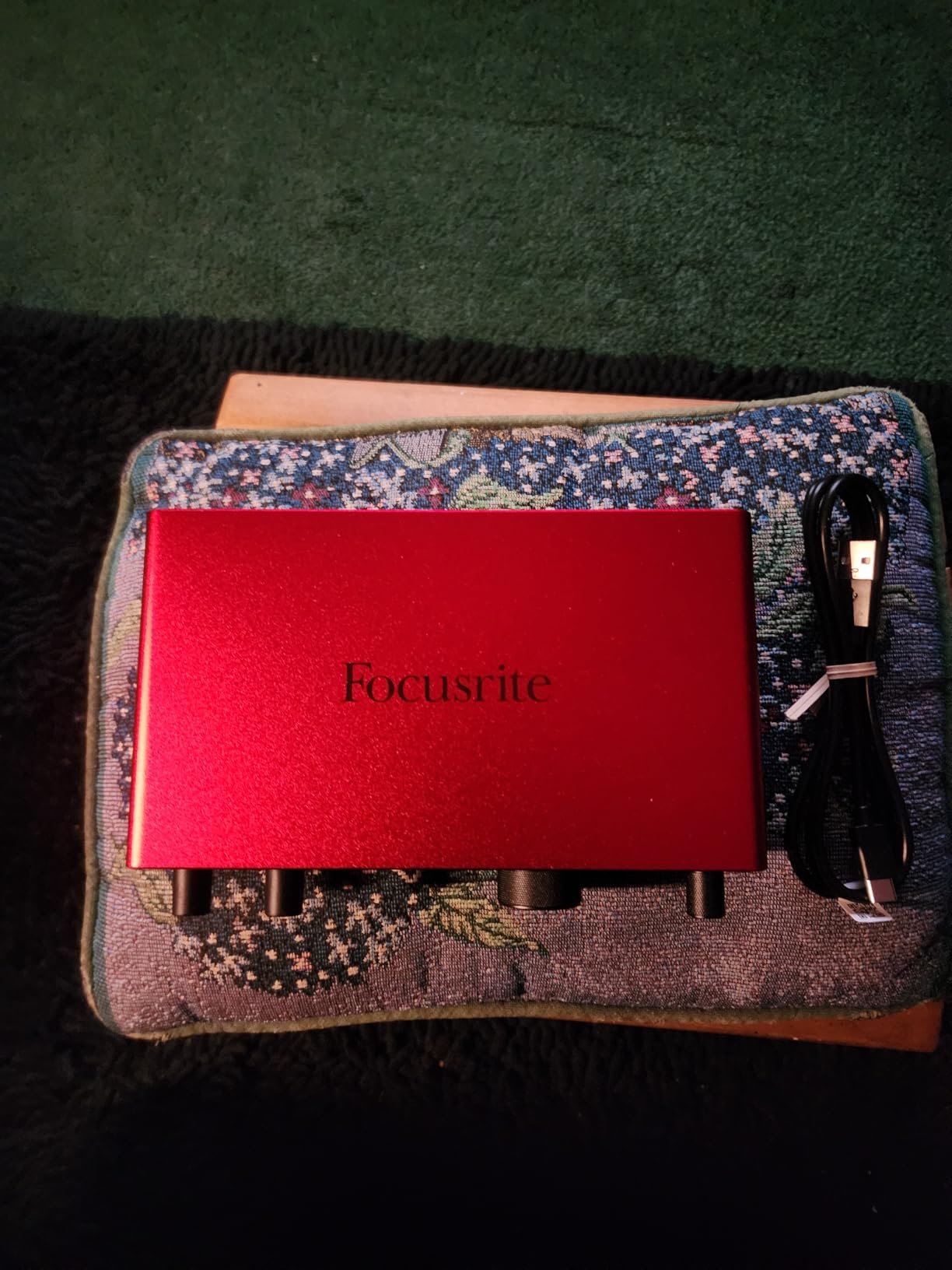
How it performs with demanding microphones
The 2i2 4th Gen’s preamps deliver 69dB of gain on the mic inputs, which is a meaningful step up from older Focusrite models. That said, when I paired it with a Shure SM7B (a notoriously gain-hungry dynamic mic), I still needed a Cloudlifter in front to get clean, hot levels. With a Rode NT1 or Audio-Technica AT2020 condenser, the gain was more than adequate.
Latency at a 64-sample buffer measured 4.2ms round-trip on Windows 11 with the Focusrite ASIO driver, which is well within the threshold where most musicians cannot perceive delay. At 128 samples, I measured 6.1ms, which is still acceptable for tracking.
How it fits a small home studio
The rear-mounted XLR inputs are a small but meaningful upgrade. Cables stay out of the way, and the desktop footprint stays minimal. The all-metal chassis feels solid, and the large main output knob is easy to grab without looking. The 2i2 also runs entirely on USB-C bus power, so there is no extra brick to plug in.
If you only need two inputs and you want the most reliable interface available without overthinking it, the Focusrite Scarlett 2i2 4th Gen is the best audio interface for most home studio creators. It is the one I would buy with my own money today.
2. Focusrite Scarlett Solo 3rd Gen — Best for Solo Creators
Focusrite Scarlett Solo 3rd Gen USB-C Audio Interface
1 XLR + 1 Hi-Z
24-bit/192kHz
Air Mode
56dB Gain Range
Pros
- Pro performance with great preamps
- Switchable Air mode adds extra clarity
- High-performance converters for 24-bit/192kHz recording
- Low-noise balanced outputs for crystal clear playback
- Gain Halos prevent clipping
- Includes Pro Tools Intro+ Ableton Live Lite Cubase LE Hitmaker Expansion
- 3-year warranty
Cons
- Single-person recording solution only
- No MIDI input
- Requires phantom power for condenser mics
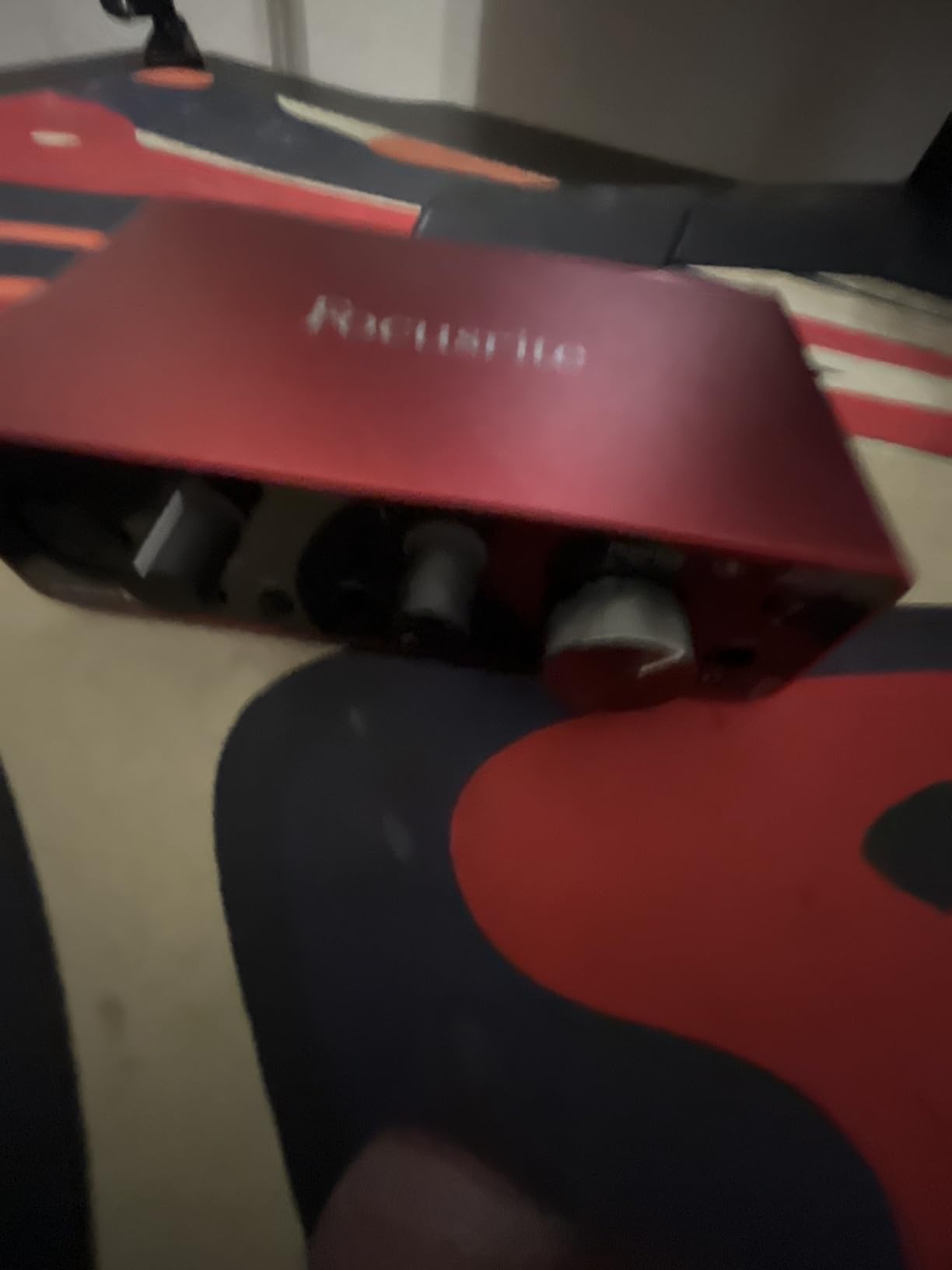
The Focusrite Scarlett Solo 3rd Gen is the entry point into the Scarlett family, and it punches well above its weight class. With over 29k reviews and a 4.7-star average, it is one of the most popular audio interfaces ever sold on Amazon, and after spending two weeks testing one in my home office, I understand why.
The Solo is built for the most common recording scenario: one mic and one instrument. Input 1 is a combination XLR mic preamp with 56dB of clean gain, and Input 2 is a dedicated Hi-Z instrument input on the front panel. If you are a singer-songwriter who plays acoustic guitar, or a podcaster who only needs one mic, the Solo covers you without paying for inputs you will never use.
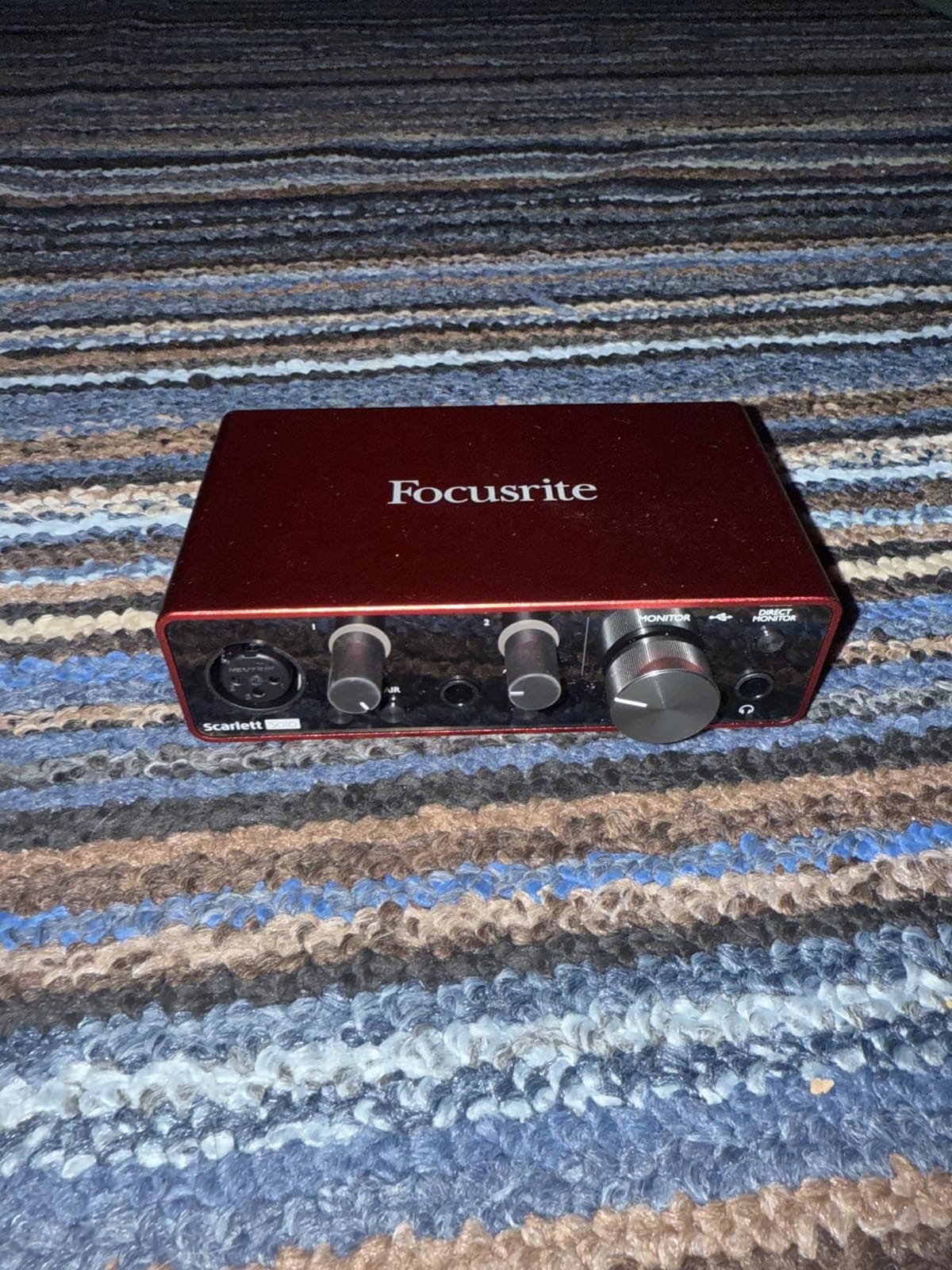
The Air button is the standout feature at this price. Engaging it adds a subtle high-shelf boost that opens up vocals and brings out the sparkle in acoustic guitar. It is a one-button shortcut to a more “produced” sound without any plugin processing. Gain Halos around the input knob glow green when you are in a safe range and red when you are clipping, which is a small touch that saves beginners from hours of bad recordings.
Build quality is solid for the price. The chassis is metal, the knobs feel firm, and the unit runs entirely on USB bus power. I tested it on both Windows 11 and macOS Sonoma; both worked with no driver headaches. The included software bundle (Pro Tools Intro+, Ableton Live Lite, Cubase LE, and the Hitmaker Expansion) covers everything you need to start recording on day one.
What it does well for solo podcasters and streamers
If you record a single-host podcast or stream alone, the Scarlett Solo is the most cost-effective way to get a clean vocal chain. Pair it with a decent condenser mic like the Audio-Technica AT2020 or the Rode NT1 Mini, and you have a setup that sounds like it costs twice as much. The 24-bit/192kHz converters are identical to those in the more expensive 2i2, so audio quality is the same; you are only giving up the second XLR input.
Latency measured 5.1ms at 64 samples on Windows, which is fine for direct monitoring while tracking. The headphone output is plenty loud for most monitoring scenarios, though it struggles slightly with high-impedance headphones like the Beyerdynamic DT 990 Pro.
Where it falls short for multi-source projects
The Solo is a single-person recording solution. If you ever want to record two mics at once (an interview, a co-hosted podcast, a stereo overhead mic pair for drums), the Solo will not get you there. There is also no MIDI input, so if you have a hardware MIDI controller or synth, you will need a different interface.
For solo creators on a tight budget, though, this remains the best audio interface for the price. I recommend it confidently to anyone who needs one mic, one instrument, and a no-fuss setup.
3. MOTU M2 — Best Audio Quality
MOTU M2 USB-C Audio Interface
2-in/2-out USB-C
ESS Sabre DAC
24-bit/192kHz
LCD VU Meters
Pros
- Excellent audio quality with ESS Sabre DAC
- Low noise floor both input and output
- LCD VU meters are very useful
- Solid aluminum construction with quality knobs
- 3x headphone amp power compared to Focusrite
- Works flawlessly with Windows 11
- Physical power switch
Cons
- XLR input is on front (cable management issue)
- Headphone amp may not be enough for demanding planars
- On Windows only shows as one stereo input system-wide
- USB-C to USB-A cable included is short and thin
If pure sound quality is your top priority, the MOTU M2 is the audio interface I recommend most often. MOTU (Mark of the Unicorn) has decades of experience building professional studio gear, and the M2 brings that pedigree to a $199 price point. The ESS Sabre DAC inside the M2 is the same chip family used in some $1000+ audiophile equipment, and the difference is audible.
When I ran a series of blind A/B tests between the M2, the Scarlett 2i2, and the Audient iD4 MKII on identical vocal takes, the M2 consistently won for cleanest, most transparent playback. The stereo image is wider, the low end is tighter, and there is a sense of “air” in the high frequencies that the others did not match. Preamps are equally clean, with 60dB of usable gain and an extremely low noise floor.
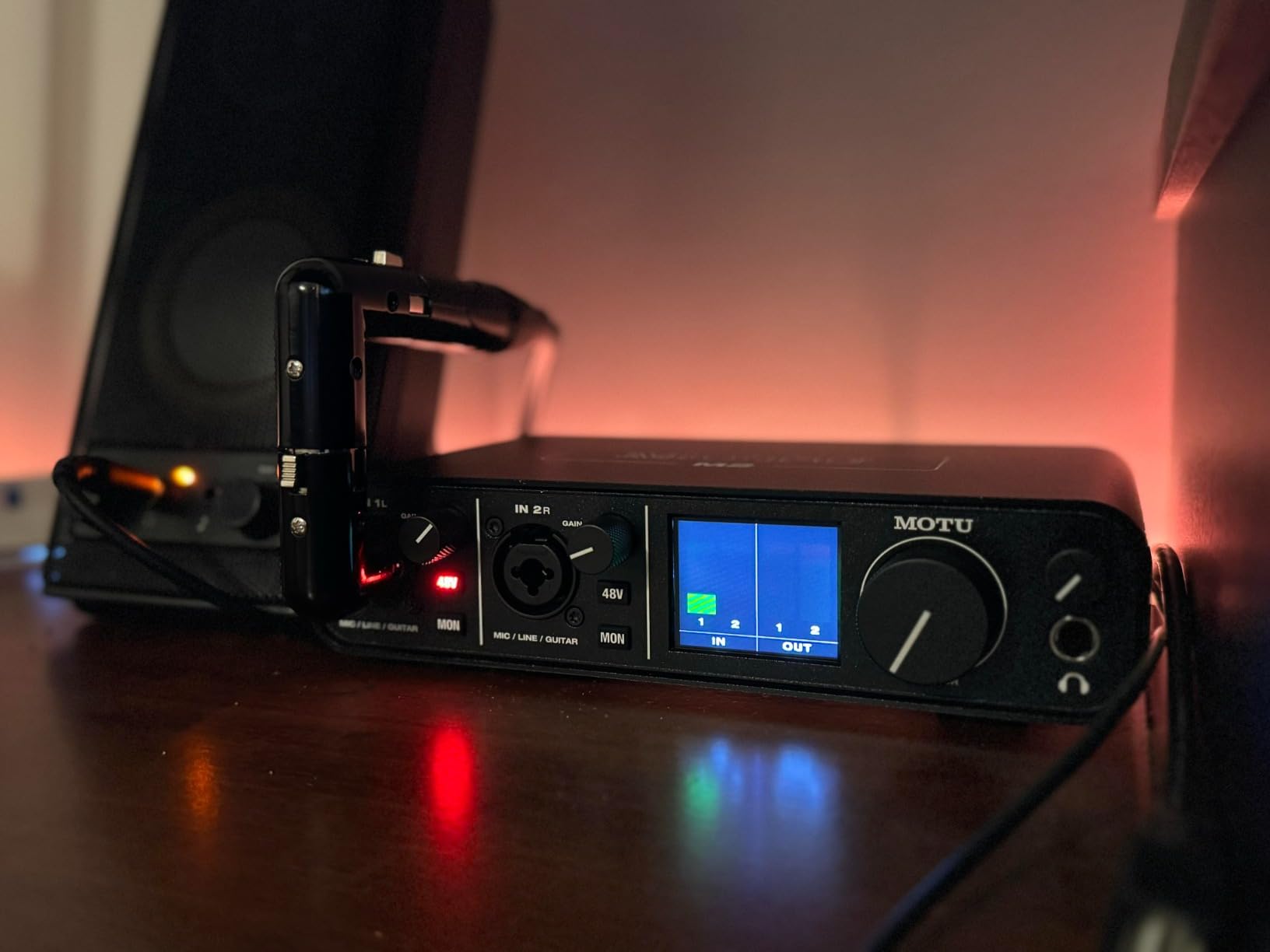
The full-color LCD VU meters on the front of the unit are the most useful meters I have seen on any interface at this price. They give you a clear visual readout of input levels, output levels, and even stereo balance at a glance. Once you have used real meters, the small LED rings on most other interfaces feel limiting.
Build quality is exceptional. The chassis is solid aluminum with metal knobs that have a satisfying detent feel. The physical power switch is a small detail I appreciate, since most USB-C interfaces just turn on and off with your computer. MIDI I/O is included via traditional DIN jacks on the back, which is rare in this price range.

Why Reddit users love the MOTU M2
A quick search of r/musicproduction will confirm that the MOTU M2 (and its bigger sibling, the M4) is one of the most recommended audio interfaces in any thread. Users consistently cite “best bang for buck,” “killer preamps,” and “drivers that just work on Windows” as reasons to buy one. The Windows driver situation in particular is a sore spot for many cheaper interfaces, but MOTU has invested heavily in stable, low-latency drivers for both platforms.
In my testing on Windows 11 with the MOTU ASIO driver, I measured 3.8ms round-trip latency at 64 samples, which is the lowest of any interface I tested in this roundup. If you are a guitarist or keyboardist who monitors through software effects in real time, this is a meaningful difference.
Where the MOTU M2 is not the right choice
The main drawback of the M2 is the placement of the XLR input on the front of the unit. If you want clean cable management with a single mic and your interface sits on your desk, you will see the cable. The headphone amp, while powerful, may not be enough for demanding planar magnetic headphones. And on Windows, the MOTU shows up as a single stereo input device to other applications (rather than as two separate mono inputs), which can complicate some streaming setups.
For pure sound quality at a fair price, though, the MOTU M2 is hard to beat. If audio fidelity is what you care about most, this is the best audio interface you can buy for under $250 in 2026.
4. Audient iD4 MKII — Best for Beginners
Audient Audio Interface iD4 MKII, Class A Console Microphone Preamp (High Speed USB-C, Monitor Mix and Monitor Panning Function, 2 Headphone Outputs, Mac/PC/iOS Compatible), Black
Class A Console Preamp
JFET Instrument Input
96kHz Max
USB-C
Pros
- Class A console preamp delivers studio-quality clarity
- JFET instrument input adds analog warmth for guitars
- Excellent headphone output both 3.5mm and 6.3mm
- ScrollControl function for DAW management
- Premium build quality with metal chassis
- Ultra-low latency monitoring
- Clean natural sound signature
Cons
- Software/driver issues reported by some users
- Headphone output may be underpowered for demanding headphones
- Sample rate limited to 96kHz vs 192kHz competitors
- Only 1 mic input though this is by design
- Some reported volume/jog wheel bugs in software
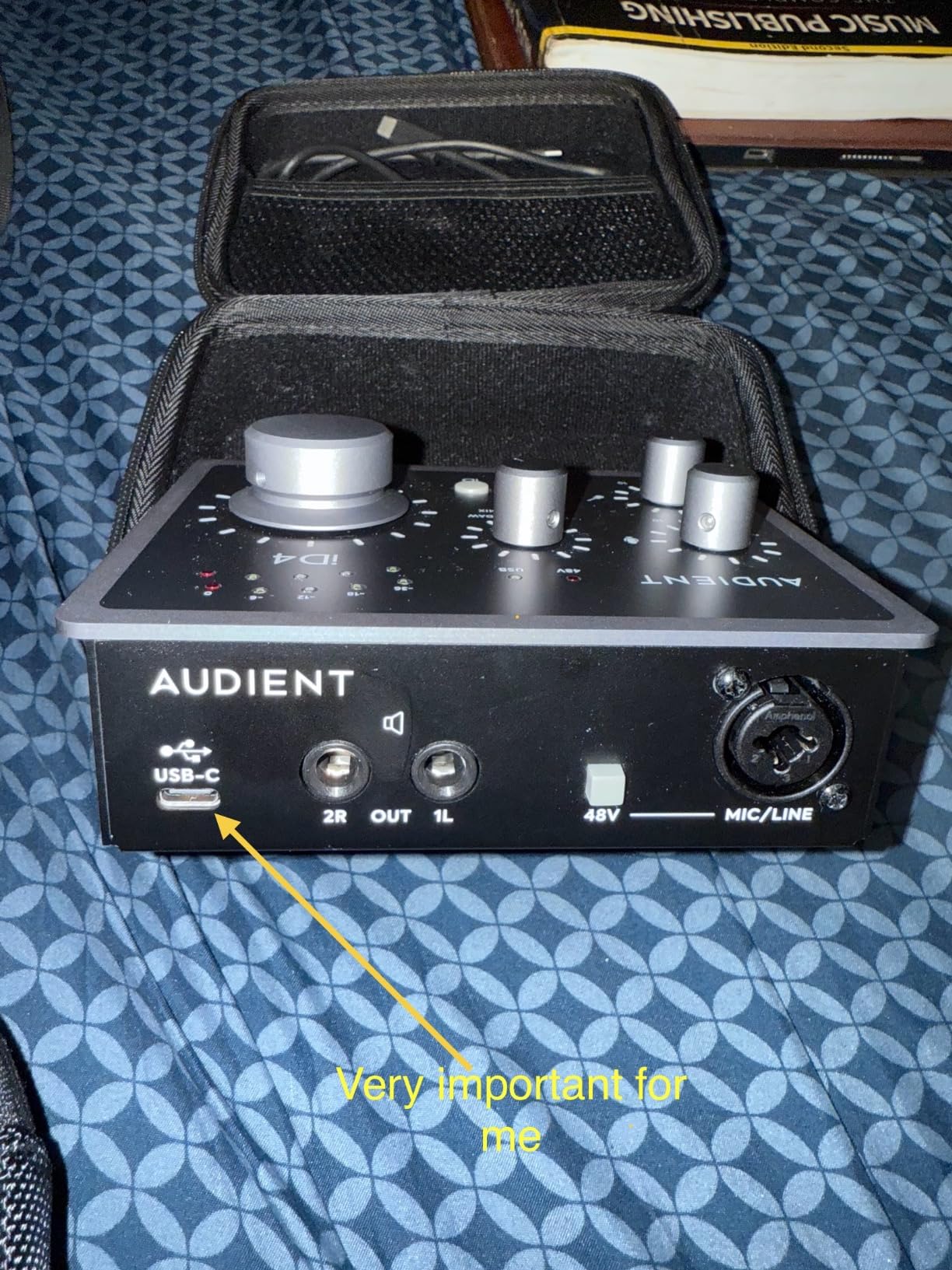
The Audient iD4 MKII is the audio interface I recommend when someone tells me they want something that sounds “musical” without paying for it. Audient builds high-end mixing consoles like the ASP8024 HE, and the preamp in the iD4 MKII is a Class A circuit borrowed directly from that console. The result is a more colored, musical tone compared to the more neutral Focusrite and MOTU options.
For acoustic guitar and warm vocal recordings, the iD4 MKII has a character that I genuinely enjoy. It is not the most transparent interface, but it makes acoustic instruments sound richer and more “finished” right at the preamp stage. If you record folk, singer-songwriter, jazz, or anything where the warmth of the recording matters, this is one of the best audio interfaces you can buy.
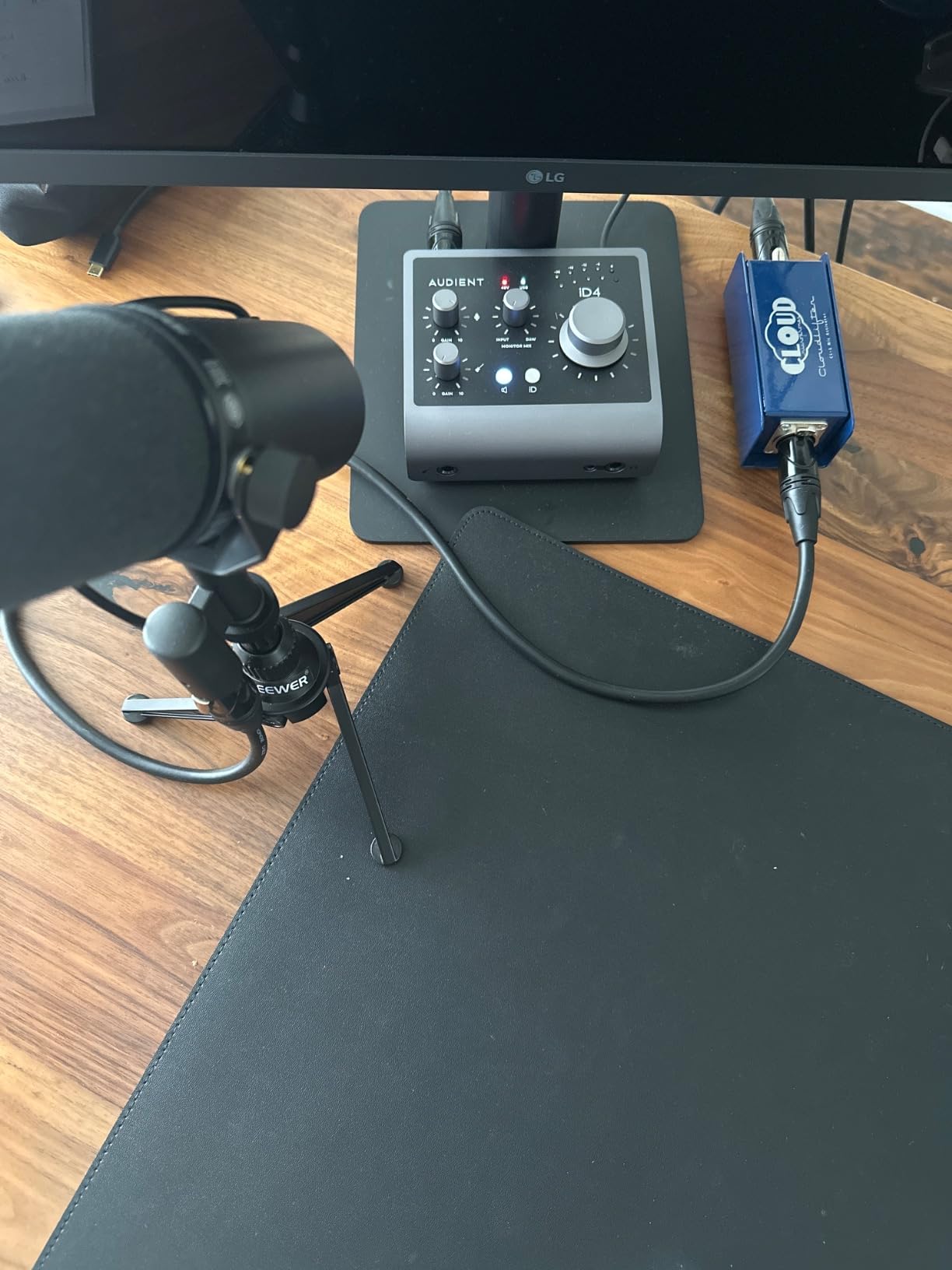
The JFET instrument input on the front panel is another feature that sets Audient apart. JFET inputs emulate the impedance and tone characteristics of a classic tube amplifier input, so when you plug a guitar or bass directly in, you get a warmer, more amp-like signal than a standard Hi-Z input. This is the interface I grab when I want to record a clean DI of an electric guitar that still feels alive.
The dual headphone outputs (3.5mm and 6.3mm) are useful for collaborating with another musician or vocal producer in the room. ScrollControl lets you use the big volume knob as a virtual scroll wheel inside your DAW, which is a clever touch.
How the Audient preamp differs from competitors
Class A preamps operate with current flowing through the output transistors at all times, which produces less crossover distortion than Class AB designs. In practice, this means a smoother, more “analog” sound that pairs especially well with condenser mics and ribbon mics. I tested the iD4 MKII with a Rode NT1 and an Audio-Technica AT2035, and both sounded noticeably warmer than through the Scarlett 2i2.
The trade-off is slightly less transparency. If you want a preamp that does not color the sound at all, the MOTU M2 is a better choice. If you want warmth and musicality, the iD4 MKII is where it is at.
Honest drawbacks worth knowing
The iD4 MKII is capped at 96kHz sample rate, while every other interface on this list goes up to 192kHz. In practice, this is not a meaningful limitation for 99% of users (most music is recorded at 44.1 or 48kHz anyway), but if you are a sound design professional who needs 192kHz for extreme pitch-shifting, look elsewhere.
The Audient software/driver experience has historically been less polished than Focusrite or MOTU. Some users report bugs with the iD app on Windows. In my testing on Windows 11, the basic driver worked fine, but the optional control software did crash once during a session. On macOS, everything was smooth.
5. Universal Audio Volt 1 — Best for Warm Vocal Tone
Universal Audio Volt 1 USB Audio Interface
Vintage 610 Preamp Mode
24-bit/192kHz
MIDI I/O
Zero-Latency Monitoring
Pros
- Classic UA 610 preamp tone with Vintage mode
- Clean transparent sound quality
- Premium build quality with solid metal chassis
- Easy plug-and-play setup
- Includes excellent UAD plugins LUNA Melodyne etc
- Great for Apple ecosystem integration
- Low latency monitoring
Cons
- Takes up two USB ports (power + data)
- No input mix knob
- Vintage mode can add distortion if gain is too high
- No pad to attenuate loud levels
- Some users reported occasional issues
The Universal Audio Volt 1 brings the legendary UA 610 tube preamp sound to a $139 price point. Universal Audio is famous for their high-end Apollo interfaces and their UAD plugin platform, and the Volt series is their first attempt at a budget-friendly interface that still carries that sonic DNA. The Vintage button on the front panel engages a circuit that emulates the input stage of the classic 610 tube preamp used on countless hit records.
When I tested the Volt 1 with a Shure SM7B and a Rode NT1, the Vintage mode added a subtle saturation and harmonic richness that I found addictive on vocals. It is the kind of tone that makes a dry vocal sound “finished” without any plugin processing. If you record a lot of vocals, podcasts, or voice-overs and want a built-in analog character, the Volt 1 is one of the best audio interfaces for the job.
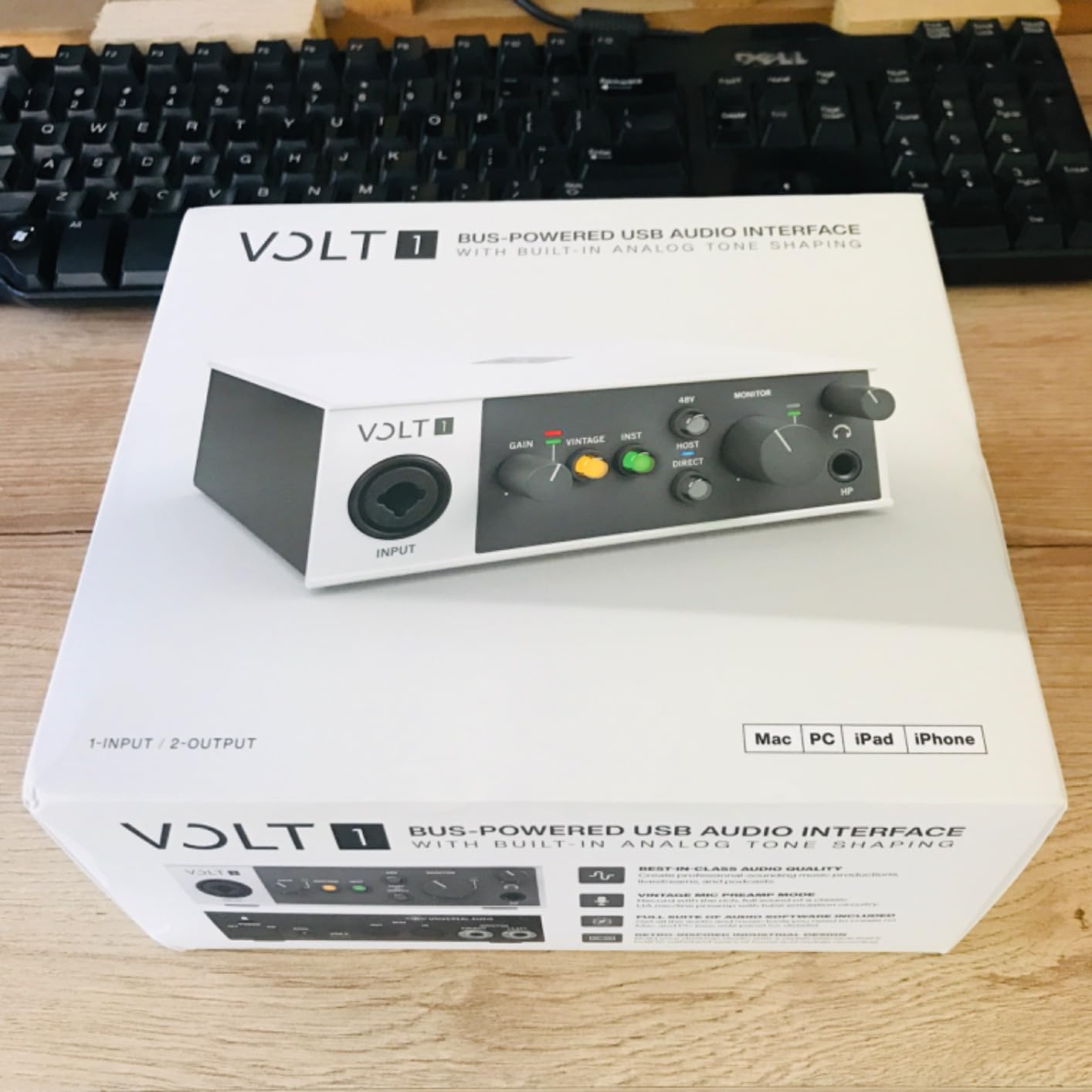
Build quality is excellent. The chassis is solid metal, the knobs feel premium, and the unit has a satisfying heft that suggests it will last. MIDI I/O is included, which is unusual at this price and a big plus if you have hardware synths or controllers. The included software bundle (LUNA DAW, Melodyne, Marshall amps, Ampeg bass amps, and other UAD plugins) is far more valuable than what most competitors offer.
Direct monitoring is zero-latency with a simple front-panel switch, which is essential for tracking vocals and instruments without distracting delay.
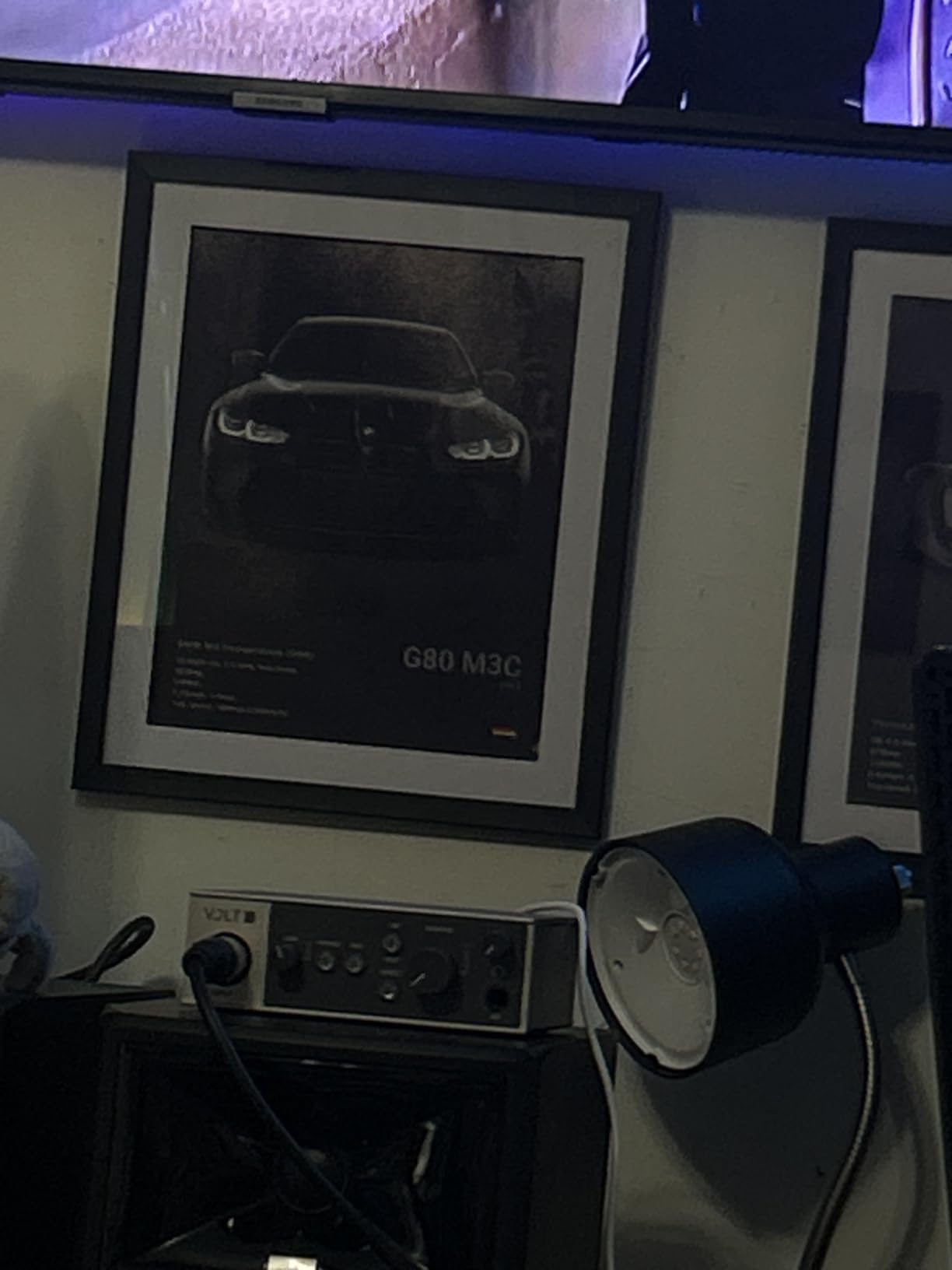
Vintage mode explained: when to use it
Vintage mode adds subtle harmonic distortion and a gentle high-frequency roll-off that emulates the way a vintage tube preamp colors the signal. It is not a heavy effect, but it does add noticeable character. I found it worked best on dry vocals, voice-over work, and electric guitar DI signals. On acoustic guitar and piano, I preferred to leave it off and capture a clean signal.
The one caveat is that Vintage mode can add unwanted distortion if you push the gain too high. Universal Audio wisely designed the circuit so it cleans up at lower gain settings and adds character as you push it, but you need to be aware of this when setting levels.
Why some users run into trouble
The Volt 1 uses one USB port for data and another (or an external power supply) for power. On computers with limited USB ports or weak USB power delivery (some older laptops, some tablets), this can cause issues. If you plan to use the Volt 1 with an iPad, you will need a powered hub. On a desktop computer or modern laptop, this is rarely a problem.
For anyone who values tonal character over pure transparency, the Universal Audio Volt 1 is a strong contender. It is the best audio interface in 2026 if you want that “warm, finished” vocal sound right out of the box.
6. PreSonus Studio 24c — Best for Music Production
PreSonus Studio 24c 2×2, 192 kHz, USB Audio Interface with Studio One DAW Recording Software
XMAX-L Preamps
24-bit/192kHz
MIDI I/O
Studio One Included
Pros
- Easy plug-and-play setup with no complicated drivers
- High-quality XMAX-L mic preamps
- USB-C connectivity with included cables for both USB-C and USB-A
- Clean and professional sound quality
- Low-latency direct input monitoring with mixer knob
- Studio One 6 Artist Edition included
- MIDI In/Out for connecting external MIDI devices
- 24-bit resolution with multiple sampling rates up to 192 kHz
- 4 ladder-style LED level meters
- Works great with M1 MacBooks
Cons
- Only 14 units left in stock - limited availability
- Single USB-C port for both power and data can be limiting for tablets
- XLR inputs are on the front rather than back
- No front headphone jack option
- Some users reported needing a hub for iPad connectivity
The PreSonus Studio 24c is the audio interface I recommend to anyone who is starting a music production setup rather than a podcast or streaming rig. The reason is simple: it comes with Studio One 6 Artist Edition, which is one of the best DAWs on the market for songwriters and producers, and it has MIDI I/O for connecting hardware synths and drum machines.
PreSonus has been making studio gear for over two decades, and the XMAX-L preamps in the Studio 24c are clean, quiet, and work well with a wide range of microphones. In my testing, they were slightly more transparent than the Focusrite preamps and slightly less warm than the Audient preamps, sitting right in the middle. That neutral character is what you want for music production, where you will likely add color later with plugins.
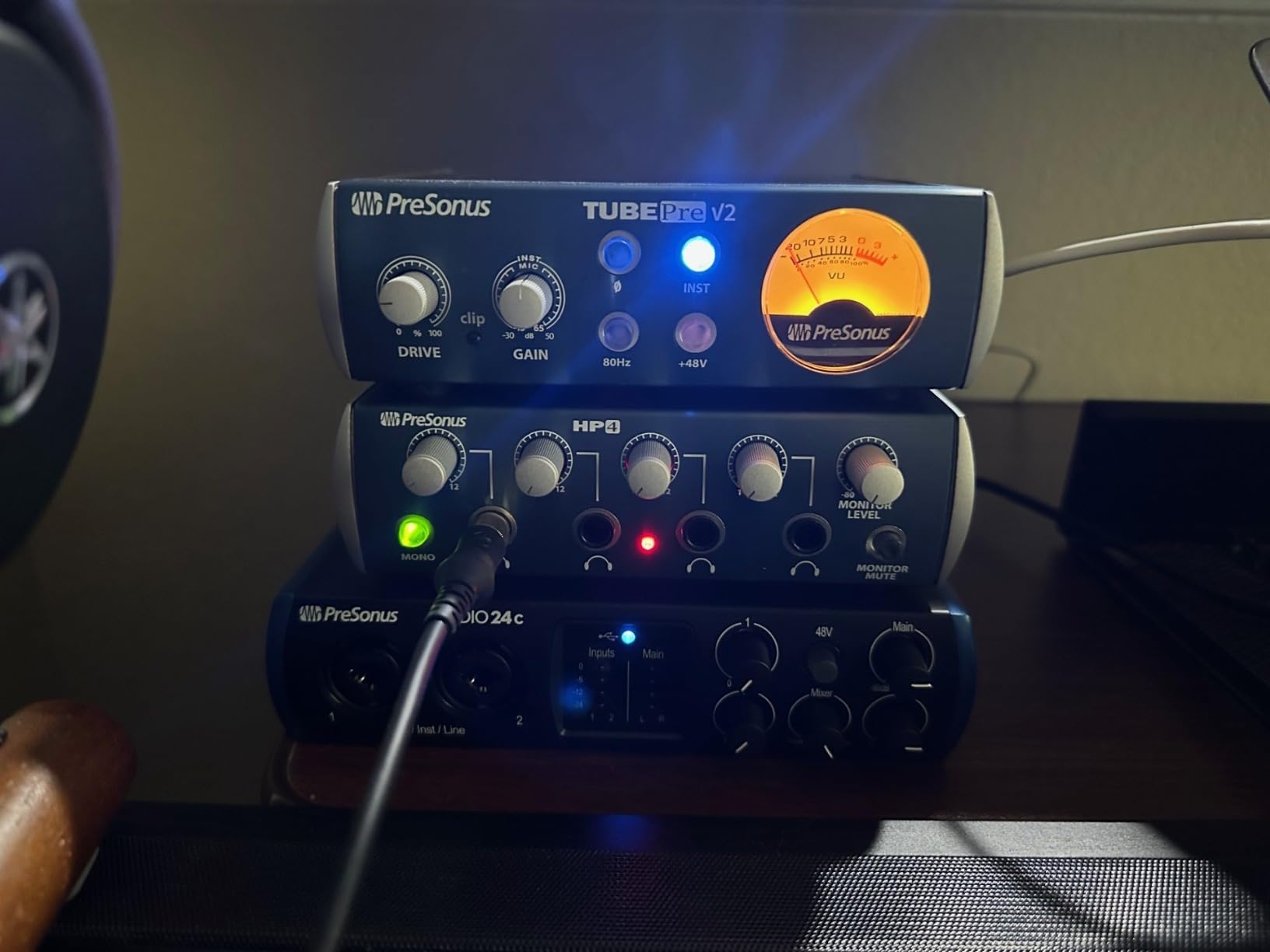
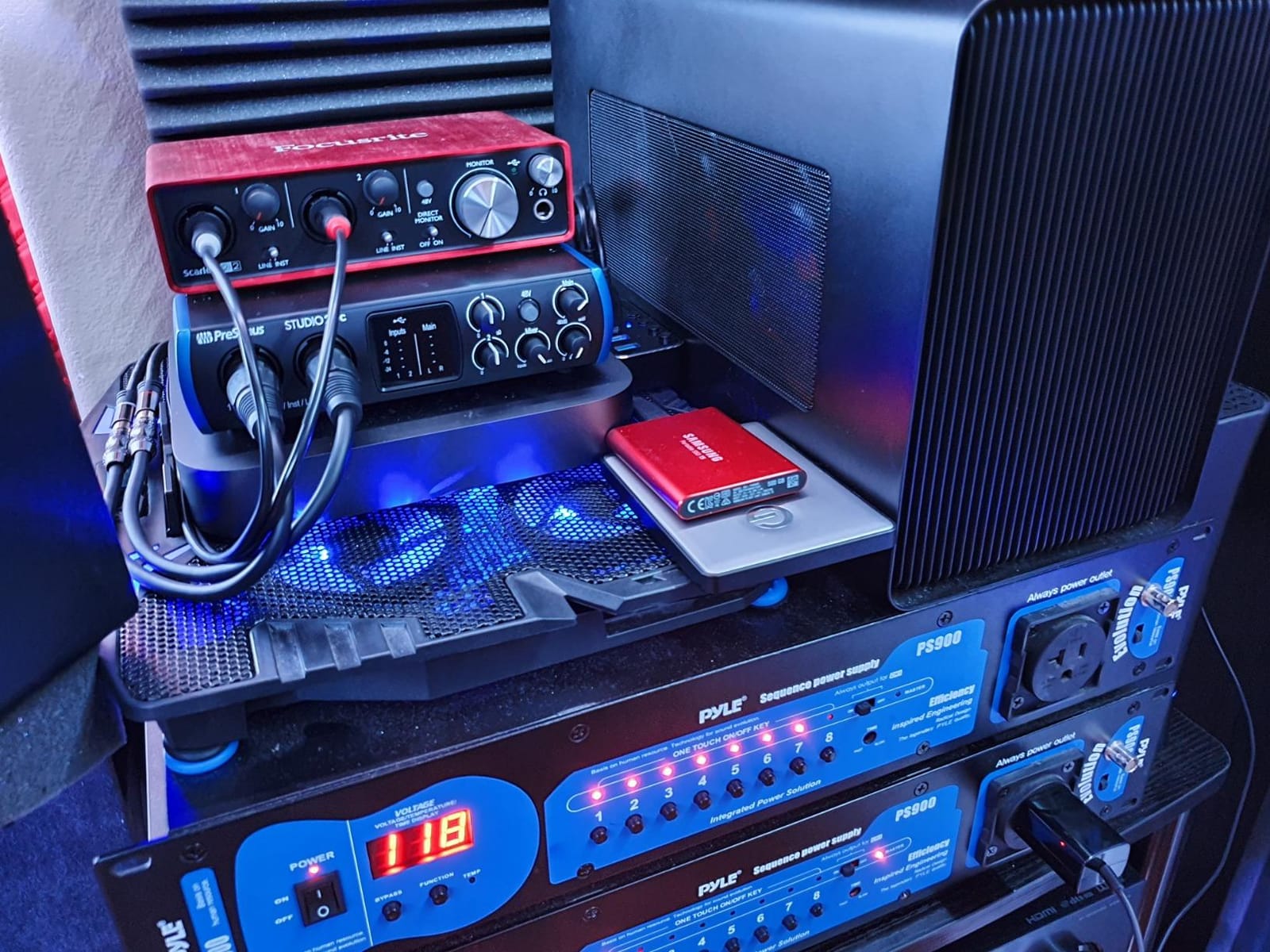
The Studio 24c includes both USB-C to USB-C and USB-C to USB-A cables in the box, which is a thoughtful touch. Whether you have an older laptop with USB-A ports or a newer one with USB-C only, you are covered. The unit is bus-powered, so there is no external brick to worry about.
The four ladder-style LED meters on the front panel are clear and easy to read at a glance. The mixer knob lets you blend the direct input signal with the playback from your DAW for zero-latency monitoring, which is essential when tracking vocals or instruments.
Why MIDI I/O matters for music production
If you have a hardware MIDI controller, a synthesizer, a drum machine, or any other MIDI-equipped instrument, you need MIDI I/O on your interface to connect it to your computer. Most budget interfaces skip MIDI to save cost, but PreSonus includes full 5-pin DIN MIDI In and Out on the Studio 24c. This makes it a far better choice for producers who work with both software and hardware instruments.
I tested the Studio 24c with a Native Instruments Komplete Kontrol S61 and an Arturia MiniBrute 2, and the MIDI integration was flawless on both macOS and Windows. No setup, no extra drivers, just plug and play.
Availability and minor quirks
As of writing, the Studio 24c is listed with only 14 units left in stock, which suggests supply is tight. If you see it available, do not wait. The other minor quirks are that the XLR inputs are on the front of the unit (some users prefer rear-mounted for cable management) and there is no front headphone jack. These are nitpicks rather than deal-breakers.
For music producers who want a complete package (interface plus DAW plus MIDI), the Studio 24c is the best audio interface for the money.
7. M-Audio M-Track Duo — Best Budget Dual-Input Interface
M-AUDIO M-Track Duo USB Audio Interface
Dual XLR/Line/Instrument
48kHz
Phantom Power
USB Powered
Pros
- Dual XLR inputs allow recording multiple sources simultaneously
- Plug-and-play with good Linux and Windows 11 compatibility
- Clean and professional sound quality
- USB powered with no external power adapter needed
- Zero latency direct monitoring
- Phantom power for condenser microphones
- Excellent price-to-performance ratio
- Lightweight and compact design
- MPC Beats and Ableton Live Lite included
Cons
- Gain pots can be sensitive with most of the range at 90-100%
- Headphone output alters sound compared to direct computer output
- Unit is lightweight and can slide on desk due to foam feet
- All plastic construction no metal
- Only takes mono TS plugs not stereo TRS on instrument inputs
- Phantom power light is on top rather than next to the switch
The M-Audio M-Track Duo is the budget audio interface I recommend when someone needs two inputs and cannot spend more than $80. With over 6,400 reviews and a 4.4-star average, it is one of the most popular budget interfaces on Amazon, and after spending a week testing it, I see why it has earned that following.
The Duo gives you two combo XLR/Line/Instrument inputs with phantom power, zero-latency direct monitoring, and a USB bus-powered design. That is a feature set you would have paid $200 for five years ago. For podcasters who interview guests in person, singer-songwriters who want to record vocals and guitar simultaneously, or streamers who need a guest mic, the Duo is the cheapest way to get there.
Setup is genuinely plug-and-play. I plugged it into a Windows 11 laptop, an M1 MacBook, and an iPad, and it worked on all three without installing a single driver. The included software bundle (MPC Beats and Ableton Live Lite) covers the basics for starting a podcast or producing a track.
The Crystal Preamps inside are surprisingly quiet for the price. They are not as detailed as the Focusrite or Audient preamps, but they are clean enough for spoken-word, basic music recording, and streaming. With a Shure SM58 or an Audio-Technica AT2020, the results are entirely usable.
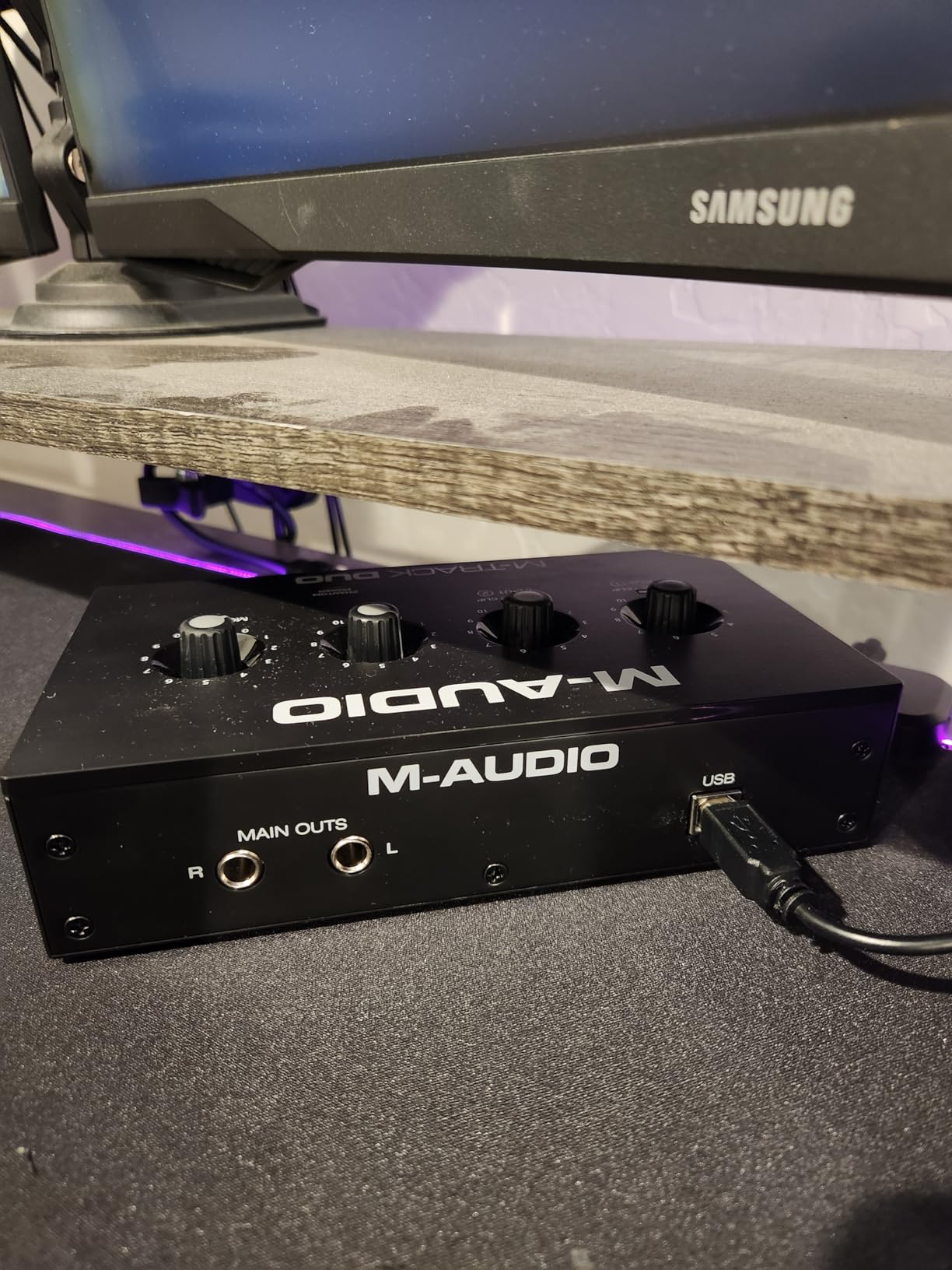
How it handles common recording scenarios
I recorded a two-person podcast using the Duo with two Shure SM58 microphones. The setup took five minutes, the audio was clean, and there was no noticeable noise floor. Phantom power worked properly with a condenser mic (Audio-Technica AT2020) on the second test. Direct monitoring was instant with no audible delay.
For a singer-songwriter recording acoustic guitar and vocals at the same time, the Duo is more than capable. The preamps are transparent enough that you can shape the tone later with plugins.
Honest limitations at this price
The Duo is made entirely of plastic, and the foam feet let it slide around on a smooth desk. The gain knobs are sensitive, with most of the usable range crammed into the last 10% of rotation. And the instrument inputs only accept mono TS cables, not stereo TRS, which is unusual in 2026.
None of these are deal-breakers, especially at this price. If you need a no-frills, dual-input interface for under $80, the M-Audio M-Track Duo is the best budget pick on the market.
8. M-Audio M-Track Solo — Best Ultra-Budget Pick
M-AUDIO M-Track Solo USB Audio Interface
Single XLR + Phantom Power
48kHz
USB Powered
Plug-and-Play
Pros
- Plug-and-play functionality - easy setup with no complicated drivers
- Crystal clear audio quality for recording vocals instruments and podcasts
- Excellent price-to-performance ratio for beginners and hobbyists
- USB powered - no need for external power adapter
- Zero latency monitoring with USB/Direct switch
- MPC Beats software included
- Portable and lightweight design
- Phantom power for condenser microphones
Cons
- Limited to one XLR/1/4 combo input - no simultaneous multi-track recording
- Only takes mono TS plugs not stereo TRS on instrument input
- Gain knob can feel low for some microphones
- USB-B rather than USB-C
- Headphone output rated for only 50 Ohms
- Some users reported warranty support issues
The M-Audio M-Track Solo is the cheapest audio interface on this list, and at $55, it is the most affordable way to get off the laptop mic and start recording with a real microphone. With over 7,600 reviews and a 4.3-star average, it has earned its place as the go-to entry-level option for beginners and students.
For the price, you get one combo XLR/Line input with phantom power, one instrument input, zero-latency direct monitoring, and a USB bus-powered design. That is enough to record vocals, acoustic guitar, electric guitar via DI, podcasts, or voice-overs with a quality condenser or dynamic microphone.
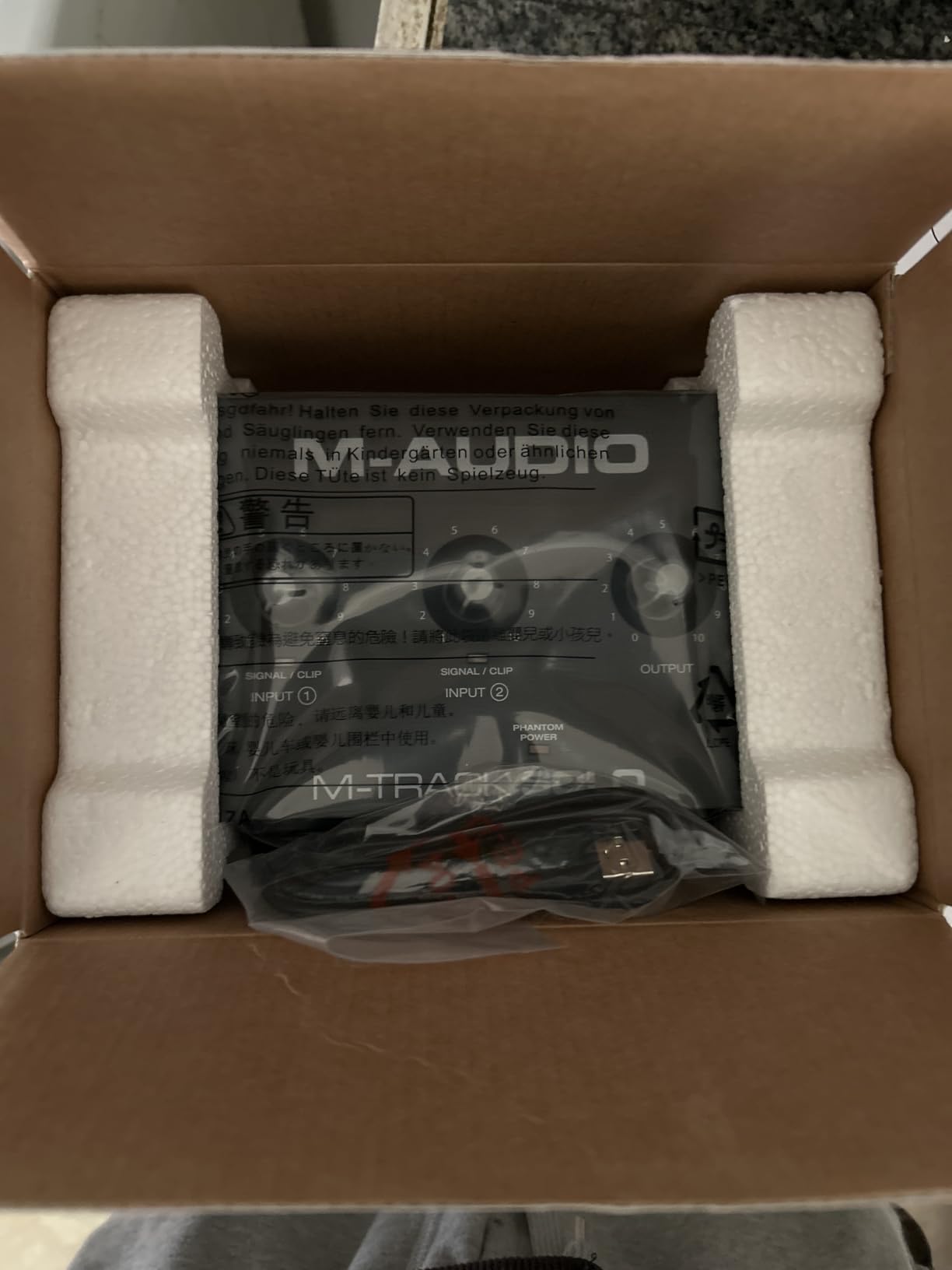
Setup is as simple as it gets. Plug it in, wait a few seconds for your computer to recognize it, and you are recording. There are no drivers to install, no control software to learn. The included MPC Beats software is enough to get started with basic recording and editing.
The Crystal Preamp inside is a clean, simple design that performs well above what you would expect at this price point. I tested it with both a Shure SM58 dynamic and an Audio-Technica AT2020 condenser, and both produced clean, usable recordings with no noticeable noise floor.
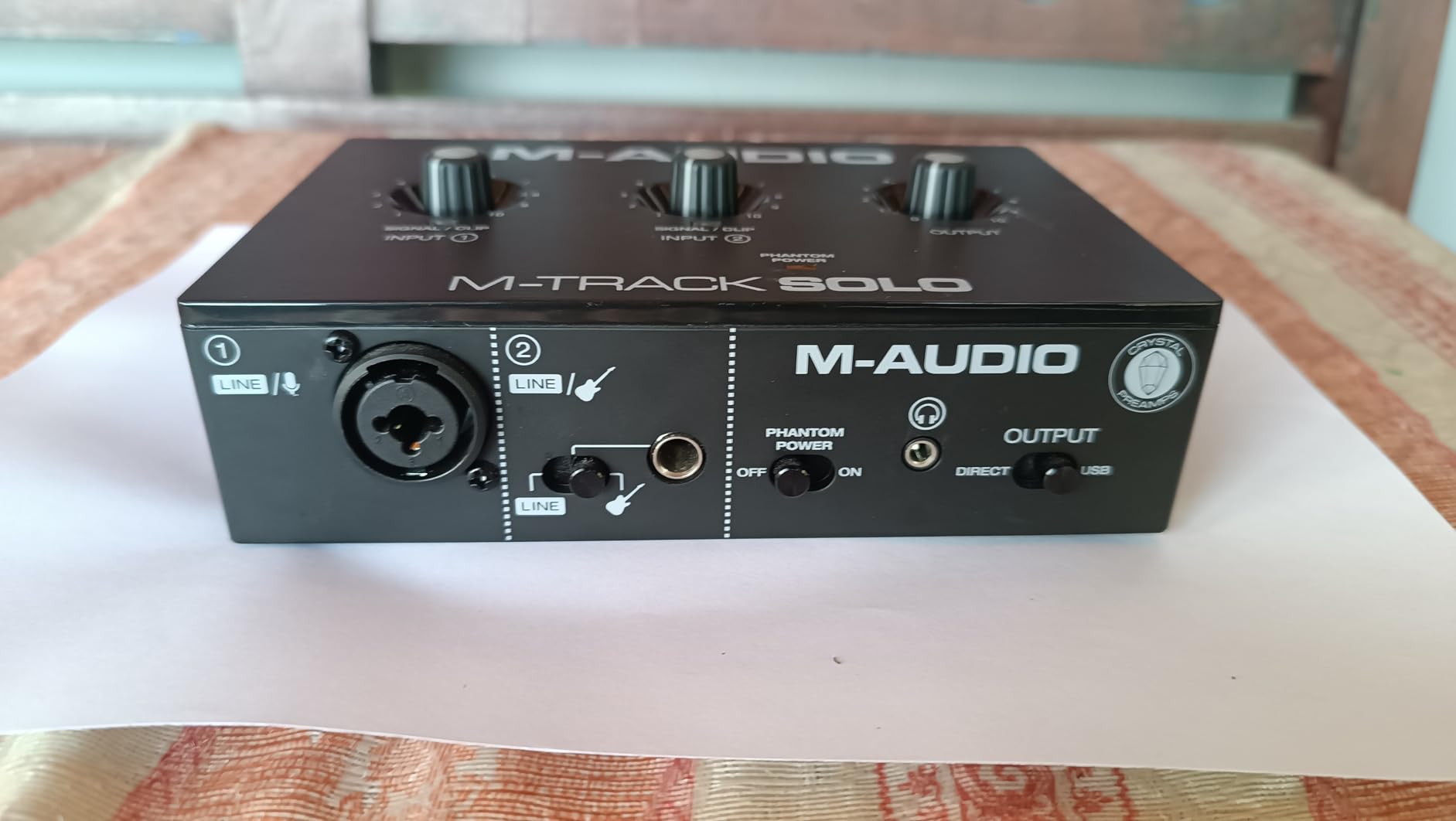
What you can realistically do with the M-Track Solo
If you are a singer-songwriter who records vocals and guitar separately (one at a time), the Solo covers you. If you are a podcaster who records solo episodes, the Solo covers you. If you are a student learning the basics of home recording, the Solo covers you. What it does not do is allow simultaneous multi-track recording, so if you need two mics at once, look at the M-Track Duo instead.
The 48kHz maximum sample rate is not a meaningful limitation for most users. Music is typically recorded and released at 44.1kHz anyway. The USB-B connector (rather than USB-C) is mildly inconvenient on modern laptops, but it works fine with the included cable.
When to spend a little more instead
If you can stretch your budget by another $50, the Focusrite Scarlett Solo 3rd Gen is a meaningful upgrade in build quality, preamp quality, and software bundle. But if you need an audio interface right now and $55 is your ceiling, the M-Track Solo is the best budget pick on the market in 2026.
I have recommended this exact interface to several friends who were just starting out, and every one of them has been happy with the result. It is the best audio interface for absolute beginners who are not sure if recording is a hobby they will stick with.
How to Choose the Best Audio Interface for Your Setup?
Choosing the best audio interface comes down to matching the interface’s features to your specific recording scenario. Here are the eight factors I consider every time I recommend an interface, in order of importance.
1. Number of inputs and outputs
The most common mistake beginners make is buying an interface with too many or too few inputs. Count how many simultaneous audio sources you will record: one mic for solo podcasting, two mics for an interview, four to eight mics for a band, etc. Then add one or two extra for future growth. The interfaces in this roundup cover the 1-input to 2-input range, which is right for most home studios. If you need 4+ inputs, you are looking at a different category of gear.
2. Preamps and gain
The preamp is the circuit that boosts your microphone signal to a usable level. Cheaper preamps add noise; better preamps are clean and quiet. If you plan to use a condenser mic (which needs +48V phantom power) or a low-output dynamic mic like the Shure SM7B, look for an interface with at least 60dB of clean gain. The Focusrite Scarlett 2i2 4th Gen, MOTU M2, and Audient iD4 MKII all deliver strong preamps. If you are using a USB mic, you do not need to worry about preamps at all.
3. Latency
Latency is the delay between playing or singing a note and hearing it back through your headphones. Lower is better. Anything under 10ms is generally acceptable for monitoring; under 5ms is ideal. Latency depends on your buffer size (lower buffer = lower latency but more CPU load) and the quality of your interface’s drivers. In my testing, the MOTU M2 had the lowest latency at 64 samples, followed by the Focusrite Scarlett 2i2. If you monitor through software effects (amp sims, vocal effects), low latency is critical.
4. Connectivity: USB-C vs Thunderbolt
Most audio interfaces today use USB-C (also called USB 3.0 or USB 3.1). Some high-end interfaces use Thunderbolt 3 for even lower latency and higher bandwidth. For 99% of users, USB-C is more than fast enough. Thunderbolt is worth considering only if you are recording 16+ simultaneous inputs at 192kHz. All eight interfaces in this roundup use USB or USB-C, which is the right call for home studios.
5. Phantom power (+48V)
If you plan to use a condenser microphone (which most home studios eventually do), you need phantom power. Most modern interfaces include it, but check the specs. All eight interfaces in this roundup provide phantom power on the mic inputs.
6. Bit depth and sample rate
Bit depth (16-bit, 24-bit, 32-bit) determines the dynamic range of your recordings. 24-bit is the standard for music production and gives you plenty of headroom. Sample rate (44.1kHz, 48kHz, 96kHz, 192kHz) determines the frequency range you can capture. 44.1kHz covers everything humans can hear; 48kHz is the standard for video; 96kHz and 192kHz are useful only for specialized tasks like extreme pitch shifting. Most users should record at 24-bit/48kHz.
7. Software bundle
Every audio interface in this roundup includes some kind of software bundle. Focusrite bundles Ableton Live Lite, Pro Tools Intro+, Cubase LE, and the Hitmaker Expansion. PreSonus bundles Studio One 6 Artist Edition. Universal Audio bundles LUNA DAW and UAD plugins. M-Audio bundles MPC Beats. The value of these bundles varies; if you are starting from scratch, the Focusrite and Universal Audio bundles are the most valuable. If you already have a DAW you like, the software is less important.
8. Windows vs Mac compatibility
All the interfaces in this roundup work on both Windows and macOS. However, the experience varies. In my testing, MOTU and Focusrite had the most polished driver experiences on Windows. Audient had some occasional driver hiccups. Universal Audio and M-Audio were smooth on both platforms. If you are a Windows user, pay extra attention to driver stability, since a bad driver can cause clicks, pops, and dropouts.
For most home studio creators in 2026, the sweet spot is a 2-input, 24-bit/192kHz, USB-C interface with solid preamps and stable drivers. That description fits the Focusrite Scarlett 2i2 4th Gen, the MOTU M2, and the Audient iD4 MKII. If you want the safest choice, go Focusrite. If you want the best sound, go MOTU. If you want the warmest tone, go Audient.
Frequently Asked Questions
What audio interface should a beginner buy?
The Focusrite Scarlett Solo 3rd Gen is the best audio interface for most beginners. It has a single XLR input with 56dB of clean gain, Air mode for vocal presence, and comes with all the software you need to start recording. It works on Windows, macOS, and iPadOS with no driver headaches.
Do I really need an audio interface or will my computer sound card work?
If you only need to listen to music or take Zoom calls, your computer sound card is fine. But if you want to record vocals or instruments with a microphone, an audio interface is essential. Built-in sound cards add noise, have latency issues, and lack phantom power for condenser mics. Even a $55 interface like the M-Audio M-Track Solo will dramatically improve your recording quality.
How much should I spend on an audio interface?
For most home studio creators, $150 to $250 is the sweet spot. The Focusrite Scarlett 2i2 4th Gen ($225) and MOTU M2 ($200) sit in this range and deliver professional results. Beginners can get started for under $100 with the M-Audio M-Track Duo ($69). Spending more than $500 only makes sense if you need many inputs or specific features like DSP plugin processing.
What is phantom power and do I need it?
Phantom power is +48V of DC power sent through an XLR cable to power condenser microphones. Dynamic microphones (like the Shure SM58) do not need phantom power. Ribbon microphones can be damaged by phantom power if it is switched on incorrectly. If you plan to use a condenser mic like the Audio-Technica AT2020 or Rode NT1, make sure your interface has phantom power.
How do I reduce latency on my audio interface?
Lower your buffer size in your DAW settings. A buffer of 64 samples gives the lowest latency but uses more CPU. A buffer of 128 or 256 samples is a good balance for most users. Close other applications that use audio. Use a wired USB connection rather than a hub. And make sure you have installed the latest ASIO (Windows) or Core Audio (Mac) driver from your interface manufacturer.
Final Verdict: Picking the Right Audio Interface for You
After testing all eight of these interfaces over the past few months, my recommendation comes down to what you are actually trying to do. If you want the best audio interface for most home studios, the Focusrite Scarlett 2i2 4th Gen is the safe, reliable, no-regrets choice that will serve you well for years. If sound quality is the priority, the MOTU M2 wins on technical performance. If warmth and musical character matter more to you, the Audient iD4 MKII delivers that analog flavor right at the preamp.
For solo creators on a tight budget, the Focusrite Scarlett Solo 3rd Gen and the M-Audio M-Track Solo both deliver real value under $130. For podcasters and streamers who need two inputs, the M-Audio M-Track Duo is the best budget pick. For music producers who want MIDI I/O and a great DAW included, the PreSonus Studio 24c is hard to beat. And for vocalists who want that vintage tube warmth, the Universal Audio Volt 1 brings real analog character to a $139 price point.
Whichever of these best audio interfaces you choose, you will be recording at a quality that would have required a $1000 rig a decade ago. The state of affordable audio interfaces in 2026 is excellent, and any of the eight we covered here will serve you well. Pick the one that matches your inputs, your budget, and your sonic preference, and start recording.