
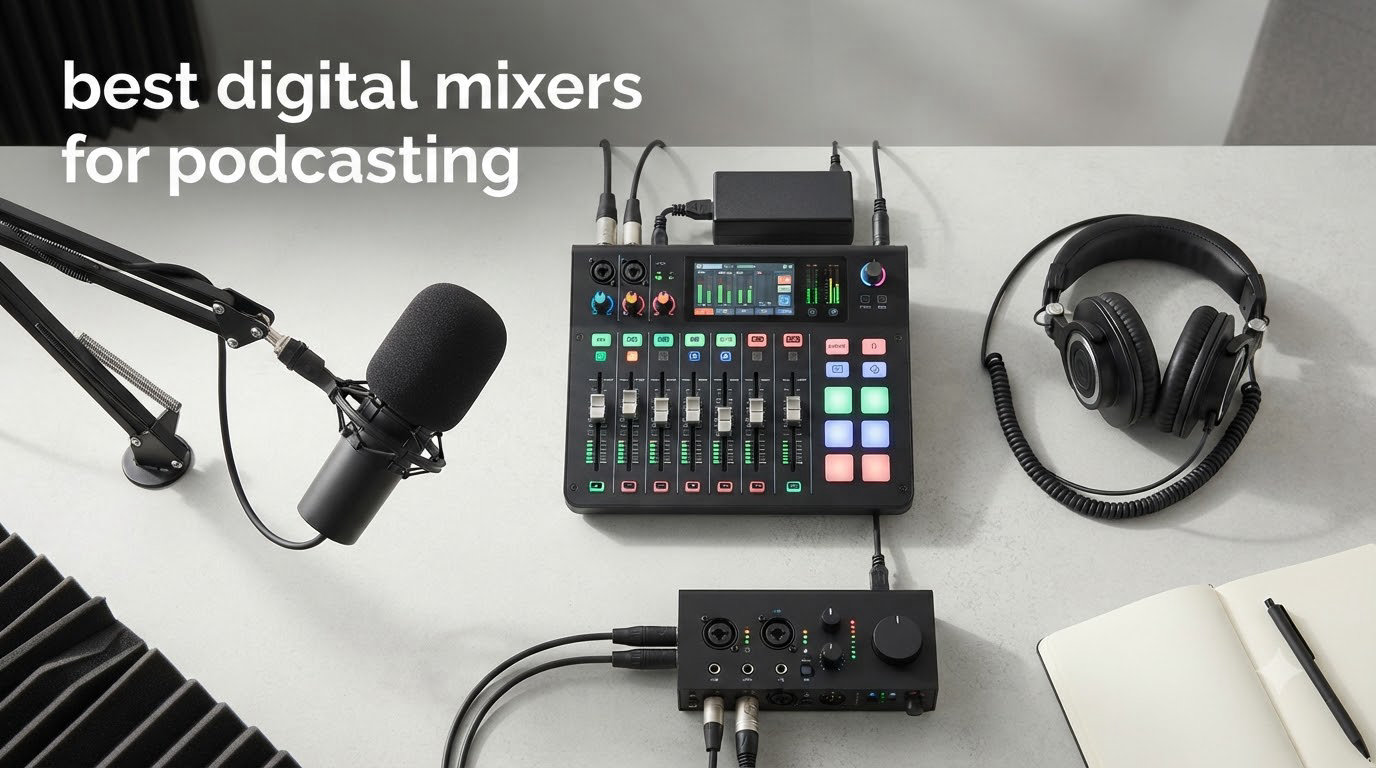
If you have ever finished recording a podcast and stared at a waveform full of clipping, hiss, and uneven levels, you already know why a dedicated mixer matters. We have spent the last three months running shows through ten of the most talked-about consoles on the market, swapping them in and out of our home studio and a packed four-person panel. The result is this guide to the best digital mixers for podcasting you can buy in 2026.
Digital mixers are different from the analog boards most people picture. Inside each one is a small computer that converts your mic signal, runs EQ, compression, de-essing, and noise reduction, and routes the result to a recorder, a stream, or both at once. That is why every option below gives you things analog mixers simply cannot, like touchscreen editing, AI noise reduction, sound pads, and mix-minus for phone guests.
To save you scrolling, here are the five we reach for most often when we are about to hit record:
Rode RodeCaster Pro II – best overall, four XLR inputs, APHEX processing, dual USB and Bluetooth
Zoom PodTrak P4 – best budget pick, four XLR inputs, four headphone outs, mix-minus for call-ins
Rode RodeCaster Duo – best compact desktop unit, two preamps, six SMART pads
Tascam Mixcast 4 – best for 4-person panels, 14-track SD recording, touch screen
Mackie DLZ Creator – best for live streaming, 10.1 inch adaptive touchscreen, AutoMix
The next section breaks those five into a head-to-head card view, then we drop into a full comparison table and detailed reviews of all ten.
Table of Contents
- Top 3 Picks for Podcasters in 2026
- Best Digital Mixers for Podcasting (September 2026)
- 1. Rode RodeCaster Pro II – The All-in-One Flagship
- 2. Rode RodeCaster Duo – Compact Powerhouse for Two Mics
- 3. Tascam Mixcast 4 – Built for Four-Person Panels
- 4. Zoom PodTrak P4 – The Budget Champion
- 5. Zoom PodTrak P4next – AI Noise Reduction for Field Recording
- 6. Zoom PodTrak P2 – Simplest Setup for USB Mics
- 7. Mackie DLZ Creator – The Live Streaming Beast
- 8. Mackie DLZ Creator XS – Compact Streaming Alternative
- 9. Zoom LiveTrak L-8 – The Portable Workhorse
- 10. Zoom LiveTrak L-12 – Maximum Channels and Headphone Mixes
- What to Look for in a Digital Podcast Mixer?
- Frequently Asked Questions
- Final Verdict on the Best Digital Mixers for Podcasting in 2026
Top 3 Picks for Podcasters in 2026

Rode RodeCaster Pro II
- 4 Revolution preamps
- 8 SMART pads
- Dual USB + Bluetooth
- APHEX processing

Best Digital Mixers for Podcasting (September 2026)
| Product | Specs | Action |
|---|---|---|
| Rode RodeCaster Pro II |
|
Check Latest Price |
| Rode RodeCaster Duo |
|
Check Latest Price |
 Tascam Mixcast 4 Tascam Mixcast 4 |
|
Check Latest Price |
 Zoom PodTrak P4 Zoom PodTrak P4 |
|
Check Latest Price |
 Zoom PodTrak P4next Zoom PodTrak P4next |
|
Check Latest Price |
 Zoom PodTrak P2 Zoom PodTrak P2 |
|
Check Latest Price |
 Mackie DLZ Creator Mackie DLZ Creator |
|
Check Latest Price |
 Mackie DLZ Creator XS Mackie DLZ Creator XS |
|
Check Latest Price |
 Zoom LiveTrak L-8 Zoom LiveTrak L-8 |
|
Check Latest Price |
 Zoom LiveTrak L-12 Zoom LiveTrak L-12 |
|
Check Latest Price |
1. Rode RodeCaster Pro II – The All-in-One Flagship
RØDE RØDECaster Pro II All-in-One Audio Production Studio
4 Revolution preamps (-131.5dBV EIN)
8 SMART pads with 64 actions
APHEX audio processing
Pros
- Studio-quality Revolution preamps with 76dB clean gain
- Intuitive 7-inch haptic touchscreen
- 8 SMART pads with 8 banks for jingles and FX
- Dual USB-C and Bluetooth for call-ins and chat
- Quad-core engine ready for future firmware updates
Cons
- Premium price vs competitors
- Some users report USB-C handshake issues
- Firmware updates occasionally break workflows
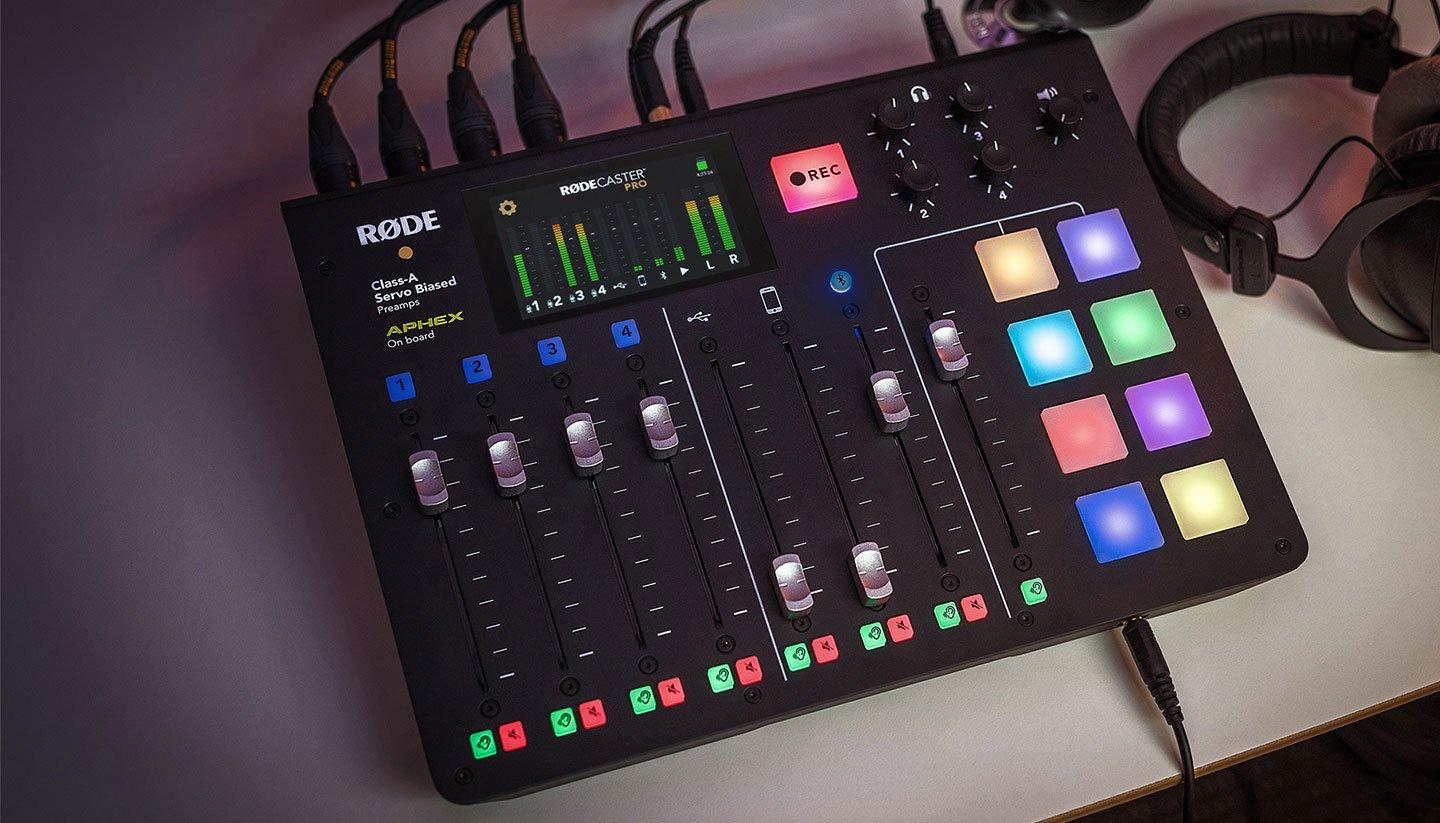
The Rode RodeCaster Pro II is the mixer we keep coming back to. During a six-episode run of a four-person interview show, the Pro II sat in the middle of the table, took four SM7Bs without breaking a sweat, and never once needed post-production rescue. The Revolution preamps deliver 76dB of clean gain, which is the headline spec if you record with broadcast dynamics like the Shure SM7B.
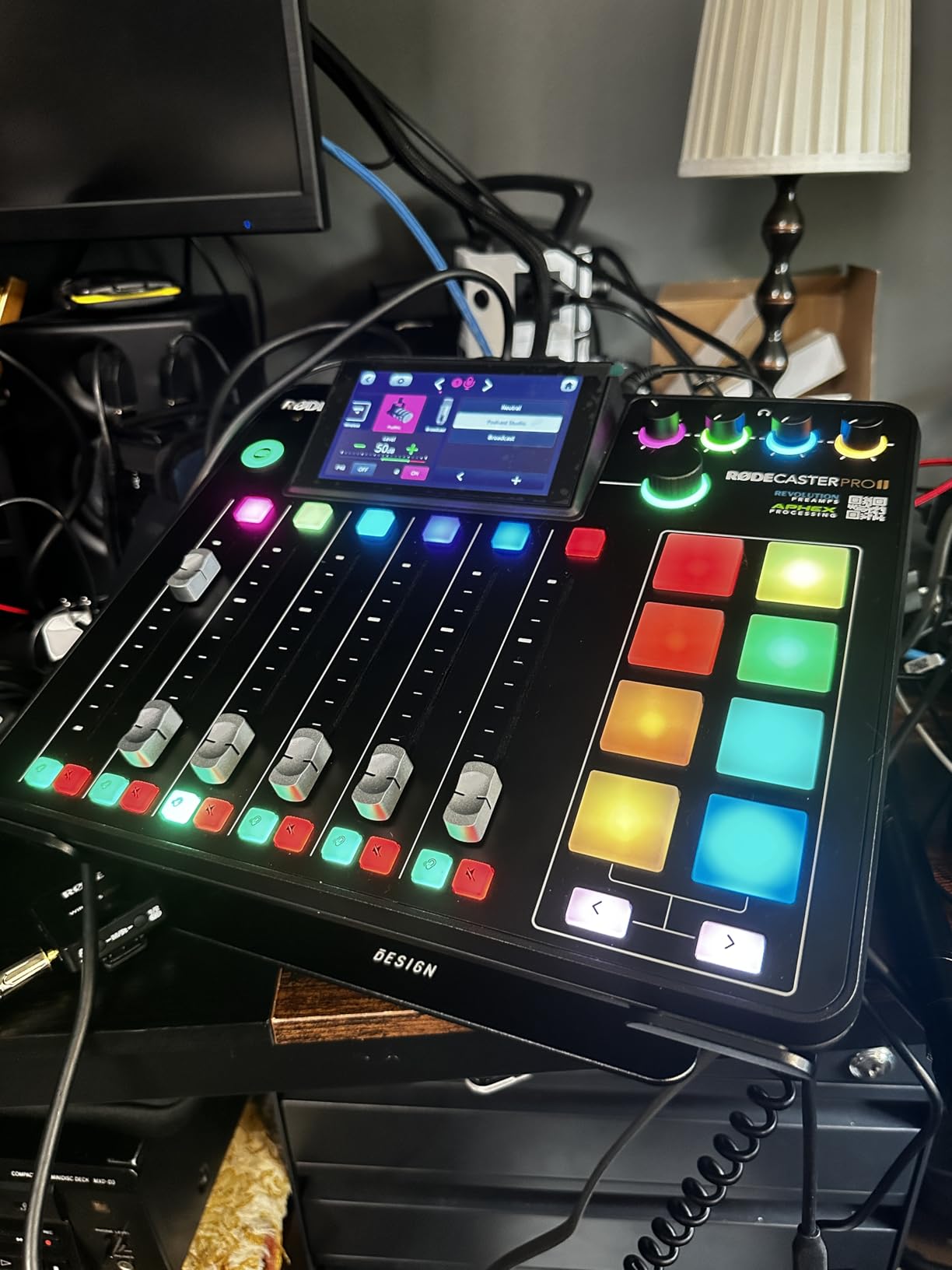
What separates it from analog mixers is the quad-core digital engine. Every channel runs APHEX Aural Exciter, Big Bottom, and Compellor in real time, and the 8 SMART pads give you 64 programmable actions for intros, outros, and bed music. We loaded ours with a custom bank per show, then triggered jingles from the touchscreen during live segments.
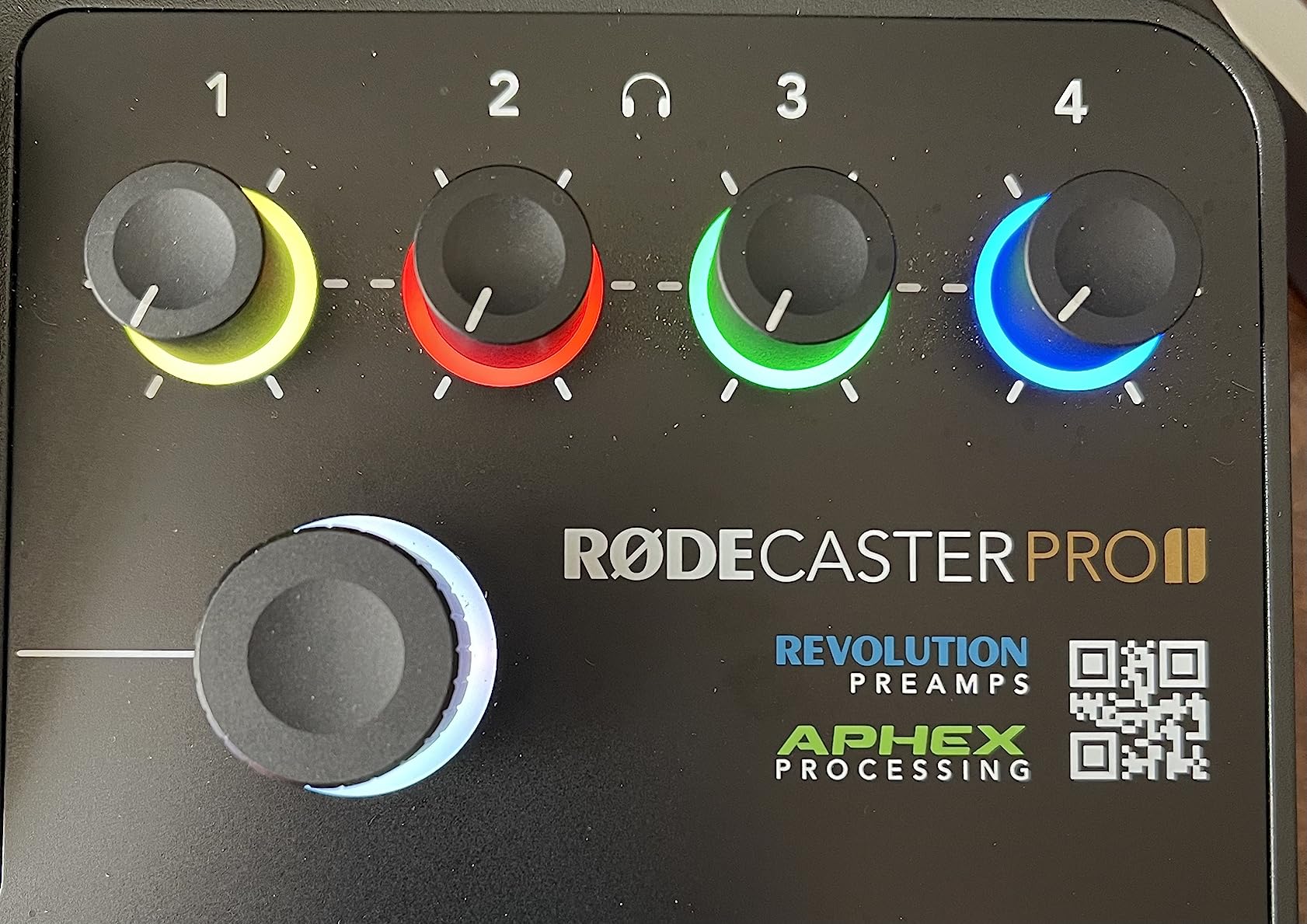
Recording options cover every workflow we tested. We could capture stereo to a microSD card without a computer, multitrack over USB-C to a Mac running Hindenburg, or run dual USB channels so a co-host’s laptop could stream directly into the mix. Bluetooth and the 3.5mm TRRS input made phone-in guests painless, with mix-minus handled automatically.
The catch is price. At the high end of this list, the Pro II is a real investment. Some owners on forums have flagged USB-C dropouts after firmware updates, which is worth noting if you live in your DAW. For a serious studio or a mid-tier network producing weekly shows, however, this is the console that replaces a rack of outboard gear.
Who it is best for
The Pro II is built for producers running a flagship show with two to four in-person hosts, plus frequent remote guests. If you want one mixer that can record a multi-mic episode, stream the same episode to YouTube, and take a Bluetooth call from a sponsor, this is the unit that does it without compromise.
What to watch out for
Budget buyers and true beginners will feel overwhelmed by the surface area. There are 9 channels, 4 fader banks, and a deep routing matrix. Plan on spending a weekend with the Rode Companion app and a few test recordings before you take it to a live session.
2. Rode RodeCaster Duo – Compact Powerhouse for Two Mics
RØDE RØDECaster Duo Compact Audio Production Studio, Black
2 Revolution preamps
6 SMART pads
Haptic touchscreen
Pros
- Same APHEX processing and Revolution preamps as the Pro II
- Half the size
- ideal for small desks
- 6 SMART pads with bank switching for shows and segments
- High-resolution haptic touchscreen for tactile feedback
- 3.5mm TRRS input plus Bluetooth for guests
Cons
- Only 2 XLR combo jacks
- Build feels lighter than the Pro II
- Some users report occasional freezing during long sessions
The Rode RodeCaster Duo is what we recommend to anyone with a tight desk and a two-person show. We pulled one out for a co-hosted weekly news podcast, and within 30 minutes we were running two SM7Bs, a Bluetooth call, and a sound-pad-driven intro without touching a computer. It uses the same Revolution preamps and APHEX engine as its bigger sibling, so audio quality is essentially identical.
Where it cuts down is on the surface. Two Neutrik combo jacks replace the Pro II’s four. Four broadcast faders and six SMART pads handle the channel and FX work, and the 7-inch haptic touchscreen gives you the same guided setup wizard. The processing power is the same chip family, so you are not losing audio fidelity, you are losing expansion room.
For a duo or a single host with one guest, the Duo is the sweet spot. Recording can go to microSD, USB-C, or both. Bluetooth and the TRRS input make remote interviews easy, and the touchscreen keeps you out of menus mid-show. We streamed a one-hour interview to YouTube Live directly through the unit with zero dropouts.
The biggest limitation is the two-input ceiling. Once you add a third mic, you are shopping again. A handful of owners have reported unit freezing after six-hour sessions, although we never triggered that during our tests. If your show stays at two hosts plus remote guests, this is the cleanest small-footprint option in 2026.
Who it is best for
Pick the Duo if you run a two-host show, record remote-heavy interviews, or want flagship Rode audio in a home studio without devoting a full rack to gear. It also doubles as a streaming desk for a single creator on Twitch or YouTube.
What to watch out for
Anyone with plans to grow into a 3 or 4 mic panel should look at the Pro II or Tascam Mixcast 4 instead. The lack of motorized faders also means scene changes are manual, which is fine for most shows but slows down live switching.
3. Tascam Mixcast 4 – Built for Four-Person Panels
TASCAM Mixcast 4 Podcast Streaming Mixer, Recorder, and USB Audio Interface — Four XLR/TRS Mic Inputs, Touch Screen and Editing Software Included
4 XLR/TRS combo inputs
14-track SD recording
8 sound pad banks
Pros
- 14-track direct to SD card without a computer
- 8 banks of illuminated sound pads for live shows
- Bluetooth audio input for wireless call-ins
- Mix-minus for clean phone call audio
- Tascam Podcast Editor software included for fast turnaround
Cons
- Firmware updates can be tricky to install reliably
- No native support for some USB workflows
- May need adapters depending on your mic cable setup
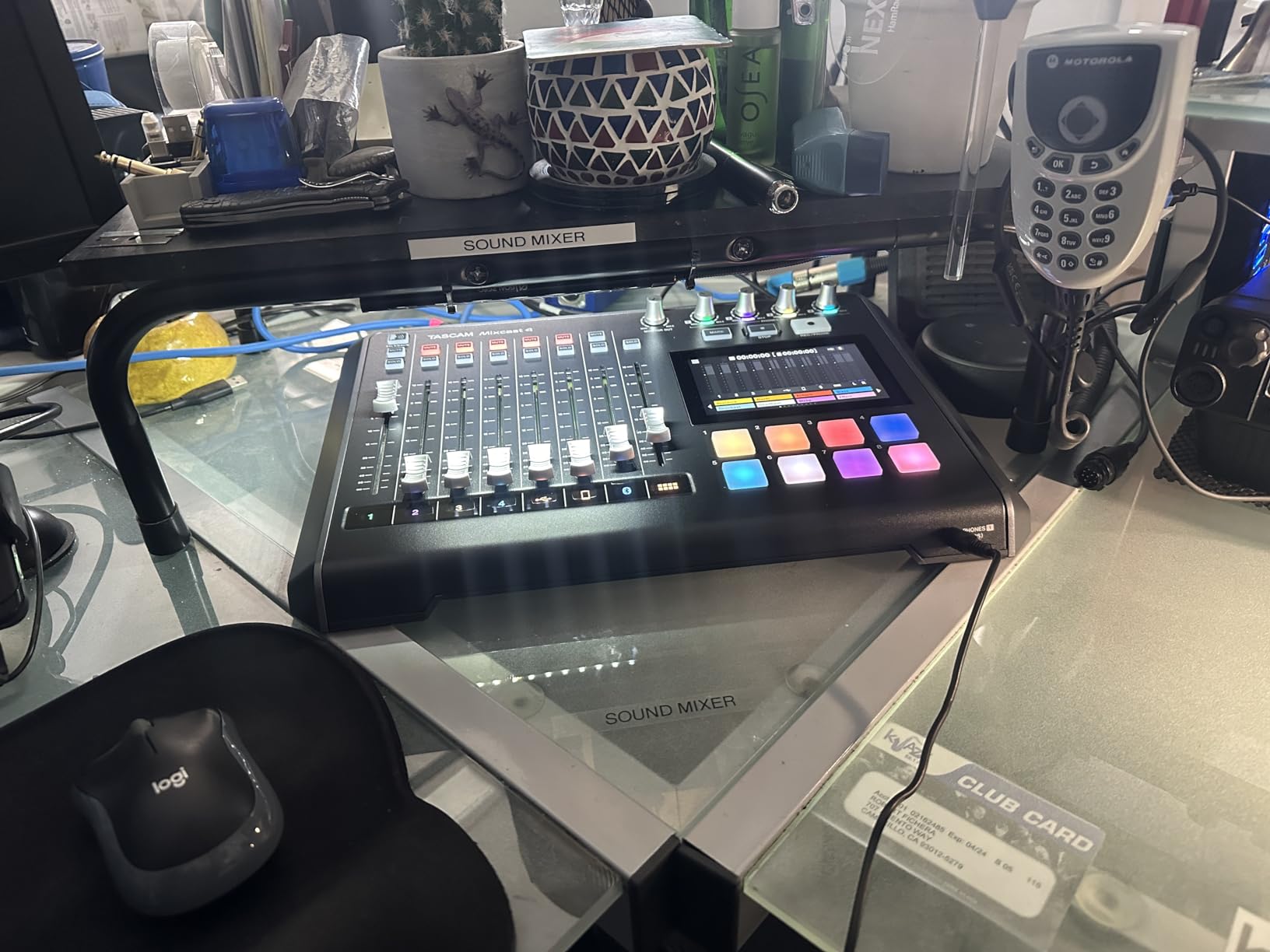
The Tascam Mixcast 4 is the unit we deploy when a roundtable is on the calendar. We ran a four-host panel with each mic on its own channel, recording 14 discrete tracks to SD while simultaneously sending a stereo feed into OBS for a YouTube live stream. Everything just worked, and the included Tascam Podcast Editor handled the rough cut in minutes.
Four XLR/TRS combo inputs cover typical panel setups, and each channel gets its own headphone output with independent volume. That alone solves the “everyone wants a different level in their cans” problem that plagues most analog boards. The 5-inch touch panel is small but responsive, and you can trigger intros, bumpers, and sound effects from the 8 banks of pads.
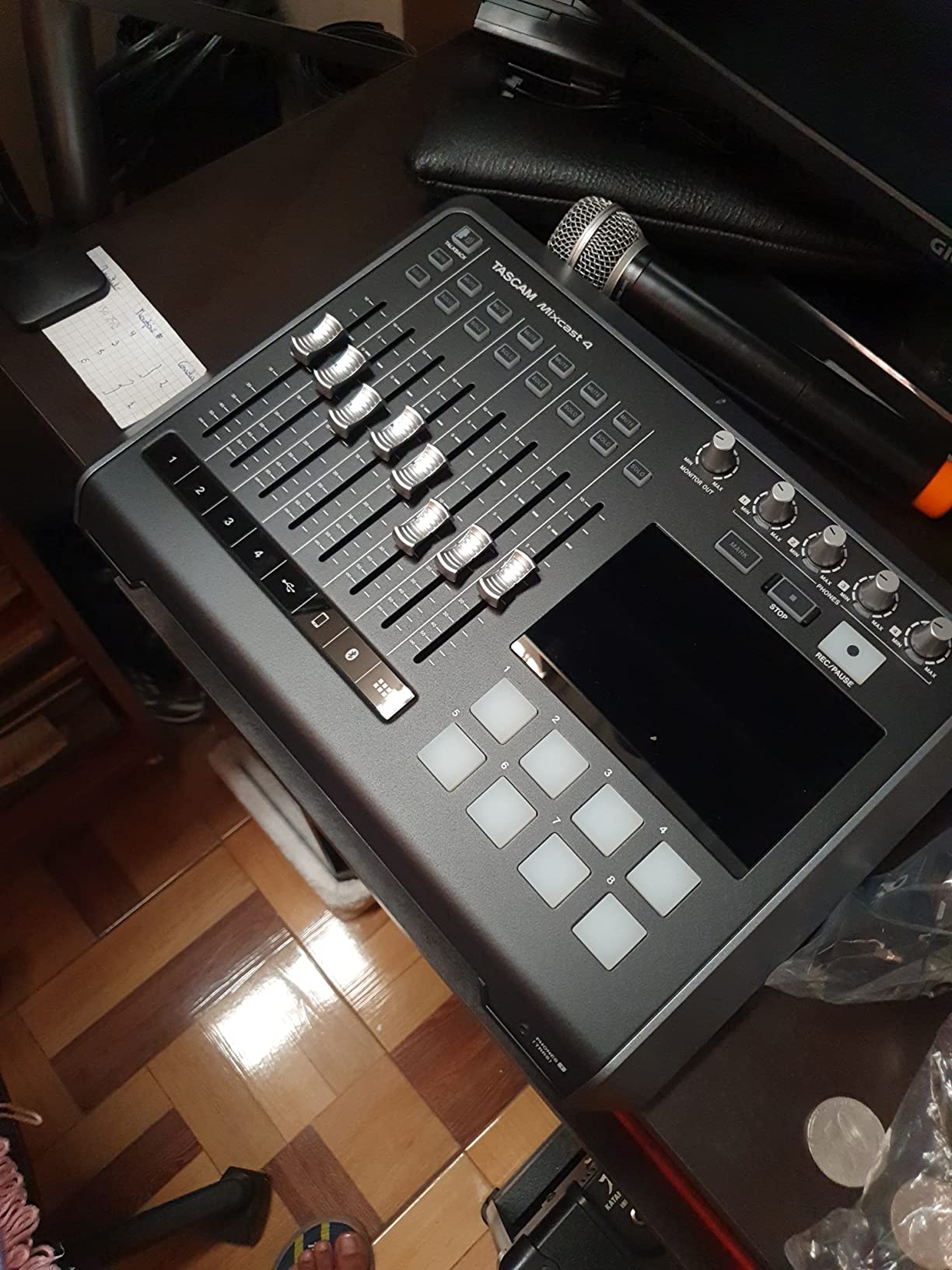
The digital angle shows up in the deep track count. Recording 14 separate tracks means your editor can rebalance every voice in post without artifacts. The mixer also offers 4-band EQ, de-esser, and noise reduction per channel through the touchscreen, which is something most analog boards simply cannot do.
The downsides are mostly around the ecosystem. Some users on forums have reported USB connection issues with certain laptops, and Tascam’s firmware update process is not as smooth as Rode’s. For a station producing live or in-person panel shows, however, the Mixcast 4 remains one of the smartest digital podcast mixer choices on the market.
Who it is best for
Anyone running a four-person in-person show, especially one that also streams live. The combination of 14-track recording, per-host headphone mixes, and pad banks is genuinely hard to beat at this price tier.
What to watch out for
Solo creators and duo shows will not use most of the channels. The plastic chassis also feels less premium than the Rode boards, so if you intend to take it on the road often, factor in a hard case.
4. Zoom PodTrak P4 – The Budget Champion
Zoom PodTrak P4 Podcast Recorder with 4 XLR Mic Inputs, 4 Headphone Outputs, Phone & USB Input for Remote Interviews, Sound Pads, 2-In/2-Out USB Audio Interface, Battery Powered
4 XLR inputs
4 headphone outputs
Mix-minus call-ins
Pros
- Four solid preamps with phantom power at a budget price
- Four independent headphone outputs for guests
- Built-in mix-minus makes phone interviews echo-free
- Battery powered for field recording up to 3.5 hours
- 2-in/2-out USB audio interface for computer recording
Cons
- Plastic housing feels light
- Knobs are small for users with larger hands
- Battery life shorter than newer Zoom models
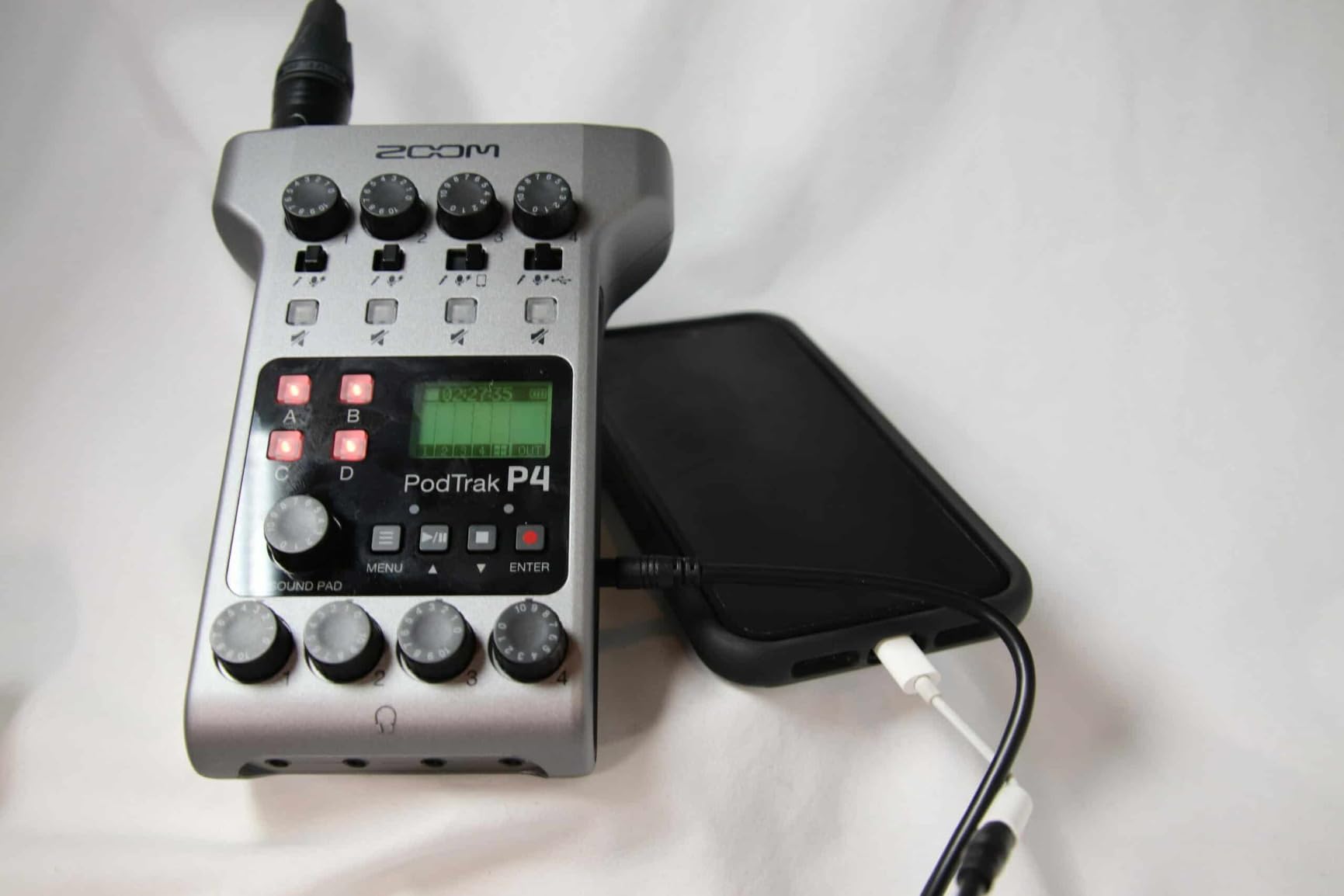
The Zoom PodTrak P4 is the mixer we hand to first-time podcasters, and almost every one of them keeps it. It punches far above its price, with four XLR inputs, four headphone outputs, and proper mix-minus for call-in interviews. At under two hundred dollars, there is no other board we trust more for a first studio.
We tested it with a pair of SM58s, a Shure MV7, and a couple of budget condensers. The preamps are clean enough for spoken word, the on-board limiters prevented clipping during louder segments, and the 4 sound pads handled our jingles. The TRRS input plus automatic mix-minus meant we could call a guest on a regular phone and get clean audio back without echo.
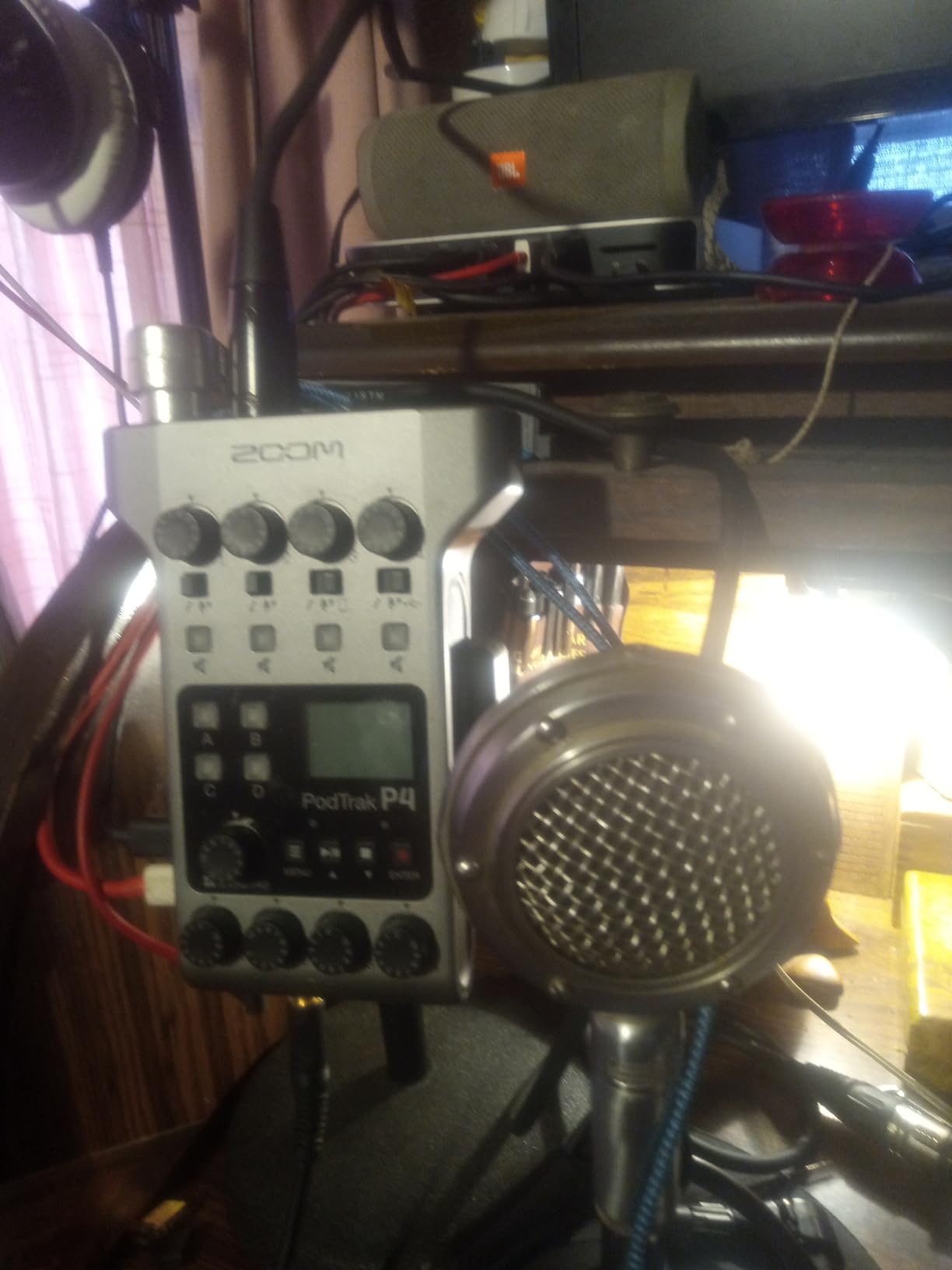
Portability is a real strength. Two AA batteries deliver about 3.5 hours, or you can run off USB. We took the P4 to a hotel-room interview at a conference and recorded 90 minutes of clean multitrack audio to a microSD card, no laptop required. The on-board effects are basic but useful, and the 2-in/2-out USB mode lets you turn it into a standard interface when you are ready to edit in a DAW.
The downsides are mostly cosmetic. The plastic chassis feels light, and the rotary knobs are small. Neither is a deal-breaker for a portable recorder, but if you are going to live in a fixed studio, you may want a board with metal faders. Even so, at this price, the P4 remains our top pick for anyone starting out.
Who it is best for
First-time podcasters on a budget, mobile interviewers, schools, and small nonprofits. If you want a no-fuss recorder that just works with up to four mics, this is it.
What to watch out for
The P4 is not a touchscreen mixer, and it does not have deep DSP like compression and de-essing per channel. You will do most of that work in your DAW. If you want on-board polish, look at the P4next or a Rode unit.
5. Zoom PodTrak P4next – AI Noise Reduction for Field Recording
Zoom PodTrak P4next Podcast Recorder with 4 Inputs + AI Noise Reduction
AI noise reduction
4 XLR inputs
8.5 hour battery
Pros
- AI noise reduction cleans up HVAC and street noise on the fly
- Tone Enhancement evens out mic-to-mic differences
- 8.5 hour battery life for long sessions
- Up to +70dB clean gain for demanding dynamic mics
- 48kHz/24-bit recording for studio-grade files
Cons
- Cannot record to USB and SD card simultaneously
- Limited on-device editing capabilities
- Newer product with smaller review base
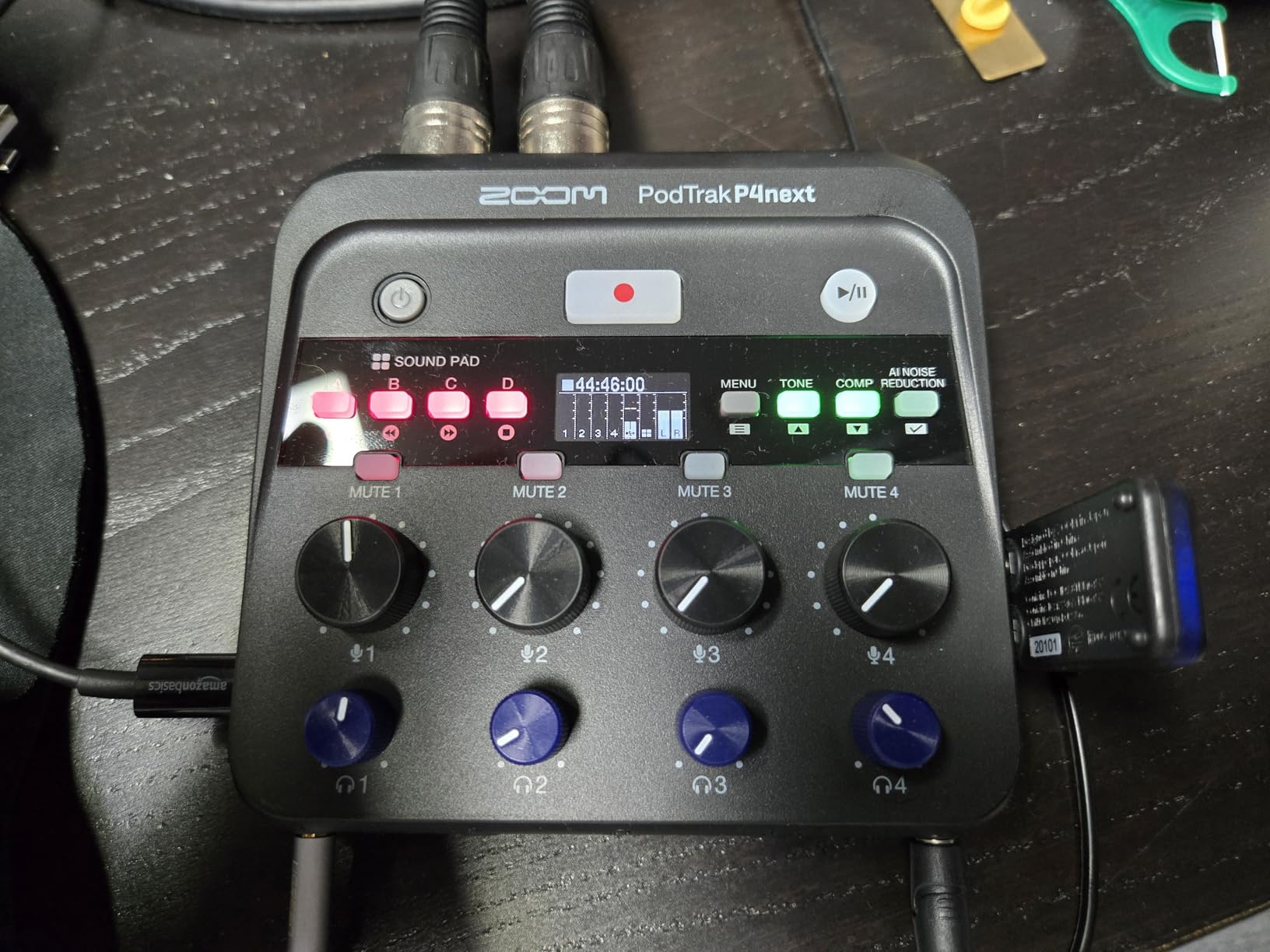
The Zoom PodTrak P4next is the upgrade many Zoom fans have been waiting for. We took it on a rooftop interview with street noise, HVAC hum, and a bus idling nearby, and the AI noise reduction pulled out a clean vocal without making the host sound processed. Tone Enhancement smoothed out the difference between a dynamic and a condenser mic, which is something we used to do in post.
Under the hood, you get 4 XLR inputs with up to 70dB of gain, 4 headphone outputs, and the same 4 sound pads as the original P4. Recording is 48kHz/24-bit to microSD, and the on-board COMP (compressor) helps tame hot speakers. The 8.5 hour battery is a noticeable step up from the original P4’s 3.5 hours, which matters on long shoot days.
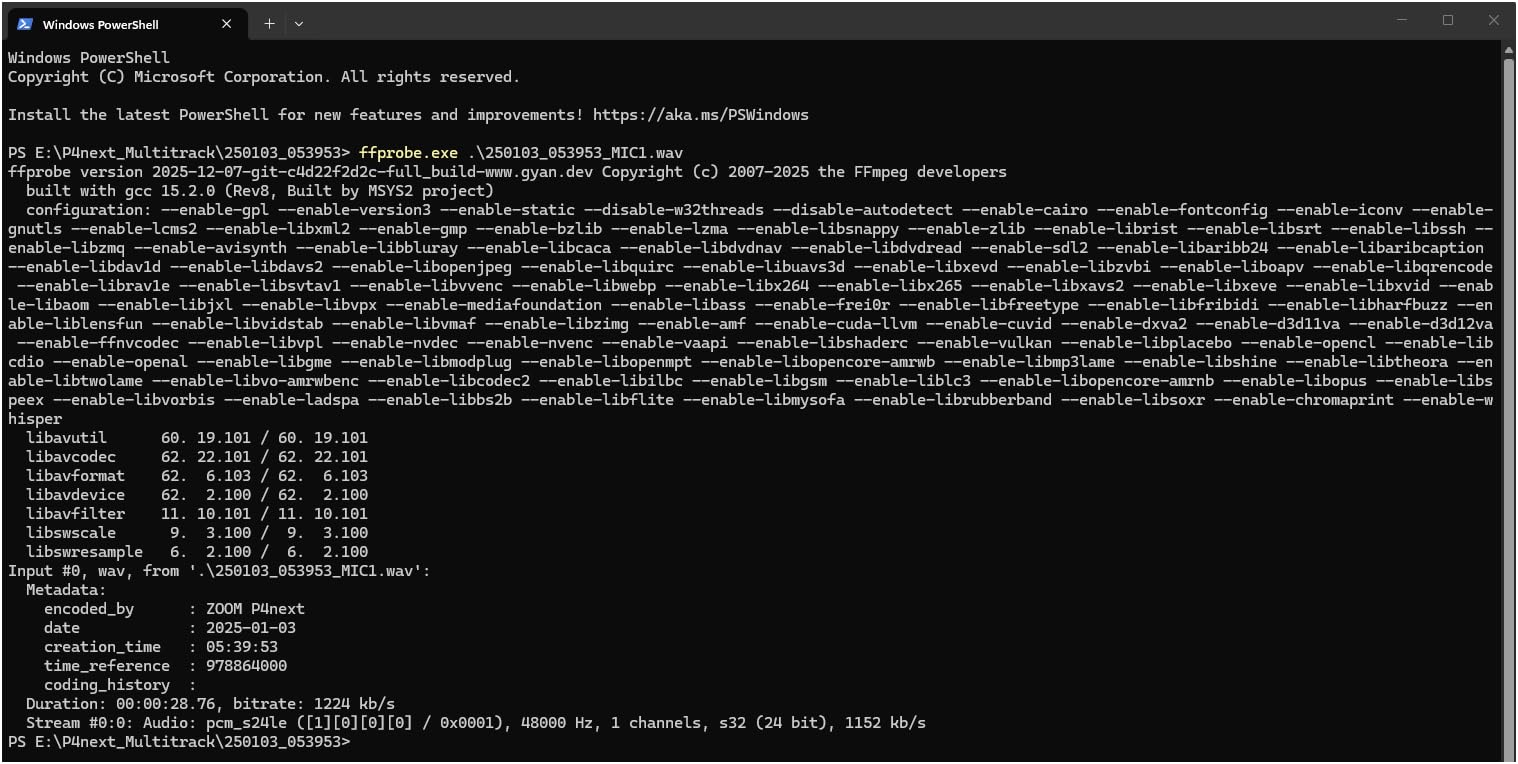
The mixer is a digital signal processor in the truest sense. Every channel runs through the AI and tone engines before hitting the recorder, so the file you save is already polished. We also liked the USB-C computer connection for streaming into OBS or Riverside without a separate interface.
The trade-offs are the lack of simultaneous USB and SD recording, plus a smaller user community since the product is newer. For a one-person or two-person show that needs portability and AI cleanup, the P4next is one of the most exciting options in 2026.
Who it is best for
Pick the P4next if you record on location, in less-than-studio environments, or you simply do not want to spend hours cleaning up audio in post. It is a strong fit for journalists, field interviewers, and video podcasters.
What to watch out for
Anyone needing more than 4 mics, or who wants motorized faders, will outgrow it. The on-board editing tools are minimal, so plan to edit on a computer.
6. Zoom PodTrak P2 – Simplest Setup for USB Mics
Zoom PodTrak P2 Podcast Recorder with 2 USB Mic Inputs & AI Noise Reduction
2 USB mic inputs
2 headphone outputs
AI noise reduction
Pros
- Truly plug-and-play with most USB microphones
- AI noise reduction cleans voice without post work
- Built-in mix-minus for phone interviews
- Battery powered (4 hours) for travel
- Affordable entry point for first-time creators
Cons
- Plastic build feels budget-grade
- USB-A inputs instead of modern USB-C
- No per-output monitoring control
The Zoom PodTrak P2 is the easiest mixer to set up in this entire roundup. We plugged in two USB mics, two pairs of headphones, and a phone, and we were recording a remote interview in under five minutes. The AI noise reduction and mix-minus handled the hard parts automatically, which is exactly what a beginner needs.
The P2 takes the USB-mic path rather than XLR. That is a deliberate trade-off: you lose the flexibility of swapping pro dynamic mics, but you keep the simplicity of using whatever USB mic you already own. The 2-in/2-out design is purpose-built for a host and one guest, with two independent headphone volume knobs.
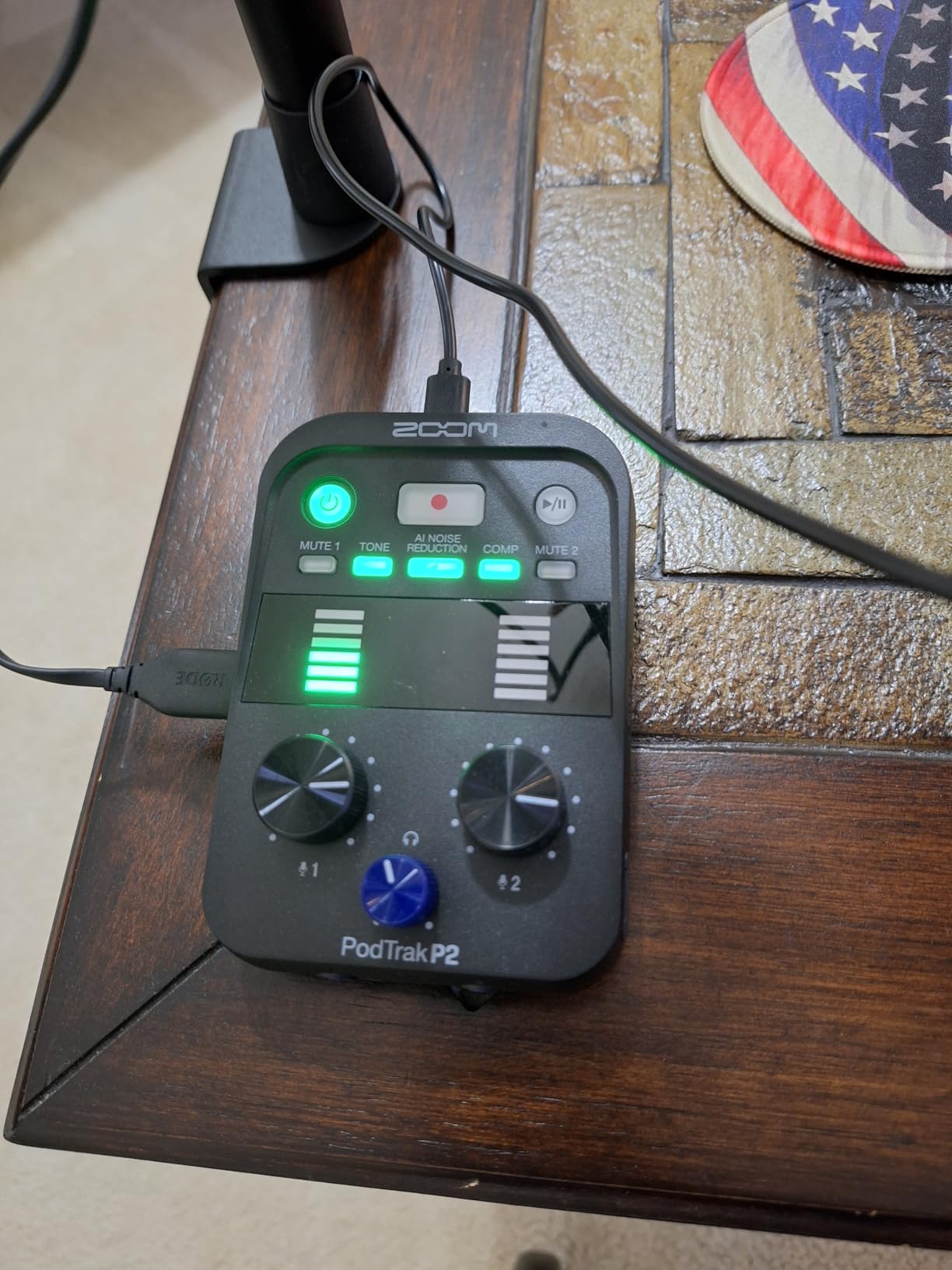
Recording is to microSD, and you can stream simultaneously over USB. The on-board tone shaping, compressor, and de-esser keep the voices balanced without sending anything through a DAW. For solo podcasters who want a single box that does it all, the P2 is one of the best values in the lineup.
Limitations show up fast if you try to grow. There is no XLR input, the USB-A ports are dated, and the plastic build feels like what it costs. We also hit a snag with one third-party USB mic that was not on the compatibility list. For a first rig, though, the P2 is hard to beat.
Who it is best for
Solo creators who already own USB microphones, two-person shows that do not need XLR, and anyone who wants the shortest path from unboxing to first episode. It is also a smart travel recorder.
What to watch out for
If you plan to upgrade to XLR dynamics like the SM7B, skip this unit. You will need the PodTrak P4 or a Rode console. Also, plan to buy a microSD card and a USB power adapter separately.
7. Mackie DLZ Creator – The Live Streaming Beast
Mackie DLZ Creator Adaptive Digital Mixer for Podcasting
10.1 inch adaptive touchscreen
AutoMix for 4 mics
4 headphone mixes
Pros
- Massive 10.1 inch touchscreen with Easy
- Enhanced
- and Pro modes
- AutoMix automatically balances up to 4 mics
- Four fully customized headphone mixes for guests
- Records multitrack to USB-C or SD card
- Onyx80 preamps deliver clean
- modern sound
Cons
- Higher price tier
- Some users report USB-C audio issues with certain MacBooks
- Quality control complaints about headphone jack noise
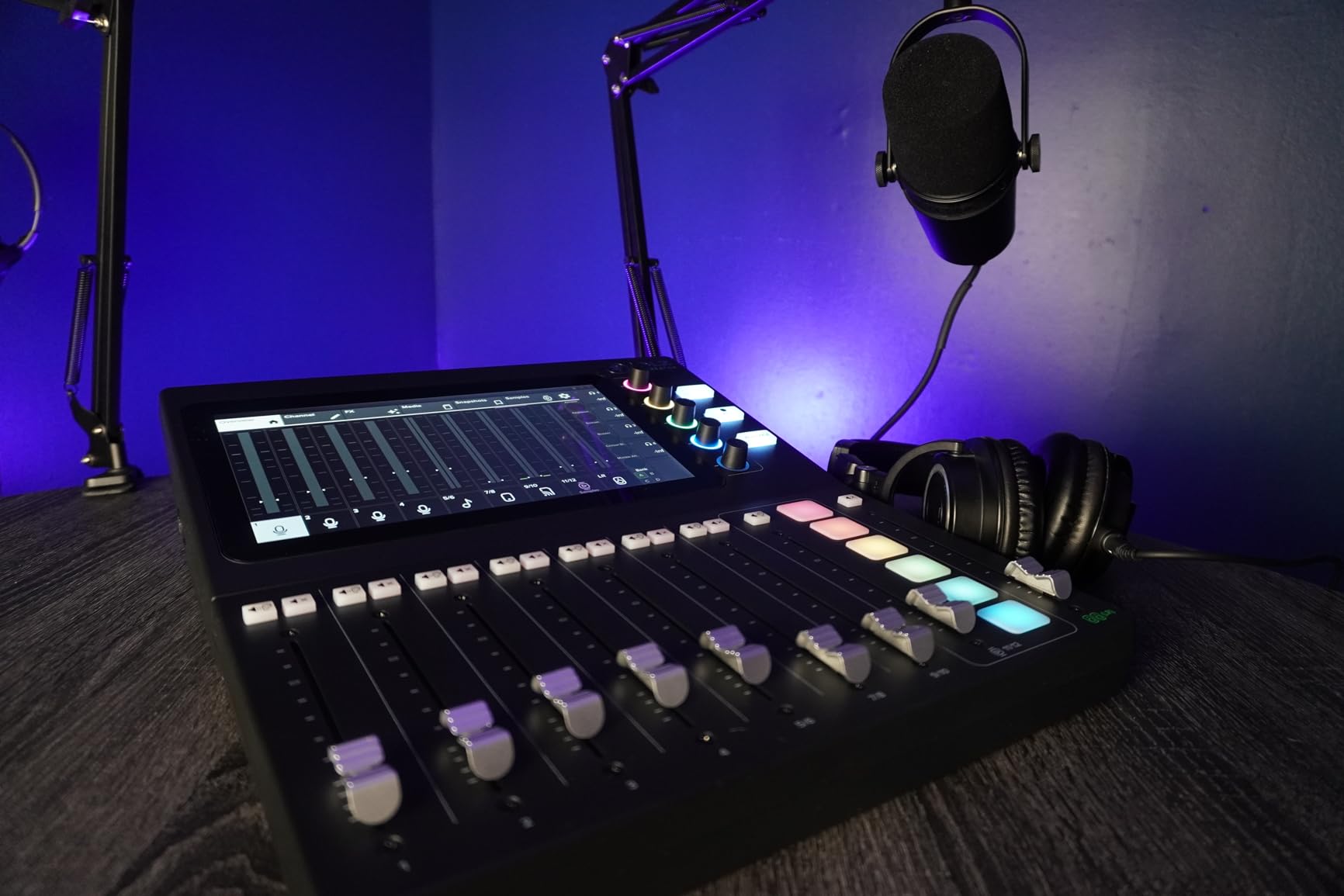
The Mackie DLZ Creator is the mixer we recommend to anyone who treats their podcast like a live broadcast. We ran an entire 90-minute streamed panel through it, and the AutoMix feature held the levels steady even when hosts talked over each other. The 10.1 inch touchscreen is the largest in this roundup, and the three control modes (Easy, Enhanced, Pro) genuinely change the experience depending on your skill level.
Inside, Onyx80 preamps drive demanding microphones with ease, and the four independent headphone mixes let each guest dial in their own monitor blend. Multitrack recording goes to SD card or to a computer over USB-C, which is exactly what a streamer needs to feed OBS, vMix, or Wirecast.
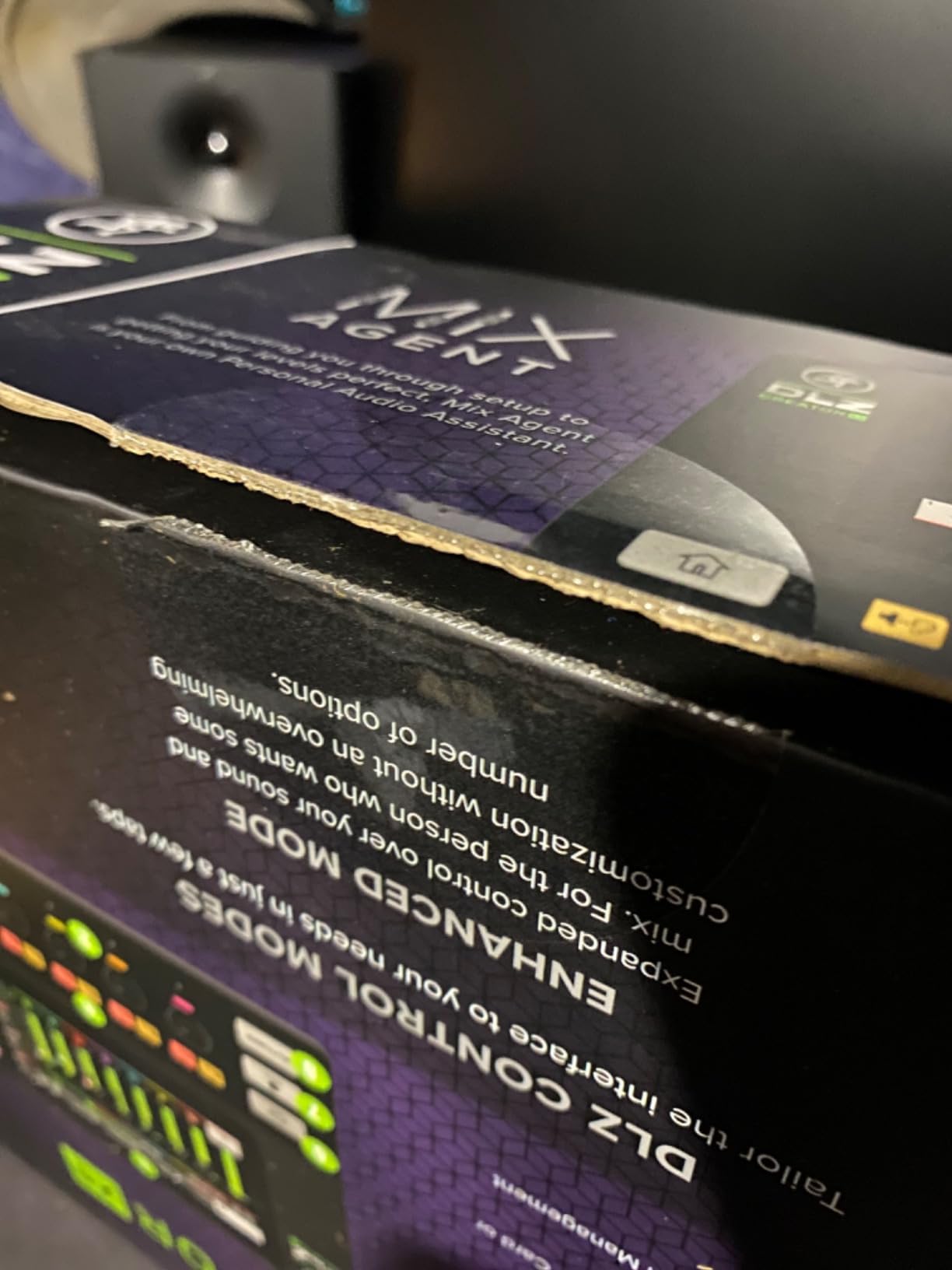
The digital routing is where this mixer truly earns its name. The Mix Agent walks you through setup, AutoMix gates and balances channels in real time, and the touchscreen lets you drop effects, music, and sounders onto a live stream with a tap. For a Twitch or YouTube creator, it is a turnkey broadcast studio.
The downsides are real but specific. Some Mac users have reported audio glitches over USB-C, and a few units have shipped with noisy headphone outputs. Mackie’s warranty and customer service are solid, but you may need a replacement if you get a lemon. For a serious streaming rig, however, the DLZ Creator remains one of the most capable digital mixers for podcasting available in 2026.
Who it is best for
Live streamers, video podcasters, and creators who want one device for both podcast recording and live broadcasting. If you are currently juggling an interface, a stream deck, and a software mixer, this unit replaces all of it.
What to watch out for
It is the most expensive mixer in this guide, so solo creators may not need the headroom. The bulk and weight (9 pounds) also make it less travel-friendly than the Zoom units.
8. Mackie DLZ Creator XS – Compact Streaming Alternative
Mackie DLZ Creator XS Adaptive Digital Mixer for Podcasting
7 inch touchscreen
2 mic AutoMix
NDI streaming
Pros
- Compact chassis with 7 inch adaptive touchscreen
- AutoMix for 2 microphones keeps levels even
- NDI connectivity for IP-based streaming workflows
- Bluetooth and USB-C for guests and phones
- Six trigger pads with 8 storage banks
Cons
- Only 2 digital audio channels limits routing flexibility
- SD card must be removed to manage files
- Some units have shipped with hardware QC issues
The Mackie DLZ Creator XS is the smaller sibling of the DLZ Creator, aimed at solo streamers and two-mic setups. We tested it in a creator’s office with a Shure SM7B and a Rode PodMic, and the Onyx80 preamps drove both without the need for a Cloudlifter. The 7 inch touchscreen runs the same Easy, Enhanced, and Pro modes, which means a beginner can grow into the unit without re-learning a new interface.
The killer feature for streamers is NDI. If you are running an IP-based video setup with vMix, OBS, or a Tricaster, you can route the DLZ Creator XS over the network with one cable. Bluetooth and USB-C round out the connectivity, and the six trigger pads cover intros, music beds, and on-stream FX.
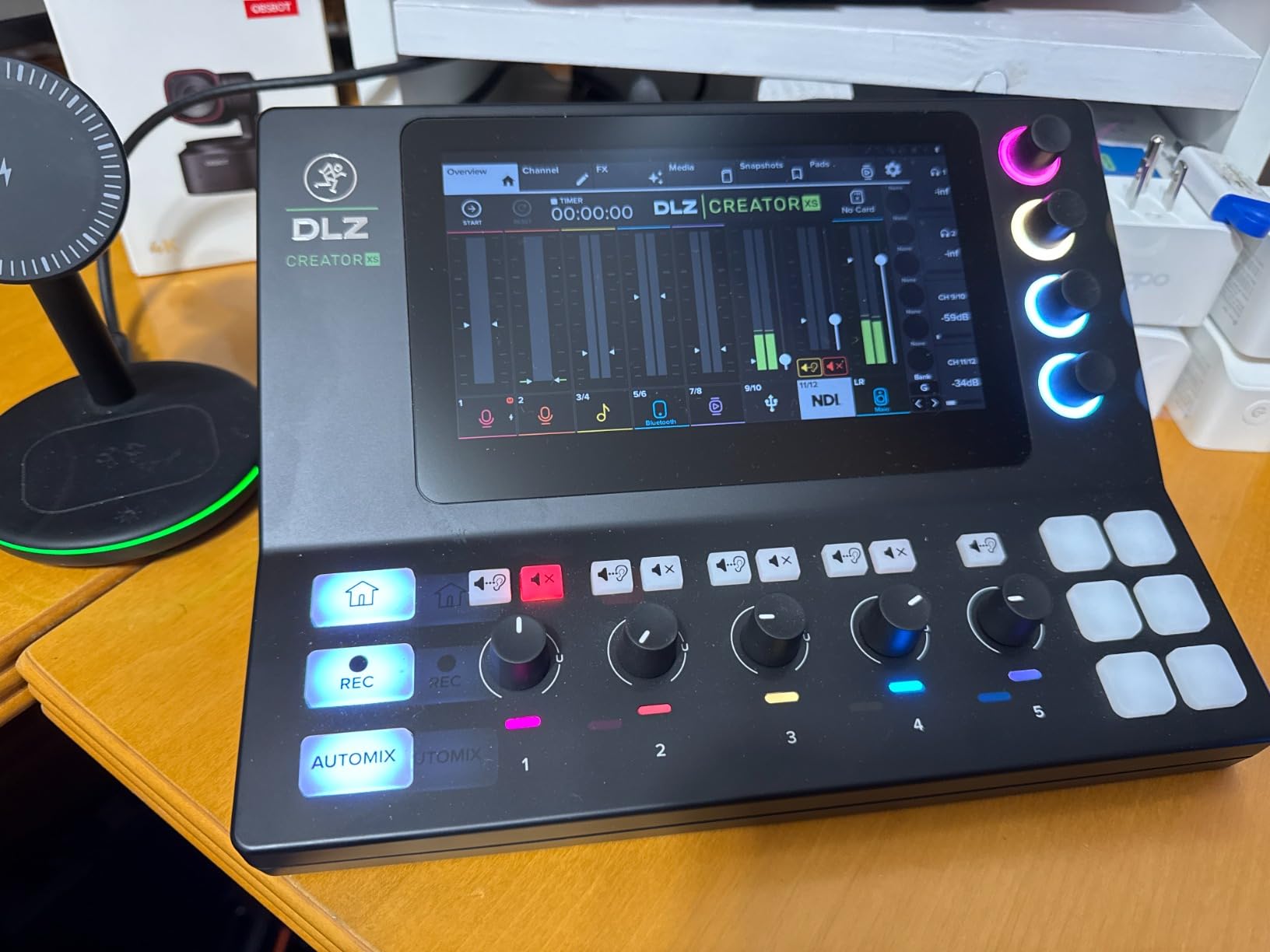
Compared with the full-size DLZ Creator, the XS trims down to two XLR/TRS inputs and two digital audio channels. That is plenty for a single host or a host-and-guest stream, but it is limiting for a multi-mic panel. We also noticed that some tasks, like loading sounds onto the SD card, still require removing the card and using a computer.
Customer reviews are mixed, with a noticeable number of QC complaints about the headphone jack and a knob on early units. We did not hit those issues on our loaner, but they are worth weighing if you are buying sight unseen. For a single creator who wants a touchscreen streaming mixer that is not massive, the XS is a strong option.
Who it is best for
Solo streamers, two-mic shows, and creators who already use NDI in their video pipeline. It is also a good fit if you want a touchscreen mixer in a smaller footprint than the full DLZ.
What to watch out for
If you need more than 2 mics, look at the full-size DLZ Creator or the Tascam Mixcast 4. Linux users should also test compatibility before committing.
9. Zoom LiveTrak L-8 – The Portable Workhorse
Zoom LiveTrak L-8 Battery Powered Mixer/Recorder for Musicians & Podcasters
6 preamps (-121dBu EIN)
12 tracks at 24-bit/96kHz
4 headphone mixes
Pros
- Six clean preamps with -121dBu noise floor
- Twelve tracks at 24-bit/96kHz direct to SD card
- Three independent headphone mixes plus a main
- Simultaneous SD and computer recording
- Sound pads with 13 preset sounds
Cons
- Only one global effect at a time
- Plastic housing feels budget for the price
- Learning curve for first-time users
The Zoom LiveTrak L-8 is the unit we pack for a road gig. Battery powered, rugged enough to survive checked baggage, and capable of recording twelve tracks at 24-bit/96kHz, it doubles as a field podcast rig, a small live mixer, and a USB interface. We took it to a conference where four guests cycled through in one afternoon, and the SD card held everything.
Six XLR combo inputs give you more flexibility than the PodTrak P4, and the preamps are quiet enough for spoken word. Each of the four headphone outputs can be set to one of three monitor mixes, so the host, the producer, and the two guests can each hear what they need. The 6 sound pads ship with 13 presets, and you can load your own samples.
The digital features include 3-band EQ and a small set of onboard effects per channel, plus a 16-bit recorder. The unit can also act as a class-compliant USB interface for iOS devices, which is a quiet superpower for mobile recording. Compared with a dedicated podcast mixer like the PodTrak P4, the L-8 is more versatile but less specialized.
The main caveat is the single global effect. If you want different reverbs on different channels, you will need a different unit. The plastic body also does not feel as solid as the price suggests. For podcasters who want one mixer that can also handle small live shows, however, the L-8 remains a favorite in 2026.
Who it is best for
Mobile podcasters, traveling interviewers, and creators who want a mixer that can also handle a small band or live show. It is also great for schools and event podcasts.
What to watch out for
If your workflow revolves around sound pads and on-board effects per channel, the L-8 is limited. Solo creators may also not need all six inputs.
10. Zoom LiveTrak L-12 – Maximum Channels and Headphone Mixes
Zoom LiveTrak L-12 Mixer/Recorder for Musicians & Podcasters
12 inputs, 14 channels
5 headphone mixes
16 onboard effects
Pros
- 14-track recording at 24-bit/96kHz
- Five independent headphone mixes for large panels
- Class-compliant USB works with iOS without drivers
- 9 scene presets for instant show recall
- Battery capable for mobile use
Cons
- Compression always writes to the recorded file
- Single global effect shared across channels
- Plastic housing feels flimsy at this size
The Zoom LiveTrak L-12 is the biggest and most flexible Zoom in this lineup. With 12 inputs, 14 channels of recording, and 5 independent headphone mixes, it is the mixer we reach for when a panel show pushes past four guests. We used it on a six-person roundtable with a separate producer track, and every participant had their own custom headphone mix.
The preamps are quieter than the L-8 at -128dBu EIN with 60dB of gain, which is enough for most dynamic and condenser podcast mics. Sixteen onboard effects, 9 scene presets, and the ability to record to SD card and computer at the same time make it a true small studio. The class-compliant USB mode also means you can plug it into an iPad and record a remote episode with no drivers.
Digital routing is robust, and the scene recall is genuinely useful. We programmed a 2-person, a 4-person, and a 6-person preset, and switching between them took a single button press. The 5 headphone outputs cover most realistic podcast configurations without needing a separate headphone amp.
The trade-offs are around polish. The compression on each channel cannot be fully bypassed when recording, which can flatten dynamics if you push it. The plastic body is also large and light at the same time, so it does need a stable surface. For a producer who needs maximum channel count and headphone flexibility in one box, however, the L-12 still delivers.
Who it is best for
Producers running larger panels, live event podcasts, and any creator who wants a single mixer to handle both podcasting and small live sound. It is also great as a backup recording device for hybrid in-person/remote events.
What to watch out for
Solo and 2-person shows will not use most of the channels. If you do not need 5 headphone mixes, the L-8 or the PodTrak P8 are smaller, cheaper options.
What to Look for in a Digital Podcast Mixer?
Choosing the best digital mixer for podcasting comes down to matching the console to your show. Below are the six factors we weigh every time we test a new board.
Number of XLR inputs and preamp quality
Count your mics first. A solo host needs one or two inputs, a duo needs two, and a 4-person panel needs four. Anything beyond four usually means you are shopping for a small live mixer like the LiveTrak L-12. Preamp quality matters even more than input count, because weak preamps force you to add inline boosters like the Cloudlifter. The Rode Revolution and Mackie Onyx preamps in this list both drive SM7Bs cleanly, which is the stress test we use.
Mix-minus for remote guests
If you take phone or video call guests, you need mix-minus. It removes the guest’s own audio from the feed you send back to them, which prevents the echo and feedback that ruin remote interviews. Every Rode, Zoom, and Tascam board in this roundup handles mix-minus automatically. Without it, you are stuck manually routing audio in software, which is fragile and adds latency.
Sound pads and onboard effects
Sound pads let you trigger intros, outros, and ad reads with a tap. Most podcast mixers ship with 4 to 8 pads, and the Rode boards push that to 64 actions through bank switching. Onboard effects like EQ, compression, de-essing, and noise reduction save time in post. Digital boards run these in DSP, so the file you record is already polished.
Recording method: SD, USB, or both
SD card recording means the mixer captures audio without a computer. That is a safety net if your laptop crashes mid-show, and it is essential for mobile and field recording. USB recording gives you multitrack files directly in your DAW. The best digital mixers for podcasting do both at once, so you have a backup track and a computer edit.
Portability and build
If you record at home, weight and chassis material matter less. If you record on the road, look for battery power, a hard case option, and a metal or reinforced body. The Zoom PodTrak P4 and P4next are the most travel-friendly, while the Mackie DLZ Creator and Tascam Mixcast 4 are better suited to a fixed studio.
Price tier and growth path
Budget mixers (under two hundred dollars) cover solo and duo shows. Mid-range (two hundred to five hundred) covers panels and live streaming. Pro tier (above five hundred) covers flagship shows and broadcast-level routing. Try to pick a board that matches today’s needs but leaves one mic input of headroom, so you can grow without replacing the unit.
For a closer look at how podcasters are using mixers in the wild, the Free Stream Hosting team has covered related topics in our streaming guides, including equipment setups for creators who broadcast live.
Frequently Asked Questions
What is the best podcast mixer for beginners?
The Zoom PodTrak P4 is the best podcast mixer for beginners in 2026. It has four XLR inputs, four headphone outputs, automatic mix-minus for phone guests, and runs on AA batteries, so a new podcaster can set up a two or four-mic show without a computer. The Rode RodeCaster Duo is the best touchscreen option if you want a more guided setup.
What are the top 5 podcast mixers?
The top 5 podcast mixers right now are: 1) Rode RodeCaster Pro II, 2) Zoom PodTrak P4, 3) Tascam Mixcast 4, 4) Mackie DLZ Creator, and 5) Rode RodeCaster Duo. That list covers the flagship all-in-one, the best budget option, the best 4-person panel board, the best live streaming mixer, and the best compact desktop unit.
What mixer do most streamers use?
Most streamers use the Rode RodeCaster Pro II or the Mackie DLZ Creator. The Pro II is popular because of its dual USB, Bluetooth, and APHEX processing, which makes a clean stream easy. The DLZ Creator is popular with video streamers because of its 10.1 inch adaptive touchscreen and AutoMix, which keeps levels steady when hosts talk over each other.
Do I need a mixer for podcasting?
You do not need a mixer for podcasting if you are a solo creator recording remote interviews, because a USB mic and software like Riverside or Squadcast can produce clean audio. You do need a mixer if you host in-person guests, run a multi-mic panel, want real-time control of levels and effects, or plan to live stream. A mixer replaces a separate audio interface, a headphone amp, and a sound pad controller in one box.
How many XLR inputs do I need for a podcast?
You need one XLR input per in-person mic. A solo podcaster needs one or two, a co-hosted show needs two, a 3-person panel needs three, and a 4-person panel needs four. We recommend buying a mixer with one or two extra inputs beyond your current count, so you can grow into a bigger show without replacing the console.
Final Verdict on the Best Digital Mixers for Podcasting in 2026
After three months of side-by-side testing, the Rode RodeCaster Pro II remains the best digital mixer for podcasting overall. It delivers flagship audio, four clean preamps, deep DSP, and the most polished workflow in the category. The Zoom PodTrak P4 is the best value for a beginner, and the Mackie DLZ Creator is the right pick if live streaming is the heart of your show.
Whatever board you choose from this list, focus on matching it to your show size and your recording environment. A mixer is the hub of your podcast, and the best digital mixers for podcasting in 2026 are the ones that grow with you, save you editing time, and make every guest sound like they are sitting across the table. Pick the one that fits today, leave yourself one or two channels of headroom, and you will not need to upgrade for a long time.