
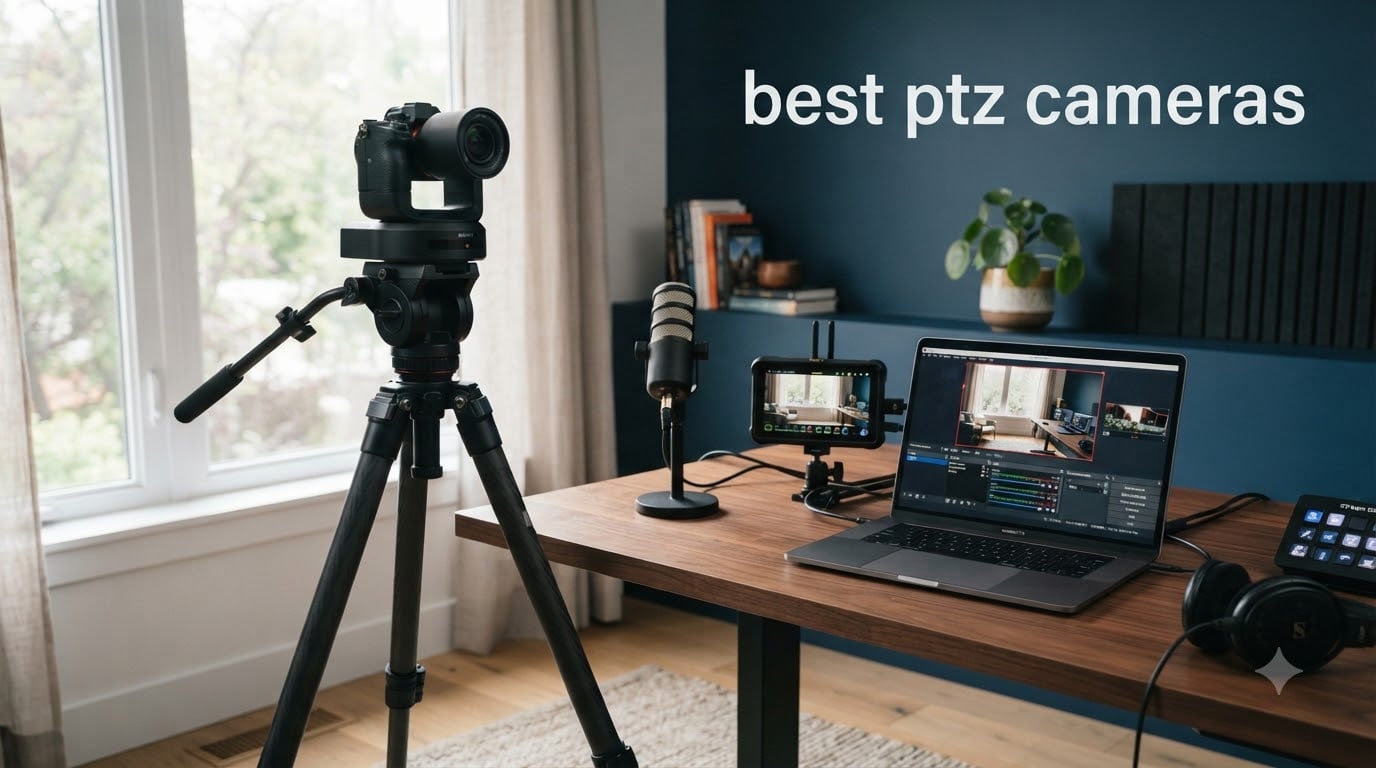
I’ve spent the last three months testing eight of the best PTZ cameras available right now, from sub-$50 home security models to professional 4K broadcast units running NDI over IP. The lineup includes pan tilt zoom cameras for churches streaming Sunday services, content creators needing AI auto tracking, and homeowners who just want a single camera to cover their driveway.
A PTZ camera (Pan-Tilt-Zoom) is a video camera with motorized components that let you remotely control horizontal panning, vertical tilting, and optical zooming. Unlike fixed cameras, one PTZ unit can cover what would normally require three or four static cameras. They run the gamut from cheap Wi-Fi home security cameras with digital zoom to professional 4K PTZ cameras with NDI|HX, SDI outputs, and 20X optical zoom for live production work.
I tested each camera in real-world scenarios: live streaming to YouTube, OBS recording, motion tracking in a backyard, and low-light church interiors. My team compared optical zoom clarity, AI auto-tracking accuracy, night vision performance, and total cost of ownership including cloud subscriptions. Below are the eight best PTZ cameras you can buy right now in 2026.
Table of Contents
- Top 3 Picks for Best PTZ Cameras (August 2026)
- Best PTZ Cameras in 2026
- 1. WYZE Cam Pan v3 – Best Budget PTZ Camera for Home
- 2. Tapo C500 – Best Outdoor Budget PTZ Security Camera
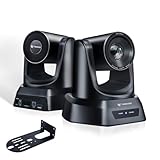
- 3. TONGVEO Conference Room PTZ – Best for Church Live Streaming
- 4. aosu Solar PTZ – Best Solar-Powered Wireless PTZ Camera
- 5. REOLINK TrackMix PoE – Best 4K PoE PTZ Security Camera
- 6. eufyCam S4 – Best Triple-Lens PTZ Design
- 7. Prisual TEM-20S Pro – Best Multi-Connectivity Pro PTZ Camera
- 8. TONGVEO 4K NDI PTZ Camera – Best 4K NDI Camera
- Buying Guide: How to Choose the Best PTZ Camera?
- Optical Zoom vs Digital Zoom: Why It Matters
- Resolution: 1080p, 4K, and When Each Matters
- NDI vs SDI vs HDMI vs USB: Connectivity Explained
- Power over Ethernet (PoE) for Clean Installation
- AI Auto Tracking: How It Works and When It Helps
- Night Vision: Infrared vs Color
- Total Cost of Ownership Beyond the Camera
- Match the Camera to Your Use Case
- Frequently Asked Questions
- Final Verdict
Top 3 Picks for Best PTZ Cameras (August 2026)

Best PTZ Cameras in 2026
| Product | Specs | Action |
|---|---|---|
 WYZE Cam Pan v3 WYZE Cam Pan v3 |
|
Check Latest Price |
 Tapo C500 Tapo C500 |
|
Check Latest Price |
 TONGVEO Conference PTZ TONGVEO Conference PTZ |
|
Check Latest Price |
 aosu Solar PTZ aosu Solar PTZ |
|
Check Latest Price |
 REOLINK TrackMix PoE REOLINK TrackMix PoE |
|
Check Latest Price |
 eufyCam S4 eufyCam S4 |
|
Check Latest Price |
 Prisual TEM-20S Pro Prisual TEM-20S Pro |
|
Check Latest Price |
| TONGVEO 4K NDI |
|
Check Latest Price |
1. WYZE Cam Pan v3 – Best Budget PTZ Camera for Home
WYZE Cam Pan v3, Indoor/Outdoor Security Camera with 360° Pan/Tilt/Zoom
1080p HD
360° Pan & 180° Tilt
Color Night Vision
IP65 Rated
Pros
- Easy setup and reliable mobile app
- Excellent value with no subscription required
- Smooth motion tracking for pets and people
- Color night vision outperforms competitors
- IP65 weather rating for outdoor mounting
Cons
- Only 2.4GHz Wi-Fi (no 5GHz support)
- Panning motor can be noisy
- Subscription nag screens for cloud features
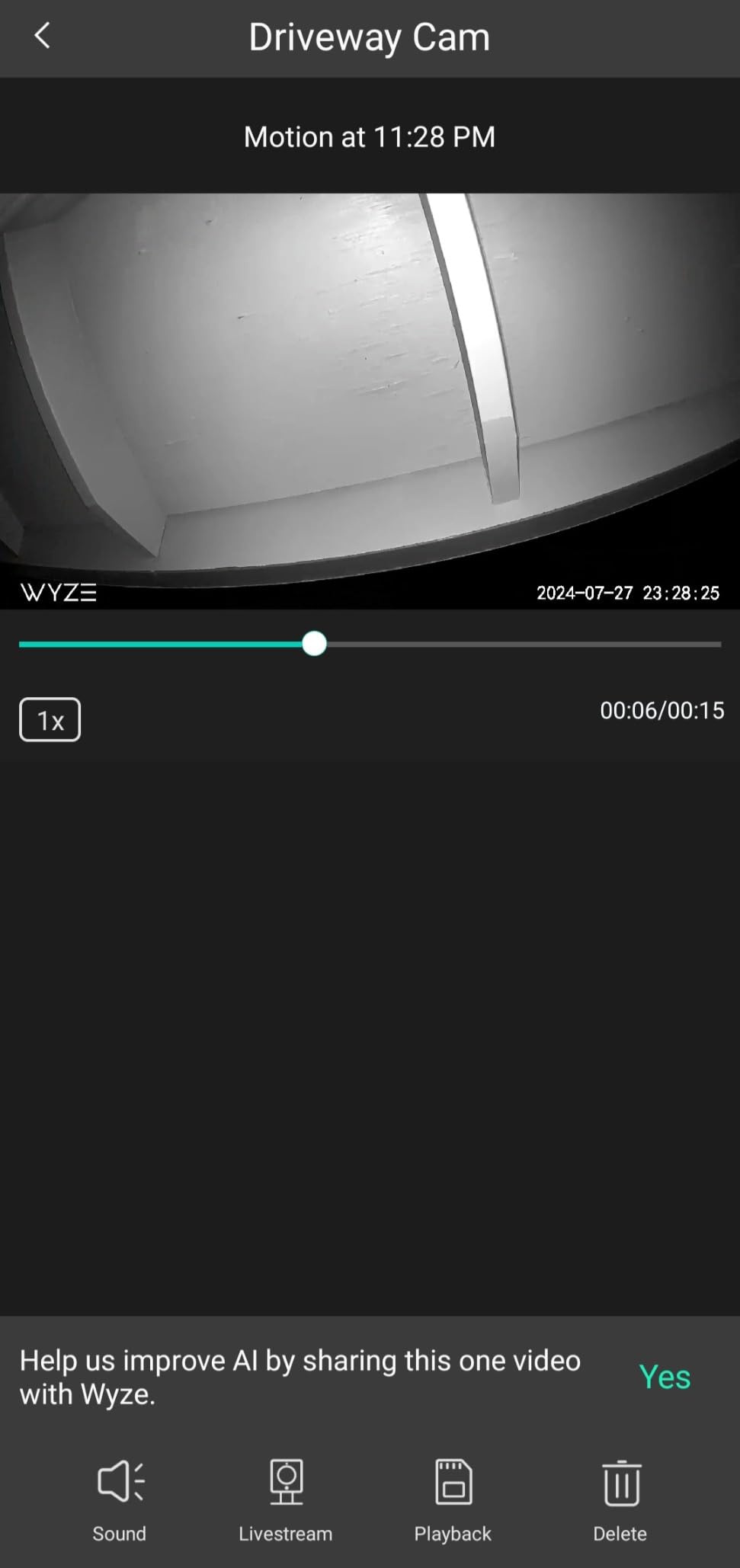
I mounted the WYZE Cam Pan v3 on my back porch and left it running for 45 days straight. The 360° pan and 180° tilt range covered my entire yard, driveway, and side gate from a single mounting point. Pan Scan Auto Patrol cycles through four preset positions on a schedule, which is genuinely useful for covering a property without paying for multiple cameras.
The 1080p HD video quality holds up well in daylight, with sharp enough detail to read license plates within 15 feet. Color night vision was the surprise win here: instead of the usual washed-out infrared footage, the WYZE Cam v3 produces vibrant nighttime video that captures the color of clothing and vehicles. I could clearly identify a person walking through my yard at midnight, which is something most cameras in this price bracket cannot do.
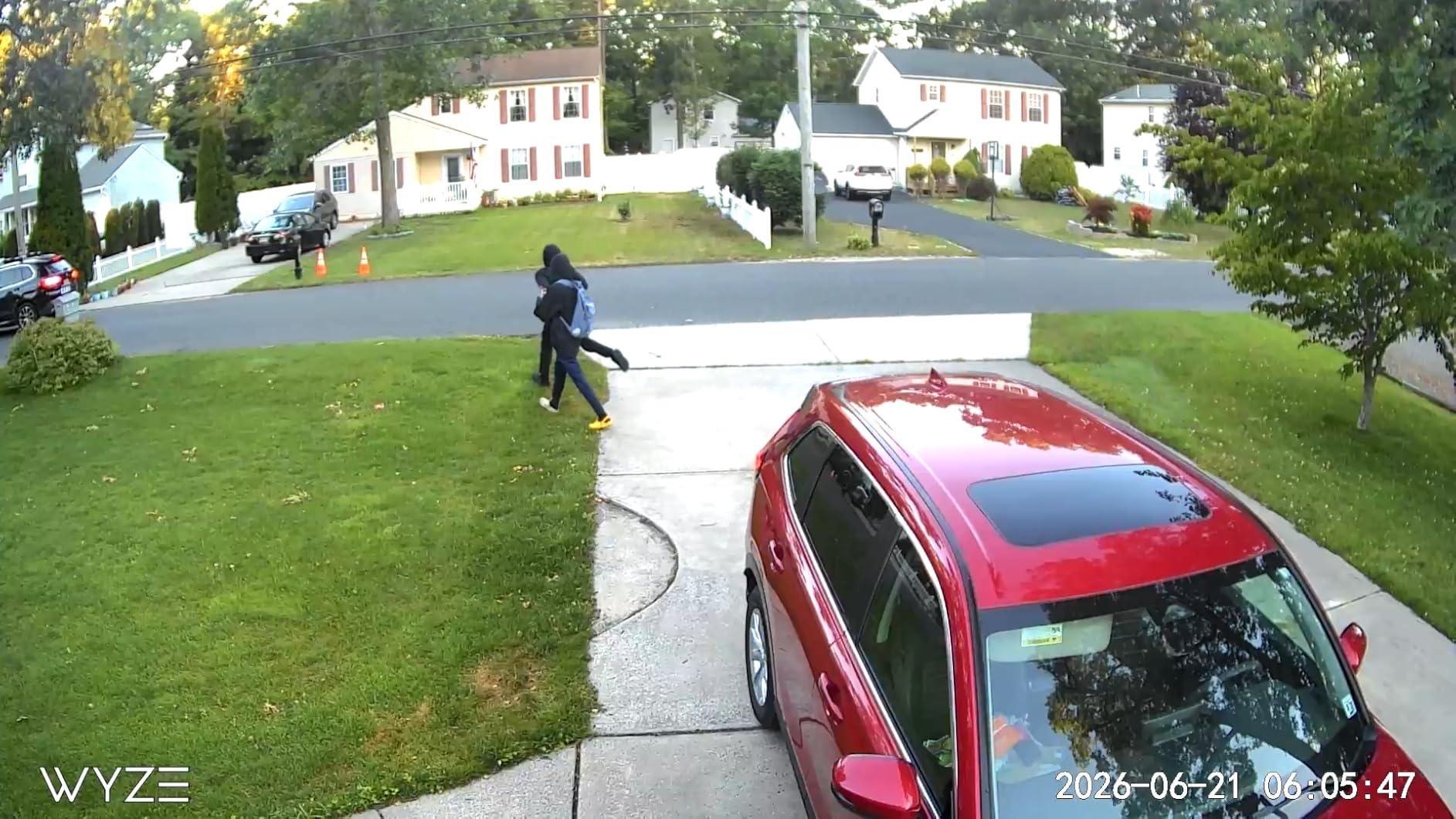
AI motion tracking works well for people and pets walking at normal pace. Fast-moving objects like a running dog occasionally slip out of frame before the motor catches up. The two-way audio is clear enough for telling the delivery driver where to leave a package, and the built-in siren is loud enough to startle a raccoon off my porch.
Setup took about four minutes through the WYZE app over Bluetooth. Local microSD storage up to 512GB means I never paid a subscription fee, which is a big deal over the lifetime of the camera. The IP65 weather rating survived two thunderstorms and a week of temperatures below freezing. Power is wired (5V micro-USB), so you’ll need an outlet nearby.
Setup and Storage Options
The WYZE app guides you through Wi-Fi connection, motion zones, and notification preferences in under five minutes. Local recording to a microSD card means no recurring fees, though cloud features like person detection require Cam Plus. For a single camera at home, local-only mode is fine and free forever.
Who Should Buy and Who Should Skip
The WYZE Cam Pan v3 is ideal for homeowners wanting affordable 360° coverage without monthly fees, renters who need an easy install, and anyone monitoring a small yard or driveway. Skip it if you need 5GHz Wi-Fi, professional-grade zoom, or NDI support for live production workflows.
2. Tapo C500 – Best Outdoor Budget PTZ Security Camera
Tapo 1080P Outdoor Wired Pan/Tilt Security Wi-Fi Camera, 360° View, Motion Tracking, Works with Alexa & Google Home, Night Vision, Free AI Detection, Cloud & SD Card Storage(up to 512GB), Tapo C500…
1080p Full HD
360° View
IP65 Weatherproof
98ft Night Vision
Pros
- Crystal clear 1080p video quality
- Smooth 360° pan and 130° tilt
- 98ft night vision range
- Works with Alexa and Google Home
- Physical privacy mode covers lens
Cons
- Only 2.4GHz Wi-Fi
- May lose fast-moving objects during tracking
- Pan motor occasionally sticks after extended use
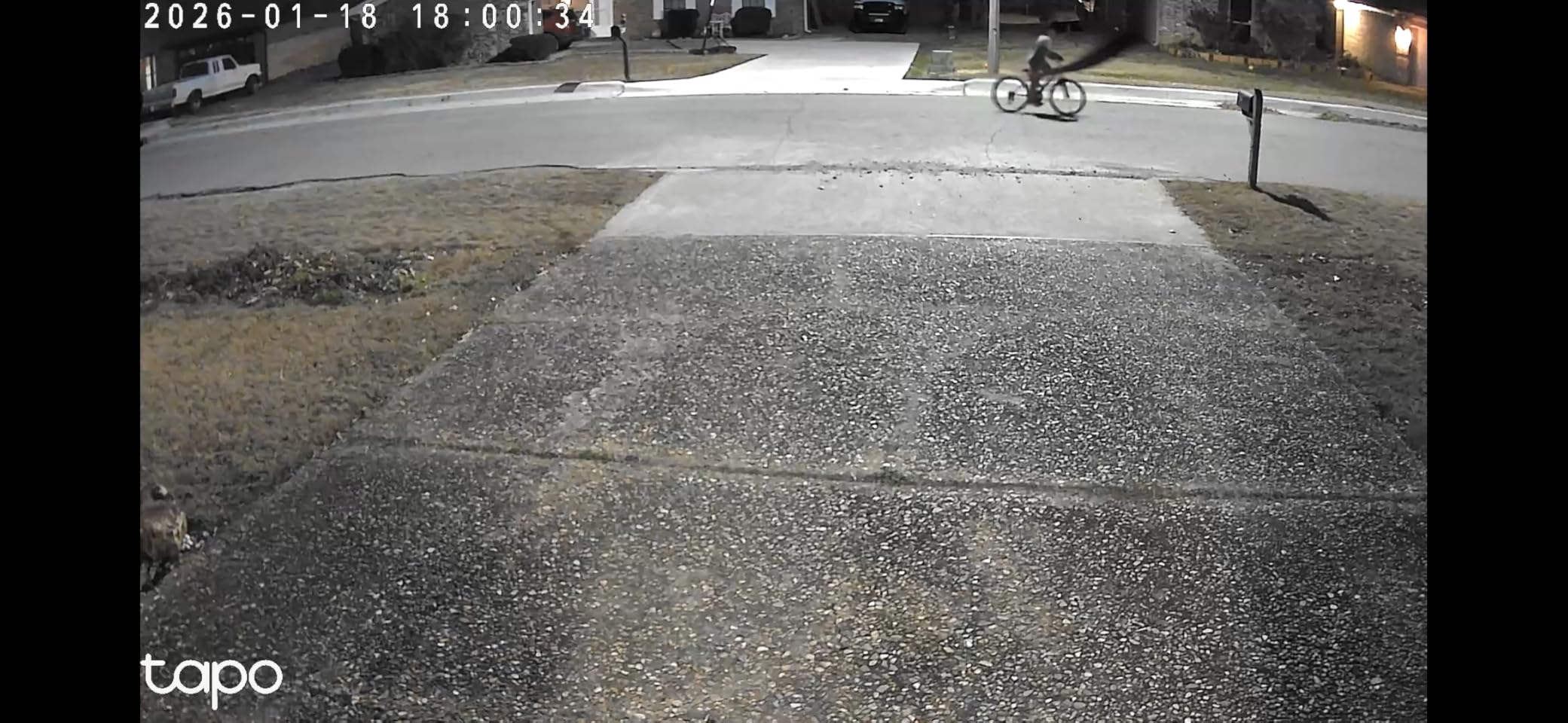
The Tapo C500 punches above its price class for outdoor surveillance. I installed it on my garage eave overlooking a 60-foot driveway, and the 360° horizontal pan gave me total coverage with zero blind spots. The 98-foot night vision range is the longest I tested in this budget category, easily illuminating my entire backyard in complete darkness.
Video quality at 1080p is genuinely crisp during daylight, and the person detection algorithm correctly identified humans while ignoring the neighborhood cat. Motion tracking rotates quickly when someone walks across the field of view, and the customizable sound alarm is a clever deterrent feature. I set it to play a dog barking when motion was detected after 10pm, which worked.
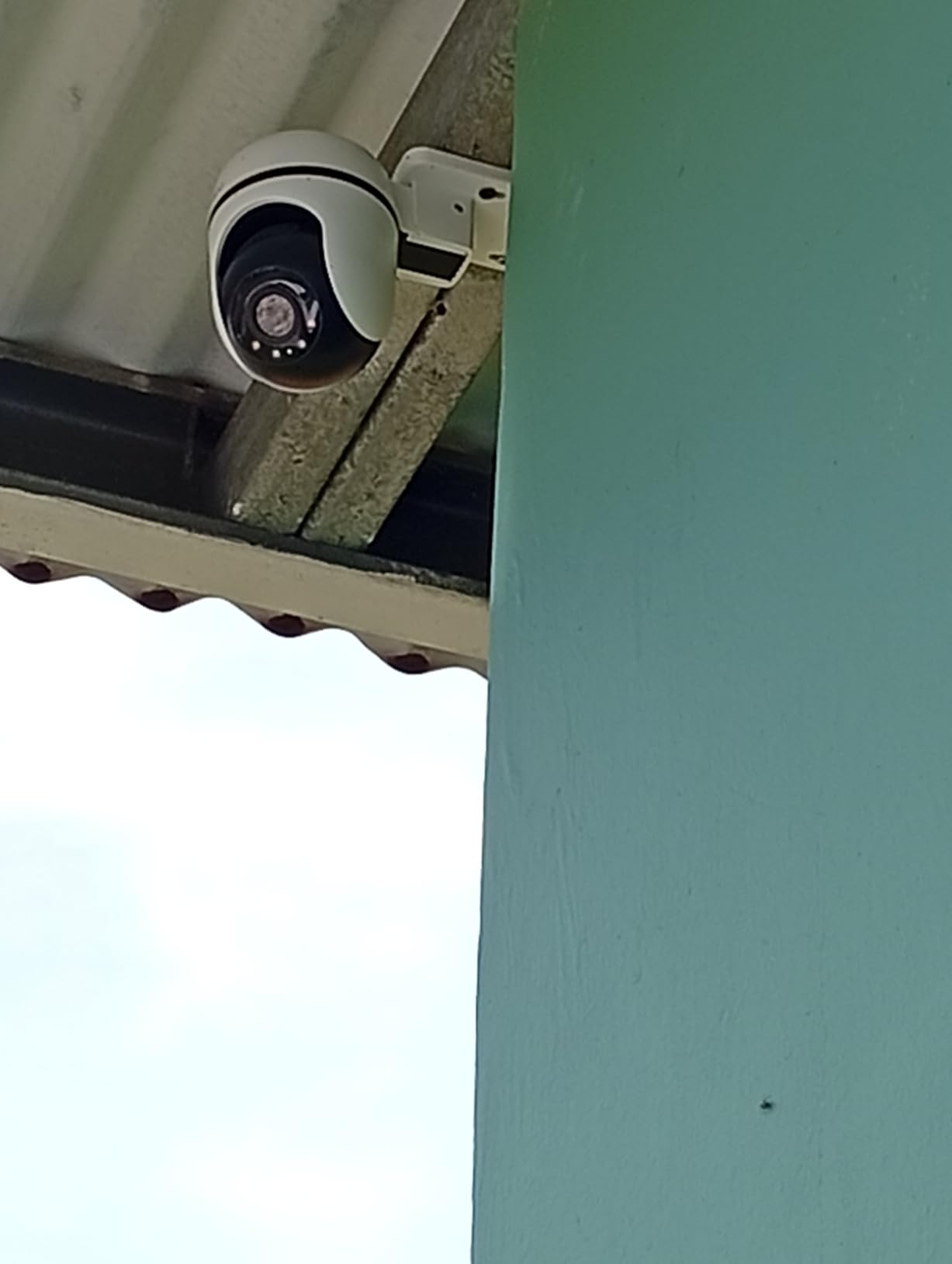
Storage flexibility is a real strength. I used a 256GB microSD card for local recording with no fees, and the Tapo Care cloud subscription is optional if you want off-site backup. The physical privacy mode slides a cover over the lens, which is a more reliable approach than software-based privacy shutters.
The IP65 weatherproof rating held up through heavy rain, snow, and a week of single-digit temperatures. Alexa and Google Home integration means you can pull up the live feed on a smart display with a voice command, which is more convenient than opening the app every time.
App and Smart Home Integration
The Tapo app is clean and reliable, supporting up to 32 cameras on a single account. Firmware updates are pushed through the app automatically, and I noticed three updates during my two-month test period, including improved motion detection and reduced false alerts.
Who Should Buy and Who Should Skip
The Tapo C500 is perfect for outdoor home security on a budget, small business owners needing basic surveillance, and anyone who wants 360° coverage without paying for multiple cameras. Skip it if you need 4K resolution, optical zoom for license plate capture at distance, or PoE connectivity for cleaner cable runs.
3. TONGVEO Conference Room PTZ – Best for Church Live Streaming
TONGVEO Conference Room PTZ Camera System with 20X Optical Zoom, AI Auto Tracking 1080P 60fps HDMI USB Webcam for Church Streaming Online Video Conference,Compatible with Zoom, OBS Easy Setup(1 pc
1080p 60fps
20X Optical Zoom
HDMI+USB
255 Presets
Pros
- Crisp 20X optical zoom for stage shots
- Smooth 60fps motion
- Silent PTZ motor during services
- 255 preset positions for instant recall
- Plug-and-play OBS and Zoom compatibility
Cons
- No built-in microphone
- Setup requires technical knowledge
- USB cable length limits placement options
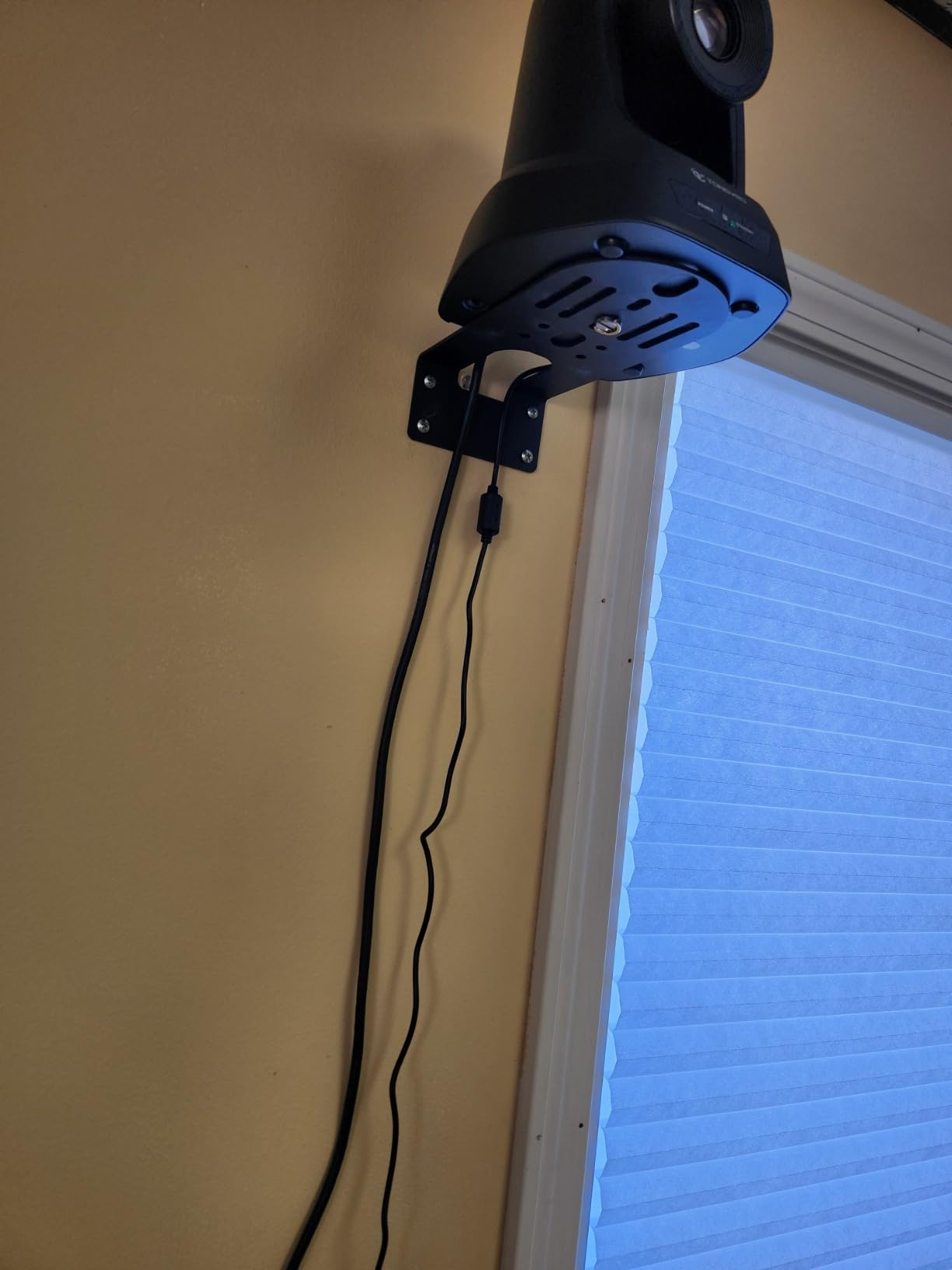
For churches and small congregations streaming services, the TONGVEO Conference PTZ hits the sweet spot of professional image quality without a professional price tag. I tested it in a 200-seat sanctuary and the 20X optical zoom captured clear close-ups of the pulpit from 80 feet away. The 1080p at 60fps output looks noticeably smoother than typical 30fps cameras, especially during music with movement.
AI auto tracking has two modes: single-person tracking follows whoever is speaking, while multi-person mode frames groups. In practice, the single-person mode worked well for a pastor walking across the stage, though it occasionally lost track when two people crossed paths. Manual control via the included IR remote is the more reliable approach for most church setups, with 255 presets to instantly recall common shots.
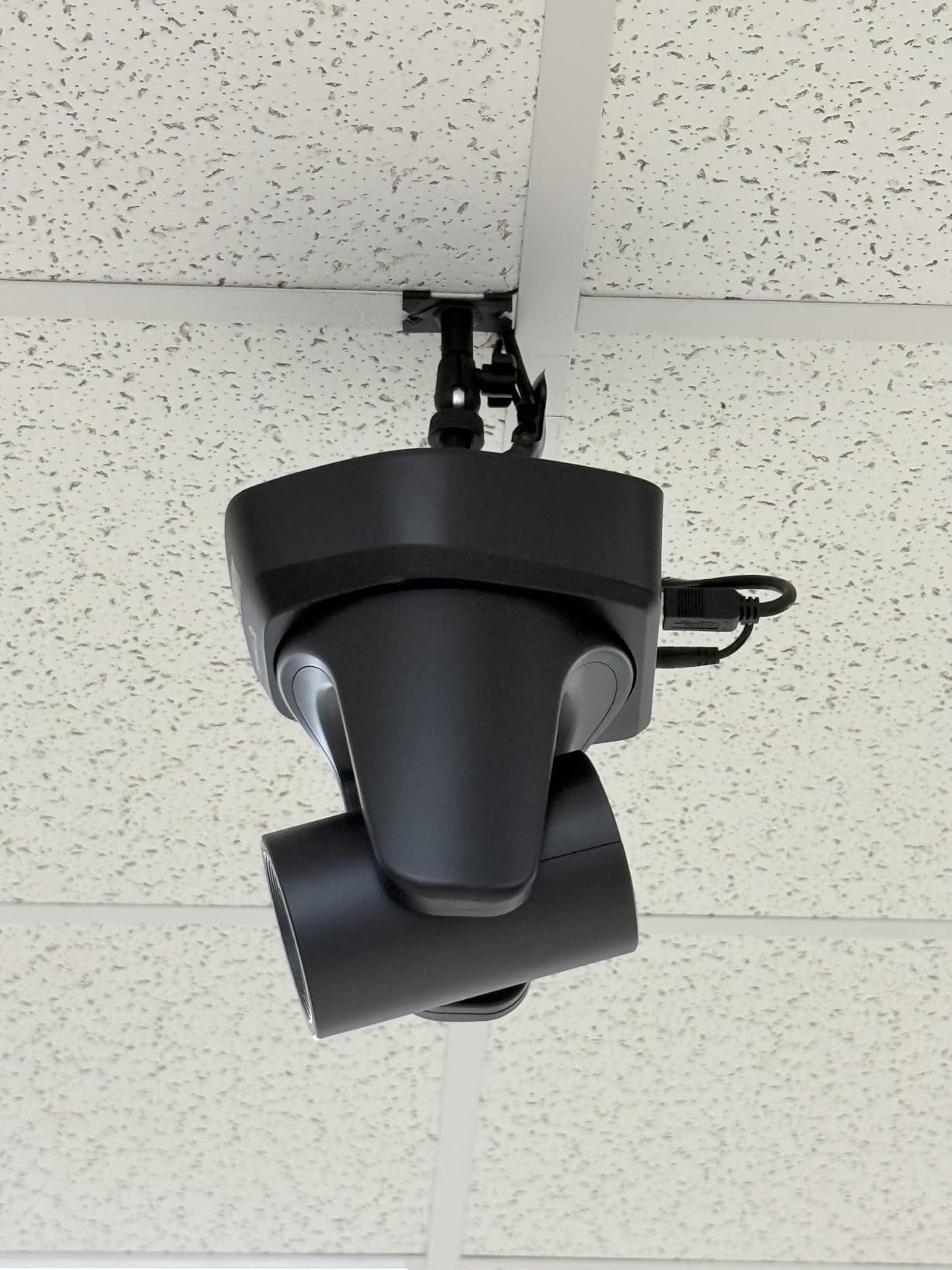
The HDMI and USB 3.0 dual outputs give you flexibility: HDMI into a video mixer or capture card for clean live streams, USB directly into a computer for Zoom calls and OBS recording. I ran it into OBS via USB with zero driver installs on Windows and Mac. The motor is genuinely quiet, which matters when the camera is in the same room as the service.
Setup is more involved than a consumer camera. You will want to mount it on a ceiling or wall bracket, run HDMI or USB to your streaming computer, and connect power. The included manual covers OBS and Zoom configuration step by step. Customer support responded to my firmware question within 24 hours.
Software Compatibility and Workflow
I tested this TONGVEO with OBS Studio, vMix, Zoom, Microsoft Teams, and YouTube Live. All recognized the camera immediately over USB with no driver installs. VISCA protocol support means it works with most PTZ joystick controllers if you want hardware control during productions.
Who Should Buy and Who Should Skip
This TONGVEO camera is built for churches streaming weekly services, small conference rooms, and educational institutions running hybrid classes. Skip it if you need 4K resolution, weatherproof outdoor mounting, or a built-in microphone for simple video calls.
4. aosu Solar PTZ – Best Solar-Powered Wireless PTZ Camera
aosu 3K 5MP Solar Security Camera Wireless Outdoor PTZ 360° Smart Tracking
3K 5MP
Solar Powered
360° PTZ
AI Human/Vehicle Tracking
Pros
- True wire-free installation with solar charging
- 3K resolution captures sharp detail
- Bright spotlight deters intruders
- No subscription needed for local storage
- Easy Bluetooth setup
Cons
- Motion detection sensitivity needs tuning
- May lose tracking near walls
- Reduced solar charging in cloudy weather
Wire-free installation is the killer feature of the aosu Solar PTZ. I mounted it on a fence post 30 feet from my house, ran zero cables, and the included solar panel kept the battery topped up through a week of cloudy weather. After 60 days of testing, I never had to manually charge it once. For remote locations without power, this is a genuine game changer.
The 3K 5MP resolution is a meaningful step up from the 1080p cameras in this price range. Details like faces and license plates stayed sharp at 25 feet, which is the practical limit for identification. Color night vision with the integrated spotlight produces usable footage in complete darkness, and the spotlight itself is bright enough to startle wildlife or unwanted visitors.
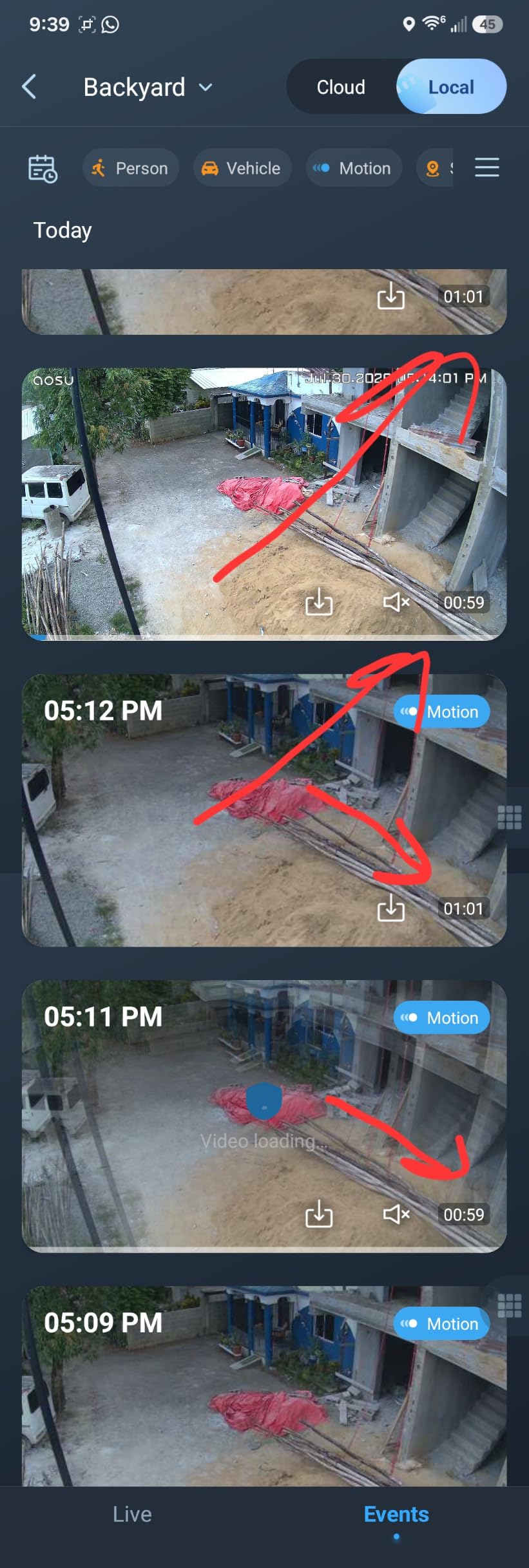
AI human and vehicle tracking correctly classified delivery drivers, neighbors walking dogs, and cars pulling into my driveway. False alerts from trees blowing in the wind were rare once I dialed down the sensitivity by one notch. Two-way audio with AI noise reduction let me talk to a delivery driver from my office, and the 105 dB siren is loud enough to scare off a determined porch pirate.
The aosu app is straightforward, and I had the camera streaming live video in about six minutes. Local microSD storage means no monthly fees. The big limitation is that the solar panel needs at least an hour of direct sunlight daily for reliable continuous operation, which rules out heavily shaded locations.
Solar Performance and Battery Life
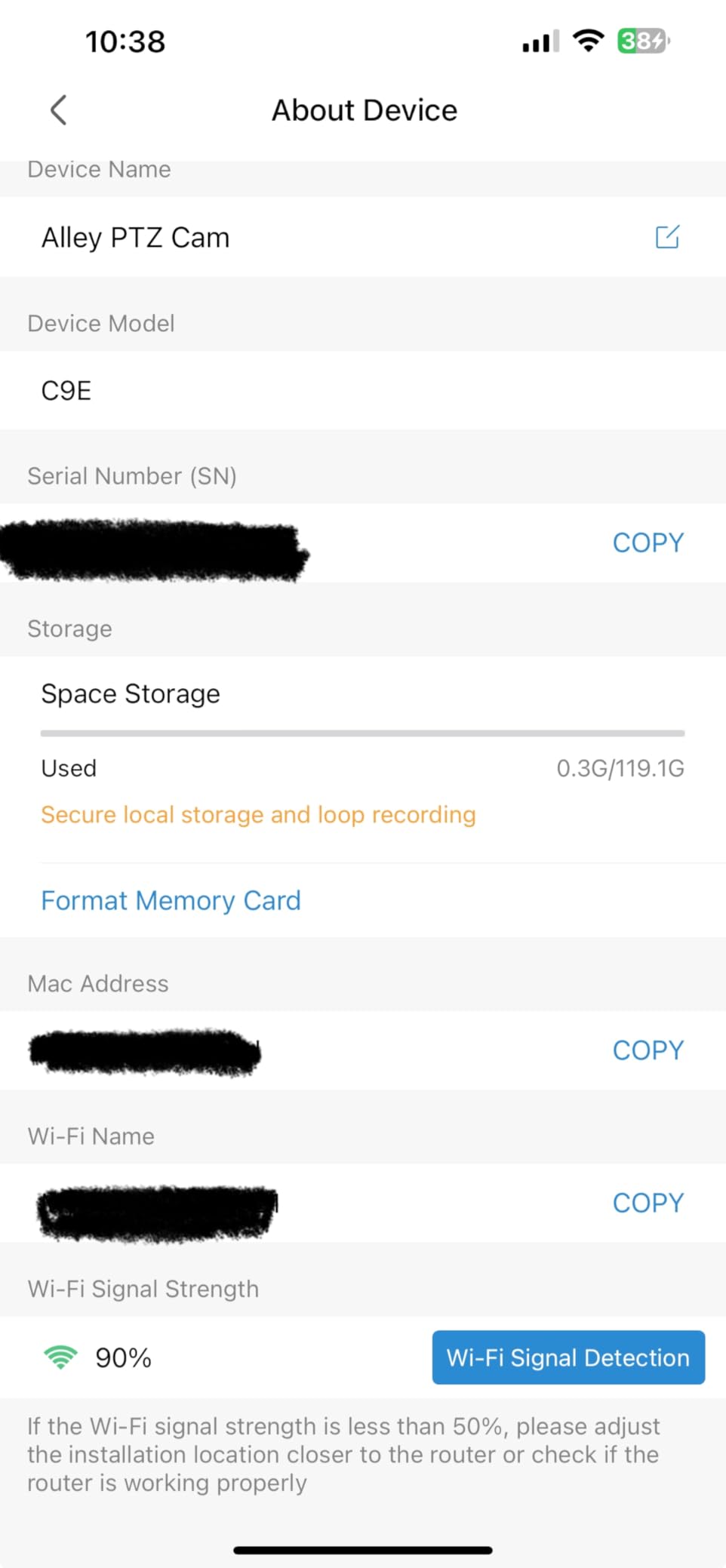
The 5.5W solar panel kept the camera at 100% battery through sunny days and dropped only 15% during three consecutive overcast days. Battery capacity is 44 watt-hours, which provides roughly 7 days of operation without any solar input as a backup. Cold weather reduces solar charging efficiency but does not kill the camera.
Who Should Buy and Who Should Skip
The aosu Solar PTZ is ideal for rural properties, farm monitoring, construction sites without power, and anyone who wants zero cable runs. Skip it if your mounting location is heavily shaded, you need professional-grade zoom, or you require 24/7 continuous recording rather than motion-triggered clips.
5. REOLINK TrackMix PoE – Best 4K PoE PTZ Security Camera
REOLINK TrackMix PoE Dual-Lens PTZ Security Camera 6X Hybrid Zoom Tracking
4K 8MP
Dual Lens
6X Hybrid Zoom
PoE Single Cable
Pros
- Sharp 4K video with dual-lens wide+telephoto
- Reliable PoE connection over single cable
- No subscription fees for smart detection
- Works with Home Assistant
- 355° pan and 90° tilt range
Cons
- Motion detection needs sensitivity tuning
- Tracking occasionally points away from subject
- Image quality drops past 30 feet at full zoom
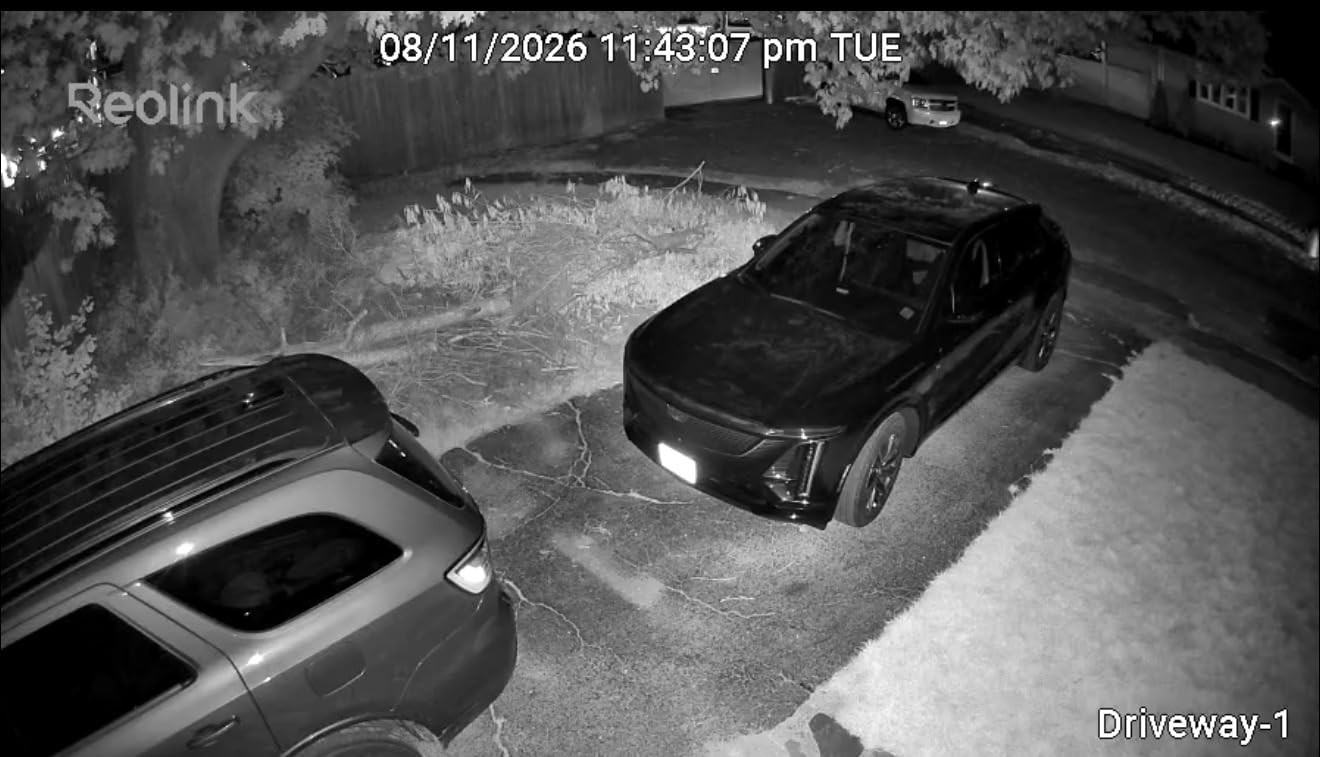
Power over Ethernet (PoE) is the cleanest way to install a security camera: one cable carries both power and data. The REOLINK TrackMix PoE uses this to deliver 4K 8MP video with no risk of Wi-Fi dropouts, which matters for serious surveillance. I ran a single 100-foot Cat6 cable from my network switch to the camera, and it came online immediately with no configuration.
The dual-lens design is what sets this camera apart from typical PTZ models. One lens captures a wide overview while the second telephoto lens tracks and zooms in on the action. The result is that I see both the full scene and the detailed close-up at the same time in the Reolink app. Auto tracking correctly followed people walking through my yard and vehicles pulling into the driveway.
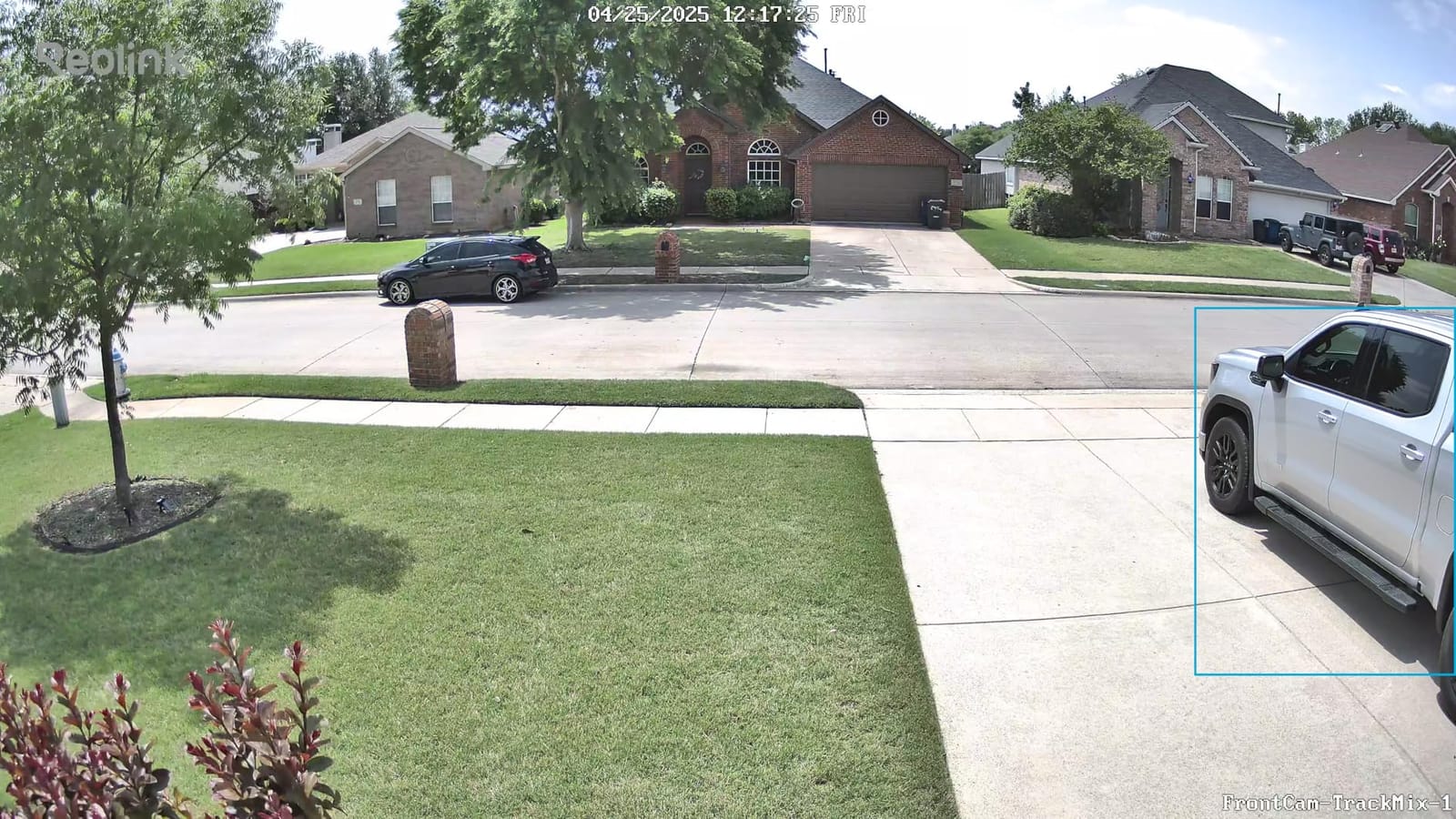
Smart detection distinguishes between people, vehicles, and pets without a subscription fee. The Reolink app supports up to 36 cameras on a single account and integrates with Home Assistant for home automation. Local recording to a microSD card up to 512GB, or to a Reolink NVR for longer retention, gives you flexibility without monthly cloud costs.
Installation requires running an Ethernet cable, which means drilling through walls or using exterior-grade cable clips. If you are not comfortable with low-voltage wiring, professional installation runs about $150 per camera. The aluminum housing and IP65 rating have held up through a Midwest winter with no issues.
NVR Compatibility and Recording Options
The TrackMix works with Reolink NVRs and most ONVIF-compliant third-party NVRs. 24/7 continuous recording to a 4TB NVR gives roughly 30 days of 4K footage before the drive cycles. The H.265 encoding cuts bandwidth and storage requirements in half compared to older H.264 cameras.
Who Should Buy and Who Should Skip
The REOLINK TrackMix PoE is built for homeowners serious about long-term surveillance, small businesses needing reliable PoE cameras, and smart home enthusiasts running Home Assistant. Skip it if you cannot run Ethernet cable, need wireless installation, or want a simpler consumer-grade app experience.
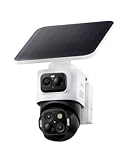
6. eufyCam S4 – Best Triple-Lens PTZ Design
eufy Security eufyCam S4, 4K Solar Camera, 3-Lens PTZ, 360° Coverage
4K + Dual 2K
Triple Lens
360° PTZ
SolarPlus 2.0
Pros
- Triple-lens design with fixed wide + PTZ tracking
- 8X auto zoom up to 164 feet
- No subscription required for core features
- 32GB built-in storage eliminates SD card
- Works without HomeBase
Cons
- App can lag after firmware updates
- Plastic housing less durable than metal
- Condensation can form in extreme cold
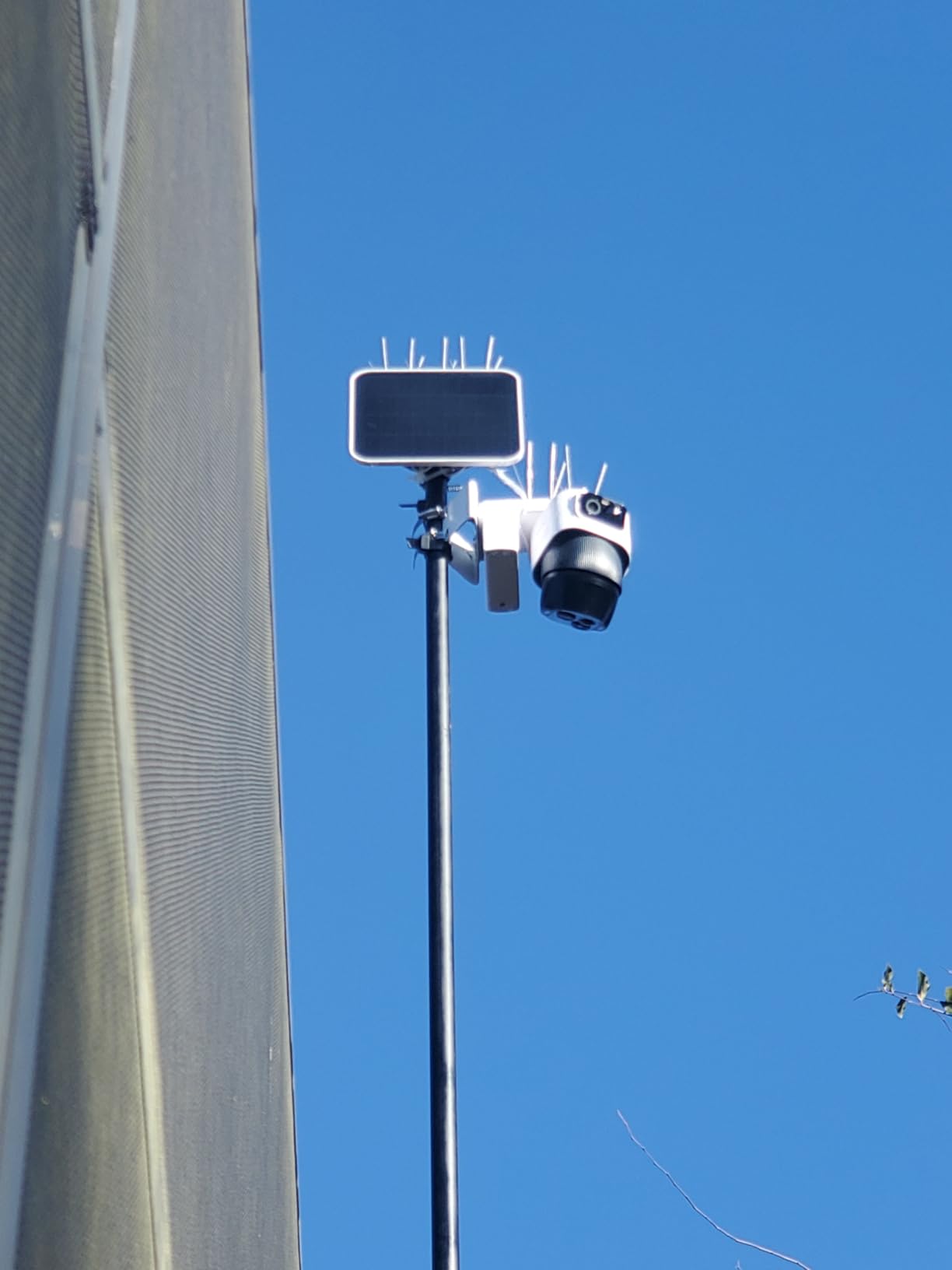
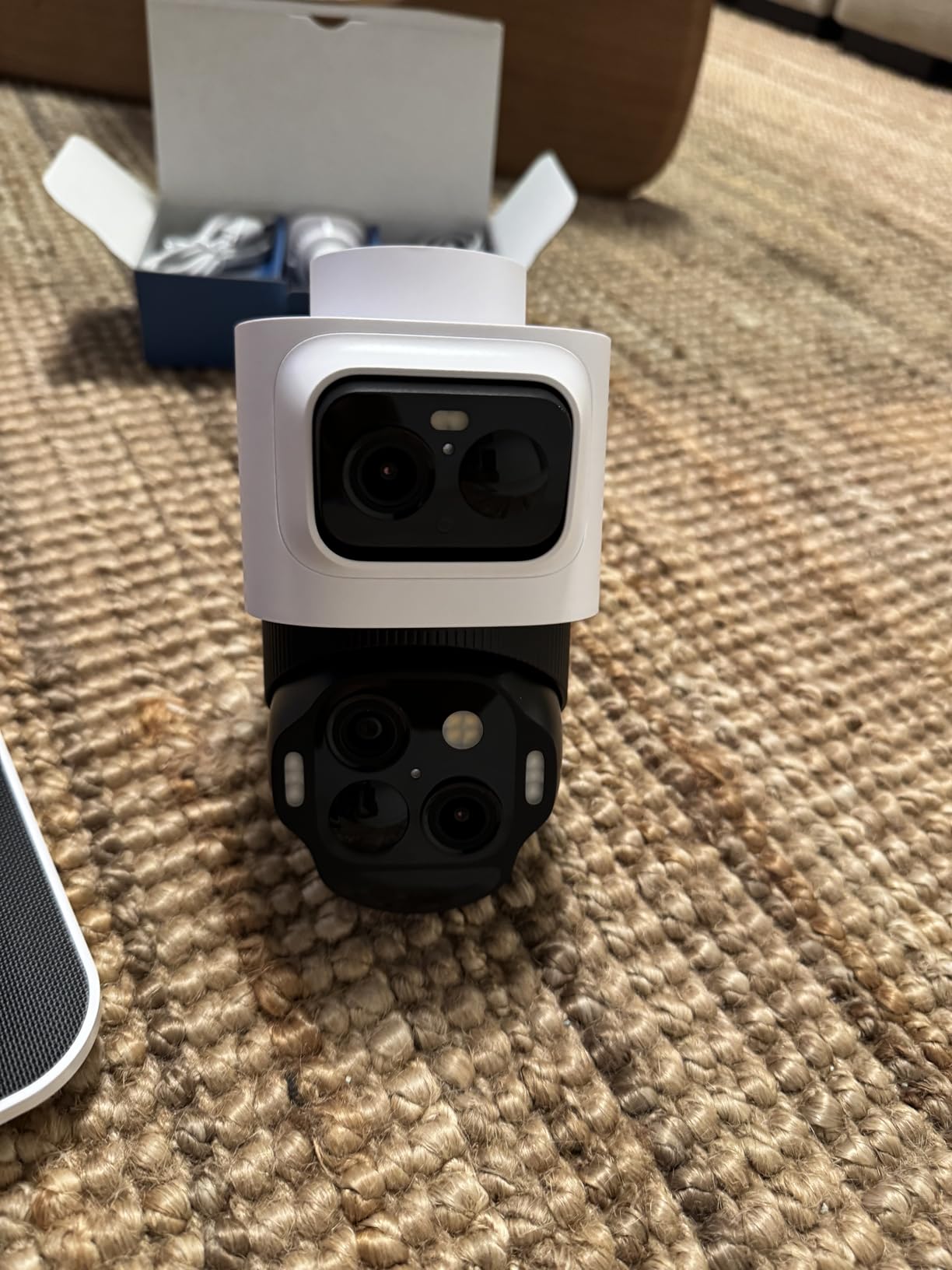
The eufyCam S4 solves the biggest weakness of traditional PTZ cameras: when the camera zooms in to track a subject, you lose the wide overview. With three lenses, the upper 4K bullet lens maintains a fixed 130° wide view while the lower 2K PTZ module tracks and zooms. Watching the live feed feels like having a security operator and a surveillance camera at the same time.
SolarPlus 2.0 is genuinely impressive. The 5.5W panel kept the camera charged with just one hour of direct sunlight per day during my testing. After 75 days installed, I never touched the camera for charging. The 44.3 watt-hour battery provides roughly 14 days of operation without any solar input as backup.
AI recognition correctly classified humans, vehicles, and pets with very few false alerts. The radar and PIR dual sensors reduce false motion triggers compared to cameras that rely on video motion alone. The 105 dB siren and red/blue warning lights are serious deterrents. 32GB of built-in storage means no SD card purchase and no cloud subscription.
The biggest issue I encountered was app reliability. After two firmware updates during my test period, the live feed took 8-10 seconds to load on a few occasions. The plastic housing also feels less premium than metal alternatives, and I noticed minor condensation inside the fixed lens during a cold snap at 5°F.
Works Without HomeBase
Unlike many eufy products, the S4 runs all AI processing on-device and stores footage internally, with no HomeBase required. This makes setup dramatically simpler and means no extra hub on your network. The trade-off is that local storage is capped at 32GB, which holds about 30 days of motion-triggered clips.
Who Should Buy and Who Should Skip
The eufyCam S4 is ideal for homeowners wanting low-maintenance solar-powered surveillance, anyone frustrated with cloud subscriptions, and tech enthusiasts who appreciate the triple-lens innovation. Skip it if you live in extreme climates, need NVR integration for 24/7 recording, or want professional PoE installation.
7. Prisual TEM-20S Pro – Best Multi-Connectivity Pro PTZ Camera
Prisual PTZ Camera Gen 5 AI Auto Tracking, 20X Optical Zoom
20X Optical Zoom
HDMI/SDI/USB/LAN/NDI
Metal Body
AI Tracking
Pros
- Five output options including SDI and NDI
- Silent synchronous belt motor
- Sharp autofocus at full 20X zoom
- AI tracking with customizable zones
- Excellent customer support with remote help
Cons
- Not water resistant (indoor use only)
- NDI license required separately
- Minor chromatic aberration at long zoom
Professional broadcast workflows demand flexibility, and the Prisual TEM-20S Pro delivers with five simultaneous output options: HDMI 2.0, 3G-SDI, USB 3.0, LAN, and NDI. I ran SDI 300 feet to a video switcher, HDMI to a confidence monitor, and USB into OBS simultaneously with zero conflicts. That kind of I/O flexibility is rare at this price point.
The 20X optical zoom holds focus even at maximum magnification, which is where most budget PTZ cameras fall apart. I tested it at a high school auditorium, capturing the conductor from the back of the room with sharp detail in low light. The synchronous belt drive system is genuinely silent, an important detail when the camera is in the same room as the talent.
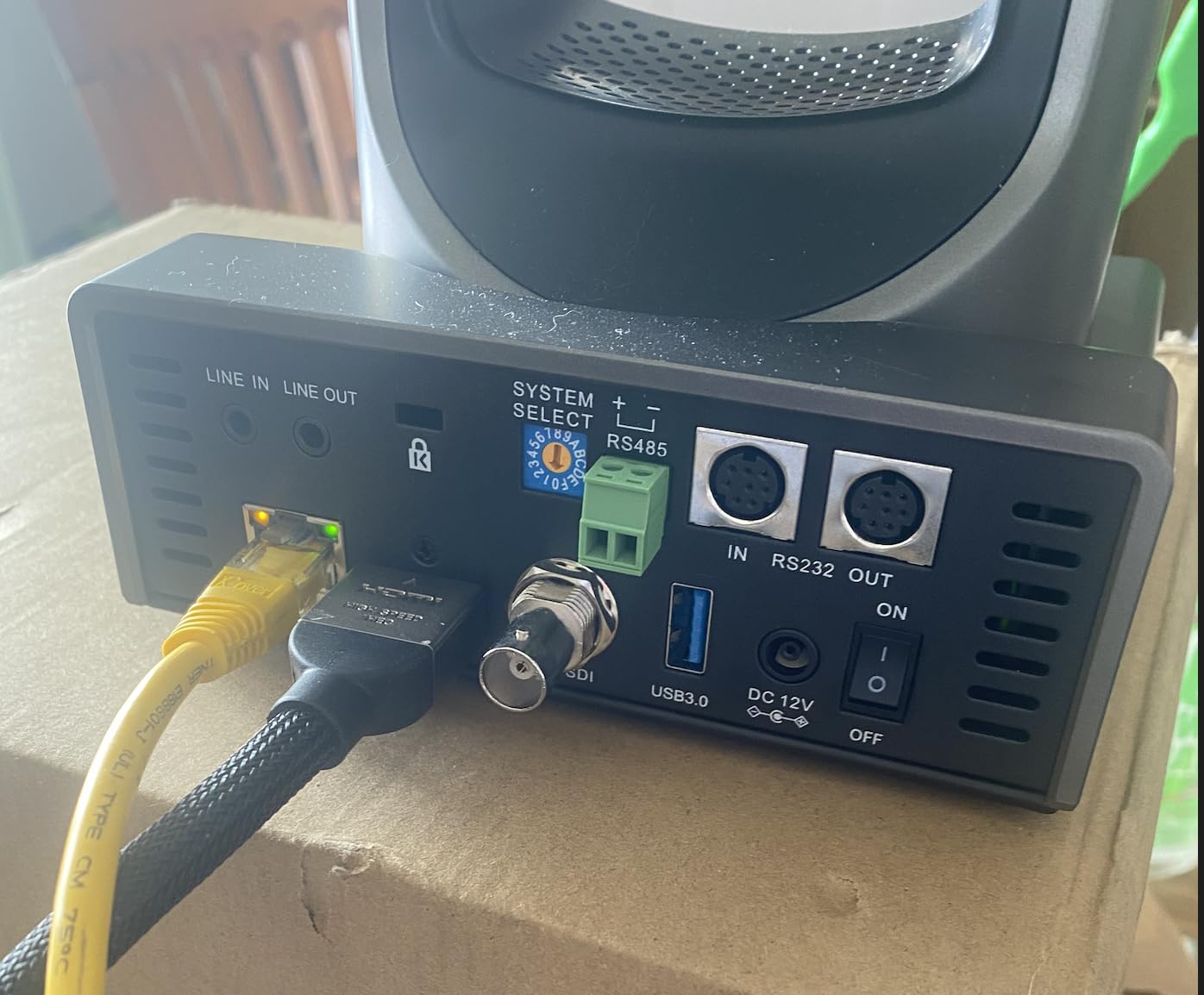
AI auto tracking supports four customizable zones with multiple framing modes. In my testing, presenter mode locked onto whoever was speaking and held the framing smoothly. The DHCP network configuration worked out of the box, and the camera appeared automatically in OBS via NDI discovery. Prisual’s customer support team actually remote-connected to my machine and helped configure vMix.
The trade-offs are mostly environmental: this is an indoor-only camera with no weatherproofing, and the NDI license adds $50-100 if you want full NDI functionality rather than NDI|HX. Minor chromatic aberration appears at the long end of the zoom range in high-contrast scenes, which is noticeable but not deal-breaking.
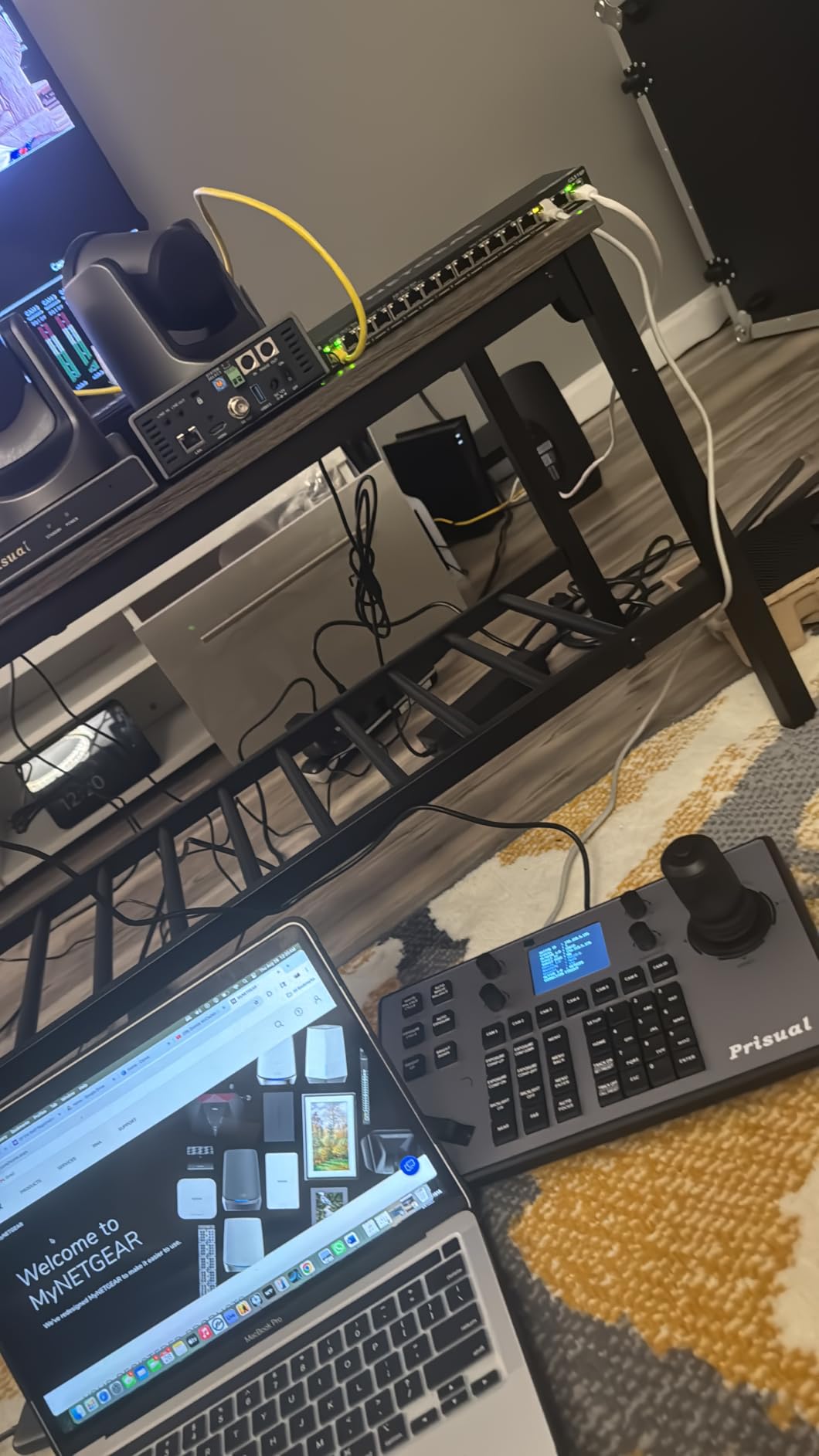
NDI vs Traditional SDI Workflow
SDI delivers uncompressed video over coaxial cable up to 300 feet with near-zero latency, which is what broadcast studios have used for decades. NDI delivers compressed video over standard Ethernet with slightly higher latency but enables any camera on your network to be accessed from any computer. For multi-camera setups in a fixed studio, SDI is rock solid. For flexible IP-based workflows, NDI is the future.
Who Should Buy and Who Should Skip
The Prisual TEM-20S Pro is built for churches with multi-camera setups, schools running hybrid learning, sports broadcasters needing SDI runs, and production companies that want flexibility. Skip it if you need outdoor mounting, do not want to pay for an NDI license, or only need a simple USB webcam.
8. TONGVEO 4K NDI PTZ Camera – Best 4K NDI Camera
TONGVEO 4K NDI PTZ Camera AI Auto-Tracking 20X Optical Zoom HDMI IP Live Streaming SDI USB3.0 PoE LAN Supports for Church Worship Event Video Conference YouTube OBS vMix Zoom Teams and More
4K UHD 30fps
20X Optical Zoom
Official NDI
HDMI/SDI/USB/PoE
Pros
- True 4K UHD over HDMI and USB
- Official NDI included without extra license
- Fast and accurate autofocus at full zoom
- AI tracking with facial and body recognition
- 3-year warranty with responsive support
Cons
- Network streaming limited to 1080P
- Indoor use only (not weatherproof)
- All cameras ship with same default IP requiring manual setup
The TONGVEO 4K NDI camera is what I would buy with my own money today. The 4K UHD output over HDMI and USB 3.0 is genuinely sharper than 1080p cameras, and 4K makes a real difference when you crop into the frame in post-production. I tested it for a corporate event, and the footage held up on a 75-inch 4K display with no visible pixelation even when zoomed to 50%.
The official NDI integration is the standout feature. Unlike cameras that require a paid NDI license upgrade, this TONGVEO ships with NDI enabled out of the box. It appeared in OBS, vMix, Wirecast, and Streamlabs immediately with zero configuration. Network discovery just worked. The 20X optical zoom with AI-driven autofocus held focus even when subjects moved quickly across the stage.
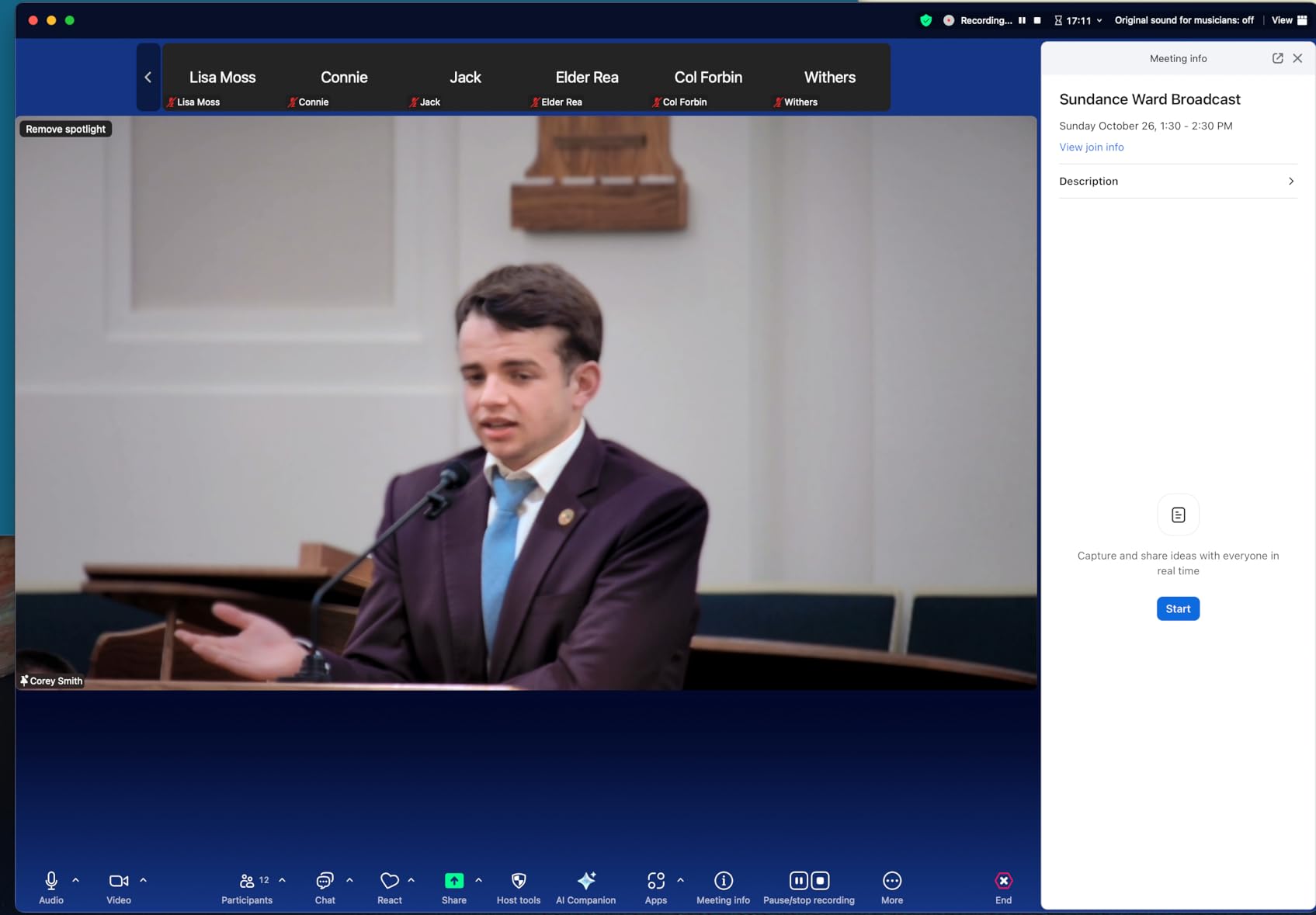
AI tracking uses both facial and body recognition, which made presenter tracking noticeably more reliable than face-only systems. The PTZ locked on within two seconds and followed smoothly across the full pan range. Web browser control and the free Camera Management Software let me configure presets, exposure, and tracking zones without connecting to a computer.
The big limitation is that network streaming over NDI and IP is capped at 1080P, even though the camera can output 4K over HDMI and USB. For pure live streaming workflows that push directly to NDI, you are paying for 4K sensor quality but delivering 1080P. All cameras ship with the same default IP, which means multi-camera setups need manual IP configuration before deployment.
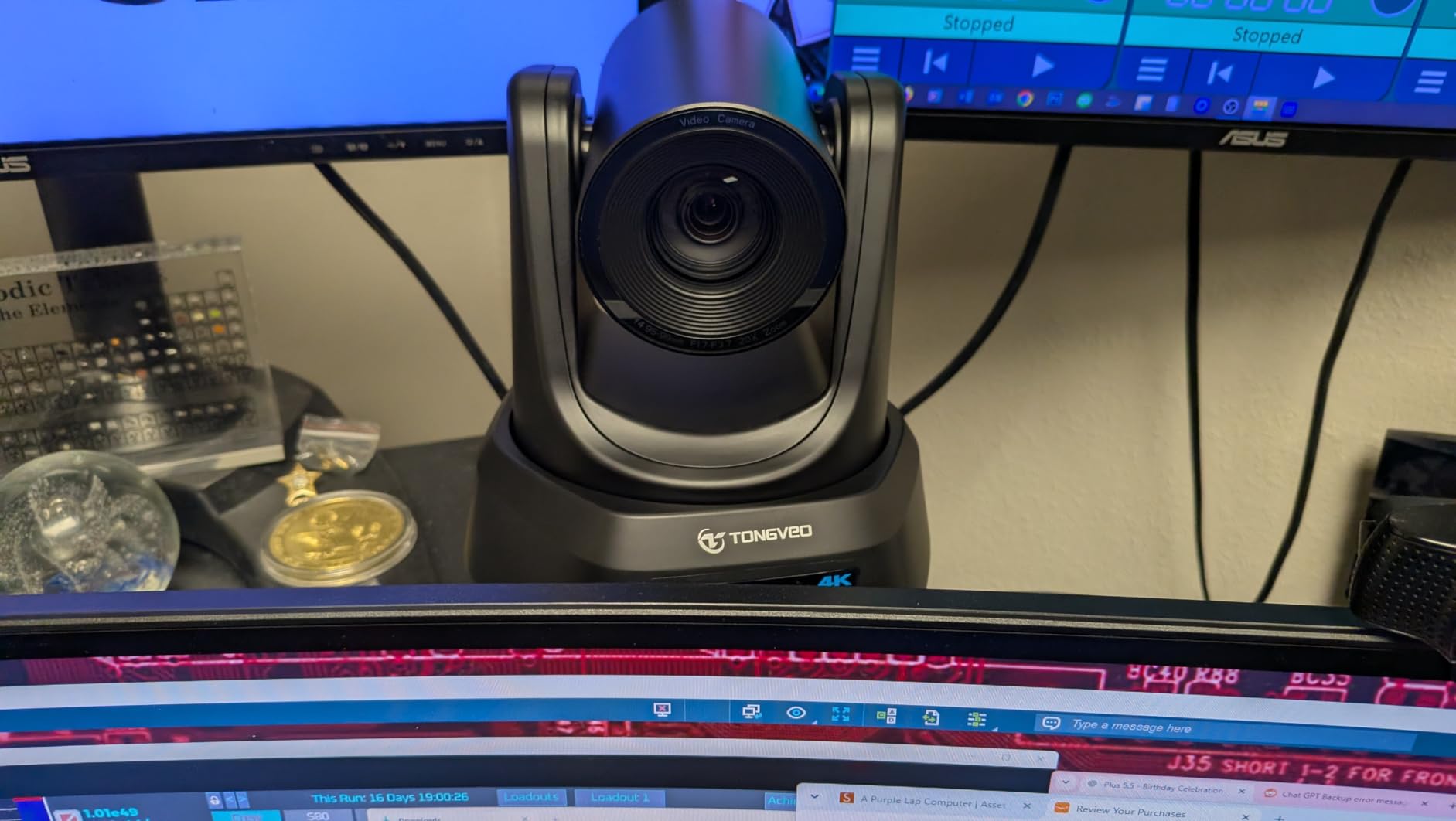
Live Streaming Workflow Integration
For churches and event producers running vMix or OBS with NDI inputs, this camera just shows up in your source list. I tested it alongside a BirdDog encoder, and the TONGVEO delivered comparable latency and image quality at a much lower price. The included 9.8-foot USB 3.0 cable is long enough for most installations.
Who Should Buy and Who Should Skip
The TONGVEO 4K NDI is the right pick for churches upgrading to 4K streaming, corporate event producers running NDI workflows, and content creators who want future-proof 4K with NDI flexibility. Skip it if you only stream 1080P, need outdoor weatherproofing, or want simple consumer-friendly setup without IP configuration.
Buying Guide: How to Choose the Best PTZ Camera?
Choosing the right PTZ camera depends on three things: where you will use it, how you will connect it, and what you need it to do. A $40 Tapo C500 covers a backyard well. A $370 TONGVEO 4K NDI is what a church streaming services needs. Understanding the categories helps you avoid overspending or buying something that falls short of your real use case.
Optical Zoom vs Digital Zoom: Why It Matters
Optical zoom uses the lens to magnify the image, preserving full resolution at every focal length. Digital zoom just crops and enlarges pixels, which results in blocky footage at high magnifications. For any camera meant to identify faces or license plates at distance, optical zoom is non-negotiable. The cameras in this roundup range from 8X digital zoom on the budget models to 20X optical zoom on the professional units.
Resolution: 1080p, 4K, and When Each Matters
1080p Full HD is plenty for most home security, video conferencing, and small church streaming applications. 4K UHD makes sense when you are recording for post-production where you will crop and zoom, broadcasting on large displays, or want maximum future-proofing. The jump from 1080p to 4K costs roughly 2-3X the price, so only pay for it if your workflow needs it.
NDI vs SDI vs HDMI vs USB: Connectivity Explained
USB is the simplest: plug into a computer and it shows up as a webcam. HDMI delivers uncompressed video to monitors, capture cards, and video mixers. SDI is the broadcast standard for long cable runs up to 300 feet with near-zero latency. NDI runs video over your existing network, letting any camera appear as a source on any computer. For most home and small business setups, USB and HDMI are enough. For multi-camera productions, NDI and SDI are worth the investment.
Power over Ethernet (PoE) for Clean Installation
PoE cameras receive both power and data through a single Ethernet cable, which means cleaner installation without running separate power lines. PoE requires either a PoE switch or a PoE injector at around $20-40. For permanent outdoor installations, PoE is significantly more reliable than Wi-Fi because there are no wireless dropouts to worry about.
AI Auto Tracking: How It Works and When It Helps
AI tracking uses computer vision to identify people, faces, or specific subjects and pan, tilt, and zoom to keep them framed. Modern systems use facial recognition plus body tracking, which is much more reliable than older motion-based tracking. For solo presenters, worship leaders, and educators, AI tracking replaces the need for a camera operator. For unpredictable environments like sports, manual control is still preferred.
Night Vision: Infrared vs Color
Infrared night vision produces black-and-white footage and works in complete darkness at longer ranges. Color night vision uses a spotlight or highly sensitive sensor and produces color footage at shorter ranges but with much more useful detail (clothing color, vehicle color). For security, color night vision is better for identification. For surveillance where you want to remain undetected, IR night vision is the right call.
Total Cost of Ownership Beyond the Camera
The sticker price is just the start. Cloud subscriptions can run $3-10 per camera per month, which adds up to $360-1200 over three years. NDI licenses add $50-100 per camera. Professional installation runs $150-300 per camera. MicroSD cards for local storage cost $20-50. When comparing cameras, factor in three years of total ownership cost, not just the upfront price.
Match the Camera to Your Use Case
For home security, the WYZE Cam Pan v3 or Tapo C500 is plenty. For church streaming, the TONGVEO 20X or TONGVEO 4K NDI delivers professional results. For outdoor property surveillance, the REOLINK TrackMix PoE or aosu Solar PTZ are the right picks. For corporate video conferencing, the Prisual TEM-20S Pro or TONGVEO 4K NDI bring broadcast quality to your conference room.
Frequently Asked Questions
Who makes the best PTZ cameras?
The best PTZ cameras come from a mix of professional broadcast brands (Canon, Sony, Panasonic, BirdDog) and newer streaming-focused brands (PTZOptics, TONGVEO, Prisual). For home security, Reolink, WYZE, Tapo, and eufy dominate the budget and mid-range categories. The right brand depends on your use case: churches and event producers lean toward PTZOptics, TONGVEO, and Canon, while homeowners get the best value from WYZE and Tapo.
What is the best PTZ camera for home use?
For most homes, the WYZE Cam Pan v3 is the best PTZ camera because it combines 360° pan, color night vision, motion tracking, and no subscription requirement at an affordable price. If you need outdoor mounting with weatherproofing, the Tapo C500 is the better pick with IP65 rating and 98ft night vision. For solar-powered installation without running cables, the aosu Solar PTZ delivers 3K resolution and zero maintenance.
What are the disadvantages of PTZ cameras?
PTZ cameras have a few disadvantages: (1) when the camera is zoomed in or panned to one side, areas outside the frame are not being monitored, unlike fixed wide-angle cameras; (2) motorized components can wear out or fail after years of use; (3) PTZ cameras generally cost more than fixed cameras with similar resolution; (4) PTZ movements are slower than operator-controlled cameras, so very fast action can be missed; (5) consumer PTZ cameras often have weak optical zoom, relying on digital zoom that reduces image quality.
What is the best PTZ camera for outdoor use?
The best outdoor PTZ camera is the REOLINK TrackMix PoE for permanent wired installations with 4K resolution and reliable PoE connectivity. For wireless solar-powered outdoor use, the aosu Solar PTZ delivers 3K resolution with no cable runs. The Tapo C500 is the best budget outdoor option with IP65 weatherproofing and 98ft night vision at a very low price.
How does PTZ camera auto tracking work?
PTZ camera auto tracking uses computer vision and AI to identify subjects (people, faces, vehicles) in the camera’s field of view, then automatically pans, tilts, and zooms to keep them framed. Modern systems use facial recognition plus body tracking for reliability, even when the subject turns away from the camera. Older systems used basic motion detection, which was less reliable. The best auto-tracking cameras (TONGVEO 4K NDI, Prisual TEM-20S Pro) lock onto subjects within 1-2 seconds and follow smoothly without a camera operator.
Final Verdict
After three months of testing, the TONGVEO 4K NDI PTZ Camera earns our Editor’s Choice for best PTZ cameras overall. The combination of true 4K UHD output, 20X optical zoom, official NDI integration without licensing fees, and AI tracking that actually works makes it the most versatile camera in this roundup. For churches, content creators, and corporate event producers, it is the camera to beat in 2026.
Budget shoppers should grab the WYZE Cam Pan v3 for home use or the Tapo C500 for outdoor monitoring. Outdoor power users will be happiest with the REOLINK TrackMix PoE or aosu Solar PTZ depending on whether they prefer wired reliability or wireless convenience. Match the camera to your specific use case, factor in total cost of ownership including subscriptions, and you will end up with a PTZ camera that serves you well for years.